






Redirect Guide: Everything You Need to Know (With Use Cases)

Redirects look simple from the outside: one URL forwards to another.
But every site owner eventually learns a painful truth: URLs live longer than the content behind them.
You redesign a site, reorganize categories, or move to a new domain and... all of a sudden, you’ve inherited a mess of old paths and broken pages.
And on top of that, some product URLs still receive traffic even though the product was discontinued three years ago.
- So, what should you know about URL forwarding?
- When should you use it, and when should you avoid it?
- Is there a simple workflow you could just implement?
Let’s find out!
What is a redirect?
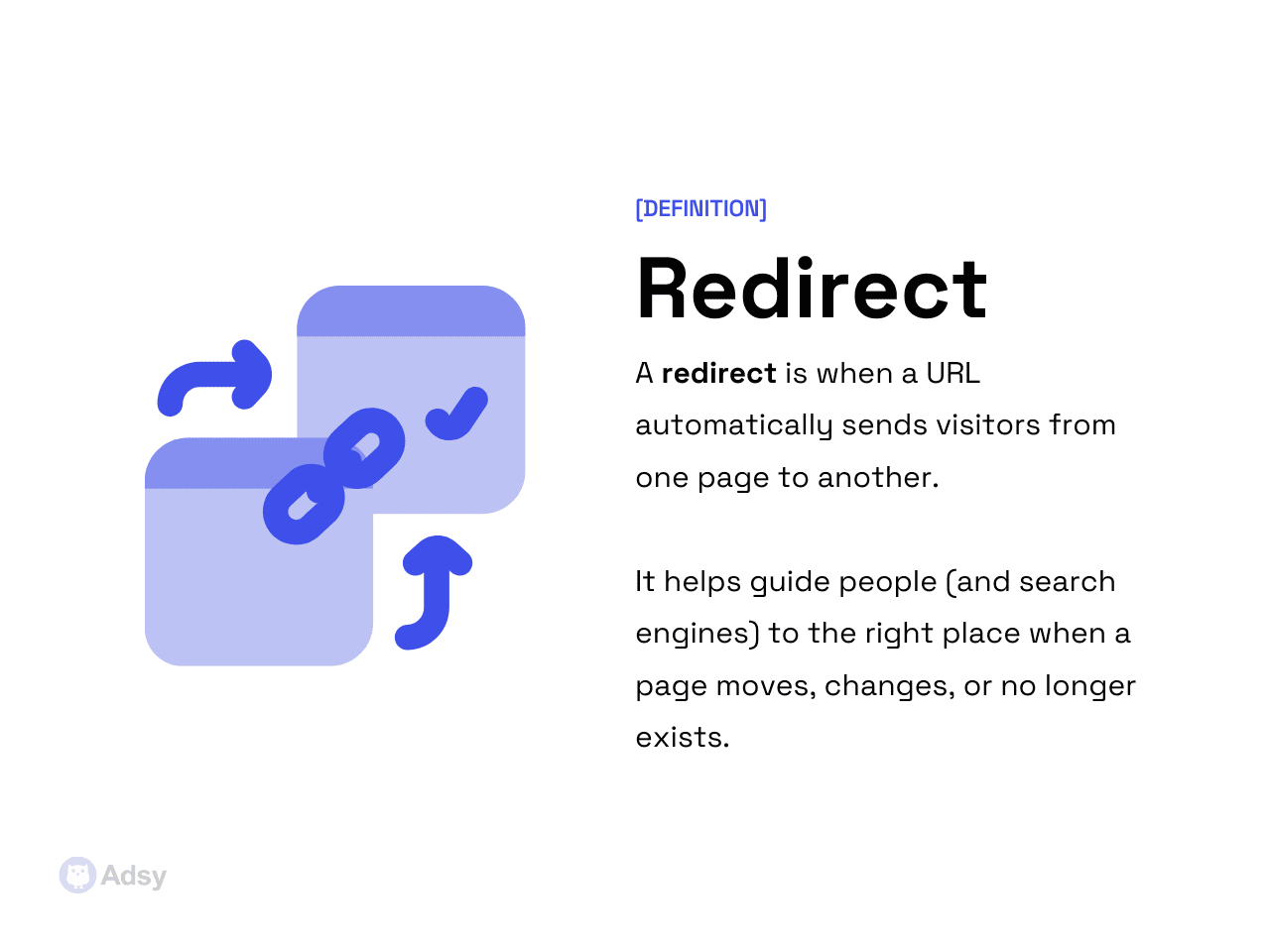
A redirect is very simple to define: it's a setup that sends you from one URL to another. It makes sure site visitors don't land on the wrong or broken pages.
These are huge when it comes to any web changes.
Site migrations, URL cleanups, content consolidation, product retirements, and category restructuring. All of them rely on traffic reroutes to avoid broken pages and lost visibility.
When should you use it?
URL forwards should be used intentionally. This means never adding them impulsively, and definitely not treating them as a universal fix for outdated URLs.
The goal is to forward users and search engines to the most accurate, relevant destination when something changes.
If that destination doesn’t exist, a redirect may actually cause harm.
But there are numerous use cases when implementing them is actually helpful and much needed. What are those?
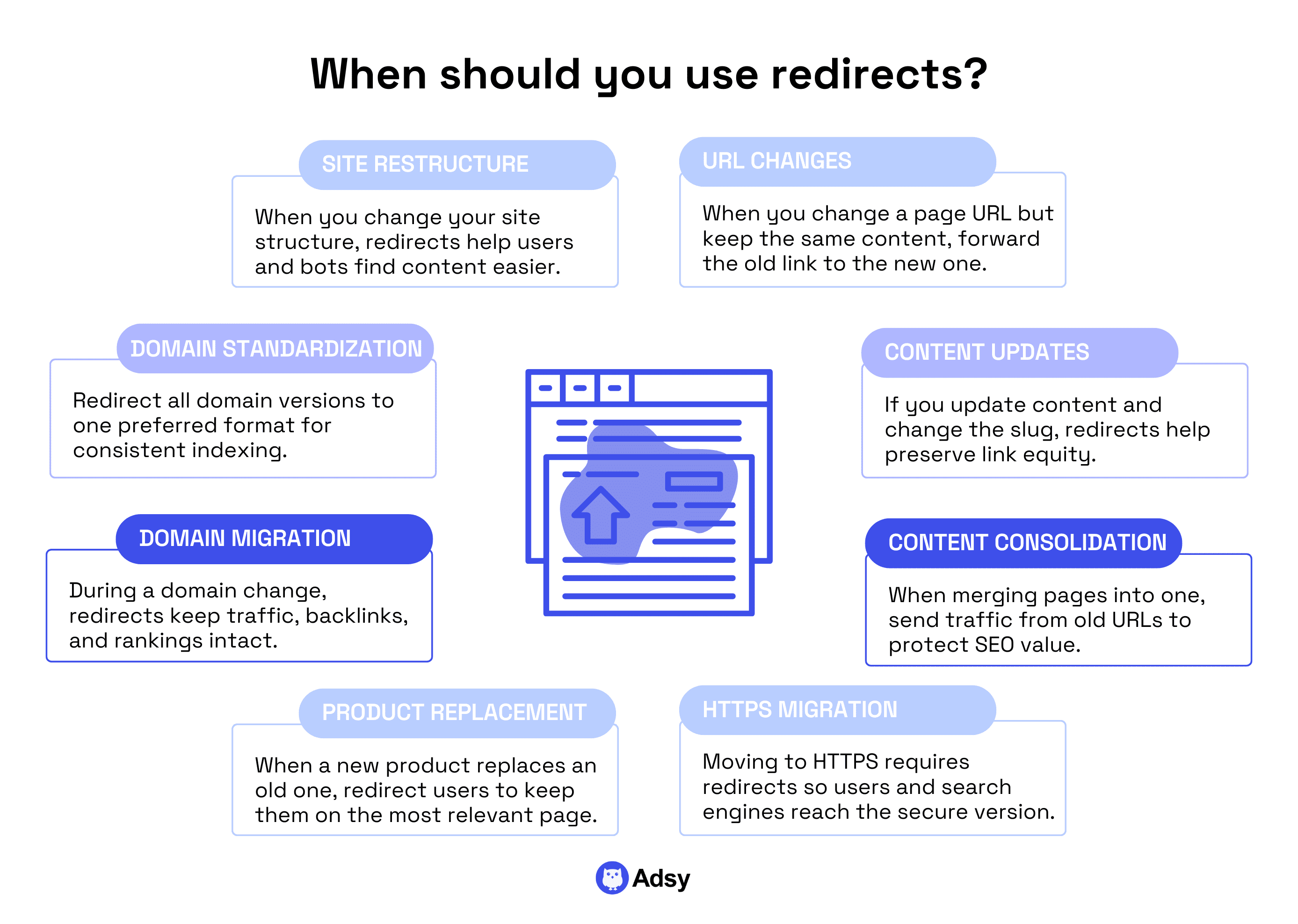
1. You changed a URL, but the content is still the same
If you update a slug for clarity to shorten messy CMS-generated URLs, for example, you must send the old link to the new one.
Otherwise, you split authority between two pages and confuse search engines.
2. You updated the content and its slug
Imagine you had an old blog post, and then you updated it, and the URL was also changed. Then, rerouting is what will help you keep link equity (juice) and avoid confusing users with outdated URLs.
This often happens when you have a year in your slug. For example, /blog/facebook-ads-2019 > /blog/facebook-ads-guide.
3. You’re consolidating content
Maybe you’re merging two similar articles, product variations, or multiple thin pages into one strong page. What should you do?
Send users from the weaker or outdated URLs to the new consolidated page.
This helps you protect your link juice and sends a clear signal to the search bots.
4. You switched to HTTPS
If you are moving from HTTP to HTTPS, you need to send your users to new secure links, too. This is a very important change for security and SEO.
And in real life, it would look like this: http://example.com > https://example.com.
5. You replaced an old product/service with a new related one
This makes sense when the new product meaningfully replaces the old one. It also applies to upgraded services, etc.
For instance, imagine you retired one model of black running shoes and released a new one. Then, your redirect could look like this: /shop/black-running-shoes-v2 > /shop/black-running-shoes-v3.
Of course, you’ll likely have a normal product name and not a v2 or v3. But you get the idea.
6. You are migrating to a new domain
Traffic reroutes are pretty much mandatory during any migration.
Without them, you force search engines to rediscover your entire site from scratch. And what is that? Right, the fastest way to kill rankings.
The idea here is simple: you just send people from olddomain.com/page to newdomain.com/page.
It keeps search engine bots and site visitors on the correct web page without losing SEO value, including backlinks, page authority, etc.
This is one of the most important permanent redirects on any site. Without it, you end up with duplicate indexed versions.
7. You want to standardize your domain options
There are many ways to search for a website name in Google. So, you’ll have to make sure that only one version of the domain appears in search engines.
For example, you could send people from https://example.com to https://www.example.com.
This one is extremely common, and you’ll see it on pretty much every website out there.
8. You changed the site structure
Let’s say you had a direct path from your home to the blog (website.com/blog/article-name). But then, you decided to create a whole resource library with case studies, templates, use cases, etc.
So, now, all your blog posts will turn into redirected pages. For example, website.com/resources/blog/article-name.
URL forwards aren’t the only option
The worst redirect mistakes happen when people assume they must reroute at least “something.” Just because a URL happened to exist.
Here's the thing: traffic reroutes are just one of the options among several other actions. And sometimes, they’re the wrong option.
Let’s break down the alternatives and when each one makes more sense.
404 (Not Found)
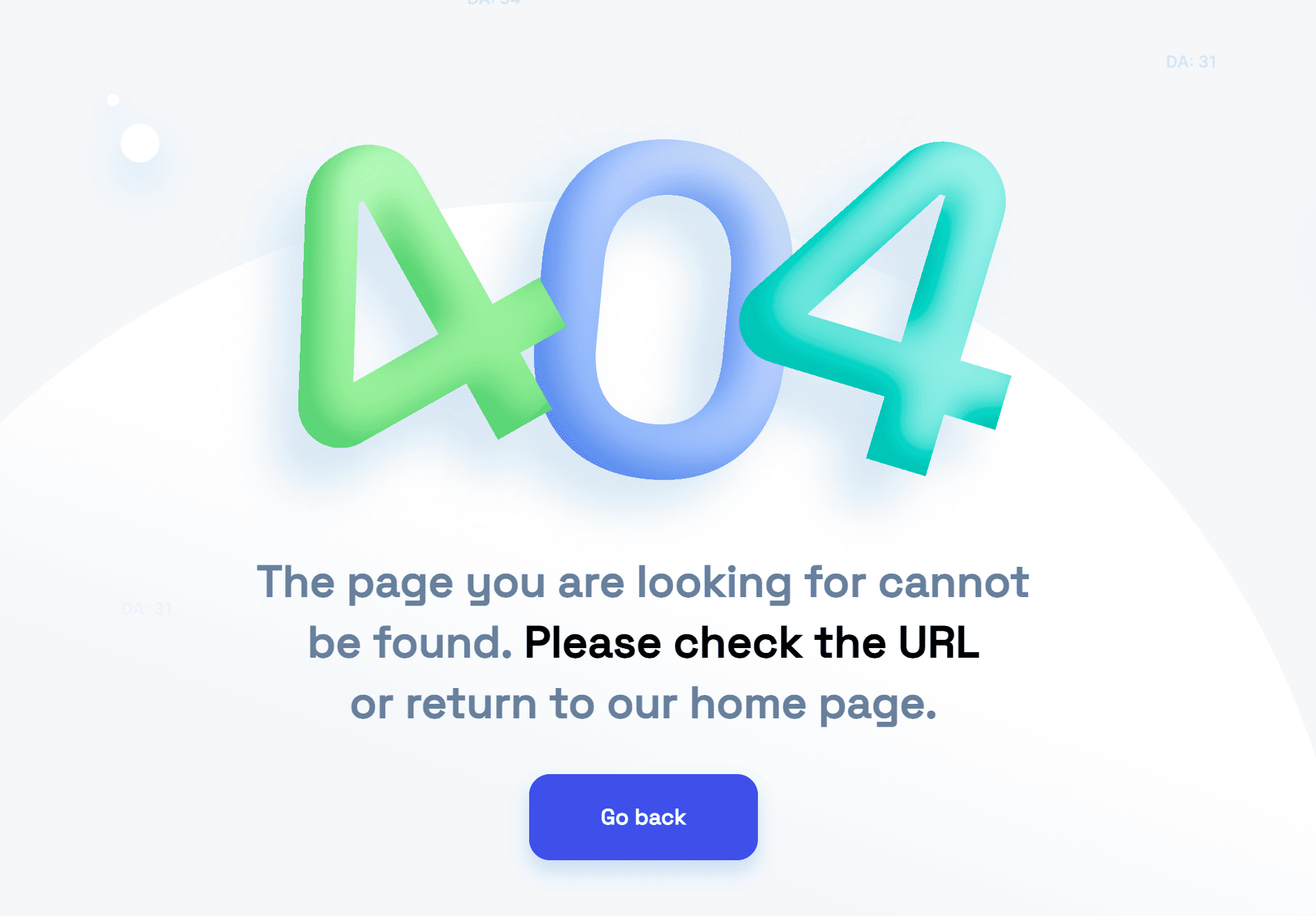
Okay, first of all, 404 is not a failure. Believe it or not, but it’s a healthy signal.
You see a 404 when a page is gone and does not need a replacement. This includes old campaign pages, test URLs, and thin content you intentionally retired. Should these be glued to something new? Nope.
Google is perfectly comfortable with 404s. The only real harm is:
- Linking to them internally.
- Having too many backlinks to pages with 404.
- Or getting an unintentional 404 for pages that you actually need.
But if that’s not your case, you can simply forget about your old pages that return 404s. They don’t necessarily need any URL mappings.
410 (Gone)

410s are similar to 404s, but they are a bit stronger. A 410 says something like, “We removed this page on purpose, and it’s not coming back.”
Use a 410 when you want something out of the index faster, such as:
- Discontinued products with no relevant alternative,
- Policy pages replaced by new structures,
- Content you intentionally eliminated,
- Spammy URLs created by third-party crawlers.
It is often believed that Google reacts more decisively to a 410 than a 404, removing these links from the index faster.
But in reality, there is no real proof of this in the official Google documentation. So, likely your 404s and 410s will be treated the same way.
Canonical tag
Source: Semrush
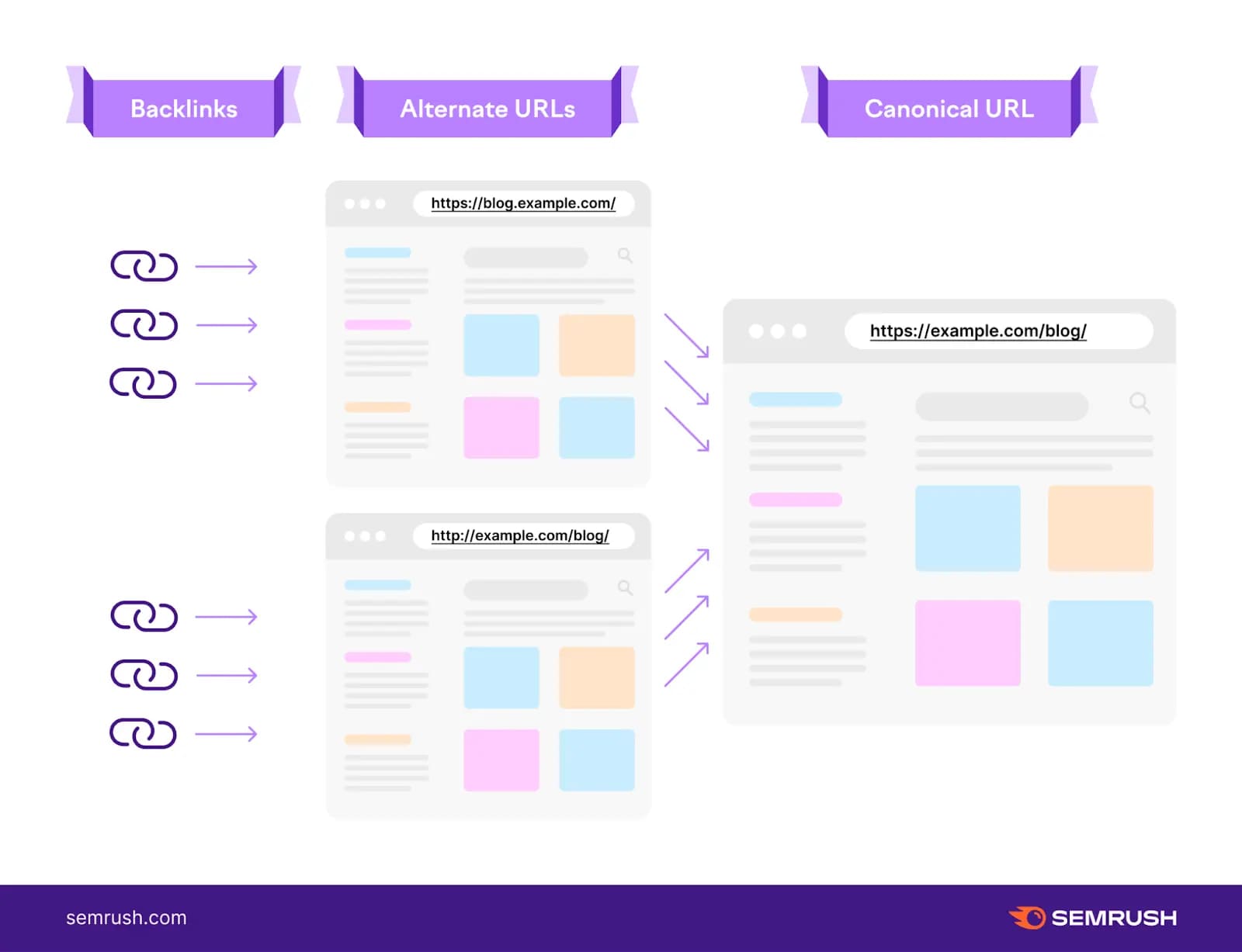
Just to be clear: a canonical is NOT a redirect. It’s a ranking signal telling Google which version of a web page should carry SEO value.
It’s ideal for situations where you must keep multiple URLs active for functionality. But at the same time, the content on those pages is almost identical.
When do you normally use canonical?
- If you have different category filters, especially for e-stores.
- If you use UTM tracking or referral tracking.
- If you have different pages for the same category (blog, news, etc.).
- If you have different pages, but their content is a duplicate or almost a duplicate.
- If you get session or user IDs, etc.
You get the idea: in most cases, when there are multiple pages with the same or very similar content, canonical is a way to go. But if you have some more complex situations, you might need to consider other options, too.
Either way, in all the scenarios above, creating redirects wouldn’t make any sense.
Do nothing: This is very important

Sometimes, doing nothing is the smartest SEO move you can make. Yes, you heard it right.
This is particularly true when you’re facing any of these situations:
- The old URL still gets impressions, and redirecting it would send people to something only loosely related.
- The old page satisfies an intent that no longer exists anywhere else on your site.
- The page has a few external links, but no proper replacement. Better to let those links die gracefully than force relevance where none exists.
- You’re tempted to reroute users to the homepage simply because “it needs to go somewhere.” (It doesn’t. Google hates this.)

Source: Search Engine Roundtable
Page forwards would only create new problems without a meaningful replacement.
Doing nothing feels counterintuitive, but in SEO, “no action” is often safer than a bad redirect. A 404 that reflects reality beats a 301 that misleads.
In the end, always choose a way that creates the least confusion for both search engines and humans.
- If a page moves, you should send traffic to a new destination.
- If a page is gone, go for 404.
- If a page is purposefully eliminated, 410 is the right choice.
- If pages overlap, a canonical tag is needed.
- If no good replacement exists, do nothing (or remove it cleanly).
URL forwards are not supposed to preserve traffic at any cost. They should always preserve relevance. After all, Google passes value only when relevance is obvious.
Redirect types explained (+ use cases)
Traffic reroutes are not interchangeable. That's the first thing you need to know. Each one sends a different signal to users, search engines, and your server.
The trick is not just knowing what each of them does. But knowing when it solves your problem without introducing new ones. Because these problems are more common than you think, including redirect chains, soft 404s, confusing canonical versions, etc.
|
Situation |
Recommended code |
Why this choice works |
Risk level |
|
The old URL is never coming back |
301 or 308 |
Passes link equity, updates index, and consolidates signals |
Low |
|
Migrating the site to a new domain |
301 |
Transfers ranking signals |
Medium to High (depends on execution) |
|
Product temporarily out of stock |
302 or 307 |
Tells Google to keep the original URL indexed |
Low |
|
Seasonal campaign landing page |
302 |
Same reason - it is temporary by nature |
Low |
|
A/B testing landing pages |
302 or 307 |
You want reroute users, but not Google |
Low |
|
Old content has no replacement |
410 |
signals a dead page; removes it fast |
Medium |
|
Old content is irrelevant but harmless |
None |
Doing nothing avoids unnecessary churn |
Very low |
|
Accidental duplicate URLs (trailing slash, http/https, www) |
301 |
Canonicalization + equity consolidation |
Low |
|
URL exists but should not rank (thin page, filter page) |
None or canonical |
Canonical is cleaner than a redirect |
Medium |
Permanent changes (301 & 308)
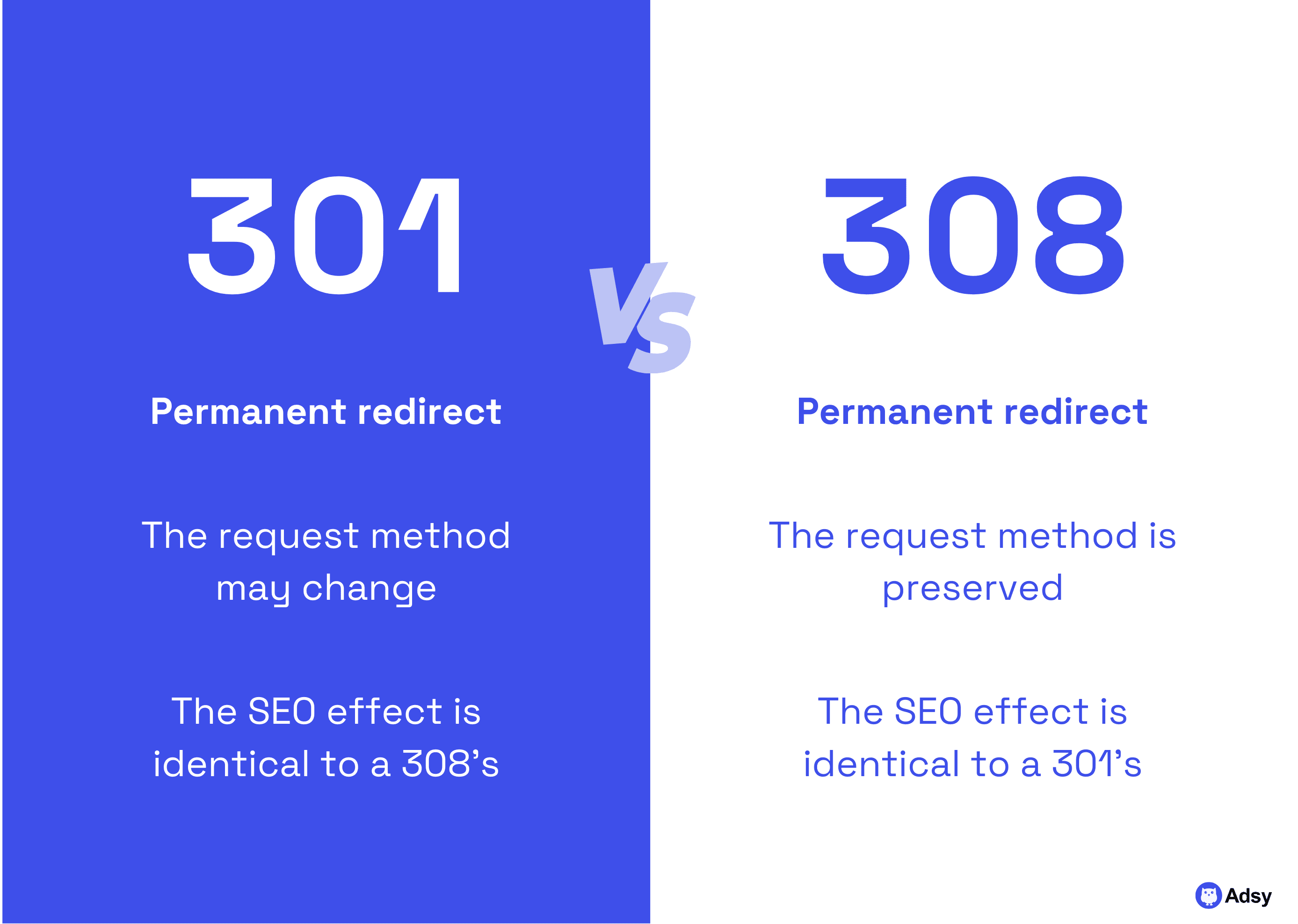
A permanent redirect tells search engines to update their index, transfer page authority, and treat the new URL as the long-term target.
You have two most common options here: 301s and 308s. They are pretty much identical, except for the fact that a 308 doesn’t allow the request method (POST/GET) to change.
This won’t matter for most content or product migrations. But when it comes to APIs or complex backend cases, this might be a deal breaker.
When are permanent URL forwards the right choice? Normally, you’d use them when you’re:
- Restructuring or consolidating content.
- Merging two pages into one improved resource.
- Deleting an outdated page but having a modern equivalent.
- Moving to HTTPS or a new domain.
- Cleaning up unnecessary URLs (UTMs, uppercase versions, index.html duplicates).
The main idea is simple: if you would be comfortable losing the old URL permanently, then a 301/308 is appropriate.
Temporary redirects (302 & 307)
Temporary reroutes look exactly like permanent ones to regular visitors. But search engines interpret them differently.
A temporary redirect tells the crawler: “Keep the original URL in your index, because this detour is temporary.”
Use them when:
- A page is undergoing maintenance.
- A product is out of stock but will return.
- You’re running A/B or multivariate tests.
- You're forwarding users based on time-sensitive content (holiday, Black Friday, a promo URL).
- You’re rerouting users differently from search engines (e.g., app traffic, special-condition pages).
What’s the difference between 302 and 307?
It’s quite similar to what we’ve seen above with 301 and 308. Basically:
- 302 is the classic temporary forwarding.
- 307 is the stricter modern version that preserves the request method.
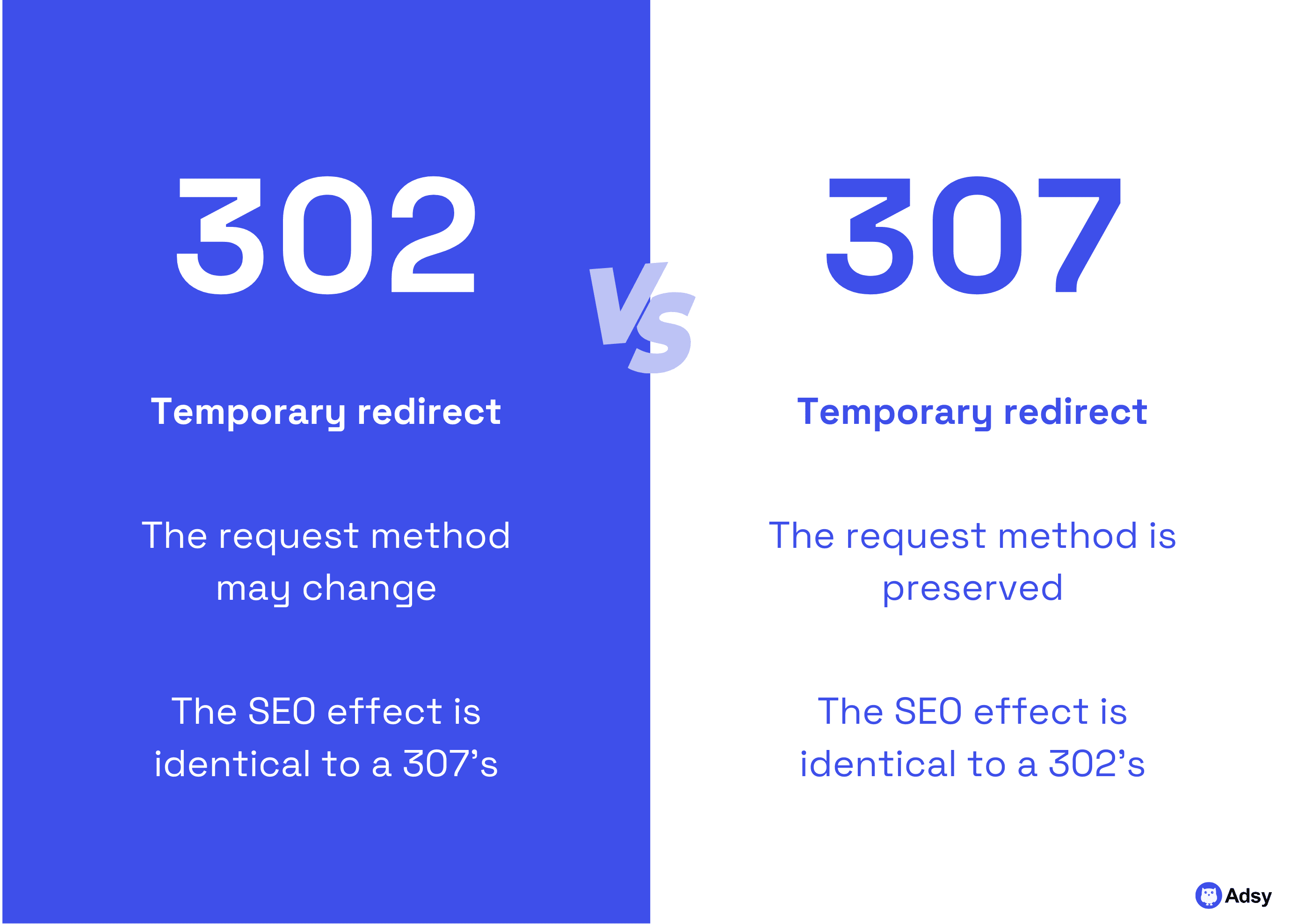
But to Google, they both are temporary.
So, unless you have a specific technical requirement to keep the request method, use whichever your platform supports. The SEO outcomes will be identical.
Note: Google may start to treat your 302 request as permanent if you keep it for a long time. There is no official statement on how long that “long time” is. But it’s usually believed to be anywhere between 2 and 6 months.
303 and other unusual 3xx codes
Not all 3xx codes are relevant for most websites.
- The 303 is primarily used in form submissions: after a POST request, it tells the browser to load another page with a GET request. For typical SEO purposes, it’s not something you need to worry about.
- Other codes in this family are 300, 305, and 306. And they are either obsolete or rarely used on standard web pages. If you encounter them, it’s usually due to old server configurations or third-party tools.
In most cases, they can be safely replaced with a standard 301 or 302, depending on whether the change is permanent or temporary.
Client-side redirects
Client-side redirects occur within the browser, not the server. It can be used when you want to reroute the user based on their device (for example, mobile or desktop).
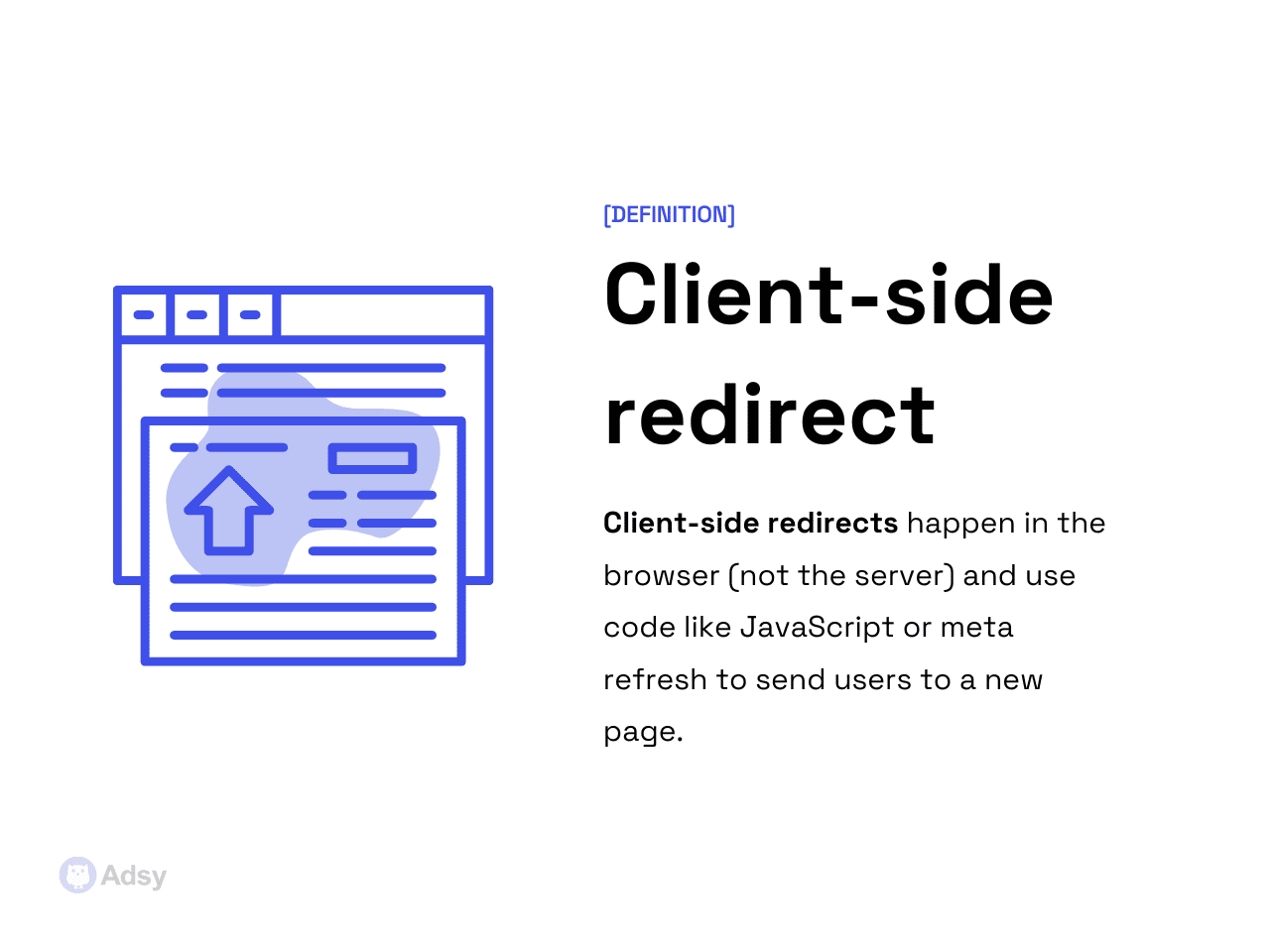
They are generally slower and less reliable for search engines. Why?
Because Google and other bots need to execute the page’s code to follow your URL mapping. They are not ideal for core SEO tasks. But they are necessary in certain situations.
Let’s check some examples:
- Meta refresh redirects are older HTML-based reroutes, often with a delay (“refresh in 5 seconds”). Google supports them, but they’re considered a weak solution and are prone to UX issues. For example, users might see a flash of the old page. They should only be used when you can’t implement server-side forwarding.
- App or deep linking redirects are another form of client-side rerouting. These are used to send users to specific screens within mobile apps or handle special device routing. Because they rely on client-side logic, they can’t pass full link equity. And they should be treated differently from standard server-side redirects.
How traffic reroutes influence SEO
Redirects sit in the middle of how search engines understand your website. They decide:
- Where link equity goes,
- Which URLs stay indexed,
- How bots crawl your site,
- And, of course, whether Google trusts your mapping decisions.
When URL mappings are handled correctly, they preserve years of accumulated SEO value.
But if you do something wrong, they cause silent, slow-burning damage. You can lose rankings, waste crawl budgets, and get soft 404s.
Link equity transfer
Most URLs that have backlinks or internal links hold some level of authority. When you forward an old link to a new one, you are telling search engines to consolidate that authority. This way, users and search engines end up in the correct place.
A 301 is the standard signal for “this move is permanent.”
Historically, it has been the most reliable method for transferring page authority.
Today, Google treats most 3xx redirects as capable of transferring “nearly all” link equity. But “nearly all” does not mean “all.”
Even a correct reroute can come with small losses, especially when:
- The mapping is weak or irrelevant.
- The new target URL has significantly different content.
- The page is part of a long redirect chain.
- The forwarding is client-side (JavaScript or meta refresh), and rendering is delayed.
The goal is to give Google a single-step path to the correct page. That’s the safest way to preserve link equity and prevent authority decay.
The problem for many site owners is soft redirects. Soft 404s occur when Google sees your reroute but doesn’t believe the new target is a valid replacement.
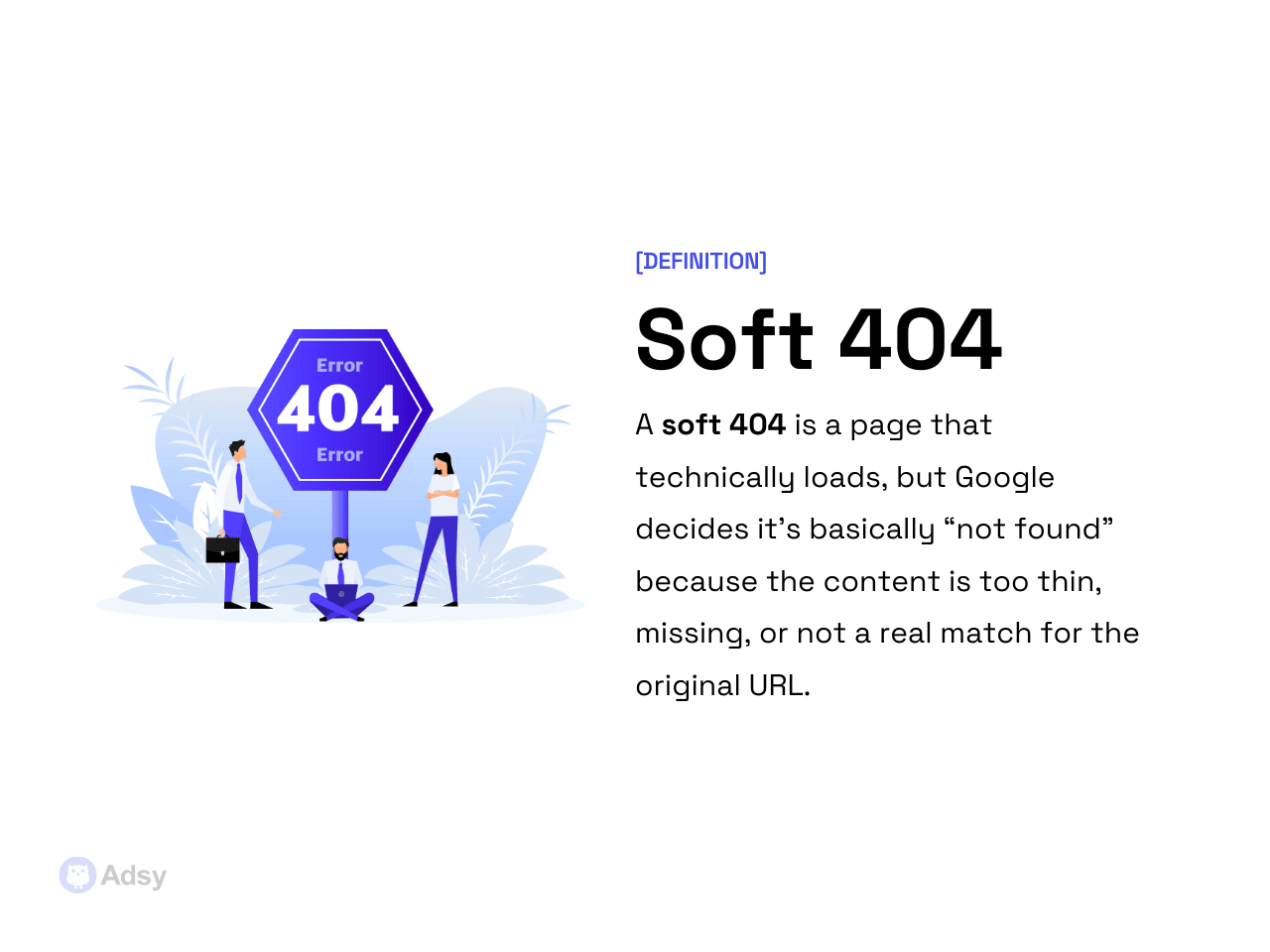
This happens most often when:
- The target URL’s content is unrelated.
- A blog post is forwarded to the homepage.
- An e-commerce product page is sent to a generic category page.
- Too many old URLs point to the same destination.
- The new page is thin, incomplete, or missing expected elements.
These issues are really common. So, this small reminder should definitely be a part of your SEO checklist.
A URL mapping does not guarantee the new page will be indexed.
If Google thinks the new page does not meet the user intent of the old one, it can flag your redirect as a soft 404.
Crawl budget impact
Yes, traffic reroutes affect crawl budget (how often and how deeply Google crawls your site). It doesn’t mean that redirects hurt your crawl budget. Not at all.
- A few proper reroutes are completely fine.
- But if you have a large number of messy mappings that turn into chains, loops, outdated URLs, or unnecessary internal links, it’s a no-go that wastes your crawl budget.
Some of the most common issues are redirect chains and redirect loops. Let’s see what those are.
A chain happens when you have a “train” of forwards. For example:
URL A > URL B > URL C > URL D
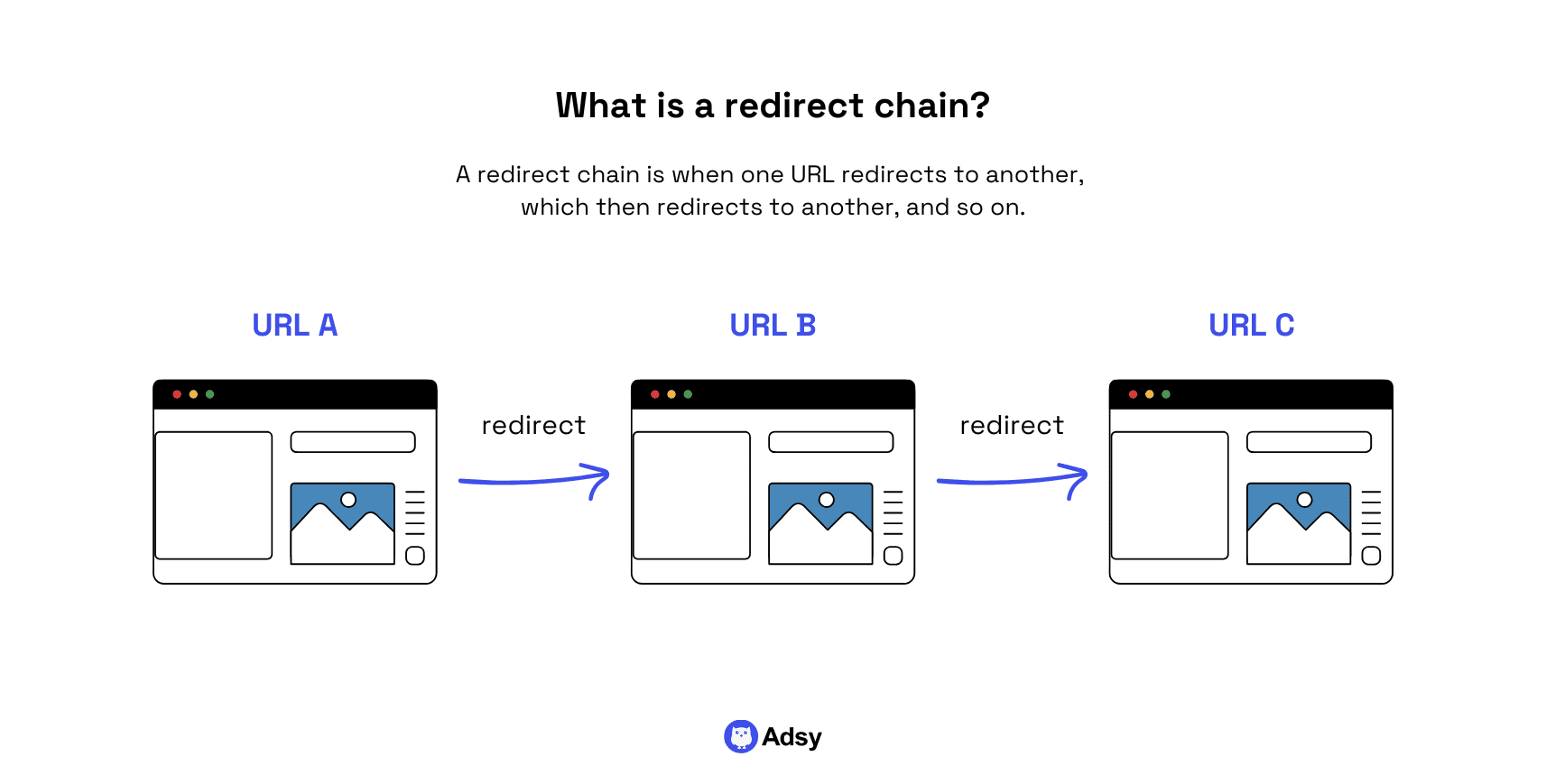
Even if each “hop” has a perfectly set up 301, chains slow crawling and dilute most of your SEO signals. Chains longer than two hops are problematic because Google may:
- Give up mid-chain,
- Crawl the wrong destination,
- Skip recrawling the chain entirely,
- Index outdated URLs because they are easier to fetch.
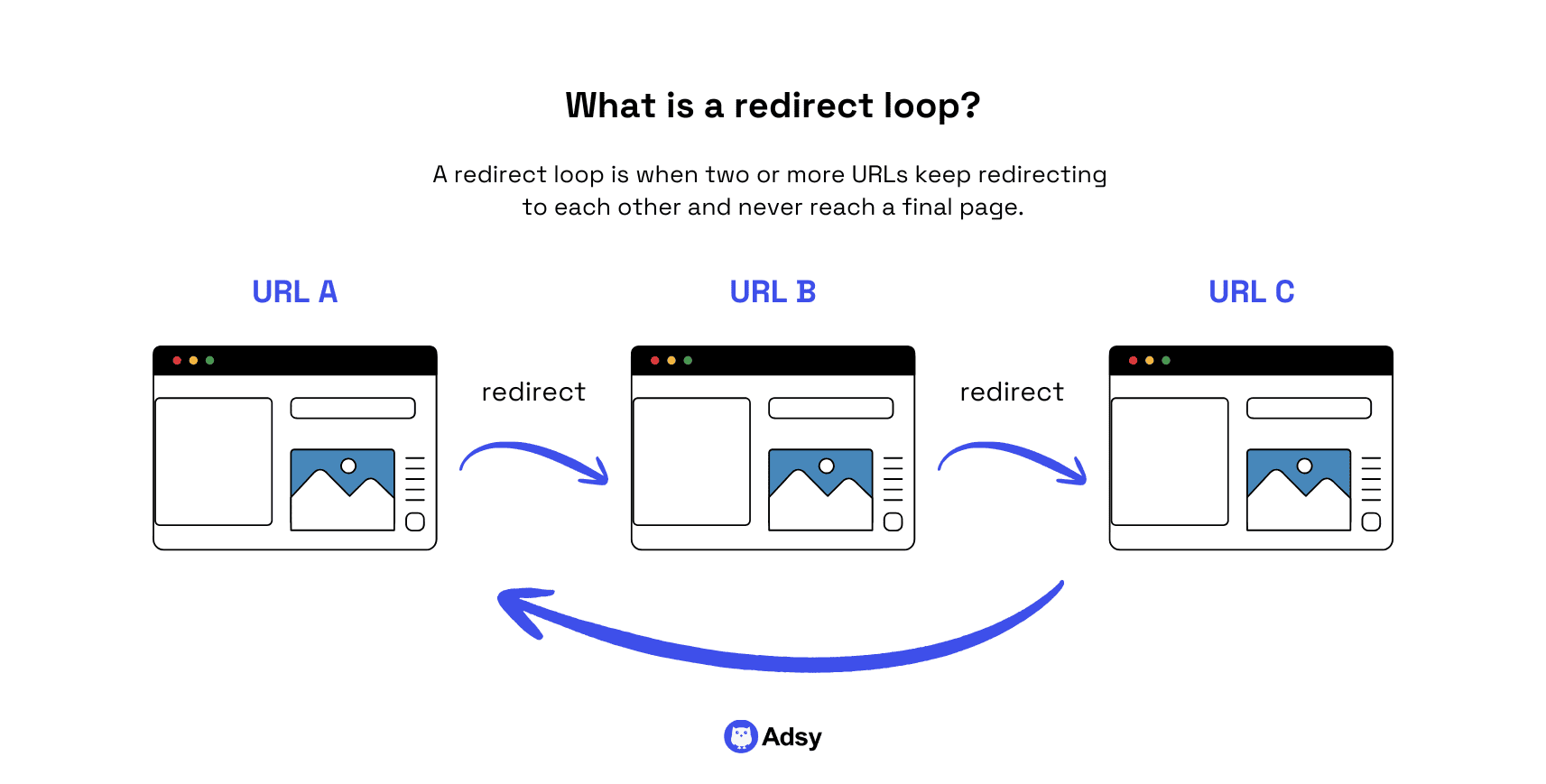
Another common issue is a redirect loop. The name speaks for itself. It’s basically when multiple URLs forward to each other in circles, like:
URL A > URL B > URL C > URL A
They waste crawl budgets and can trap search engine bots in a failing cycle.
Of course, Google won't get stuck in loops forever. It will detect them and stop crawling. But you’ll waste your crawl budget in any case.
Now, to a big question: how to diagnose crawl waste?
A good idea is to start with the following assessment. Look for:
- URLs that Google Search Console reports as “crawled but not indexed.”
- Unnecessary rerouting hops in server logs.
- Internal links pointing to forwarded URLs.
- Chains found via Screaming Frog or other SEO tools.
- Repeated crawling of URLs that should never be crawled (e.g., parameters, legacy directories, etc.).
The point is: your crawl budget is not infinite. Ideally, redirects should help Google crawl efficiently. But if they make this work harder, it's not good.
Page experience and speed
Here's the thing: URL reroutes affect performance because each of them adds some extra “load.” This can be:
- A new HTTP request,
- A round-trip to the server,
- Time spent resolving the new location.
As a result, your redirects can definitely affect your website’s performance and user experience, especially if they get messy.
If you do a Core Web Vitals test, and your results aren’t that good, the reason could be the amount and quality of your URL mappings. While this isn’t the most obvious reason, it’s more common than you think.
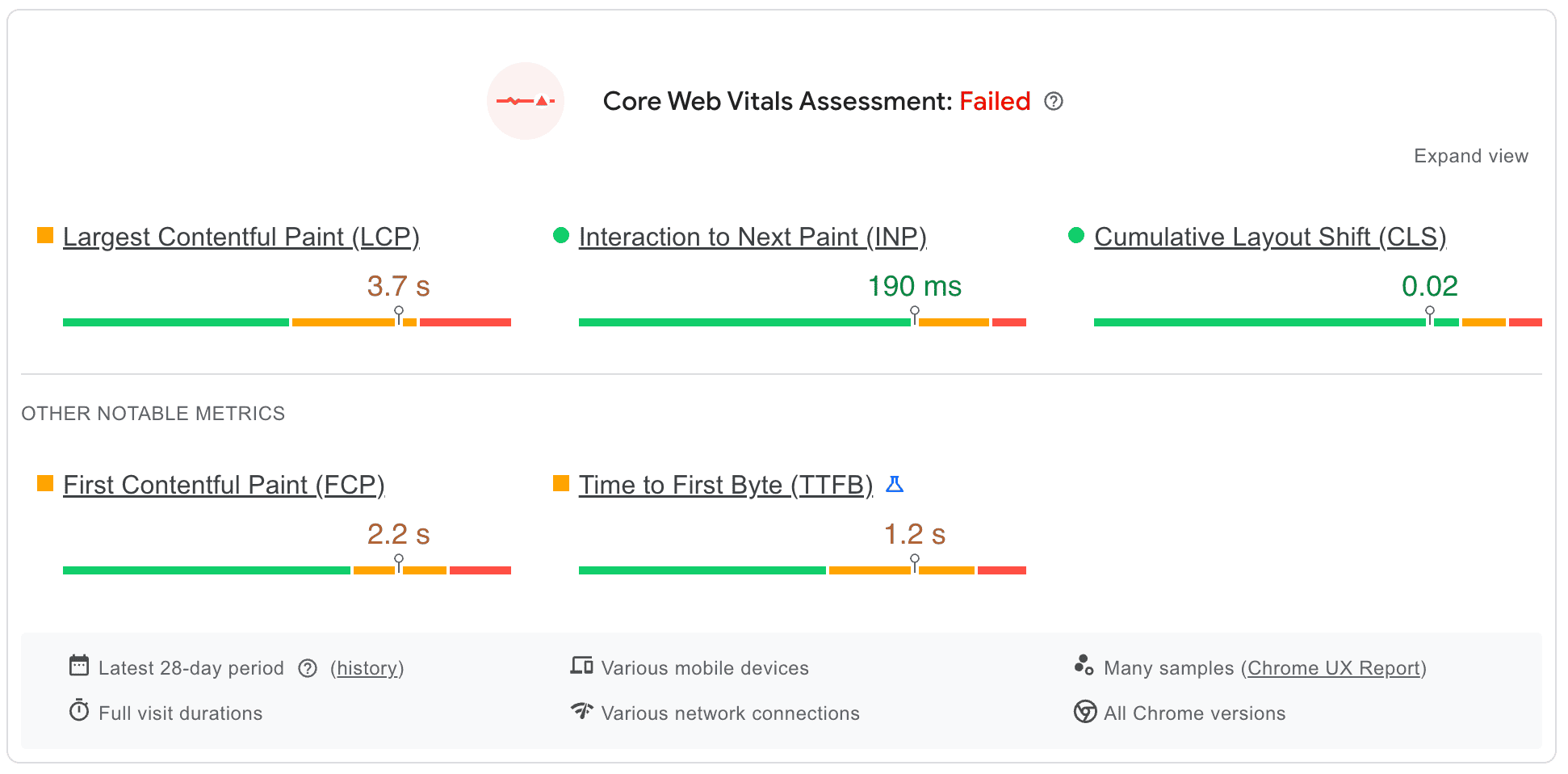
Source: PageSpeed Insights
For example, Google’s LCP (or Largest Contentful Paint) metric suffers when:
- A page loads a URL forward before loading the actual content,
- A chain sends users through multiple hops,
- Client-side redirects require rendering before forwarding.
Even one unnecessary reroute can push LCP above the recommended threshold. You can think of redirects as “speed bumps” in the loading process. Every hop adds at least some latency.
This is exactly why, when you clean up your URLs and update internal links, your Core Web Vitals can improve without touching the actual content.
Redirect longevity
If you've been asking yourself, “How long should you keep them?”, it is time to finally answer it.
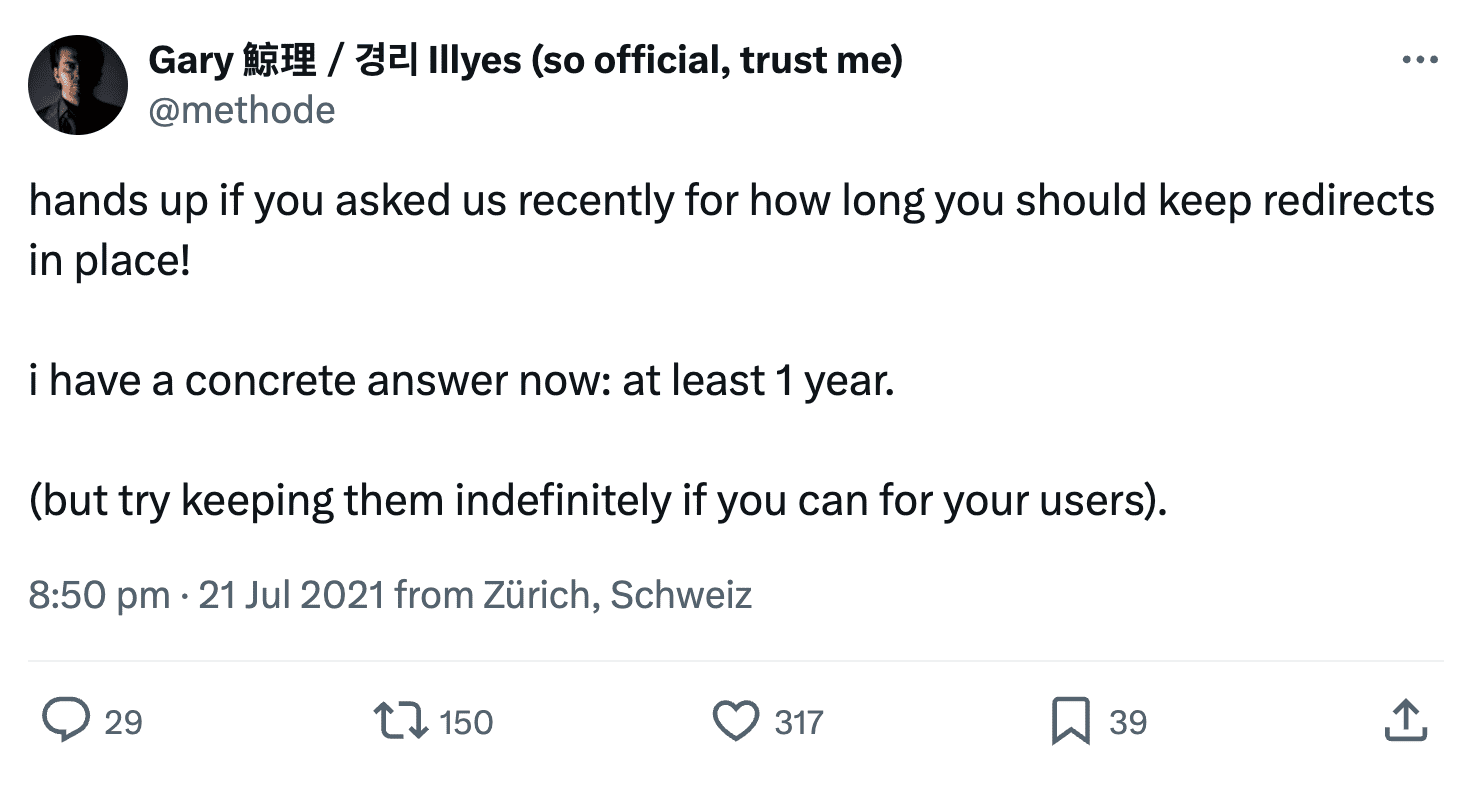
A common misconception is that you can delete a redirect after a few weeks once Google “processes” it. But… they need to stay in place far longer. You should keep them for years.
Here is what Google’s Gary Illyes says about this:
Source: X
But whether it’s a year or not, a good rule of thumb is for your mappings to stay:
- For the life of the new URL.
- Or until the old URL has zero backlinks, zero internal links, zero traffic, and zero references anywhere on the web.
Even then, removing them should be done cautiously.
New URLs’ relevance
Redirects are only effective when the new URL matches the original intent of the old one. When relevance is off, rankings… disappear.
But why do wrong mappings affect rankings?
It’s quite logical. After all, Google is trying to give users the content that actually solves their queries. So, its ranking systems evaluate whether the new page satisfies the same user need.
When it doesn’t satisfy the same need:
- The reroute becomes a soft 404.
- Link equity is partially or fully lost.
- The new page fails to rank for queries that the old URL ranked for.
- Google may also restore the old URL to the index as a “ghost” version, creating even more confusion.
But none of this will happen if you’re being smart about what you do and don’t try to “fool” search engines.
Generally, you just need to know common mapping mistakes. These are:
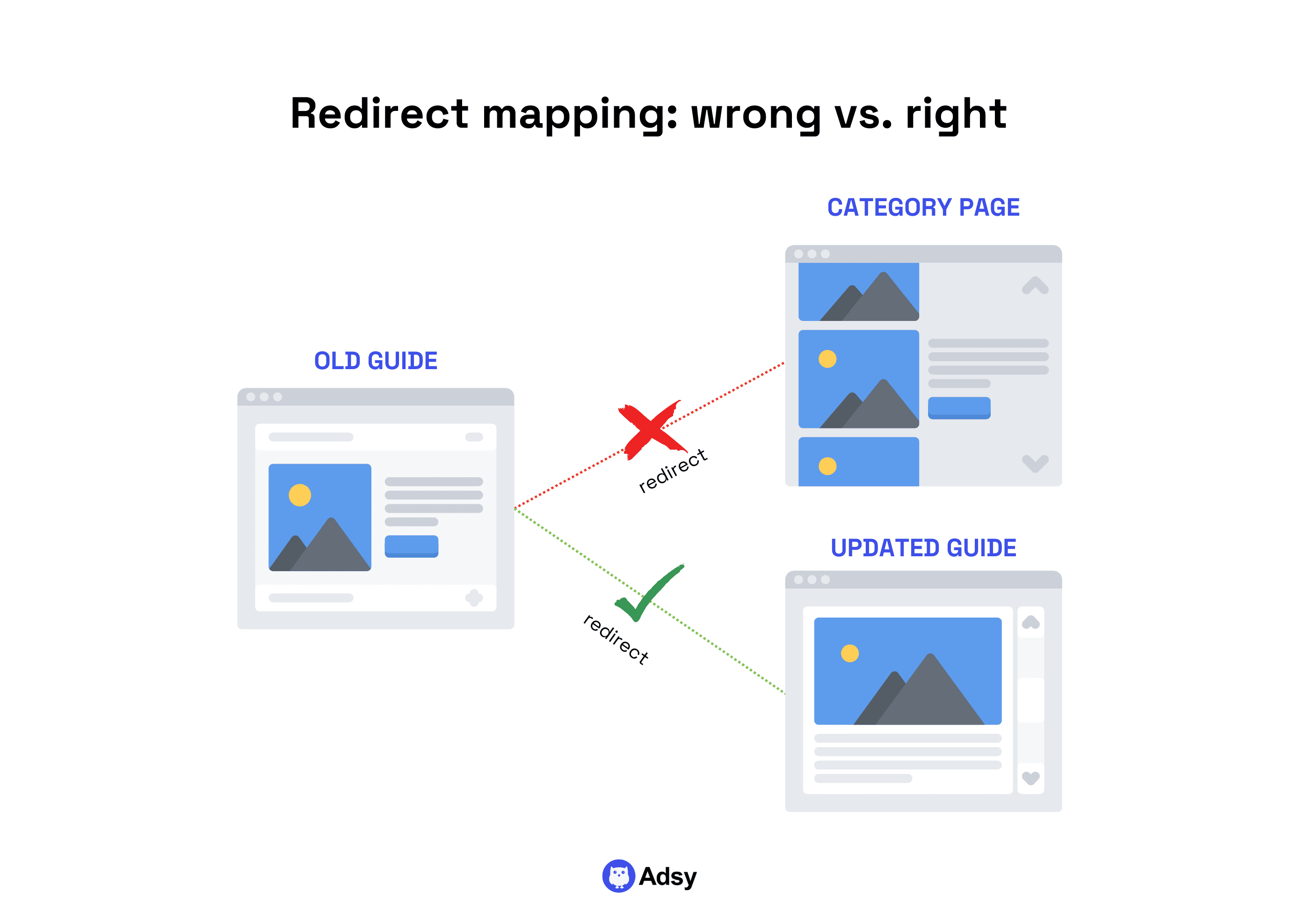
- Sending everything to the homepage. This is one of the worst migration practices. Google sees it as a blanket soft 404 because the homepage can’t replace dozens of unique URLs.
- Forwarding old blog posts to a category page. Category pages are rarely relevant replacements for long-form articles. That’s why search engines often ignore these reroutes or treat them as soft 404s.
Look. Google logic aside, if we’re being completely honest, sending your readers from an “old guide” to a “category” is rarely as strong as sending them to the “new guide on the same topic.”
6-step redirect workflow
Now that the foundations are clear, it’s time to look at the workflow itself. How do you build an easy and effective process that works well without creating any issues?
It might seem complex at first. But once you master this process, your website KPIs will thank you.
Step 1: Organize your URLs
Every good redirect plan starts with getting a full picture of what you’re dealing with.
Most websites have far more URLs than anyone expects. There are old landing pages, abandoned campaigns, random duplicates, weird UTM versions, auto-generated archive pages, and PDFs nobody remembers publishing.
If your website has been around for a while, you’ll probably find tons of links you didn’t even know existed.
That’s why, before you map anything, gather the evidence:
- Crawl your site. Screaming Frog (or any similar tool) can give you a full inventory of your web pages. These are HTML pages, media files, JavaScript redirects, canonical URLs, broken links, etc. This crawl essentially becomes your source of truth.
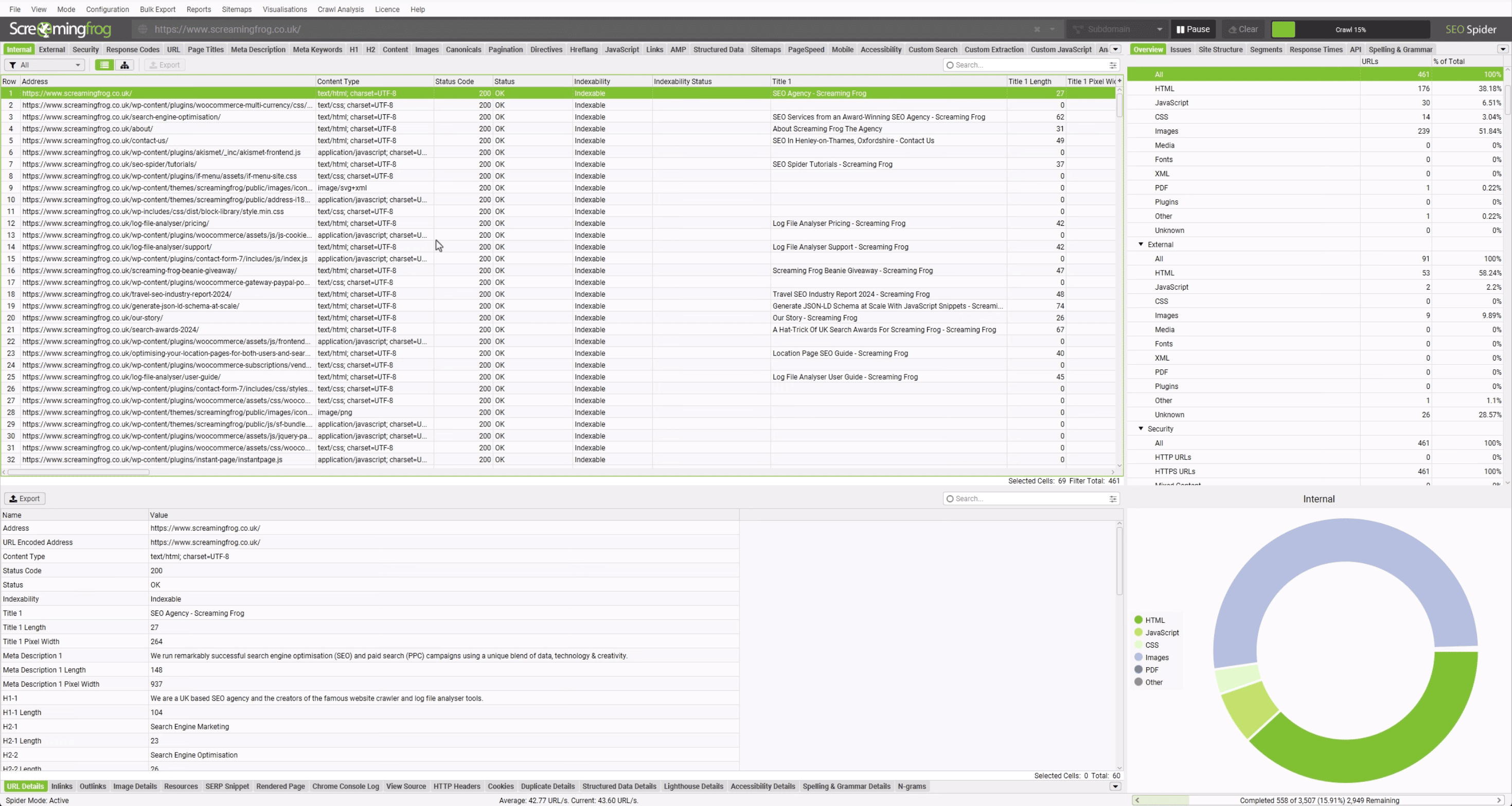
Source: Screaming Frog
- Pull analytics data. Analytics basically show you what pages people still use. Of course, it won’t be 100% accurate. But overall, this will show you which legacy URLs still drive sessions and conversions. Those get priority.
- Pull backlink data. This information is a must to make sure that you don’t lose much link juice. Most SEO tools will show which pages have external links (even weak ones). And any URL with backlinks deserves more careful handling.
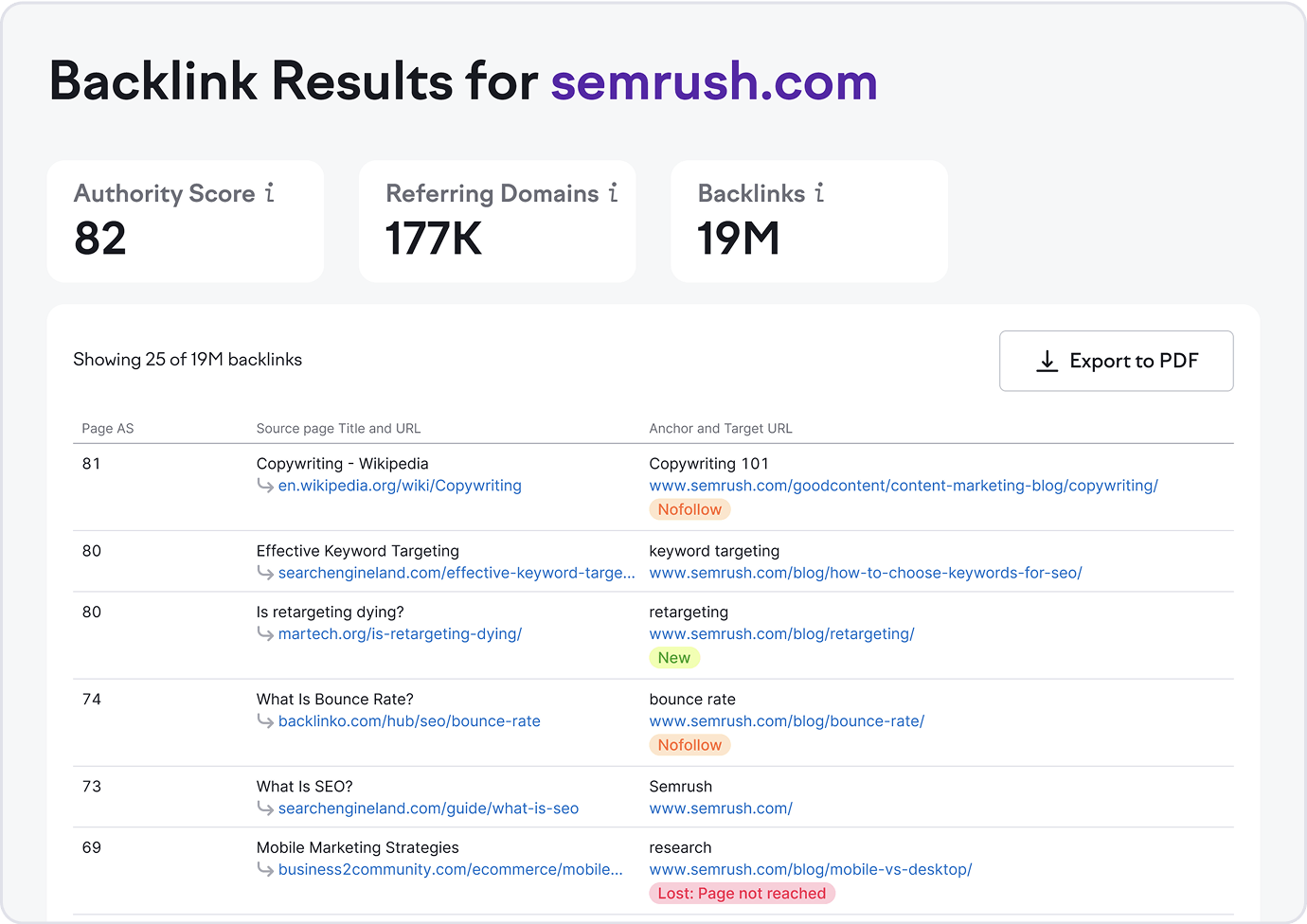
Source: Semrush
Once you’ve collected everything, the sorting starts. This is where most projects either succeed or fail. To make it efficient, create three buckets:
- Critical: URLs with traffic, links, and obvious relevance.
- Good-to-have: Minor but useful pages that are good to reroute if a relevant modern equivalent exists.
- Let die: Thin content, duplicates, expired campaign pages, ancient PDFs, pointless parameters. This is where 410s or 404s work well.
This approach can save you days of arguments later. You don’t want to be writing your redirect rules while someone is yelling, “WAIT, what about this /old-blog-v2-final-backup page??”
Step 2: Match old links with new targets
This is an important step for your SEO KPIs. But it’s also where most migrations get messy. A URL forwarding is not just an “old-to-new transfer.” It’s a “relevance” decision.
You’re essentially telling Google: “The new page is the best modern version of what the old page represented.”
If the new page can’t satisfy the intent of the old page, do not redirect.
Rerouting a product page to a category page, a detailed guide to a thin landing page, or a niche article to your homepage is how relevance dies. And, obviously, rankings die with it.
That’s why choosing the right new URL is a must. Here’s how you can choose a proper target:
- Match by topic first, not by URL similarity.
- Match by search intent second (informational should be informational, transactional should be transactional).
- Match by content depth third.
But sometimes, after assessing your web pages, the best you can do is consolidate some of them.
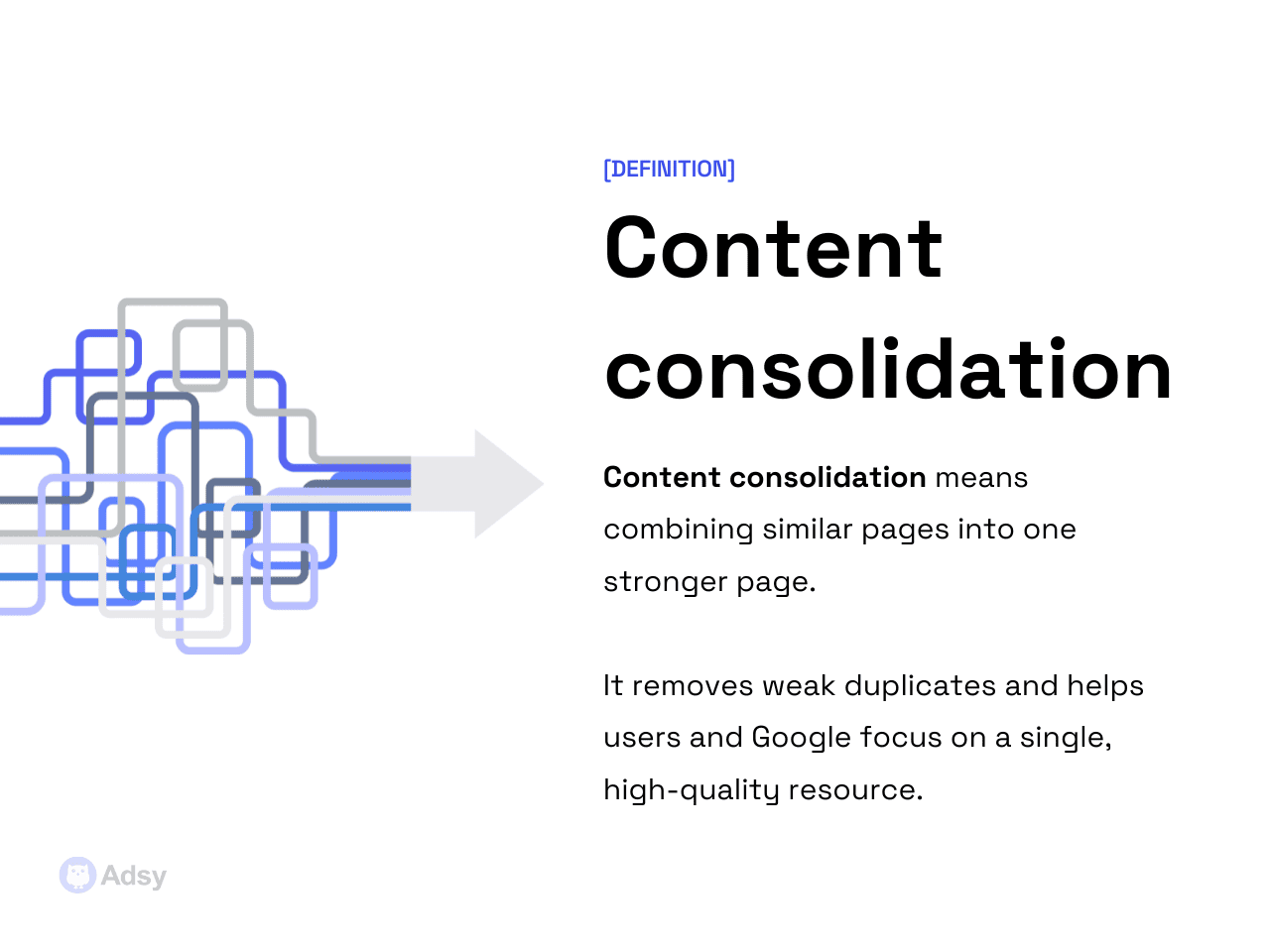
Overall, consolidation is perfect when:
- Two pages compete for the same topic (keywords).
- You have multiple thin variants of the same content.
- You’re cleaning up tag/category archives that cannibalize each other.
- The new structure intentionally merges several outdated pages.
But there are also cases where you don’t need content consolidation or rerouting. When is this approach the right choice? Long story short: if the closest match still feels irrelevant, it is irrelevant.
So, don’t redirect:
- Old blog posts that have no modern equivalent.
- Products that no longer exist.
- Seasonal content that won't return.
- News/press releases with no evergreen value.
- “Random” URLs caught by crawlers (PDF test files, etc.).
Don't force any forwarding out of guilt. Google always prefers a clean 404/410 over a weird, mismatched mapping (and your users, too).
Step 3: Create a redirect map template
At this point, you know your URLs and your target match. Now, you need a single source of truth that the entire team can use (aka a map).
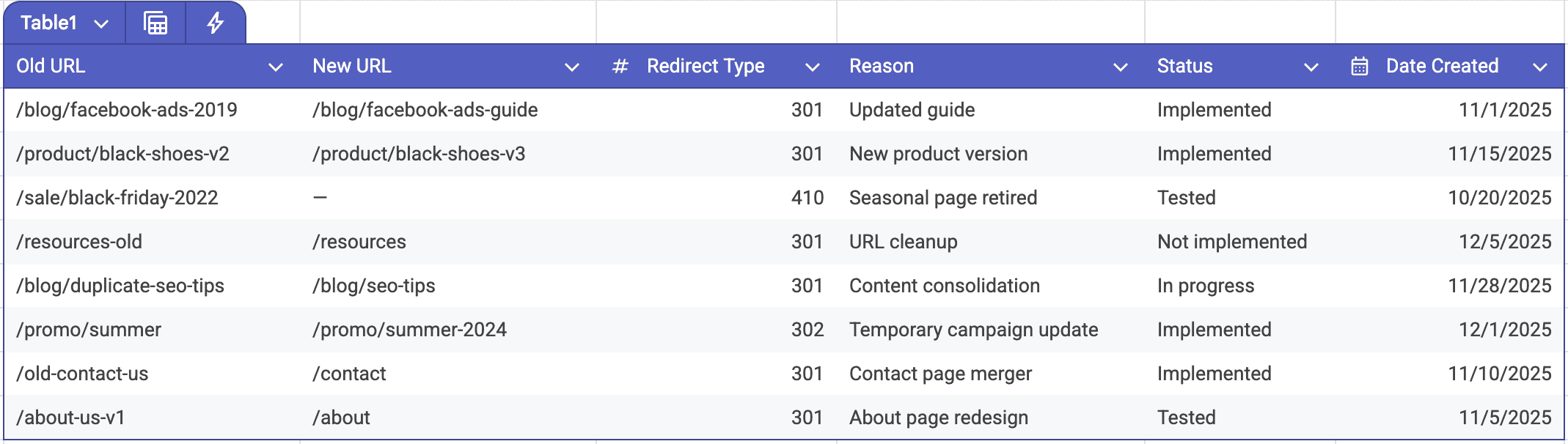
Your redirect map should be a spreadsheet with a very, very straightforward structure.
If you don’t know where to start, you can use these columns:
- Old URL,
- New URL,
- Redirect type (301, 302, 410, etc.).
And these are optional fields you could add:
- Reason,
- Priority,
- Status (Not implemented, implemented, tested, etc.),
- Date created, etc.
Why does this matter at all? Simply because usually, redirect mistakes happen because someone, somewhere, didn’t know why a rule existed.
A URL mapping with context is easy. But those without context are the ones that cause problems.
Your main goal should be to keep your map clean. This means:
- No duplicates,
- No trailing slashes inconsistencies,
- No guesswork targets (“maybe this could fit?”),
- No chain- and loop-creating things,
- And absolutely no wildcards unless you're 100% sure.
Step 4: Implement (depending on your platform)
Once your map is approved, it’s time to implement everything in the actual environment. URL reroutes behave differently depending on your server setup, CMS, hosting, and some other factors.
You’ll likely need a professional for this. Still, today, let's take a look at the main approaches.
Apache
Most enterprise migrations run thousands of redirects here and mainly use .htaccess rules. Just remember that:
- Order matters,
- Wildcards can cause nuclear-level chaos,
- Test on staging first (always),
- Avoid regex unless you’re really experienced.
Nginx
This one works differently. There’s no .htaccess safety net. Your reroutes live directly in the server configuration.
It’s cleaner and much faster at scale, but it requires someone with server access and enough experience to avoid typos that take the site down.
Once set up, Nginx-based redirects are usually the most stable.
WordPress
You get a few options here:
- You can use a plugin like Redirection or RankMath. But these are best for smaller sites or one-off rules.
- For bigger migrations or thousands of URLs, server-level rules or Cloudflare are far more efficient.
Plugins typically slow down WordPress and can make debugging more complex later. Still, for smaller tasks, the plugins make everything much more accessible.
Shopify / SaaS
Generally speaking, these are more restrictive. They’re great for clean, predictable eCommerce setups, but don’t offer the same flexibility for large-scale migrations.
With that said, Shopify’s built-in redirect manager handles straightforward URL changes well. But complex patterns or regex-based mappings are simply not possible.
Cloudflare
It is often the cleanest way to handle large URL forwarding lists. Cloudflare’s global edge network makes rules fast and CDN-friendly. Meaning you’re not stressing your origin server every time Googlebot hits an old URL.
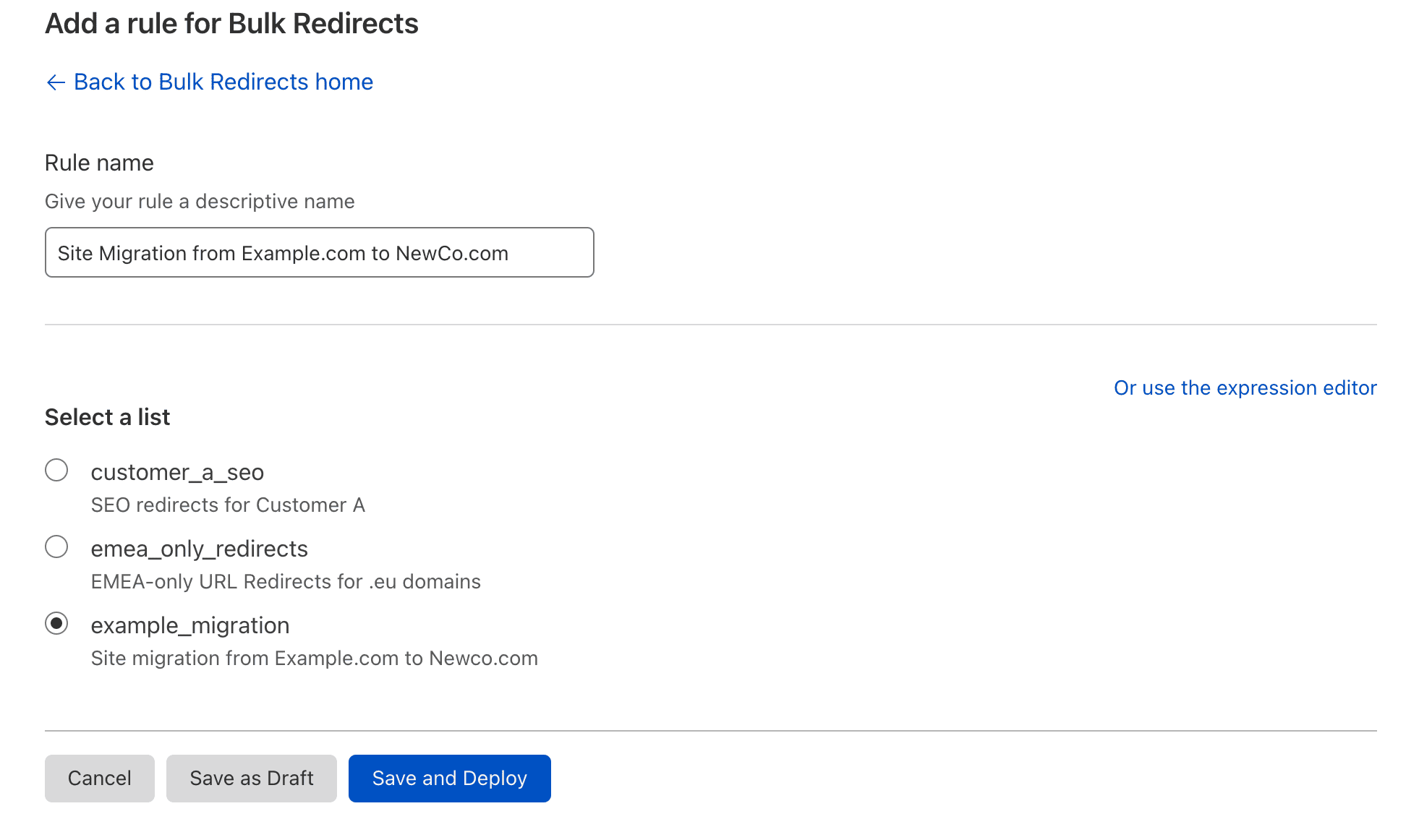
Cloudflare’s Bulk Redirects feature is really useful for migrations with thousands of entries.
Source: Cloudflare
You upload your CSV, and the system handles everything consistently. It often becomes the preferred home for page reroutes even when the website has full server access. Simply because performance and consistency are better.
With all the technical details above, the bottom line is simple:
Redirects should live where they’re easiest to maintain and least likely to cause performance issues. For some teams, that’s the server. For others, it’s Cloudflare.
Step 5: Test
Testing is the part everyone wants to skip, and the part that comes back to bite you hardest if you do.
Your URL mappings can appear “fine” on paper while hiding problems that only show up at scale.
That’s why this step is less about checking boxes and more about looking for patterns that indicate something is off.
One of the first things to verify is whether any chains or loops were accidentally created.
- A single chain might not tank your traffic overnight. But even a few of them are enough for Google to start wasting crawl budgets on URLs that shouldn’t even exist.
- A loop is even worse. Browsers get stuck, crawlers get stuck, and eventually the target page stops being trusted. But running a crawl after implementation exposes these instantly.
Once the chain/loop issues are cleared, switch to checking canonical behavior.
Redirects and canonicals should not fight, but complement each other. If a forwarded URL lands on a page with canonical points that are completely different, you’ve created a three-way conversation. Something Google never asked for.
Canonicals should always confirm that the new target is the final destination.
Some setups serve different redirect logic depending on device type, user agent, or caching layers. So, ideally, you need to test:
- Mobile browser,
- Desktop browser,
- Googlebot smartphone,
- Googlebot desktop.
If they behave differently, fix it right away.
Step 6: Monitor post-launch
The last part of any streamlined workflow usually extends beyond launch. And publishing your reroutes is basically the beginning of a stabilization period.
Even perfect redirect setups create temporary turbulence. What you’re watching for is whether the turbulence fades or evolves into something more concerning.
Google Search Console can be really helpful here.
Your coverage reports will show whether Google is seeing the new structure the way you want it to see it.
You’ll notice new “Excluded: Page with redirect” entries, which is normal. But you want to avoid an explosion of unexpected 404s, duplicates, or indexed pages that shouldn’t exist.
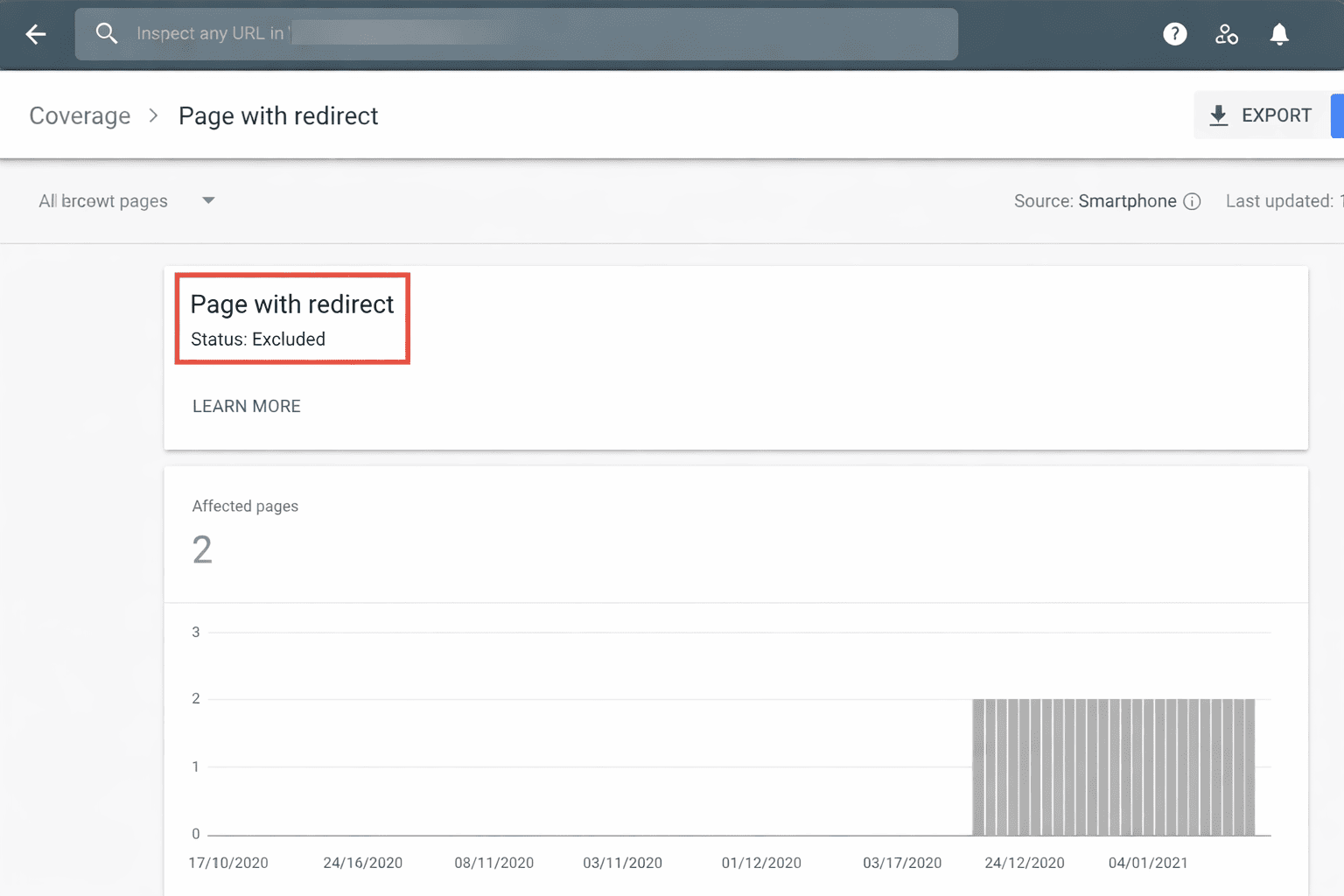
Overall, if the forwarding logic is clean, these anomalies flatten out quickly.
The next indicator is crawl behavior.
The crawl stats panel in GSC reveals whether Google is wasting time on old URLs, repeatedly hitting some mappings, or ignoring the new structure.
A small spike in crawl activity is normal after launch. That's Google re-evaluating the site.
What you don’t want is sustained heavy crawling of forwarded pages, which usually means chains, orphaned links, or a redirect that doesn’t look final enough to Google.
Finally, keep an eye on traffic retention.
URL mappings don’t immediately transfer all value. But sharp, persistent traffic drops are a sign that something isn’t aligned.
These could be content mismatches, slow pages, wrong canonical signals, mapping errors, or internal links that still point to dead URLs. Most redirect-related drops are fixable once you identify the root cause.
Conclusion
This workflow is long, yes. But that’s because redirect projects fail for extremely boring, preventable reasons. It often comes down to poor mapping and some shortcuts that shouldn’t be there.
URL mappings are a process. When you approach them methodically, with a clear workflow and an understanding of how search engines interpret each decision, you remove most of the risk.
No matter if you’re dealing with a complete site migration or just cleaning up some outdated links, the same principles apply. Just map pages with real relevance and keep your logic transparent.
If your structure makes sense and your reroutes reflect the content's true intent, you protect your rankings and user experience.
All trademarks, logos, images, and materials are the property of their respective rights holders.
They are used solely for informational, analytical, and review purposes in accordance with applicable copyright law.




 Sign Up
 Sign Up