






Pillar Pages and Topic Clusters: Build a Smarter SEO Content Structure (+ Examples)

Here's a situation that will seem familiar for many content teams:
You've published 30 blog posts. They're all solid, all cover related ground, but none of them are bringing in serious traffic. And when users search for your core topic, your site is nowhere near the first page.
Is it really that surprising, though?
Forget about search engines for a moment. And picture your website visitors who open your blog and see 37 posts about roughly the same thing.
Wouldn’t they be confused? Now, imagine what search engines “think.”
The problem is that many sites choose a particular topic and post dozens of similar articles. In this scenario, it will be nearly impossible to turn any of those into a clear authority page.
Because well… you end up competing with yourself. And none of the multiple pages you have is strong enough to dominate search results.
That’s exactly why you need a pillar page.
And in this guide, we’ll cover everything from how to create one to real-life examples for inspiration.
What is a pillar page?
A pillar page is a long-form, comprehensive resource on your website that covers a broad topic in depth and links to several more specific blog articles.
A pillar page is basically your “this is the page” page.
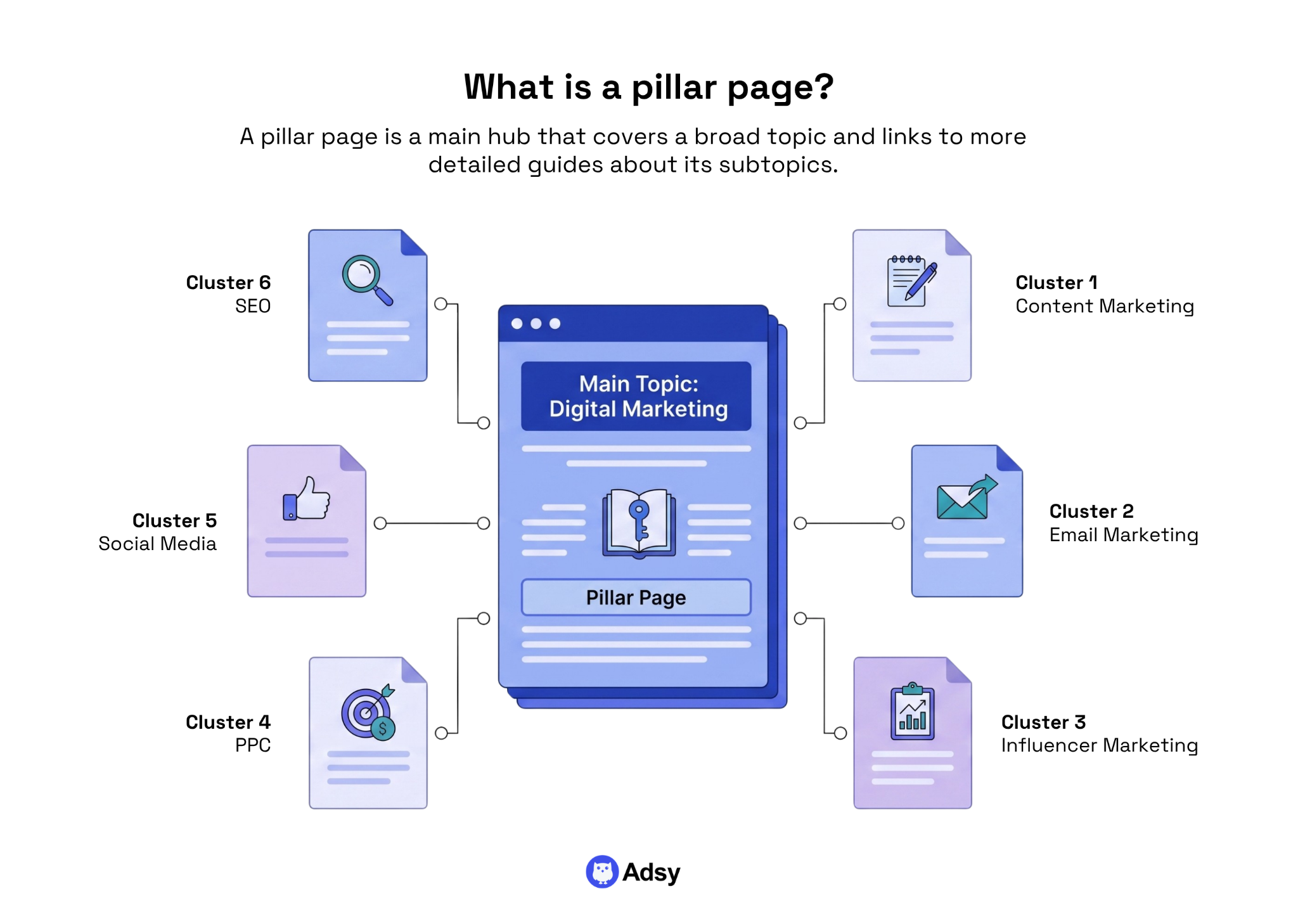
It's like the sun of your content galaxy. All the other pages (your related blog articles, your sub-guides, your specific how-tos) orbit around it. Too metaphorical? Maybe. But you get the picture.
Not all pillar posts look the same, though.
The format you choose will depend on your primary keyword, your SEO strategy, your audience, and what they're actually searching for.
There are three main types worth knowing.
Type 1: The course-style pillar page
This is the most common format. A long-form guide that acts like a whole course covering different parts of one subject. It usually gives you a thorough overview of a particular topic. But it’s exactly that: an overview. Like a college curriculum for a semester.
You'll typically have a complete walkthrough: definitions, key points, etc. But there will be no details or actionable steps. That deeper analysis is reserved for all the pages you link to.
A very good example is Ahrefs' Beginner's Guide to SEO.
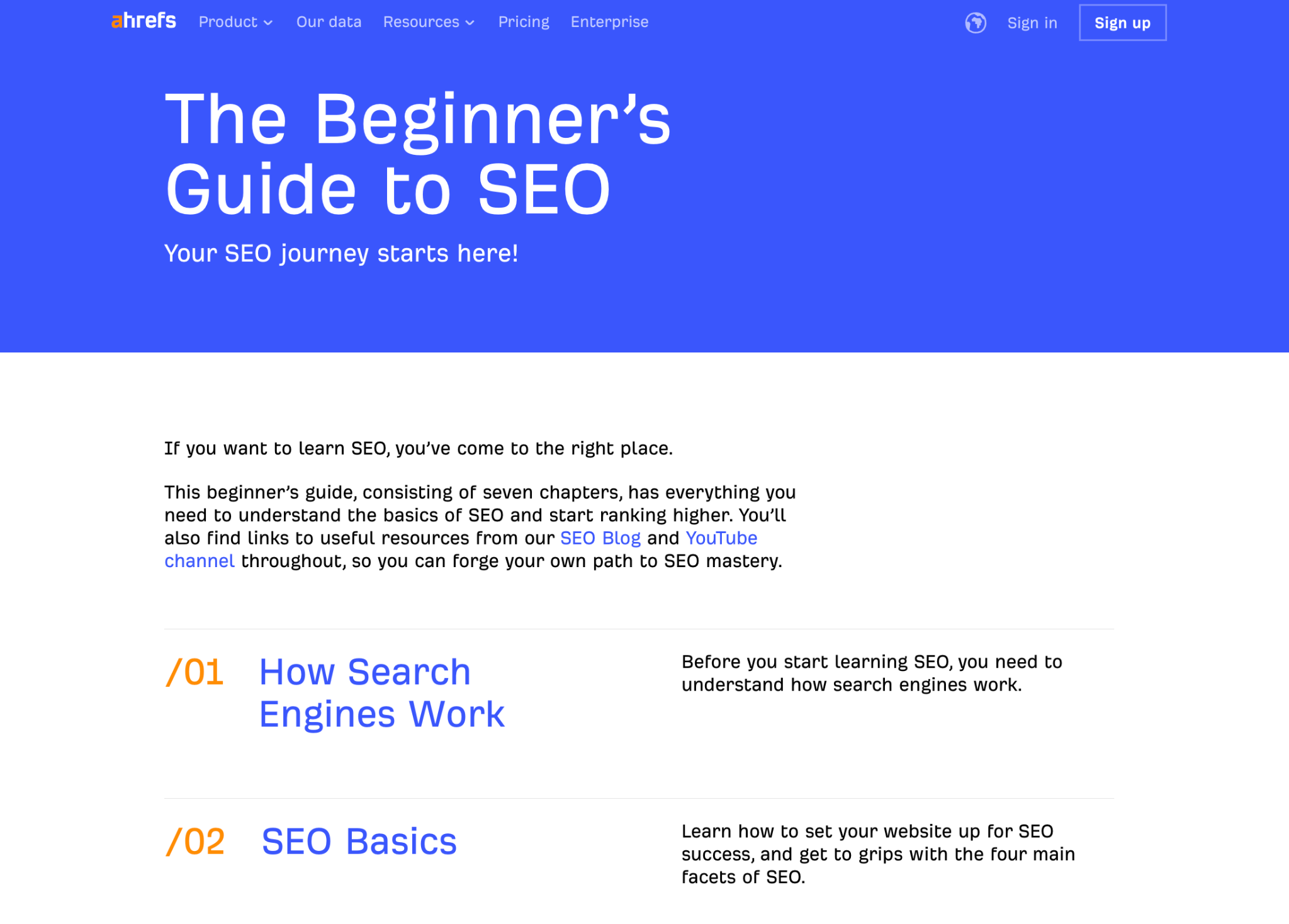
Source: Ahrefs
Ahrefs breaks the topic down into 8 chapters, from how search engines work to what AI means for SEO. Then, they simply add internal links to in-depth guides covering each of those topics.
They’ve also added an SEO glossary with links to their definition-based articles (like “What are backlinks?” or “What are rich snippets?”)
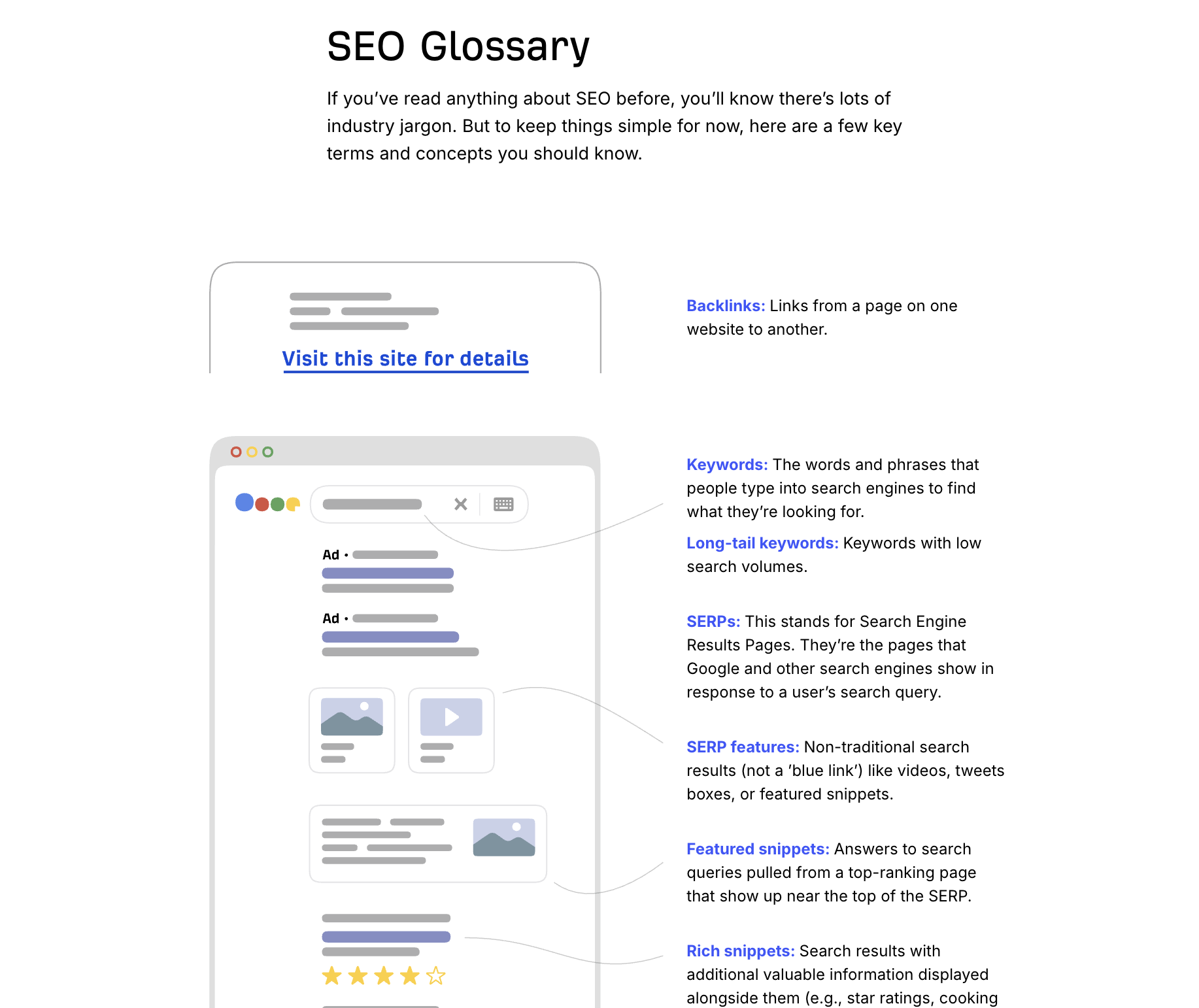
And they finalized it with a section on local SEO for different niches:
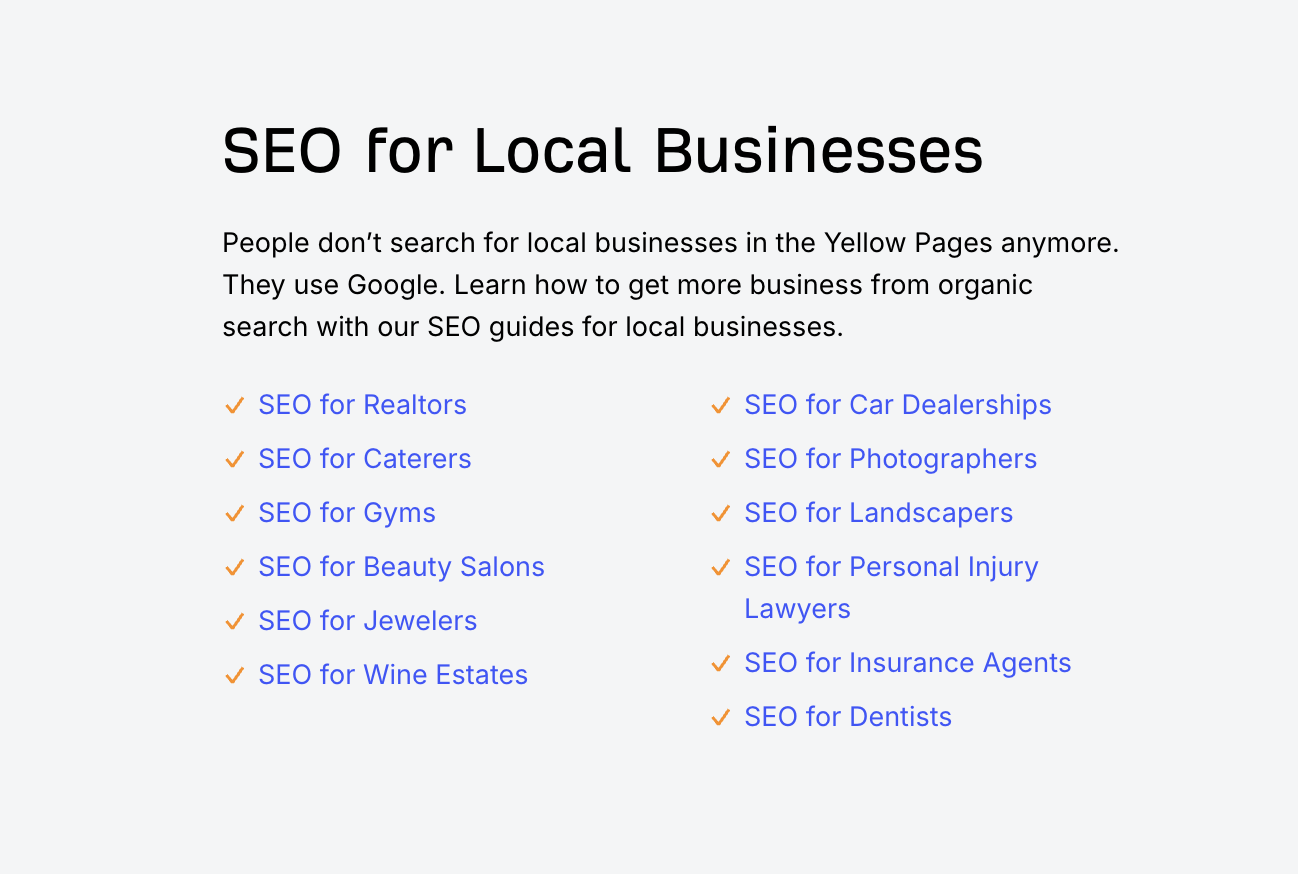
What makes it work?
The topic (SEO for beginners) is broad enough to generate very good search volume and dozens of supporting articles. But it’s also specific enough to have clear target keywords that are closely related, not random.
It doesn't try to explain everything, but briefly introduces multiple subtopics and hands the rest of the work and explanations to specialized guides.
This is pretty much a textbook example of an excellent pillar page.
Type 2: The resource hub pillar page
This type is more like a curated index.
It isn’t like one of those ultimate guides. It’s more of a resource page where all you get is basically H2s and a list of relevant links grouped by category.
The whole idea of this format is to give you a clear overview of an entire topic cluster without much additional information.
A good example of this is Zapier's remote work hub.
This is its title (while it looks like a typical blog post title, it isn’t):

Source: Zapier
And this is the structure, where each of their seven categories has its own H2 and a list of links:
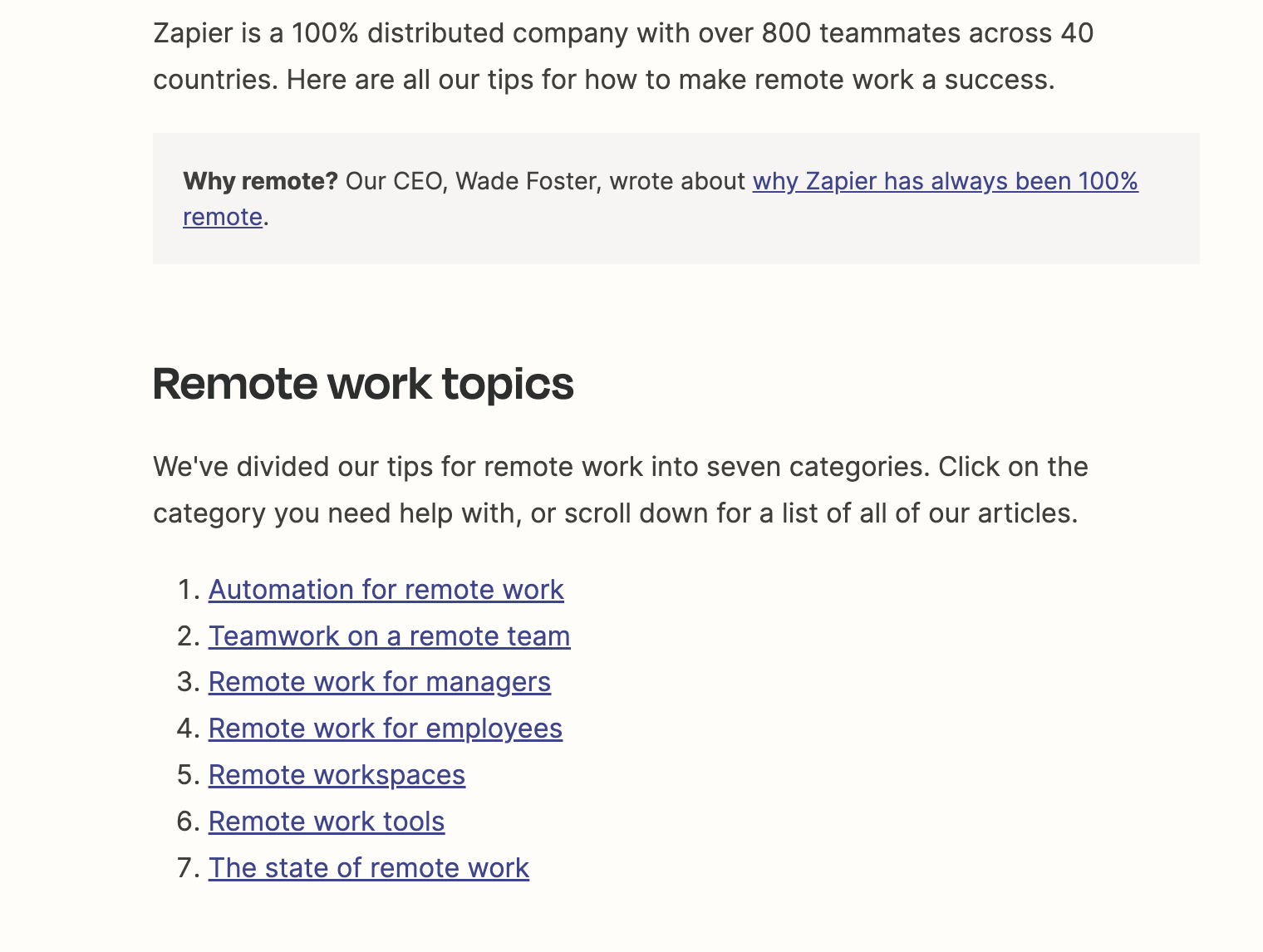
Frankly speaking, Zapier's remote work pillar page takes things to the extreme:
- It's essentially a bullet-pointed list of links to the various pieces of cluster content for that topic area.
- There are no long introductions.
- And you won't find any extended commentary.
It is just a well-organized “set of paths” into deeper content.
This way, the hub page doesn't try to compete with all the other content. All it does is organize it. For readers who already know what they're looking for, it is just perfect.
Type 3: The goal-driven pillar page
This type of pillar is also educational content, like a course- or hub-style one. But the biggest difference is that it’s aimed at achieving a very specific goal, not just educating you about SEO or remote work.
Here is a very good example by CXL. It’s all about optimizing your conversion rate.
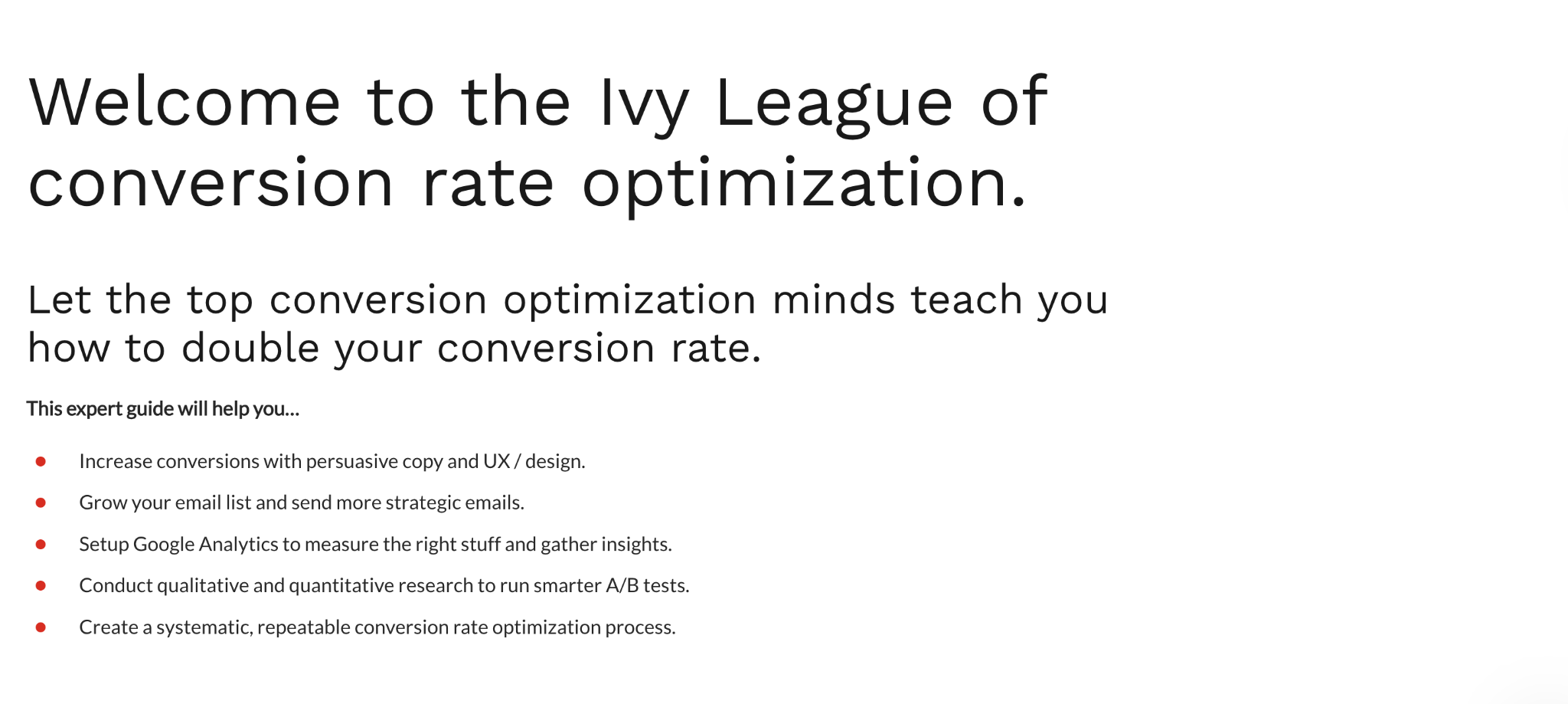
Source: CXL
Then, they have a list of guides that cover everything one needs to improve their conversions, from writing copy that sells to A/B testing and building a CRO system.
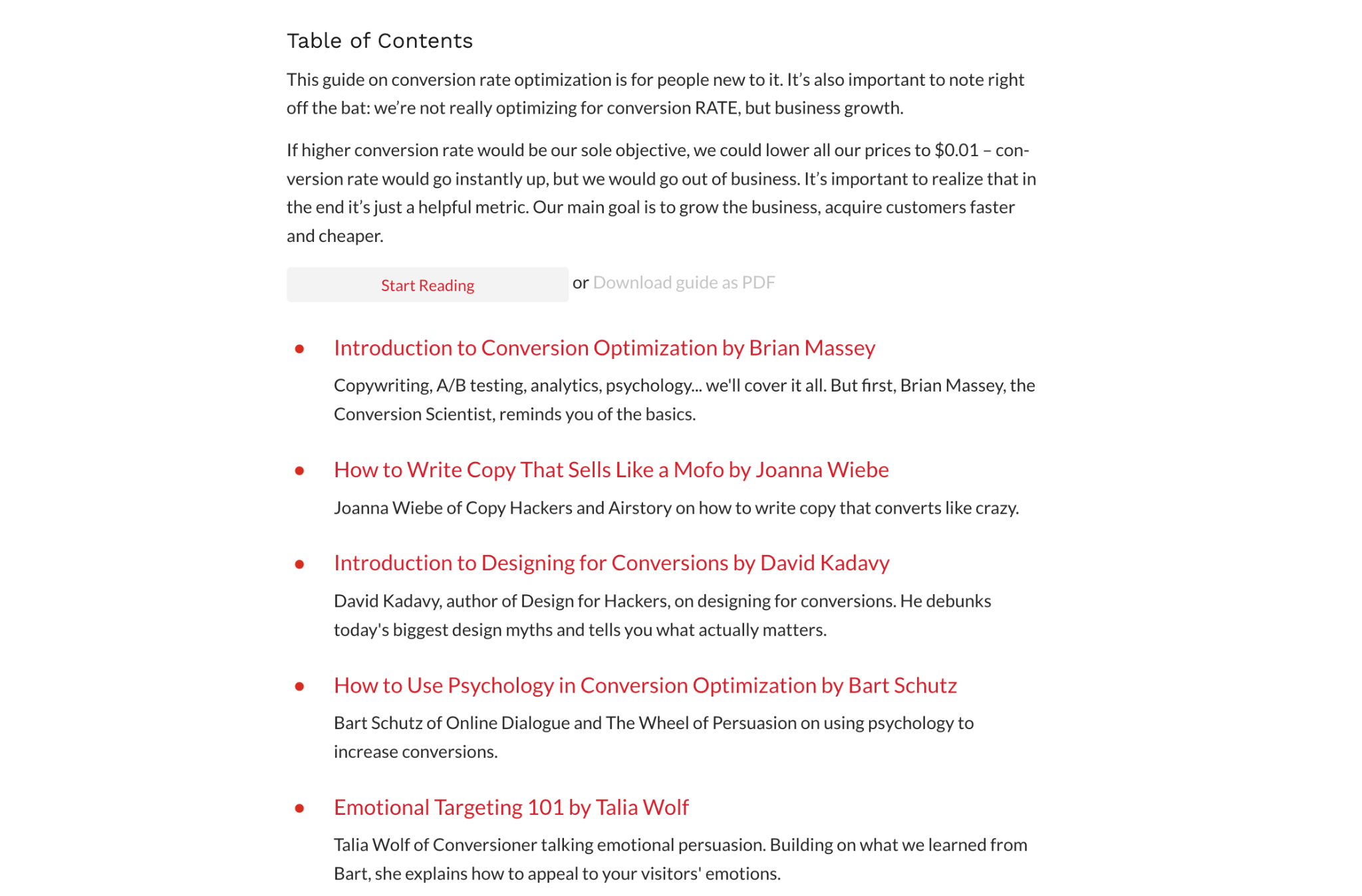
It looks like a very simple structure. But the main idea is that you need a clear goal that can be measured to make this type of content work.
How pillar pages and topic clusters work together
These two concepts are really confusing for many. But you have to understand what both the pillar page and a topic cluster are to get great results.
That’s why let’s cover these one by one.
Pillar pages vs. topic clusters
It could be easy to mix these up, so let’s clear it up:
- A pillar page is a page that summarizes your topic (like in the examples above).
- A topic cluster is the whole structure, meaning your pillar and the other website pages you link to from it (e.g., your focused guides with more details).
That’s it!
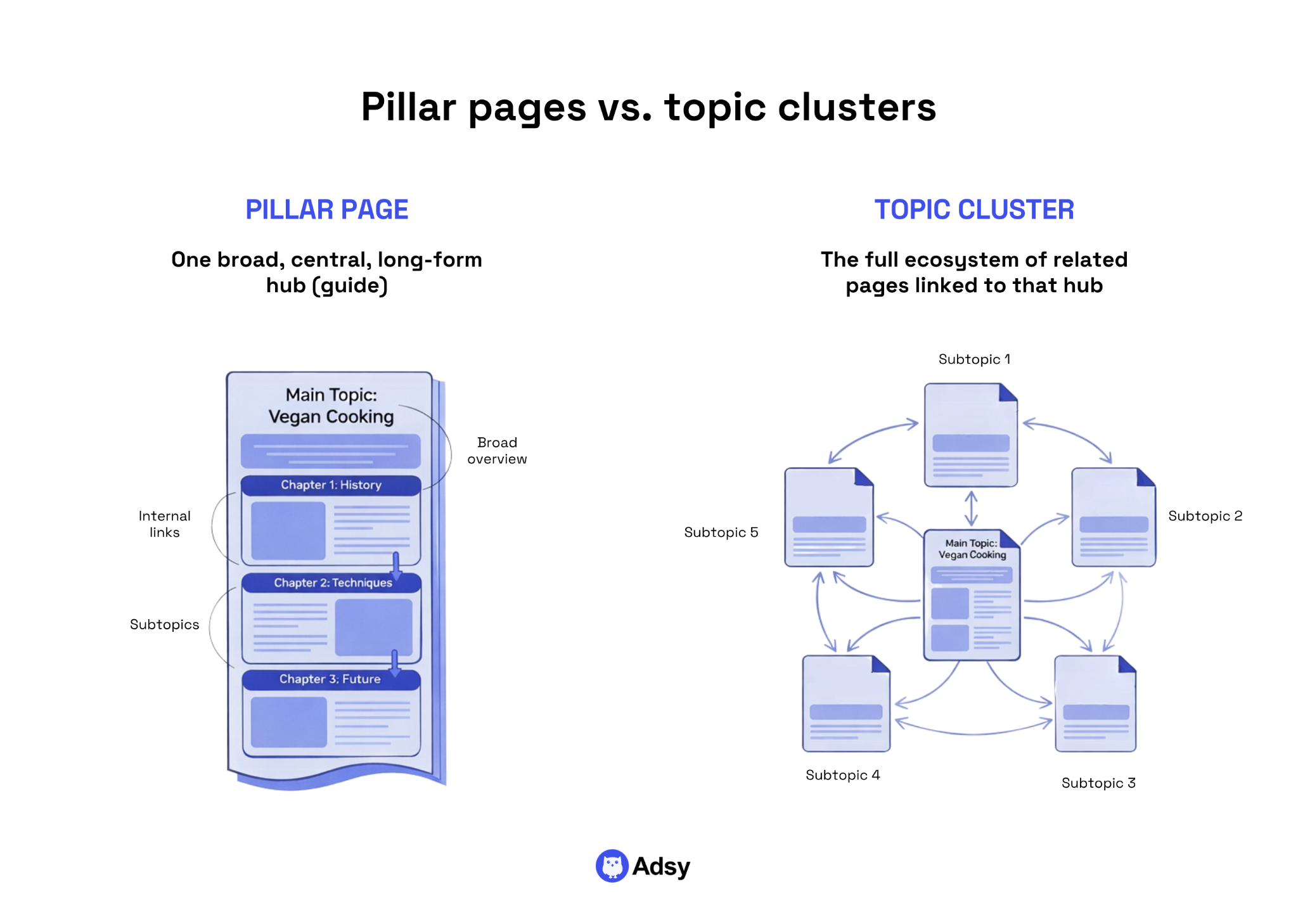
The pillar page is the center, and generally the main piece that covers a broad topic. The topic cluster is everything around it: all the supporting content that provides deeper explanations of specific parts of that subject.
So when someone says “build topic clusters,” what they really mean is "build a pillar page and surround it with the right supporting pages".
Topic clusters are basically pieces of content that revolve around the same issue.
But they aren’t just published randomly. They are organized with intent.
In other words, instead of writing several blog posts that overlap, you create one central page (the pillar) and multiple focused pages (the clusters).
This structure influences everything from your rankings and user experience to site architecture. This isn’t only important for your on-page optimization, but it’s also a big part of technical SEO, and, on top of that, it can help your link building (more on this later).
What does the pillar-cluster model look like?
You can imagine this model as a mechanism based on gears. The biggest one in the center is the pillar, and the ones surrounding it are the clusters.
And because they’re aligned, they work well and smoothly together.
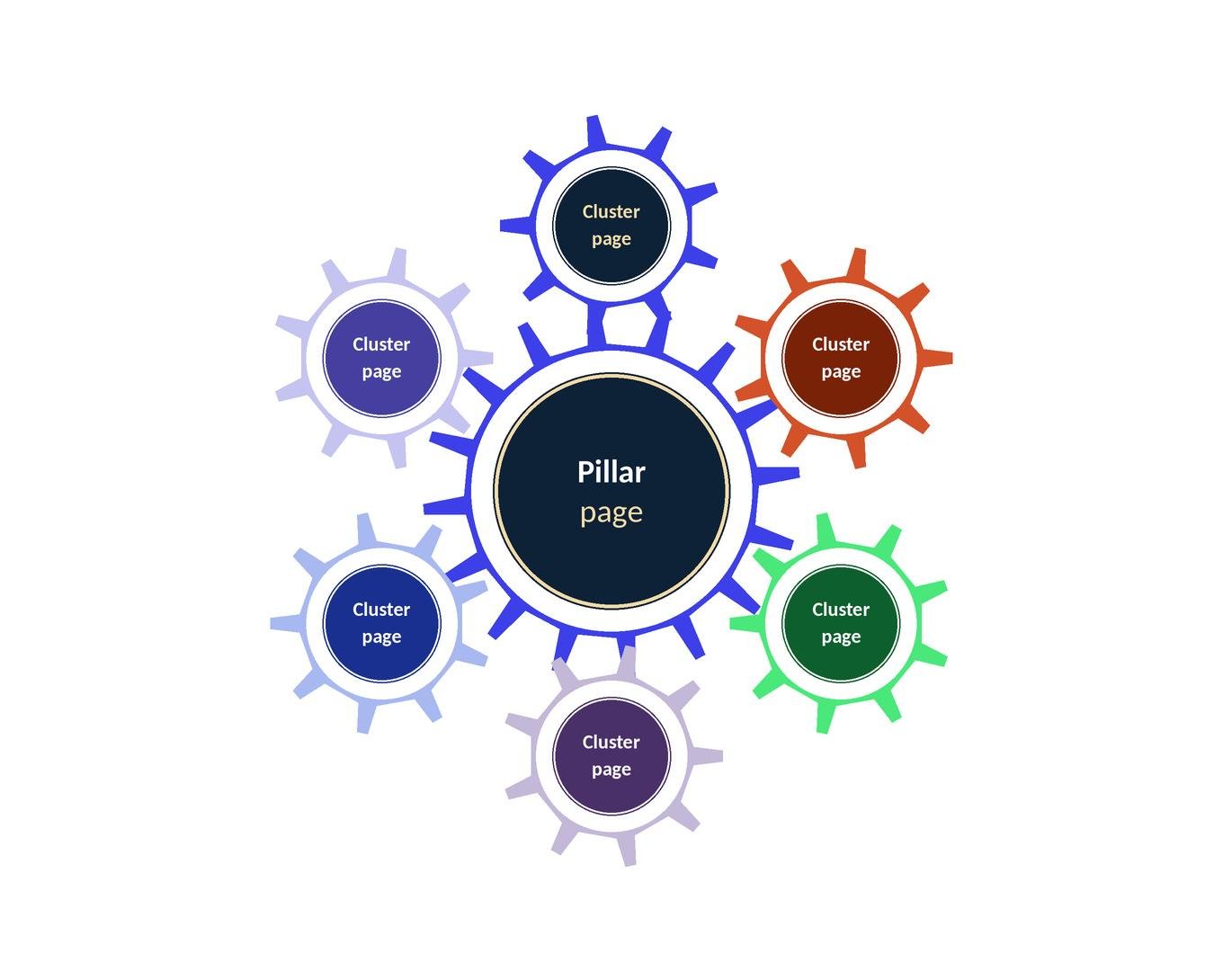
This is how it works:
- Your pillar page links to all the cluster pages.
- Each of those clusters connects back to the center (pillar).
- And ideally, clusters also connect to each other where it makes sense.
So, instead of separate pieces, you create an interconnected system.
An example of this could be a pillar titled “Content Marketing Guide.”The clusters around it could be “How to Build a Content Strategy,” “Content Distribution Channels Explained,” “How to Optimize Content for Search Engines and LLMs,” “Best Content Marketing Tools,” etc.
Why do you need them for SEO and content marketing?
When it comes to the benefits of topic clusters, many simply focus on better rankings. But there is much more to the story.
They’re a great addition to your SEO strategy for several reasons:
1. Build topical authority
Let’s do some googling and search for the “best personal finance resources.”

Here you go: NerdWallet, Investopedia, Bankrate, etc. How did all these brands end up here? It’s their topical authority.
Achieving that authority mostly comes down to time and high-quality content.
But pillars and clusters can help you organize everything you publish to show both Google and your readers that you have a lot of valuable and well-structured information on your topic.
Before, SEO was mostly about keywords. You could simply stuff your websites with search queries and end up on the first page of SERPs.
But now the times are different.
Search engines (and LLMs, too) look at how well you cover your subject to determine how good of an expert you are. And that’s the real future of SEO, building true authority, not chasing some tips and tricks.
In other words, your content has to show real depth and expertise in a given industry.
And a pillar page, by definition, forces you to cover a subject as fully as possible. First, as an overview on the pillar itself, and then in more detail in your clusters.
Let’s imagine two websites:
- One of them has a strong pillar page on "email marketing" and 10 well-linked cluster posts exploring email list building, deliverability, reputation, segmentation, subject line testing, and so on.
- And the second one has those same posts spread across their blog with no “connective tissue.”
Which one signals more authority to Google?
You’ve guessed it: the first one. So, as you can see, content can be the same, but structure is also an important factor.
2. Reduce cannibalization and stop competing with yourself
This one might get really frustrating when you realize it’s happening.
Imagine you write multiple blog posts around the same topic, all targeting similar keywords. Sounds promising, not to mention, highly productive.
But what we often don’t think about is that they can start “stepping” on each other.
Search engines don’t know which one to rank, so none of them performs as well as they could. Who comes to the help?
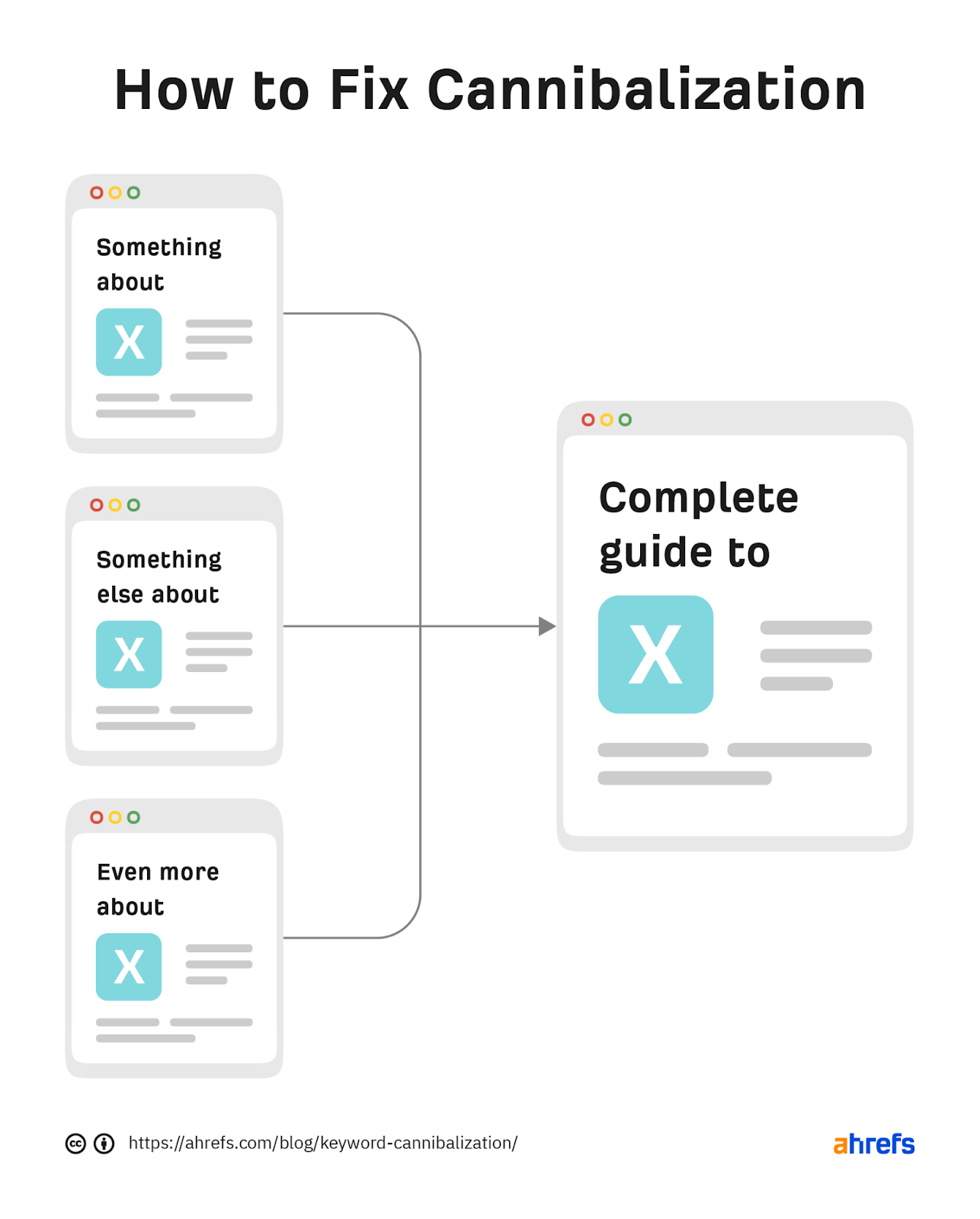
Right, a pillar page. It can fix cannibalization by introducing a clear structure:
- One main page for the general topic,
- Separate cluster pages for specific angles.
Now each page has its own job, and nothing is overlapping where it shouldn't.
Still, here is an important “but”: if you have a couple of very similar guides that you’re planning to use as a cluster page, consolidate them first. This means creating one complete guide instead of a couple of smaller ones.
Source: Ahrefs
3. Get clearer site architecture
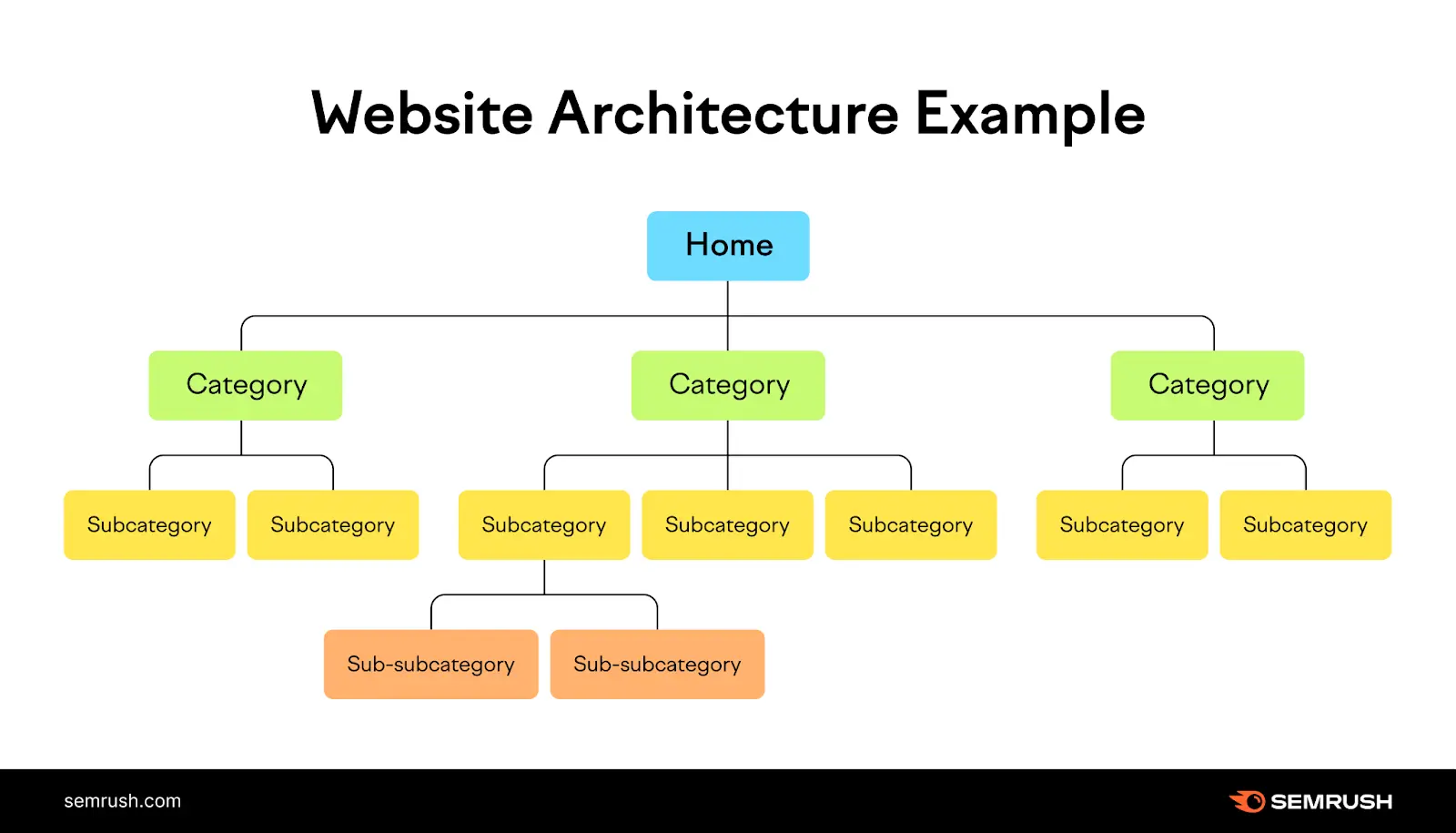
Pillar pages work because they organize your content in a structured manner.
And this improves your site architecture by default. Because you basically create a new subcategory that helps you laser focus your impact.
When you just randomly publish the topics that fit your niche, you create a messy layout without even knowing it. But pillars help you structure things, as you:
- Start grouping content into topic clusters,
- Define core subjects and keywords,
- And create a hierarchy that makes sense.
All that turns your site into an understandable, clean system.
Source: Semrush
4. Create better user journeys
This one is easy to overlook when you're deep in keyword research and link building.
But it matters a lot for engagement metrics and trust.
When a reader lands on a well-built pillar page, they get a comprehensive overview of a matter, and they understand that you know your thing. It basically signals that learning from you won’t be random.
Because no one would assume that you’ve created a comprehensive page with dozens of guides without knowing what you’re talking about.
Besides, users don't even have to leave your site to find the answer to their next question. It’s all there: in one place.
Since a strong pillar page organizes topics in clusters and provides helpful links to related topics, navigating through your site gets much easier.
That’s why many website visitors will stick with you for longer.
5. Improve your internal linking
Internal linking is one of those things everyone knows they should do… but rarely does well.
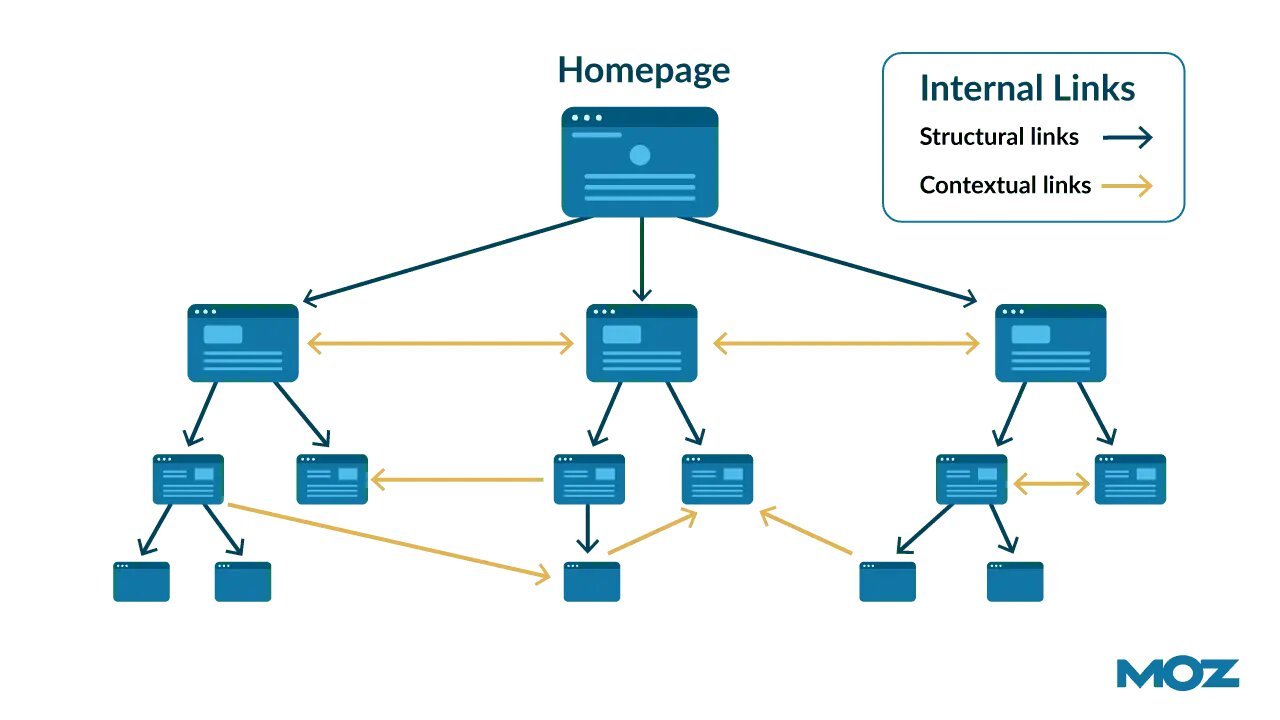
And while pillar pages won’t fix everything, they can help make your internal linking more organized.
Source: Moz
To make clusters work, you must add links between all these pages. There is no choice, really. And of course, it also helps you structure at least a part of your articles.
This way, you build a clean system that helps search engines crawl your site and understand how everything fits together.
But it’s useful not only for internal linking.
A good pillar page works great to build both internal and external links. Speaking of which.
6. Get more opportunities to earn backlinks
People don’t naturally link to average blog posts anymore. It simply doesn’t happen, even if it’s technically good.
But some pages can link to very in-depth pillars. Because they have so much information that recreating something similar is pointless if you only want to mention it in one article.
Let’s check this. Remember Ahrefs’ Beginner SEO Guide? Well, these are the backlinks pointing to it:
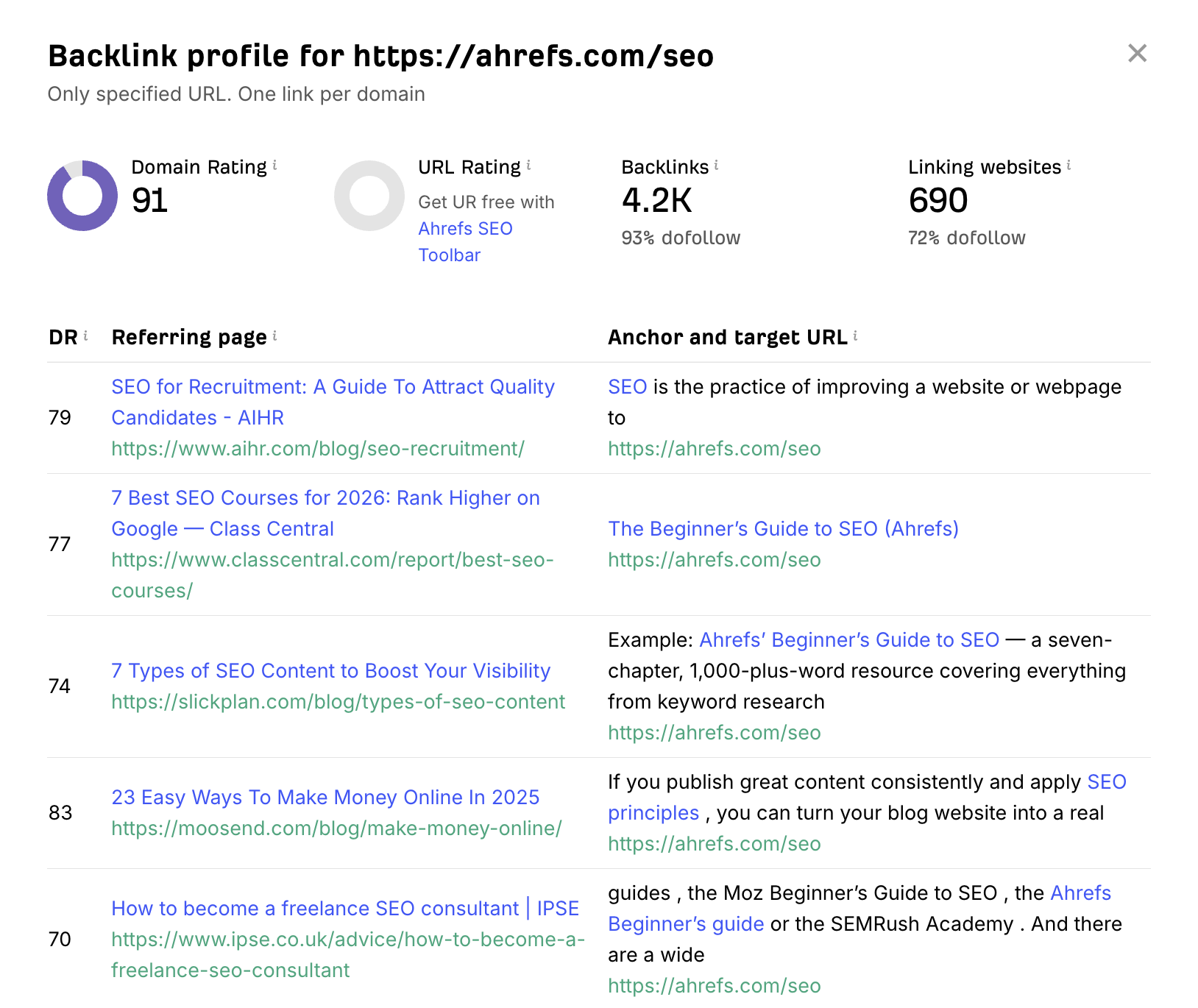
Source: Ahrefs
Of course, you could say that it’s because it’s Ahrefs, a well-known brand in SEO.
Sure, it’s a very good point.
But if we take any random SEO-related blog post they’ve published, the backlink situation won’t be nearly as impressive:
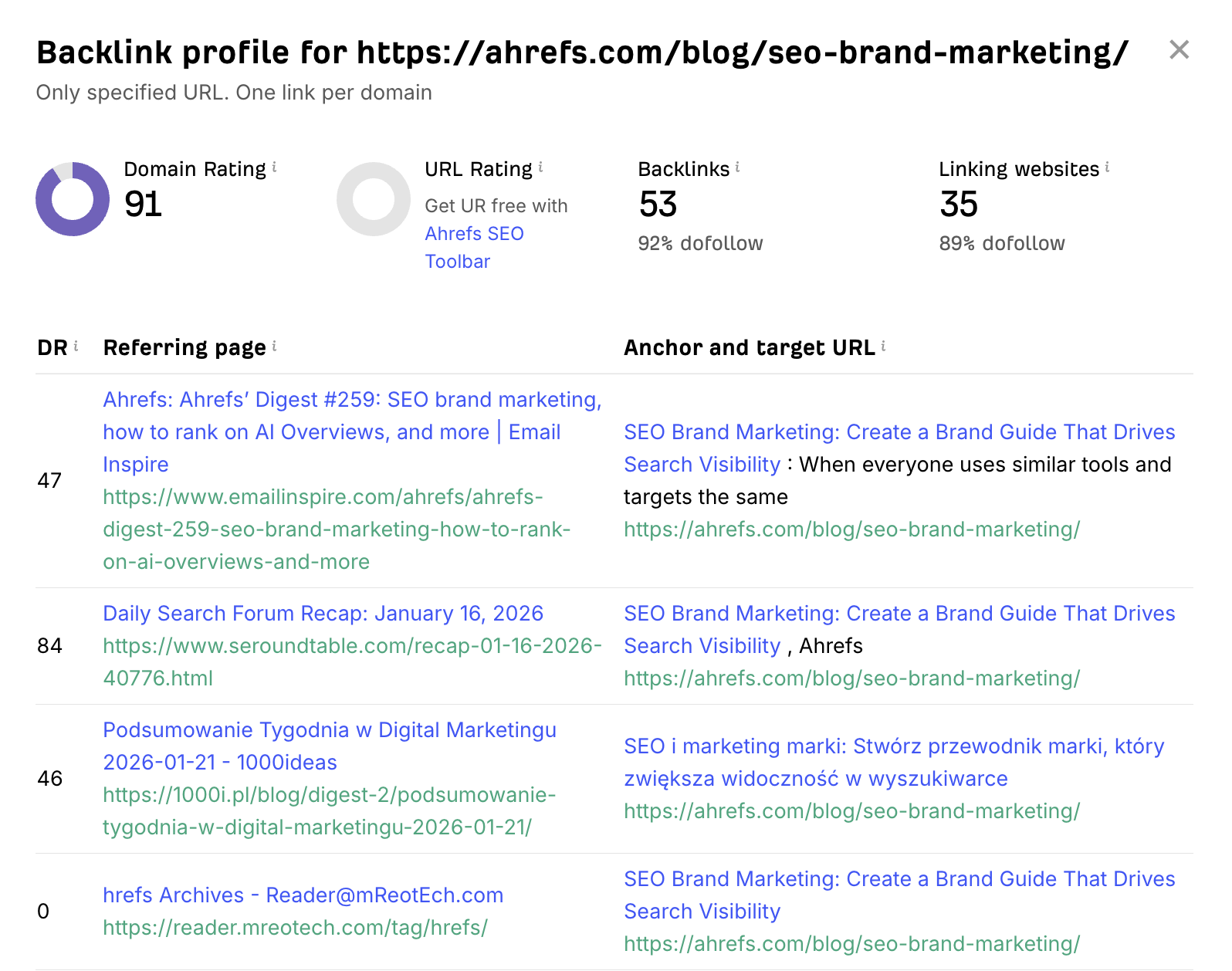
Source: Ahrefs
And you can find many more examples like this.
Because a solid pillar page has a much higher chance of becoming the “go-to” source people reference.
So, creating quality pillars often means more natural backlinks for you. Not to mention that in order to get cited in ChatGPT and other LLMs or appear in AIOs, you also need more external mentions.
7. Achieve better AI visibility
Search is changing, and it’s impossible to deny this. While experts are making different SEO predictions, AI systems are getting better at understanding topics, details, connections, and the depth of coverage.
That’s why pillar pages that are tightly connected to your main niche matter more than ever. They show that you have knowledge of your subject.
And that’s exactly what modern search systems (including AI-driven ones) tend to reward.
What makes good content pillars?
Let's take a look at the real example to find out.
Here is Backlinko’s SEO Marketing Hub. They don’t only cover beginner’s SEO like Ahrefs, but also advanced strategies, different tools you might want to use, user experience signals, etc.
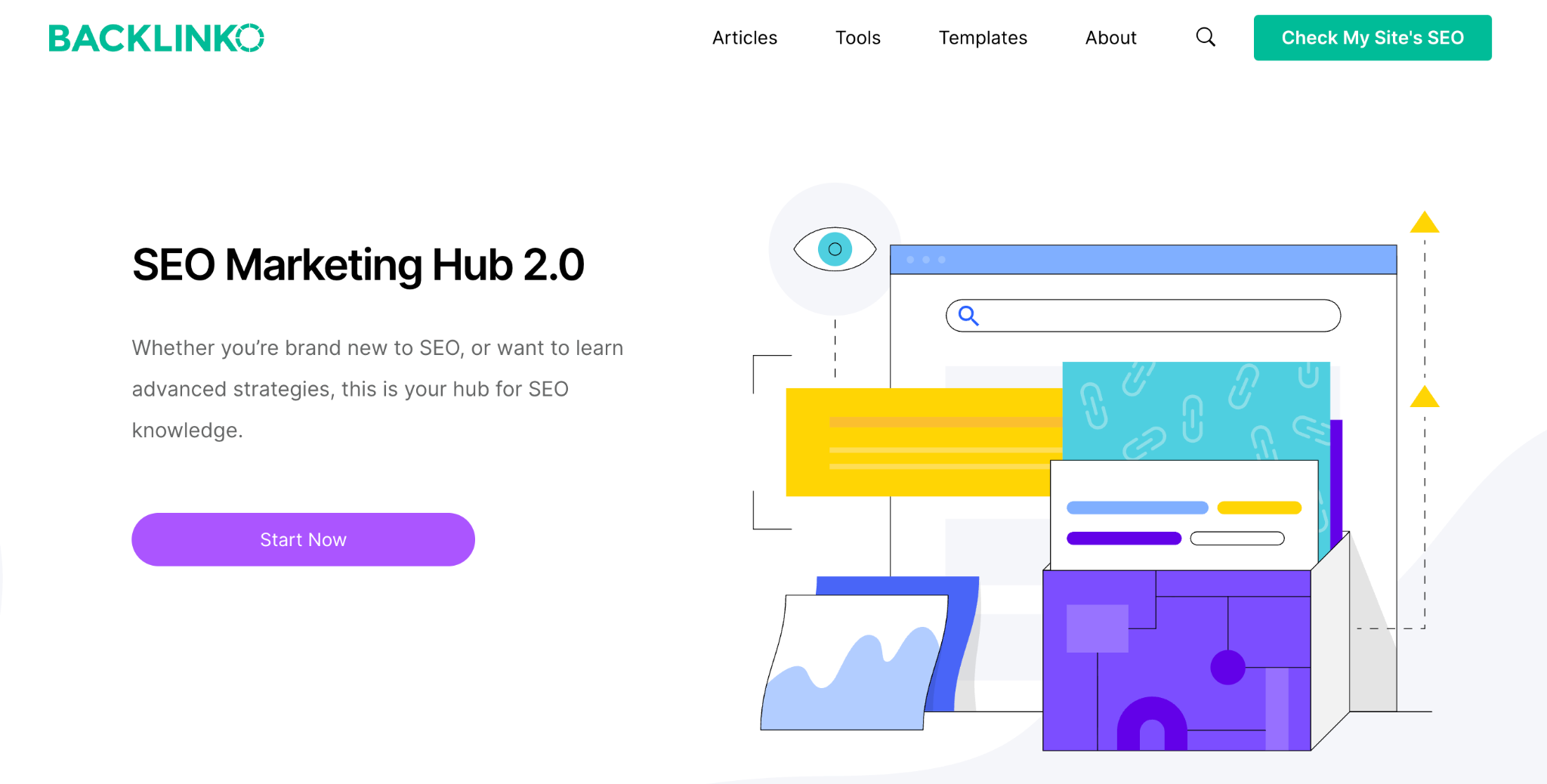
Source: Backlinko
Now, why does this work?
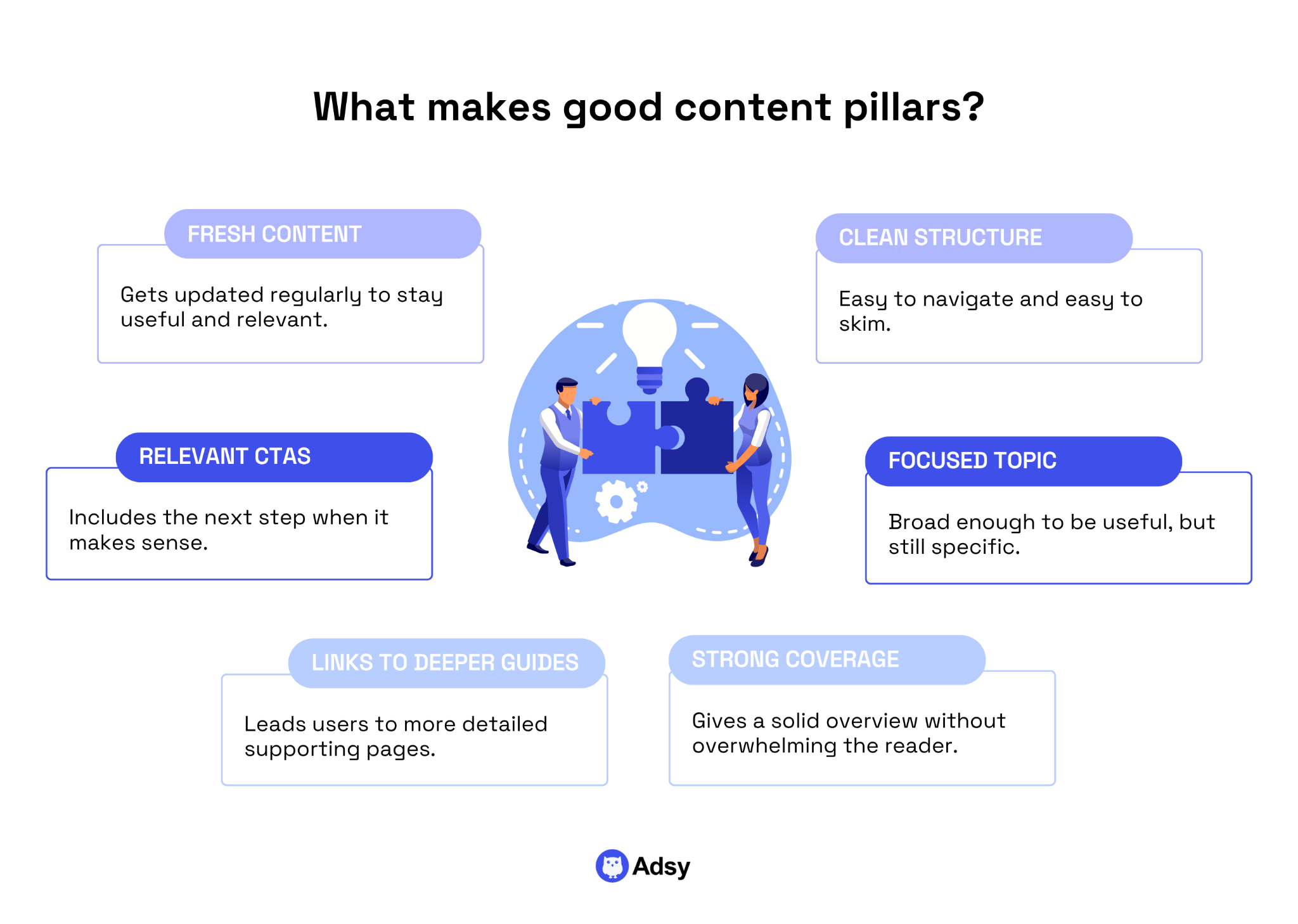
Clean design and strong structure
While design doesn’t directly influence SEO, it does influence user experience, and it’s crucial to rank well.
What we see here is a very straightforward and nice to look at page with 9 clear sections. You understand what you’ll learn and can choose between “lessons” that interest you most.
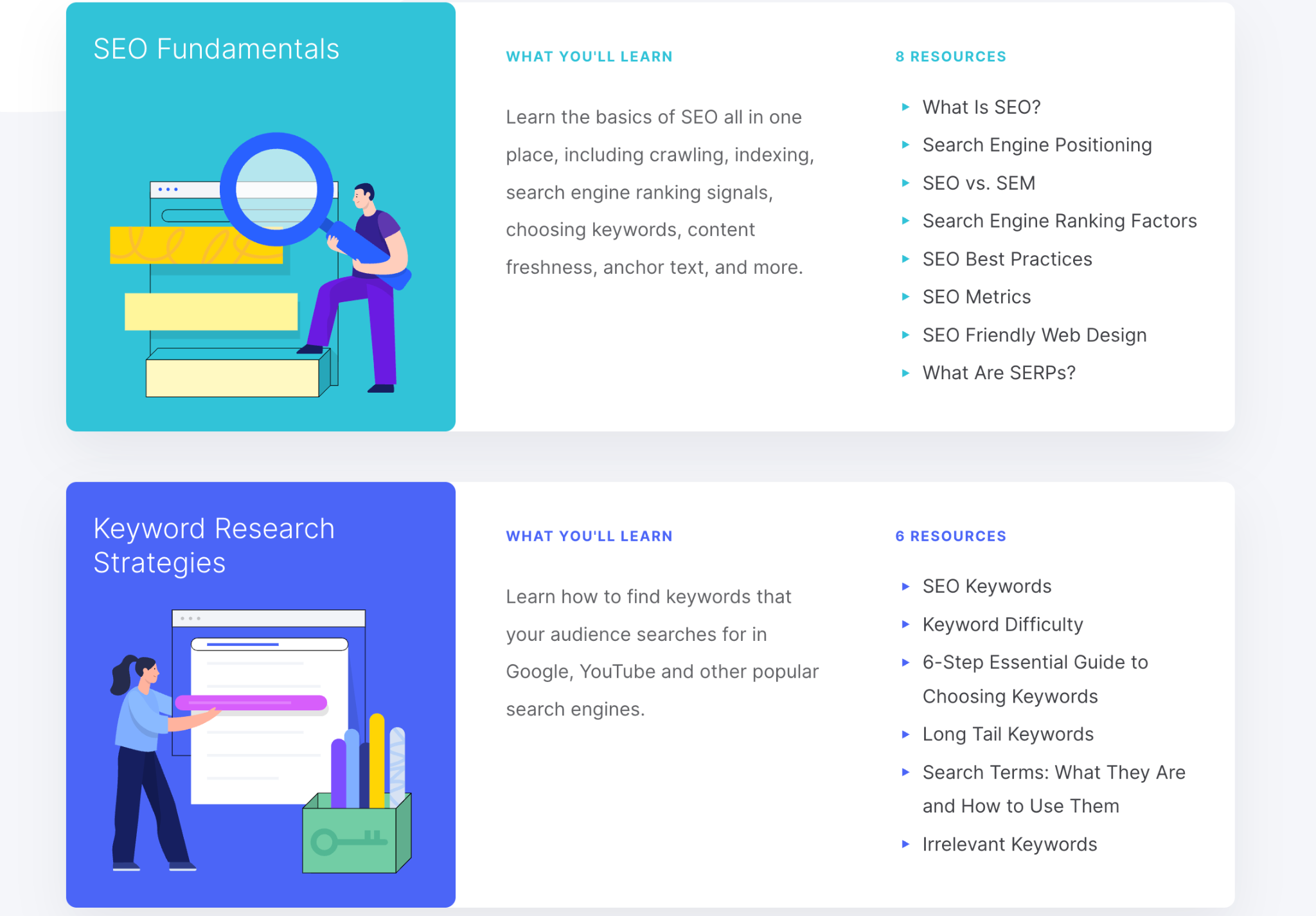
As for the structure, you can see how seamless it is:
- There is no extra copy,
- You understand where to find what you need,
- The navigation is really effortless.
It’s also easy to skim through all the content without missing anything major, which is a big thing since most people don’t really read all your copy.
That’s why pillar pages work: they give you exactly what you need in one place without any unnecessary information overload.
Broad topic, but not too broad
When it comes to Backlinko’s content cluster, one might argue that “SEO marketing” is a topic that’s too broad. True, it is a bit broader than many similar pages.
But they did a quite smart thing here: instead of giving beginner- or advanced-only lessons, they decided to turn it into a resource where people “in the middle” can find the answers they need.
If you think about it, we often target the extremes.
Yet, in SEO (like in many other niches), there are plenty of people who aren’t complete beginners. But they aren’t too advanced either. So, Backlinko basically tells them: “Here is a hub for you.”
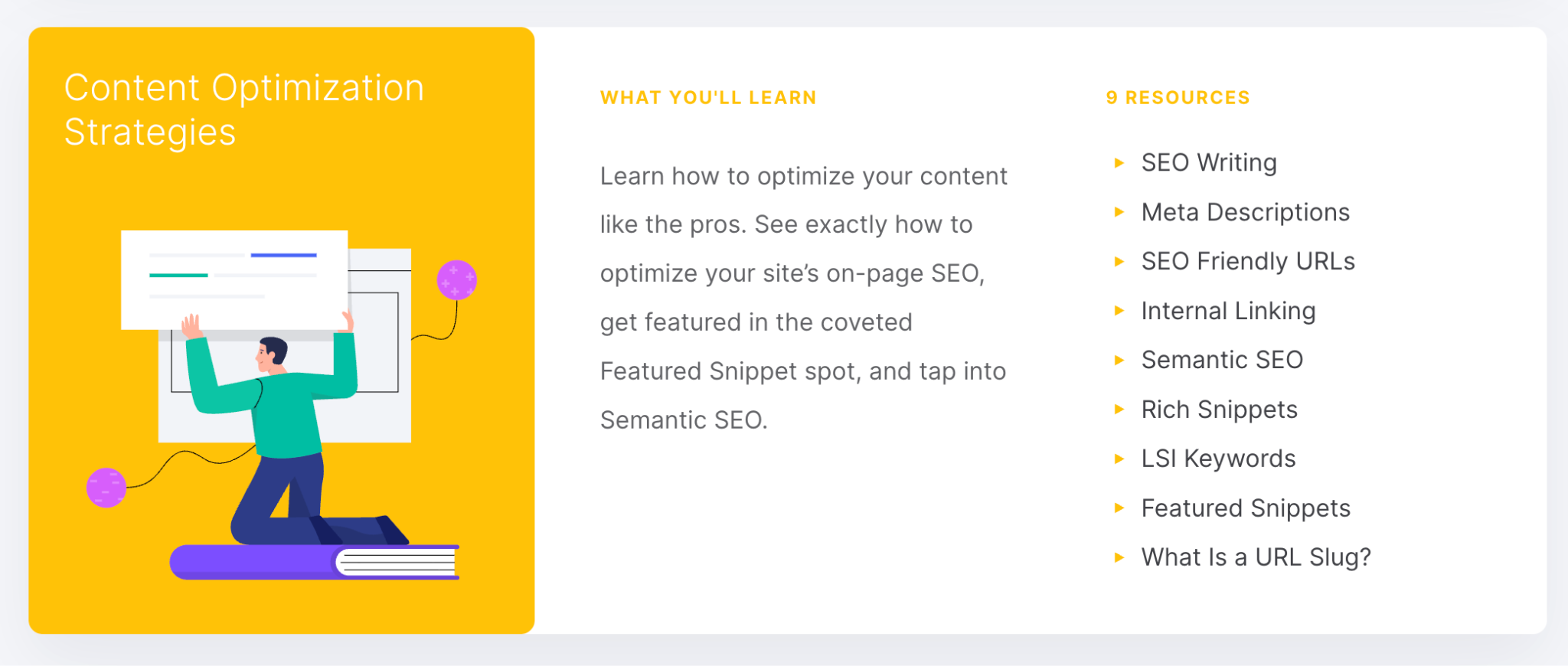
If today, you struggle with rich snippets, read this guide:
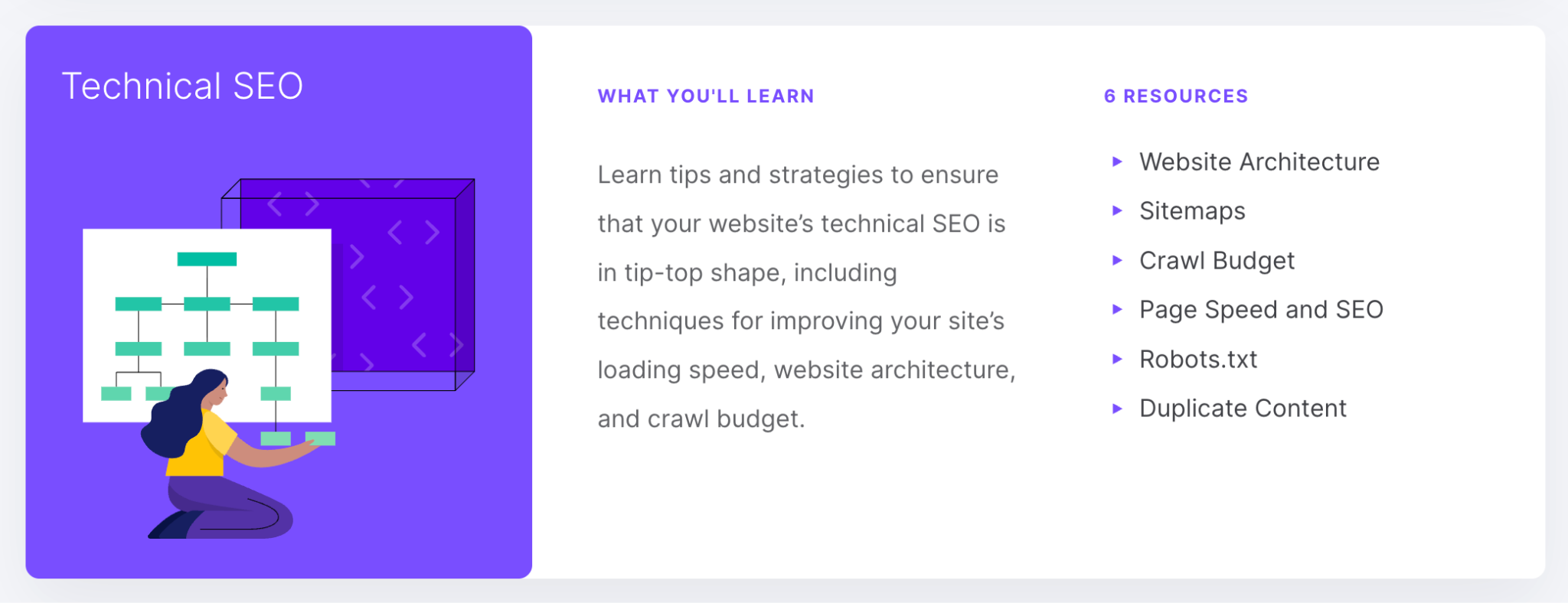
And if tomorrow, you don’t know what to do with your duplicate content, there is an answer for you in the same place:
But as a general rule, keep your pillar pages specific enough.
Because make it too broad, and you won’t be able to cover it meaningfully on one page. If that happens, you simply won’t get any benefits from this.
Coverage that satisfies the overview intent
A pillar page is not an encyclopedia, so don't try to turn it into one. Its job is to give readers a complete overview, but not to let them learn every possible thing out there about that topic.
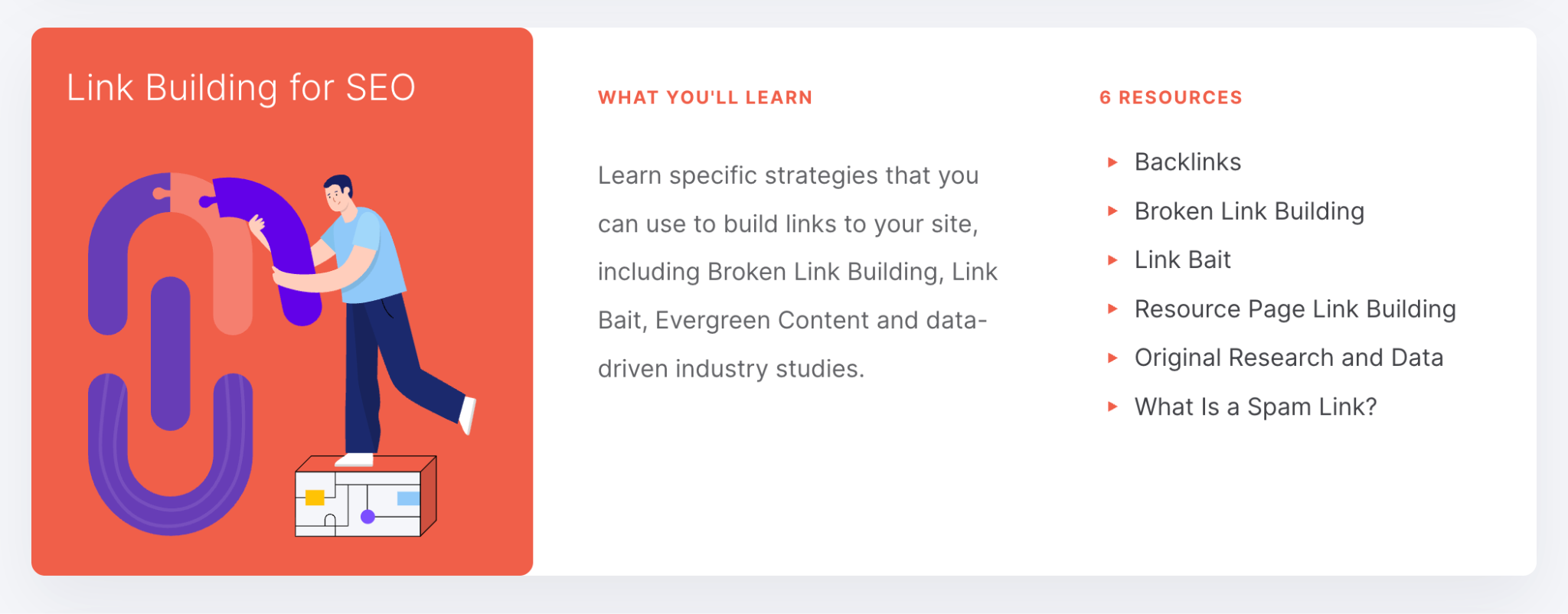
For example, let’s take one of the categories from Backlinko’s hub.
Of course, you could say more about link building. But these six resources cover most of the elements you have to know to make it work. And if Backlinko’s team wants, they can also extend it further later on.
Links out to deeper pages
This is actually a big one. Backlinko didn’t create a pillar that simply linked to pages like “What is technical SEO?” or “What is link building?” Instead, they’ve listed very detailed guides for each category.
Take this user experience section, for example.
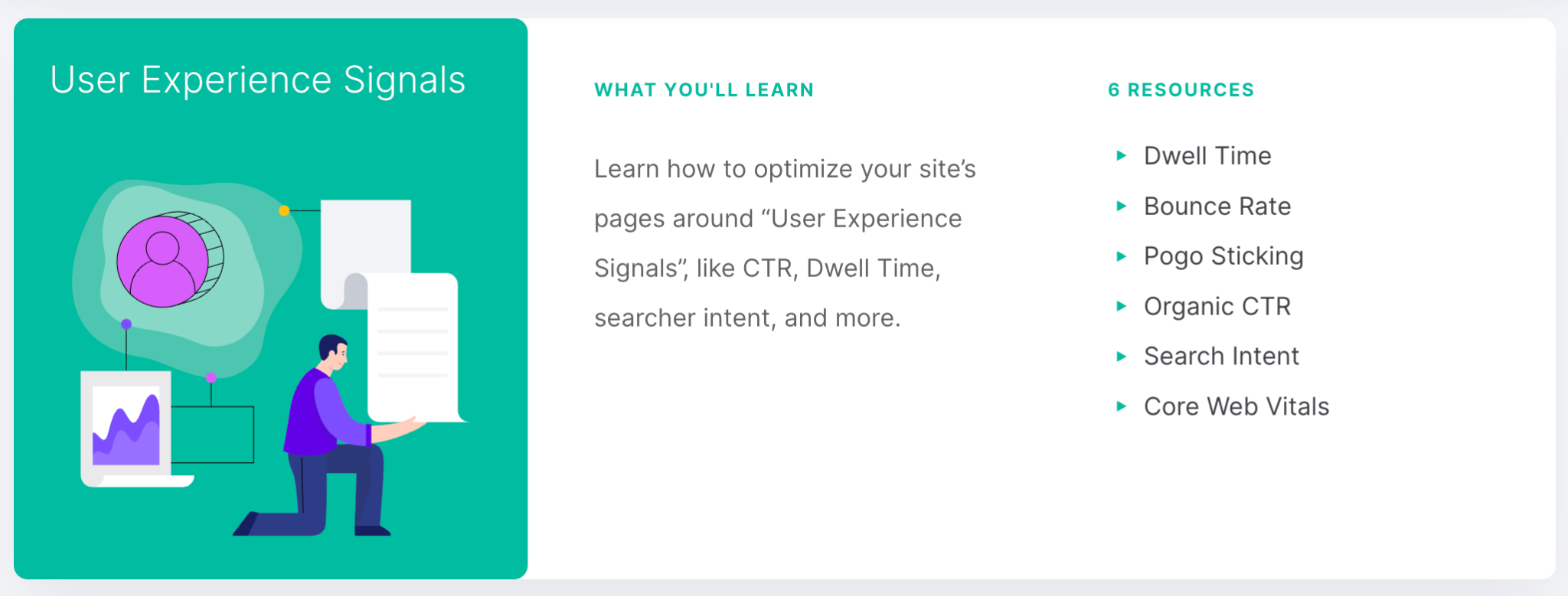
They could have simply covered this in one article that explained the basic SEO KPIs, the importance of good loading speed, red flags like spammy pop-ups, and so on.
Yet, they linked to six pages about very specific things.
Imagine how much more detailed a guide on dwell time alone is compared to an article like “Top 10 Website Metrics.”
Clear CTAs if relevant
At first glance, there are no obvious CTAs here. But Backlinko was acquired by Semrush, so technically, here is a more commercial link:
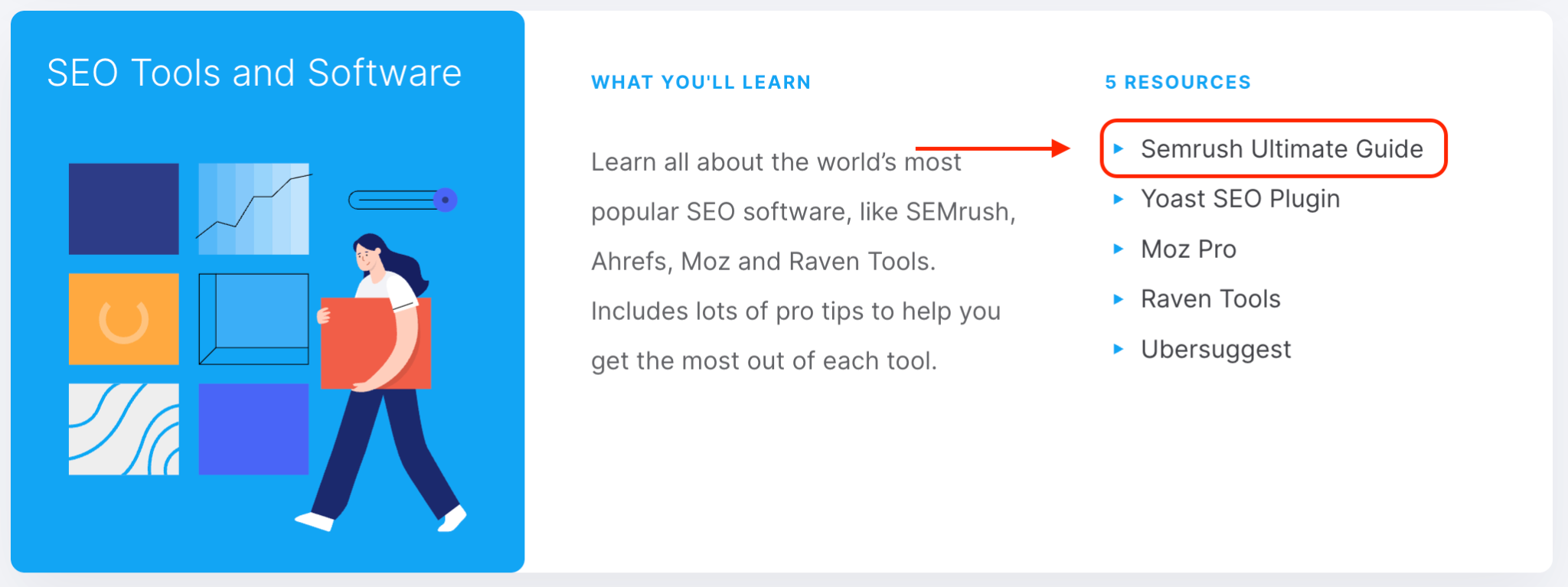
And here is a whole section on the usage of their tool SEOquake:
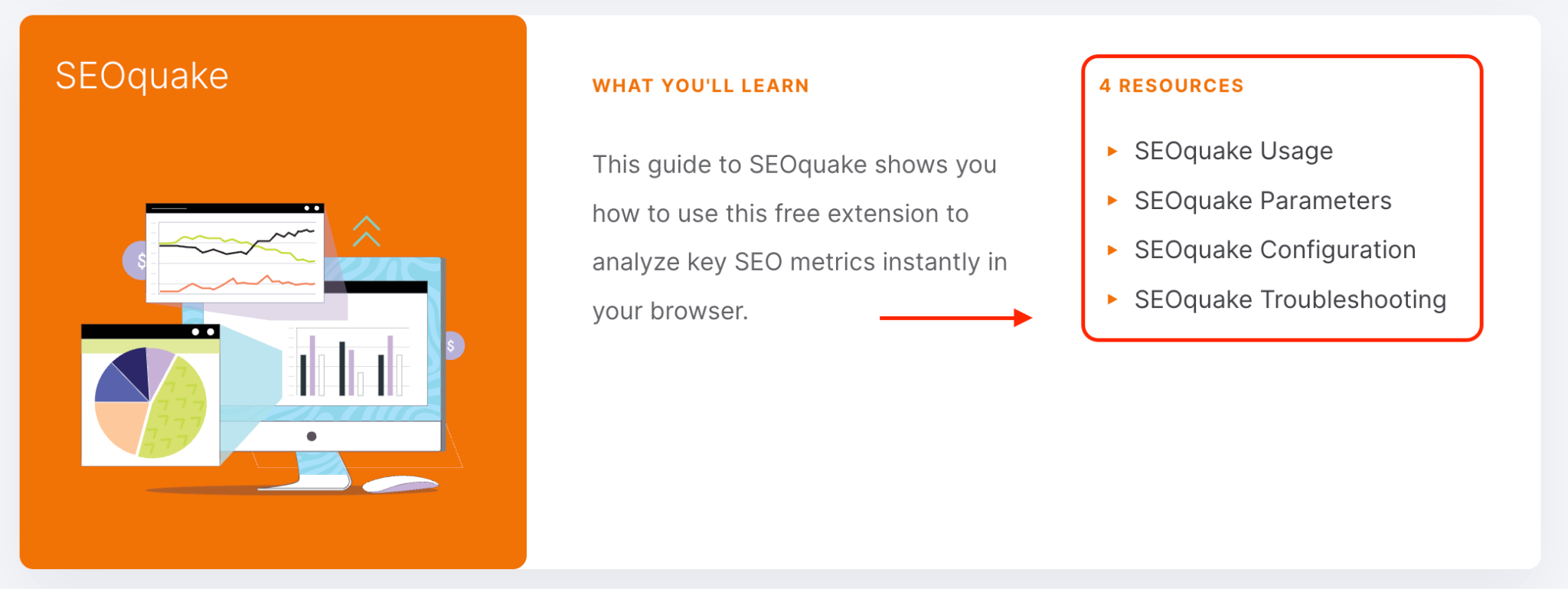
So, if there is one thing we can learn from this example, it is that if your product/service is highly relevant to your topic cluster, you can introduce it there. At least, a mild CTA won’t hurt.
It doesn’t have to be a “buy now” call to action, though.
Depending on the keyword you’re targeting, you could simply offer the next step to move people down the funnel.
Regular updates over time
The final element of a successful pillar page is freshness. Google always prioritizes up-to-date content.
So, you have to update not only the pillar, but also your clusters.
After all, if you want SEO to work, your content and website have to be well-maintained. There is no other option, really.
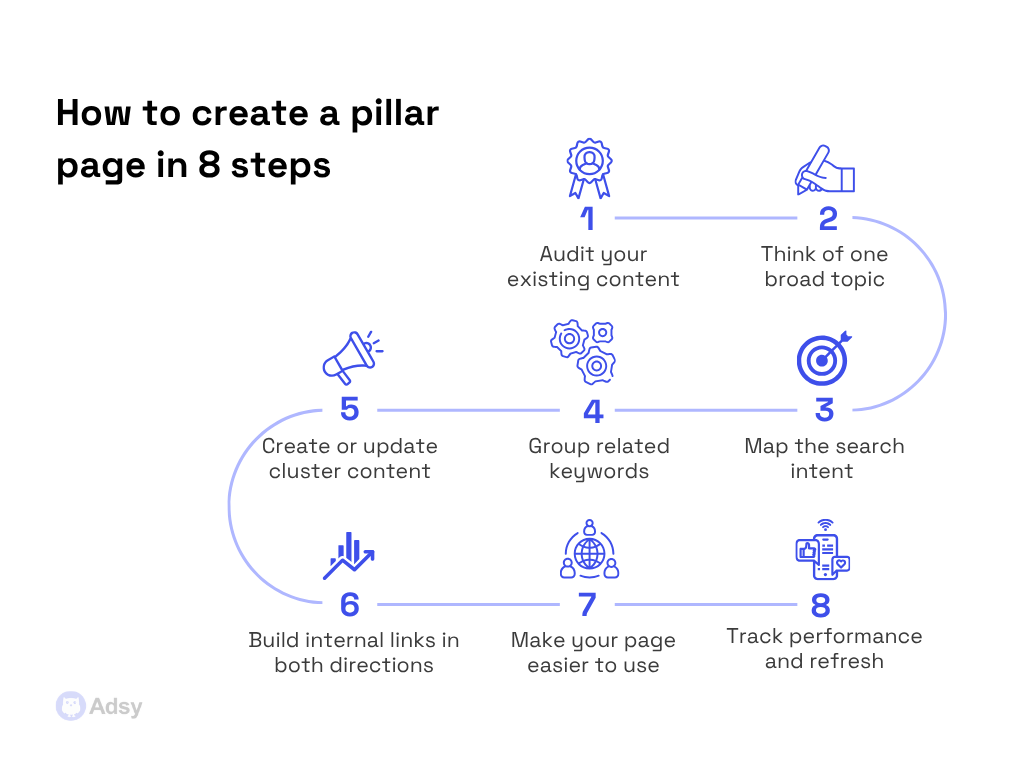
How to create a pillar page in 8 steps
Yes, you can create a pillar page in 8 steps only. Besides, you might already have some work done without knowing it.
Let’s take a deeper look at the whole process to better understand each stage.
1. Audit your existing content first
Before you write a single new word, look at what you already have.
This is the step most people skip, and it's a big mistake. Sometimes, you don’t need that many new content ideas.
You’ve probably already published several blog posts on related topics.
These articles are likely scattered across your site with no central hub connecting them. This means that your first pillar page might already be 30%-60% built. You just don't realize it yet because you haven’t done the audit.
Go through your existing content and look for clusters of related posts:
- Are there a couple of articles that all touch on the same subject?
- Are there some pieces that circle around the same concepts?
- Are there pages that target nearly identical keywords?
- Are there some blog posts that just describe different tactics of a bigger strategy?
All these things are your cluster candidates.
What you're specifically looking for is a topic where you have real depth. But there's no single page that brings it all together.
But it isn’t just about articles that look similar.
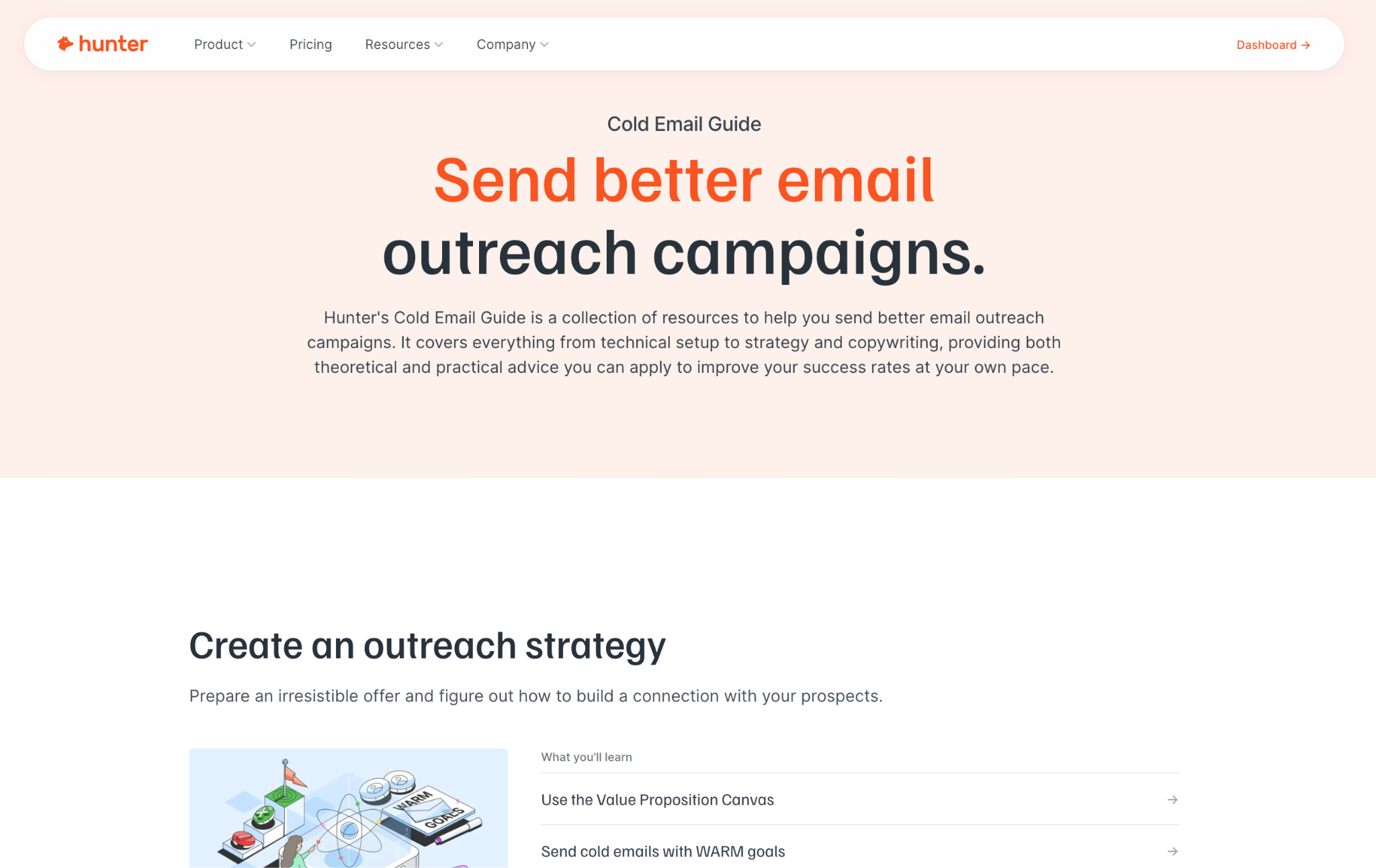
Let’s take a look at a real Hunter’s example to prove that. This is their pillar page on cold email outreach:
Source: Hunter
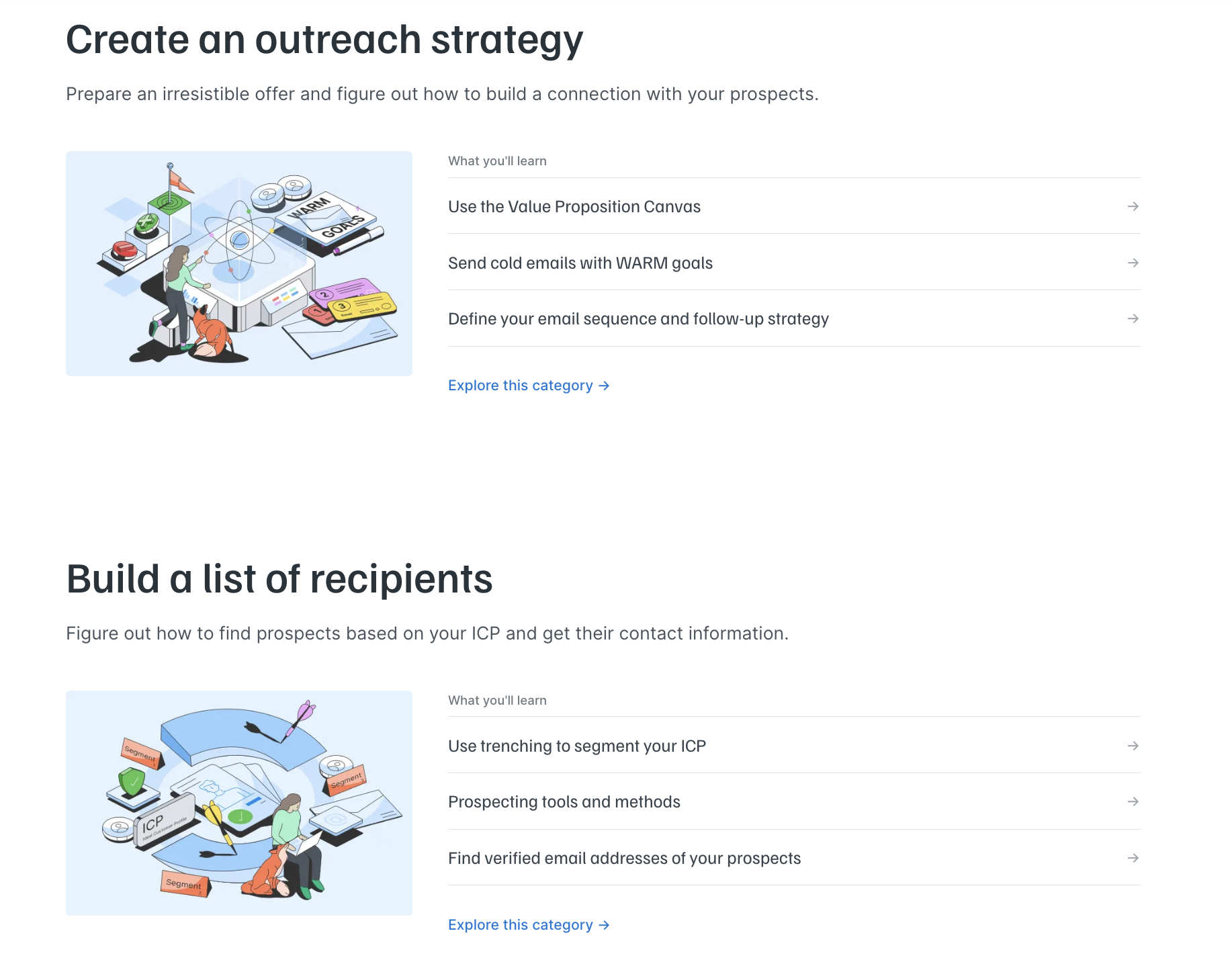
It’s a great example because if you look at the articles they group, they are far from being similar.
Instead, they’ve split everything a person needs to learn about cold outreach into six categories and added relevant articles to each group:
2. Think of one broad topic with business value
The topic of your content cluster needs to pass two tests simultaneously:
- It has to be something your target audience genuinely cares about. In other words, something they actually search for and want to understand better.
- It has to have a connection to what your business actually does. If there's no business value in it, there's no point in it for you. Pillar content that drives irrelevant visitors to your website is just a vanity metric. Why would you need that?
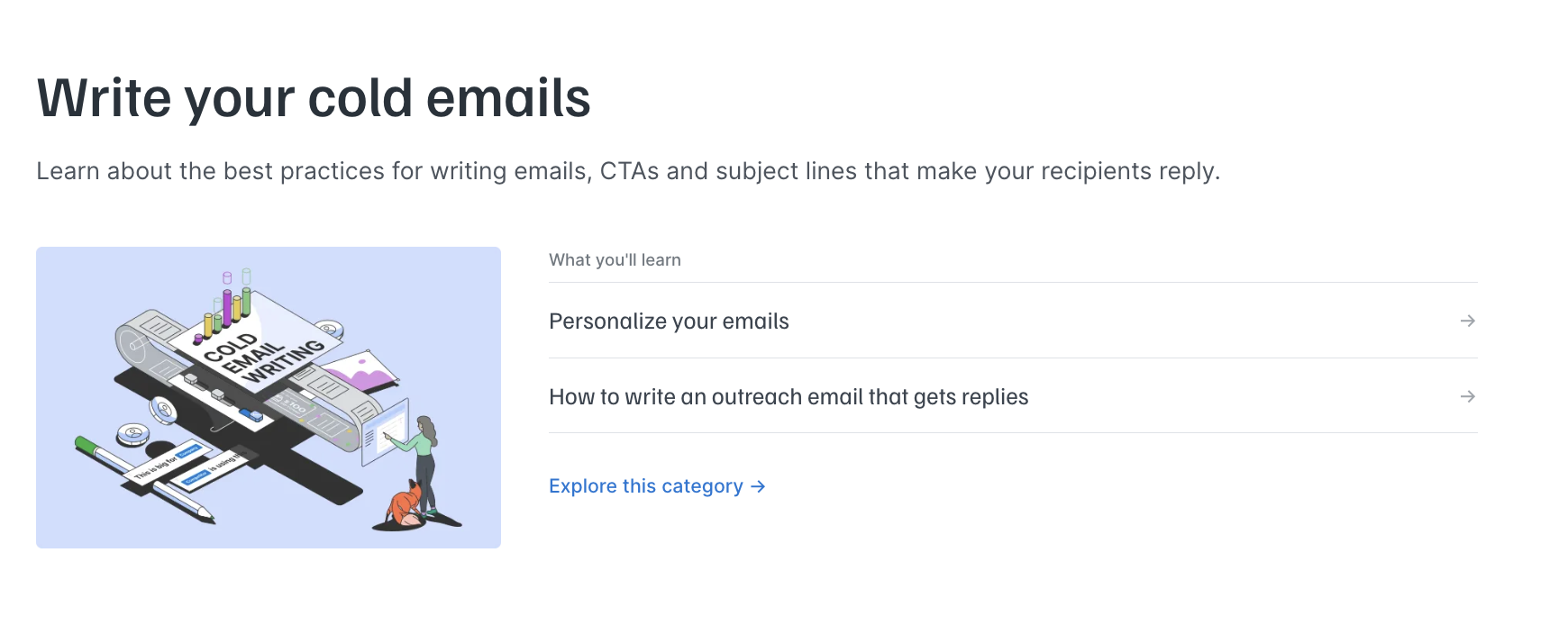
If we go back to the cold email guide, if they chose one of their categories as a pillar, it would be quite limiting. Take “Write your cold emails,” for example. There is only so much you can write about this topic for their niche.
If they had a content writing business, it could be different.
But for their product, it made no sense to make this category any longer or turn it into a new pillar page.
Similarly, if they picked “email marketing best practices guide” instead of “cold email guide,” it would be too broad. Because to turn it into a go-to resource, they’d need to make it huge.
And this also wouldn’t make much sense for what they are selling.
3. Map the search intent behind that topic
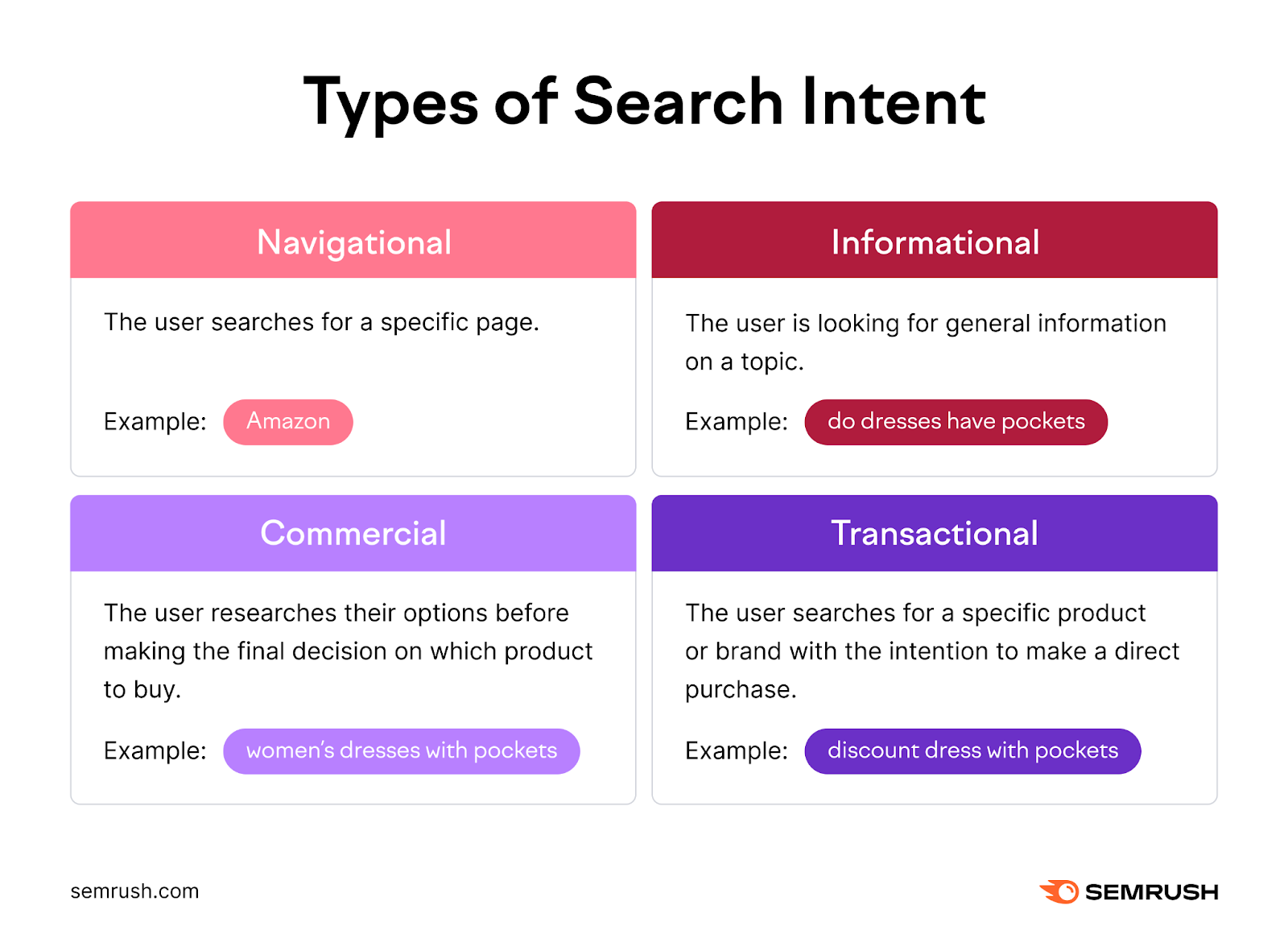
Knowing your topic is not enough. You need to understand why people search for this type of content and what they expect to find when they do.
This means understanding your target audience's search intent. Because getting it wrong will get you to building a page that:
- Ranks for the wrong reasons,
- Attracts the wrong readers,
- Or doesn't rank at all.
Source: Semrush
For pillar posts, the intent is almost always informational. Most people searching for a broad topic like "content marketing strategy" or "project management" want to understand it.
And they typically aren’t looking to buy anything right away.
How can you understand what users expect?
The easiest way to do that is to search for your target keyword on Google and look at what's already ranking. The format of the top search results tells you what algorithms think satisfies the search intent. So, you don't have to reinvent anything here.
4. Group related keywords to create topic clusters
With your core topic and intent covered, now it’s time to build the “architecture” around it. Usually, this is how it goes. You first find specific keywords around one topic and then:
- Your pillar page targets the broader queries. These are usually short, high search volume terms that describe the topic as a whole.
- Your cluster pages target long-tail keywords, as they are more specific and less competitive.
If we go back to our Hunter example, we’ll see that their main keyword is “cold email guide.” But then, we see several long-tail search queries they target, like “prevent emails from bouncing” or “how to avoid landing in spam.”
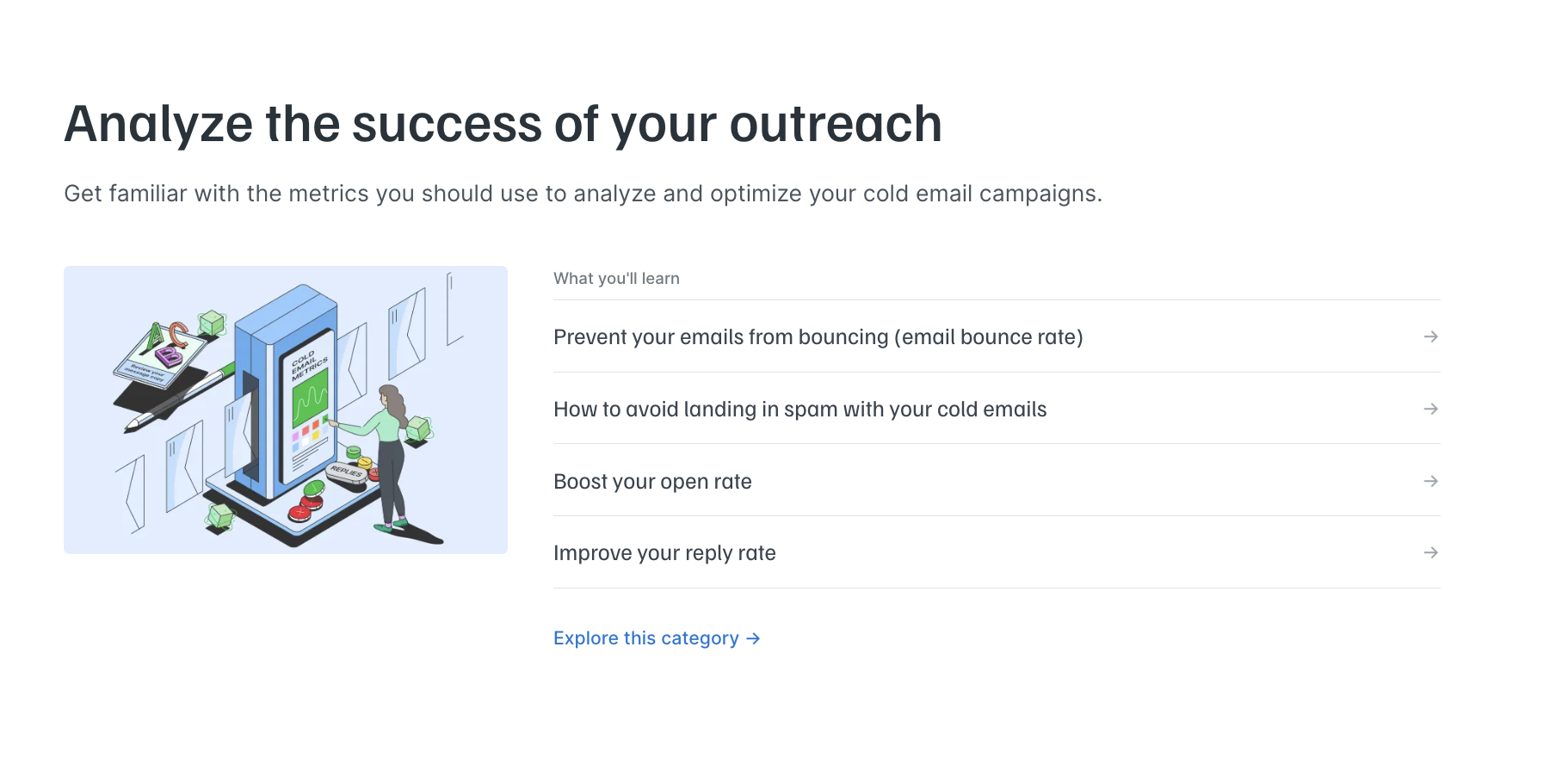
When doing keyword research, start with your core keyword (subject) and brainstorm every logical subtopic.
For example, if your pillar is "email marketing for beginners," your clusters might cover:
- How to build an email list,
- Email subject line best practices,
- Newsletter marketing,
- Email automation workflows,
- Segmentation strategies,
- Deliverability and warmup,
- A/B testing,
- Email high-converting copywriting,
- Re-engagement campaigns, etc.
Each one of those is an article with its own specific keywords. But they all fit perfectly into your main topic. And together, they form a coherent content ecosystem.
5. Create or update cluster content
Before your pillar page goes live (or at least shortly after), you need actual cluster content for it to link to.
A pillar with links pointing to pages that don't exist yet can kill the whole strategy.
If your Step 1 turned up some already published relevant content, start there. Many of them will need updating. So, add new information, revise outdated sections, etc.
And publish at least some relevant articles before your pillar goes live.
Sure, you can add additional content later on. But you need some foundation for it to make sense.
For example, it’d be okay if you had only two articles in this section when you first published it and added the rest later. But if it were completely empty, that would be a no-go.
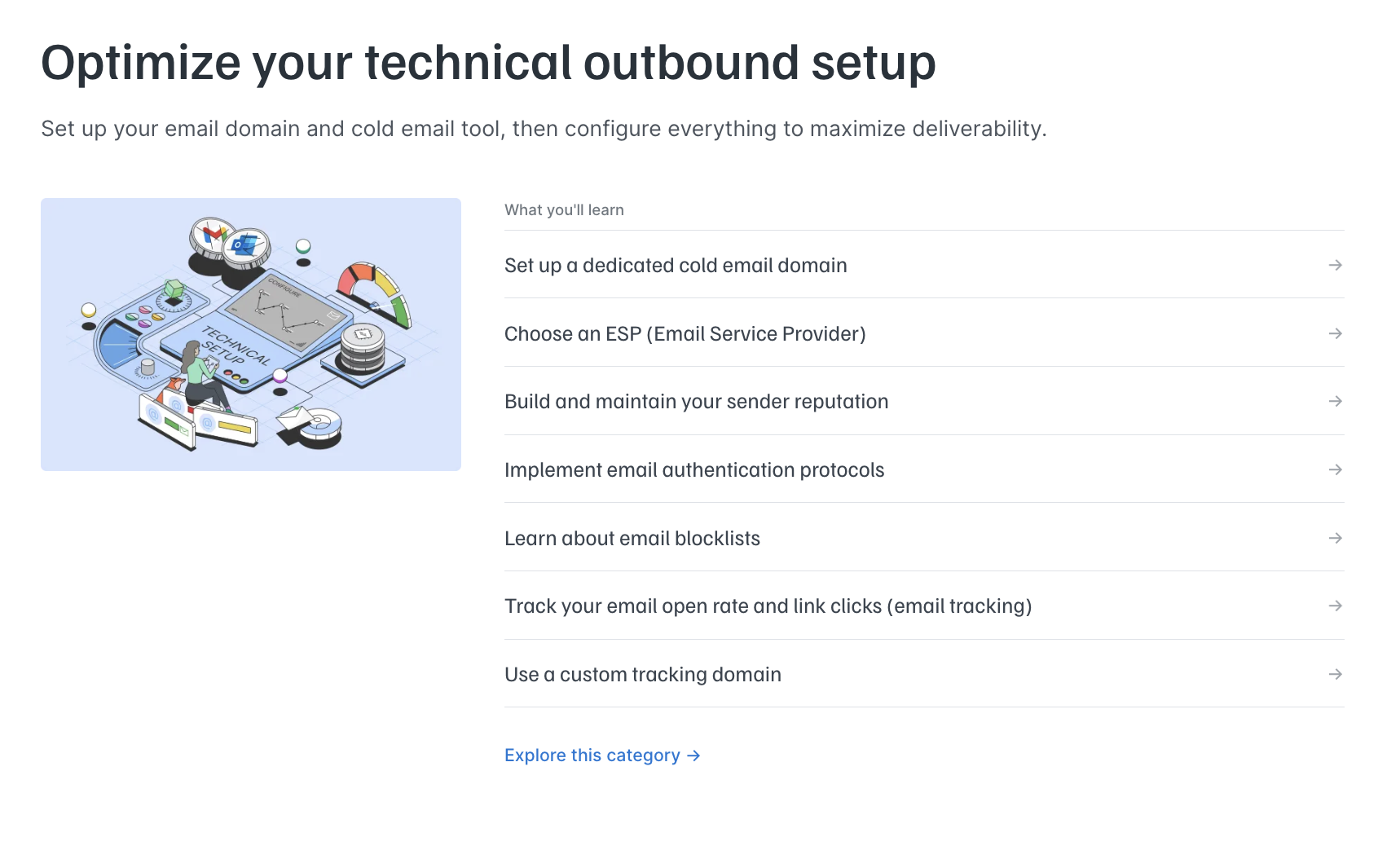
6. Build internal links in both directions
Links are what make the entire mechanism work.
Without interlinking your pillars and clusters, you’ll simply have one overview article and some related blog posts.
And it won’t help you achieve all the benefits we’ve talked about, no matter how great your content ideas are. So, make sure you:
- Link in all directions: Linking from your pillar to the cluster is logical, and you’ll likely do that anyway. So, what you should really pay attention to is that your clusters also link to the pillar and to other clusters if they’re related.
- Make your anchor text descriptive:Avoid generic things like "click here" or "read more." Instead, choose anchors that explain exactly what the linked page is about.
- Regularly add new links: This might be quite a pain. But it’s also effective. Every time you publish new content on your site, check whether there's an existing pillar or cluster page it should link to or be linked from.
7. Make your page easier to use (UX)
A pillar page is a place where you want people to stay and explore. But if your user experience is off, your website visitors won’t stay for long. And that’s not what you need.
Good UX design on your pillar is essentially what keeps people clicking and reading.
So, after you write all your high-quality pieces, make sure you check your UX:
- Descriptive headings: Use your headings as genuine signposts. Someone skimming your pillar page should be able to read only the H2s and H3s and still understand the basics of the entire topic. If your headings are vague or abstract, the page will be too hard to navigate.
- Clear structure: Break up long stretches of text. As you've seen in the examples, the texts were visually easy to comprehend. Things like callout boxes and short bullet lists can be extremely helpful here.
- No unnecessary pop-ups: Of course, you need a cookie pop-up, maybe something else. But make sure there are no unnecessary things jumping at your users, not letting them read your content properly.
- Visual elements: Add some quality visual elements to make your page look more attractive. You can skip it. Sure. But if you look at all the successful examples, you’ll see that they made their pillars appealing to scroll through.
- Mobile optimization and loading speed: This is a huge one. If you ignore your website performance, all the rest won’t matter much. So, start by scanning your site through PageSpeed Insights. On top of this, test your mobile experience manually to see if your text is big enough, if it’s easy to navigate, etc.
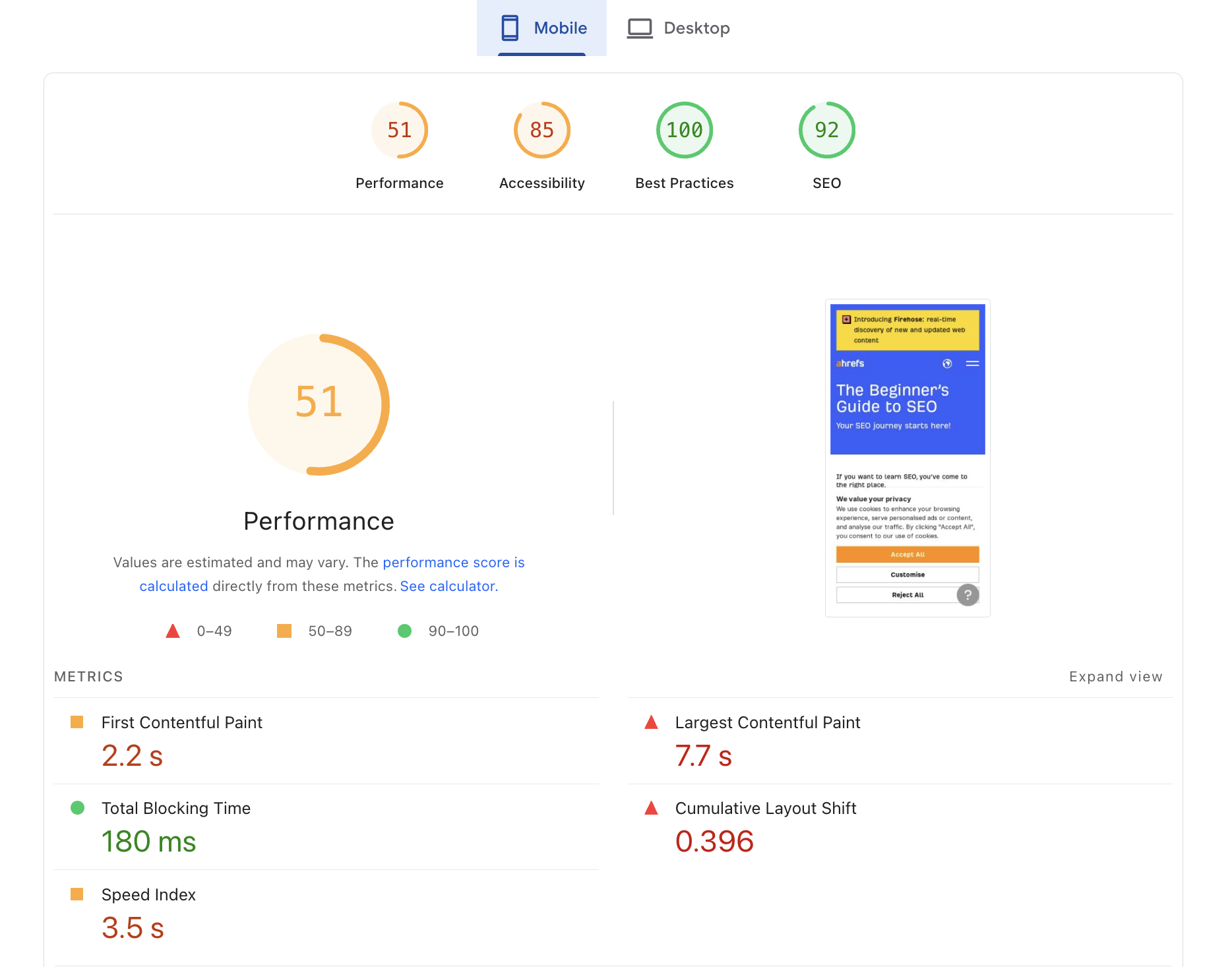
Source: PageSpeed Insights
8. Track performance and refresh it regularly
Creating and publishing the page is a big milestone, but it's only the beginning of the cycle.
Once your pillar page is live, give it some time.
Real organic results from a new page rarely show up in the first few weeks. But from month two onward, you should be tracking it well:
- Which keywords is it ranking for, and at what positions?
- How much organic traffic is it pulling?
- What do users engage with?
Many content marketers simply pay attention to SEO metrics like time on page and clicks. But don’t ignore the last question. You really want to know how your readers interact with your cluster.
What are they checking out? And what pages don’t get any attention?
You can use heatmaps for this or even UTM tracking for each linked guide, whatever works for you. The main goal is to get more insights into what your audience is interested in.
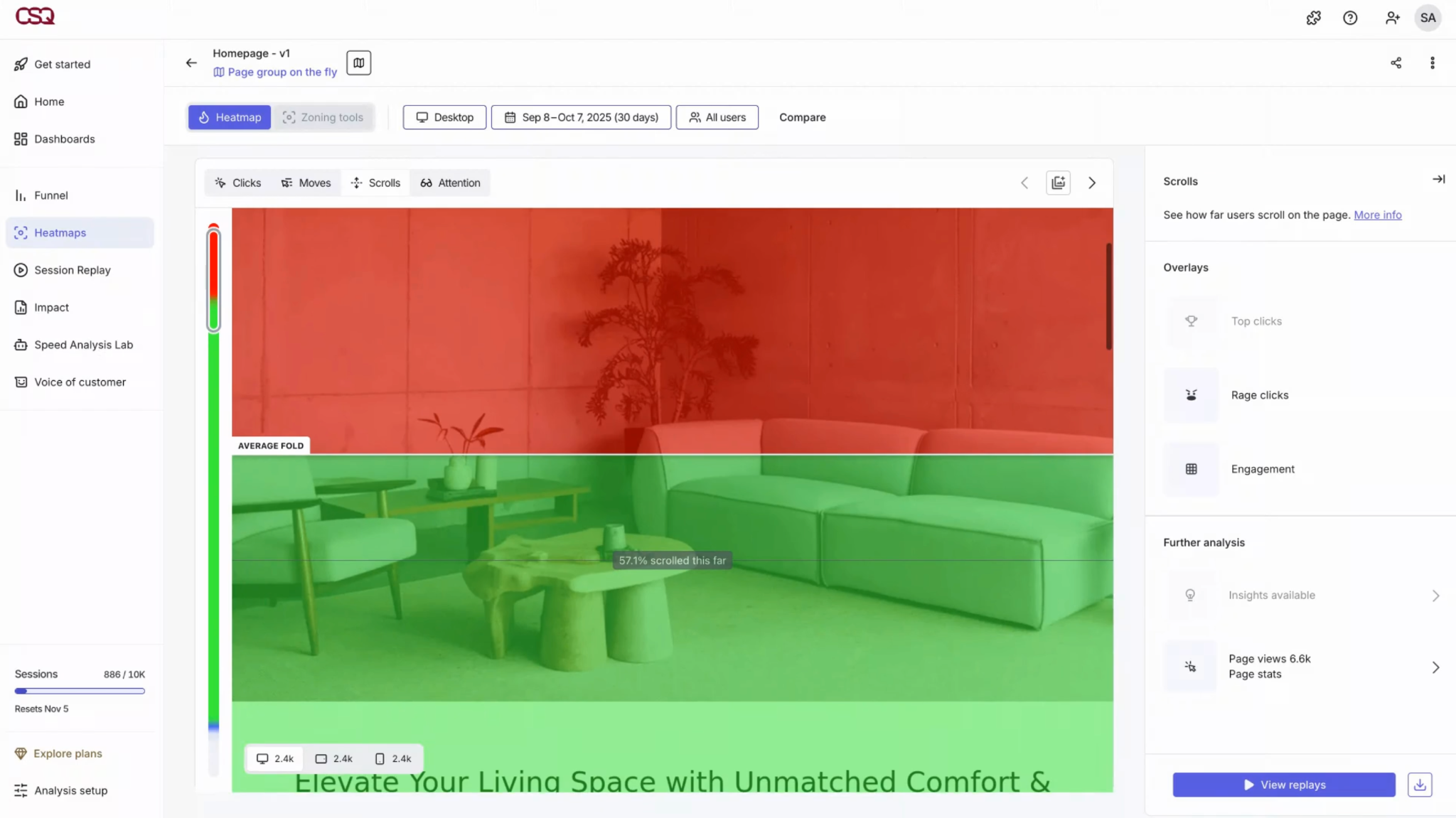
Source: Hotjar
It’s also helpful when you decide to add other resources to your pillar and track what the readers’ response is.
Conclusion
If done right, a pillar page can become your website's cornerstone content. But it isn’t something you can do in an hour and call it a day.
It has to be really high-quality and well-structured.
But with all the knowledge you now have, this shouldn't be an issue. The only thing we want to emphasize once again is that you might already have some of the content you need.
So, start by auditing your current articles and see whether they could work as clusters. This will speed up the whole process.
Other than that, just stick to our steps, and don’t get discouraged: it gets much easier with practice.
FAQ
How many pillar pages should you have?
It depends, but a general rule of thumb is to have one pillar page per core topic your business owns. For most companies, that's three to seven total.
Start with one, build the cluster around it properly, and expand only once it's working.
What are the common mistakes with pillar and cluster content to avoid?
These are the mistakes to stay away from:
- Making the topic too broad to cover meaningfully.
- Writing the pillar like a regular blog post (it should be more like a structured hub).
- Not interlinking your pillars and clusters.
- Publishing it once and never updating it.
What is the difference between a pillar page, a content hub, and a category page?
First of all, these aren’t synonyms or interchangeable concepts:
- A pillar page is the main SEO-optimized hub page that links to more in-depth articles.
- A content hub is the whole ecosystem: the pillar, all its cluster posts, and the internal links holding them together.
- A category page is mostly a navigational list that organizes content. Usually, category pages aren’t that SEO optimized and well-structured to do the pillar's job.
Does your content strategy need it?
If you have a lot of content but flat traffic or multiple posts cannibalizing the same keyword, then yes, you need one.
A pillar page doesn't mean more content. It's often a better architecture for the articles you already have or plan to cover anyway.
All trademarks, logos, images, and materials are the property of their respective rights holders.
They are used solely for informational, analytical, and review purposes in accordance with applicable copyright law.




 Sign Up
 Sign Up