






How to Build Better Marketing Workflows (Beyond Templates and Checklists)
Does this sound familiar?
The social media posts were delayed because the copy was waiting on visuals. The visuals, in turn, were waiting on approval. And approval was waiting on someone who “didn’t think they were needed.”
This is one of the weak marketing workflow examples.
Something like this happens quite often, even when no one in particular has failed. When faced with something like this, though, many teams usually reach for:
- Templates,
- Marketing automation,
- Or yet another set of checklists.
They promise relief through order. But… what most teams don't know is that their confusion is rarely an automation problem. It is a workflow design problem.
A template or a new tool can do its job well. But if your foundation isn’t solid, your marketing will still make you anxious.
This foundation is your marketing workflows. And today, we’ll show you how to build efficient ones.
Marketing workflows 101
If you ask ten people in a marketing department what a “marketing workflow” is, you’ll probably get ten slightly different answers:
- A Kanban board in a task management tool,
- The approval process you’ve built,
- Or even “that Google Doc we follow for blog posts.”
None of these is wrong, to be completely fair. But none of them is fully right either.
So, what is it?
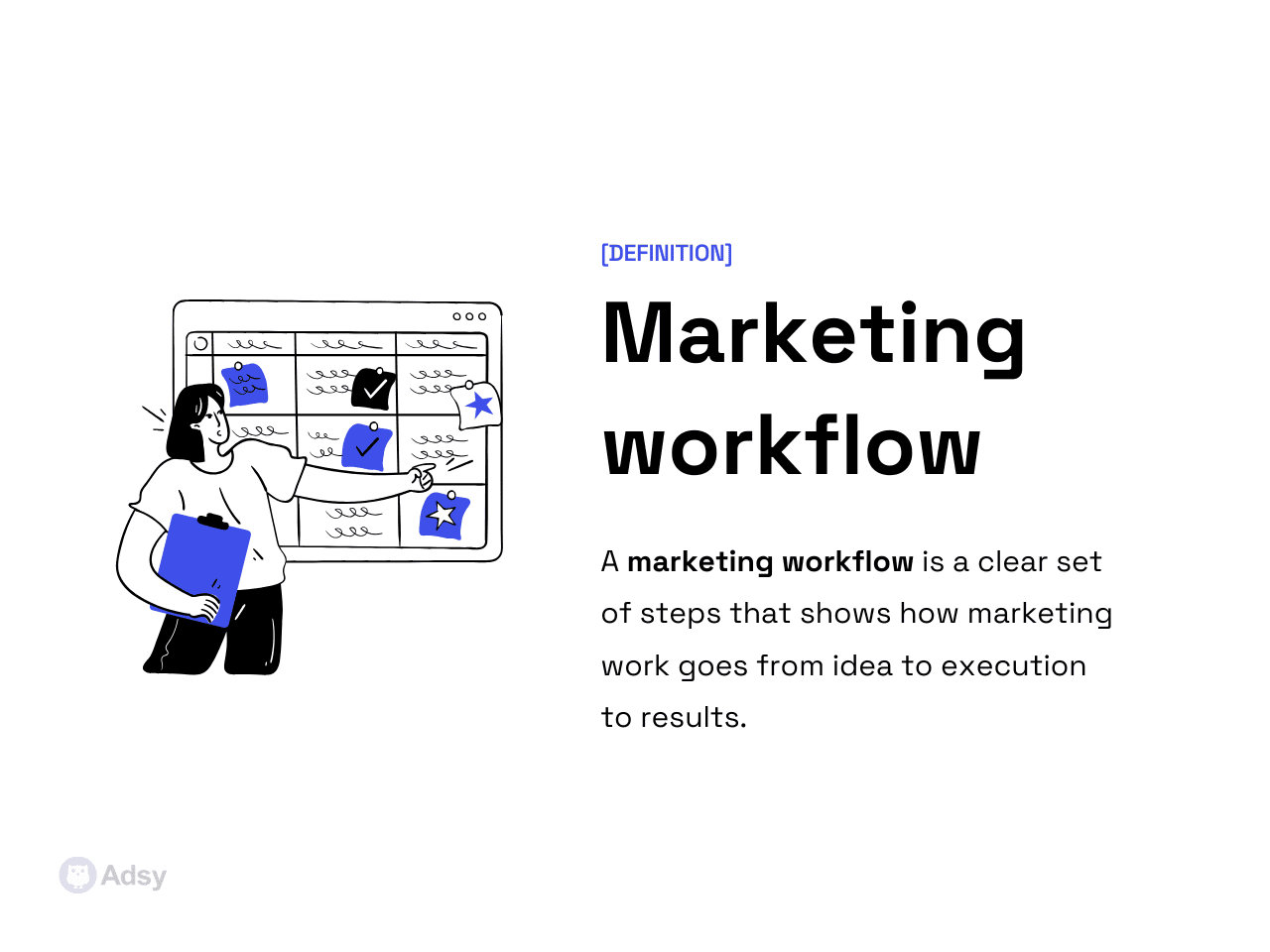
A marketing workflow is not a document or a system. It’s a repeatable process that takes you from idea to a tangible outcome over and over again.
And ideally, it does that with minimal issues or uncertainties.
A marketing workflow typically answers questions before you even have to ask them. Questions like:
- What information is required to start?
- Who is responsible at each step?
- What happens when something goes wrong?
- How do we address feedback and deliver it?
- How do we know this is ready to launch?
What does a “good” one feel like?
Very often, we talk about workflow benefits in abstract terms: “boost efficiency,” “save time,” “remain flexible.” All true, right? But it doesn't really explain that much.
Still, a good marketing workflow has very specific “signs”:
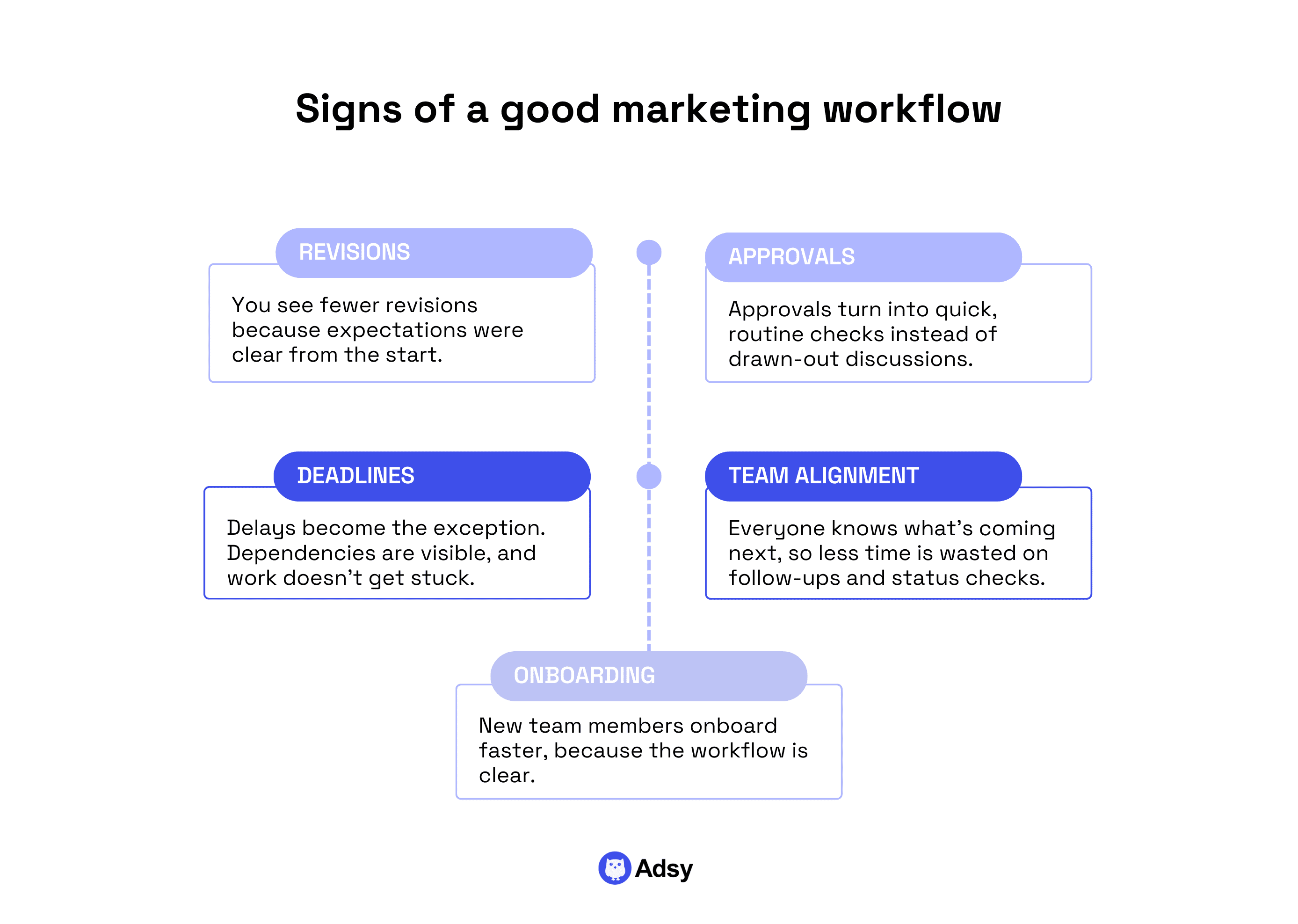
- Revisions. First of all, you see fewer revisions. Just because expectations are clear from the very beginning.
- Approvals. These turn into simple, quick checks instead of unnecessary back-and-forth.
- Deadlines. Delays aren’t normal anymore because everyone sees clear dependencies, and nothing gets stuck.
- Team alignment. The sales team knows what’s coming and when. And your marketing managers spend less time chasing updates and now have more capacity for improving actual marketing strategies.
- Onboarding. New team members onboard faster because the system itself teaches them how the team works.
Most importantly, the work feels... on the right track. Because when there is less uncertainty, everything is just easier for everyone.
That’s the real goal of better marketing processes: stability under pressure.
What are the signals that your workflow is broken?
Just as organized marketing processes have signs, disorganized ones also have their signals.
The real issue, though, is that broken workflows rarely lead to big, loud disruptions. They just sit there, quietly eroding your efficiency.
While they might be hard to spot right away, you’ll often notice things like:
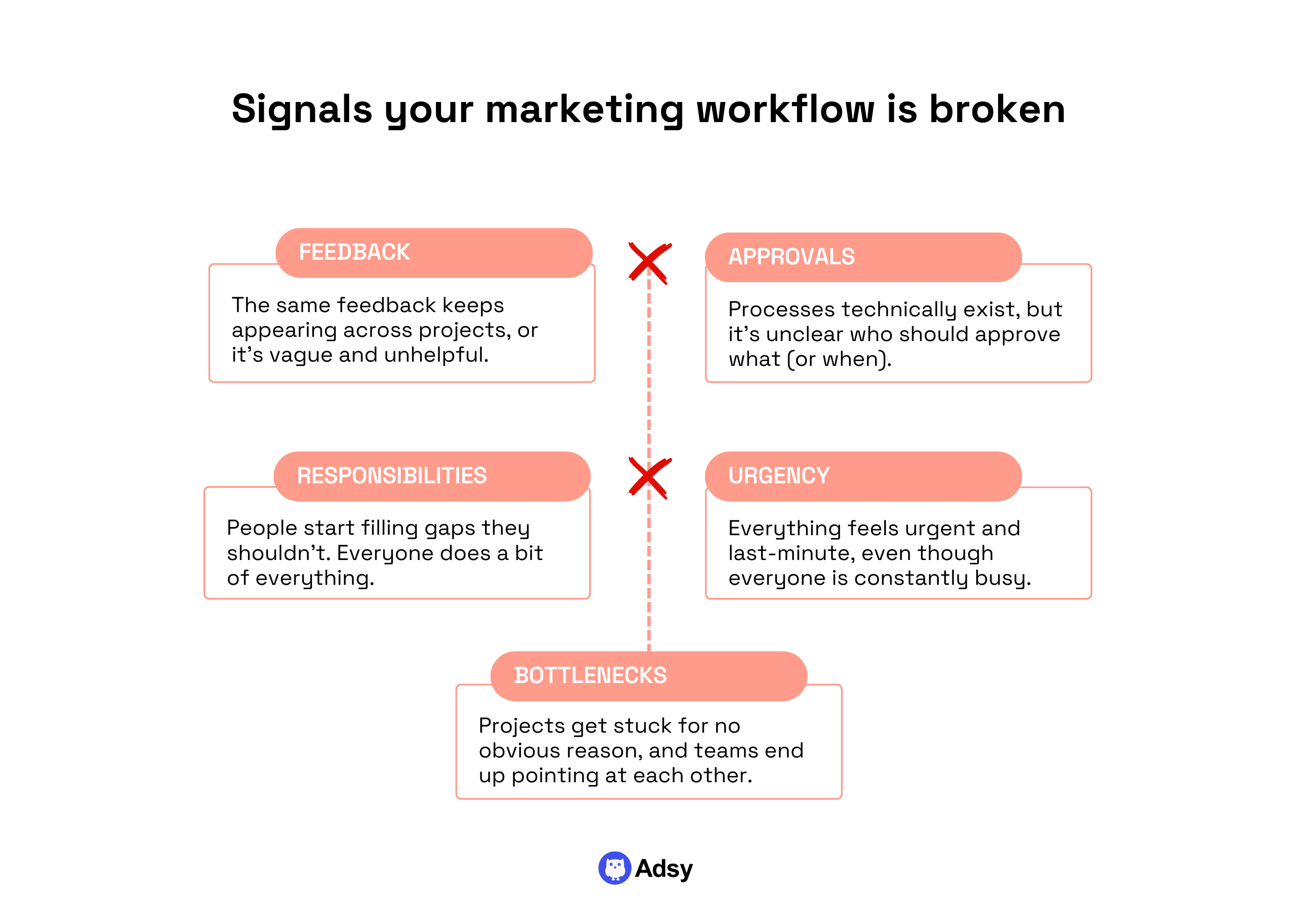
- Feedback. The same feedback comes to different projects, or it is simply misleading.
- Approval. Processes are technically there, but they are vague, or it isn’t clear who should approve in the first place.
- Responsibilities. Random people filling the gaps they shouldn’t. If social media managers create visuals instead of designers, and writers publish content instead of content managers, something is off.
- Urgency. Everything is always on fire and done last minute, even though everyone is constantly busy.
- Bottlenecks. Projects get stuck for no obvious reasons, and no one sees a clear bottleneck. But often, different teams (departments) just point at each other.
A quick way to test how your marketing processes are doing is to check how onboarding goes in your company.
If, to get some information, new people need to find someone who “worked here long enough,” something isn’t right. That sort of works only until someone leaves, gets sick, or the marketing department doubles in size. Then, everything starts breaking.
If any of this feels familiar, the problem isn’t your team. It’s that your workflow was never designed to scale past “everyone sitting in the same room.”
Long story short: your whole team can’t rely on one person’s memory or experience.Your people need actual, clear processes.
8 steps to automating marketing workflows effectively
Before we talk about automation, one thing needs to be clear. Automating marketing workflows doesn’t mean “adding more tools.”
It means strategically removing friction.
The easiest way to fail is to try to automate tasks when you should be automating decisions.
You can get the leading software, set up automated messages, sync customer data across platforms, and... still end up chasing approvals and rewriting the same brief.
Doesn’t sound that cool, right?
Here's the thing: if you automate a broken workflow, you will never be efficient. If it's broken, it's broken.
That’s why the primary goal is to fix your workflow so well that automation actually makes sense.
Now, let’s see how you can do that in 8 straightforward steps:
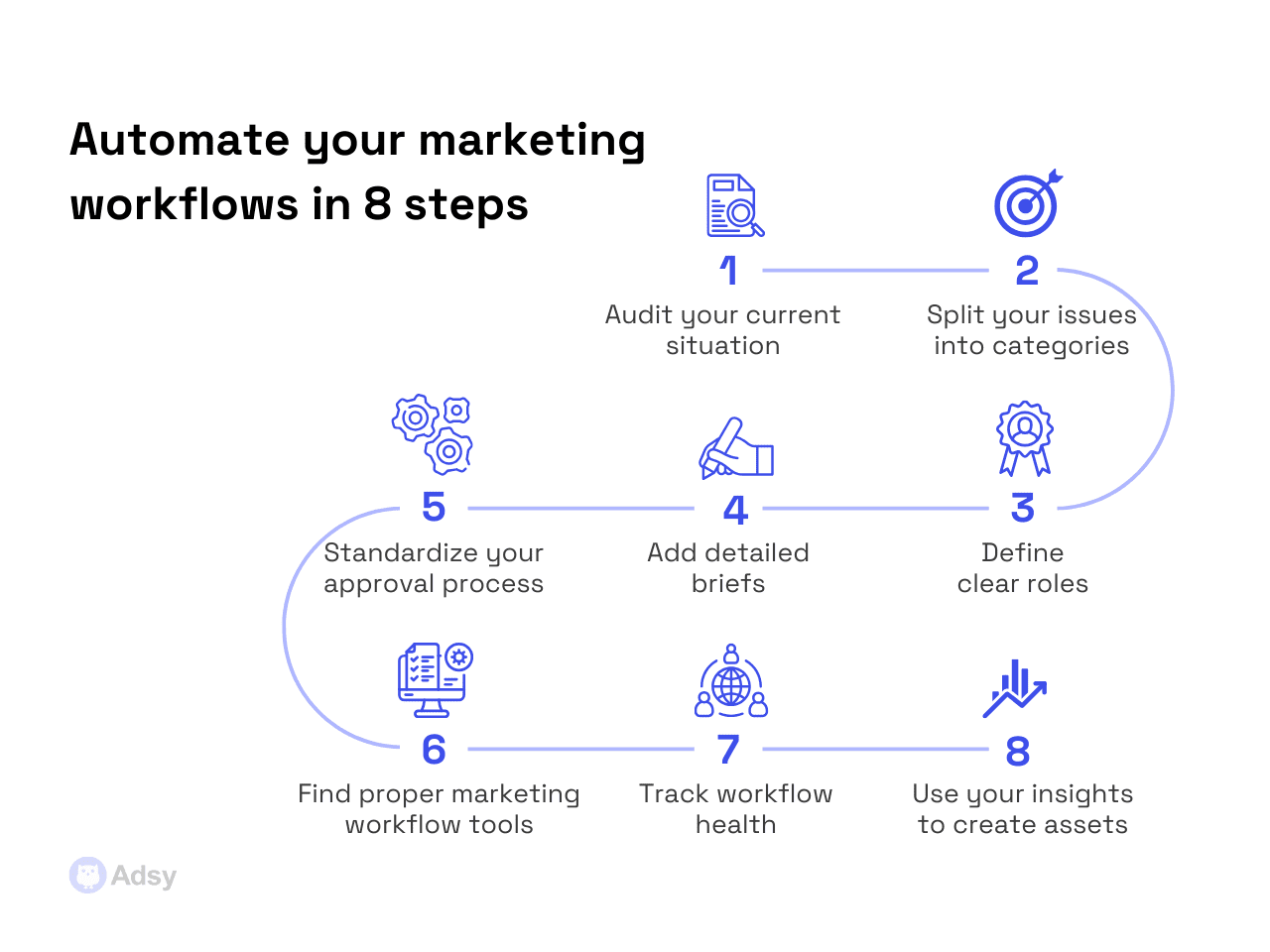
Step 1: Audit your current situation
Workflow monitoring isn’t something teams usually include in their marketing audits. But to fix your processes, you have to understand where you currently stand.
Almost every marketing workflow has invisible delays, waiting for:
- Feedback and approvals that took way too long,
- Data that had to be in the brief but wasn’t there,
- Tasks that could be done simultaneously but weren’t.
But it is hard to actually notice that, especially when it comes to the bigger picture. And it’s no one's fault, really. Your team is simply consumed with their routines, and they don’t have the opportunity to see that.
Still, you should try to help them avoid wasting their time, and this is where an audit can be a game-changer.
Let’s see how you can approach it in 3 stages.
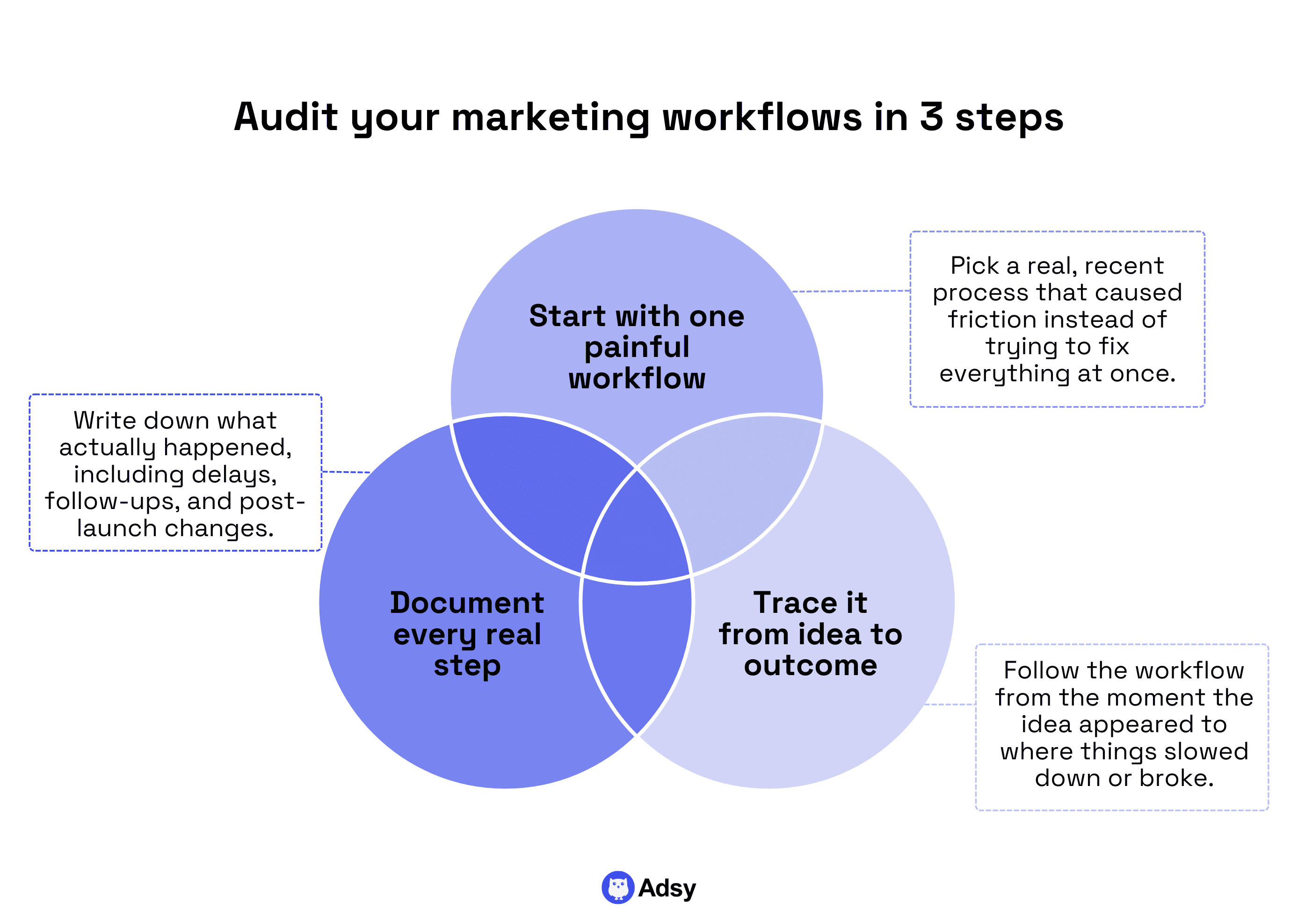
1. Pick one high-pain workflow to fix first
If you try to fix everything at once, you'll end up fixing nothing. But actually resolving one of your issues will give you priceless lessons for the future.
Just pick something real, recent, specific, and preferably painful. It would be especially useful if the process were stiff, getting stuck all the time.
2. Analyze them from the moment the idea first appeared
Track that process you picked from the very start to finish:
- When did someone start working on it?
- How long did it take to bring your idea to life?
- When did things start slowing down?
It is not like you are looking for people to blame. No, you need to find a systematic problem that gets your team stuck.
3. List every step
Don’t just track the major questions above. List every step as it actually happened, not as it “should have happened” somewhere in the ideal world.
If a social media manager had to ask three follow-up questions, that’s a step. If the sales team needed changes after launch, that’s a step.
That's a very useful stage. It gives you endless raw material for real improvements.
Step 2: Split your issues into categories
A lot of workflow problems are the same for every single team. There's nothing unique in delays, revision issues, and the overall frustration.
But once you look beneath the surface, they are often caused by very different things.
The biggest mistake marketing managers make is treating everything as a capacity problem. “We simply need more people.” Sure, sometimes, it’s true. But are you sure that:
- All your processes are already optimized?
- Your team isn’t spending four hours on something that should take one?
What you can do here is start by grouping all your issues into categories. It’ll be much easier to fix them from there.
Generally speaking, these are the most common challenges for every team:
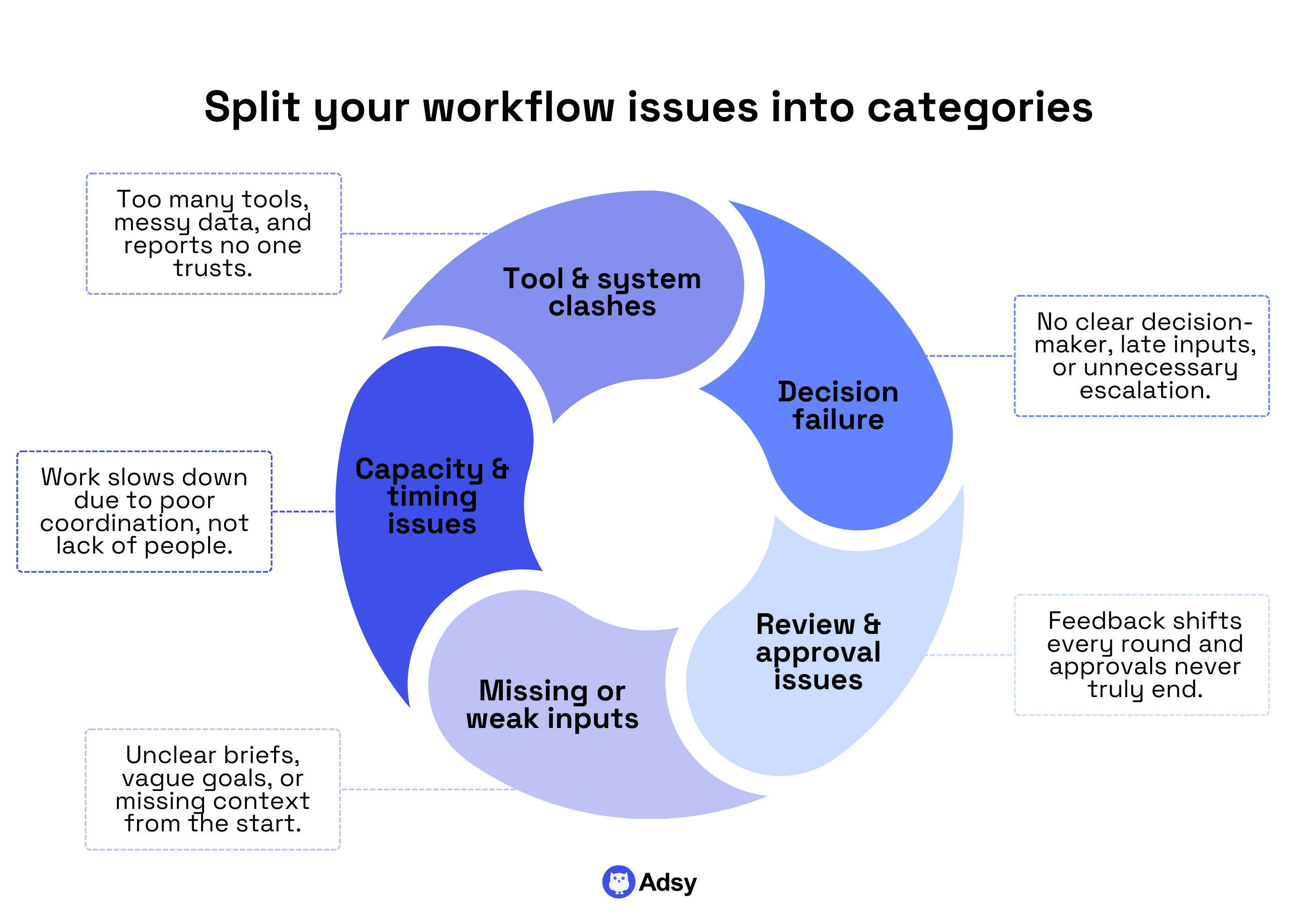
1. Decision failure
This happens when:
- No one knows who decides what.
- Decisions are made too late.
- Everything gets escalated “just in case.”
Decision failure kills speed and confidence. And it also creates bloated approval processes that nobody likes. Usually, it’s fixed by assigning a clear owner for each process.
2. Review and approval process
This is often a question of your “golden standard.” If feedback changes every round, the workflow is not your primary problem. Something is wrong with expectations.
And it’s your job to make sure that everyone is on the same page. Because review and approval should just be your checkpoints, not a never-ending story.
3. Missing or weak inputs
Bad briefings are very often the reason for the mess your team is in.
If the project scope, target audience, marketing goals, or customer data are not 100% understandable from the beginning, even the best workflow won’t work. It simply can’t.
So, what do you need to prevent that?
Create detailed briefs in a format that works for your team. It doesn’t mean that the longer, the better. No, it has to:
- Be concise and actionable.
- State clear goals and deliverables without any space for misunderstanding.
- Include all the necessary background info (or a place where your team members could find it).
4. Capacity and timing issues
Yes, sometimes there really is not enough time or capacity. But often, the problem is the actual workflow.
The typical issue is not consulting everyone involved before doing anything. Then, out of nowhere, it turns out that:
- A designer can’t fit all your copy in,
- Or a legal department tells you that you can’t use certain positioning.
All these will cause rework, which will result in more time wasted for nothing. But you can avoid all that.
You can actually foresee most of these issues when you have a clear marketing process.
5. Tool and system clashing
Many companies deal with:
- Way too many marketing workflow tools,
- Poorly synced data,
- Analytics software no one trusts, etc.
These issues are real, and they often lead to wasting budget and efforts, while they were meant to help you do your work better and faster.
So, make sure to regularly assess whether your software gives you what you need.
When you categorize issues like this, something interesting happens.
You understand that there's no need to try to fix everything at once. Therefore, you start fixing what actually moves the needle.
And after this step, automation starts making sense because you have clarity, not just some vague and confusing “things you need to fix.”
Step 3: Define clear roles
Having clarity about ownership is one of the wheels that make your workflow move smoothly.
And no, this is not about job titles.
You can have a social media manager, a project manager, a content lead, and still have no idea who actually owns the outcome of a marketing task.
Something like this happens more often than you think.
Well-defined roles ultimately have to answer one question:“If this goes wrong, who will fix it?”
If the honest answer is “everyone” or “no one,” your marketing will always be fragile.
Ownership is much more important than involvement.
One of the most common traps is confusing involvement with responsibility. Look, ten people can be doing something to bring a marketing campaign to life. But only one person should own it.
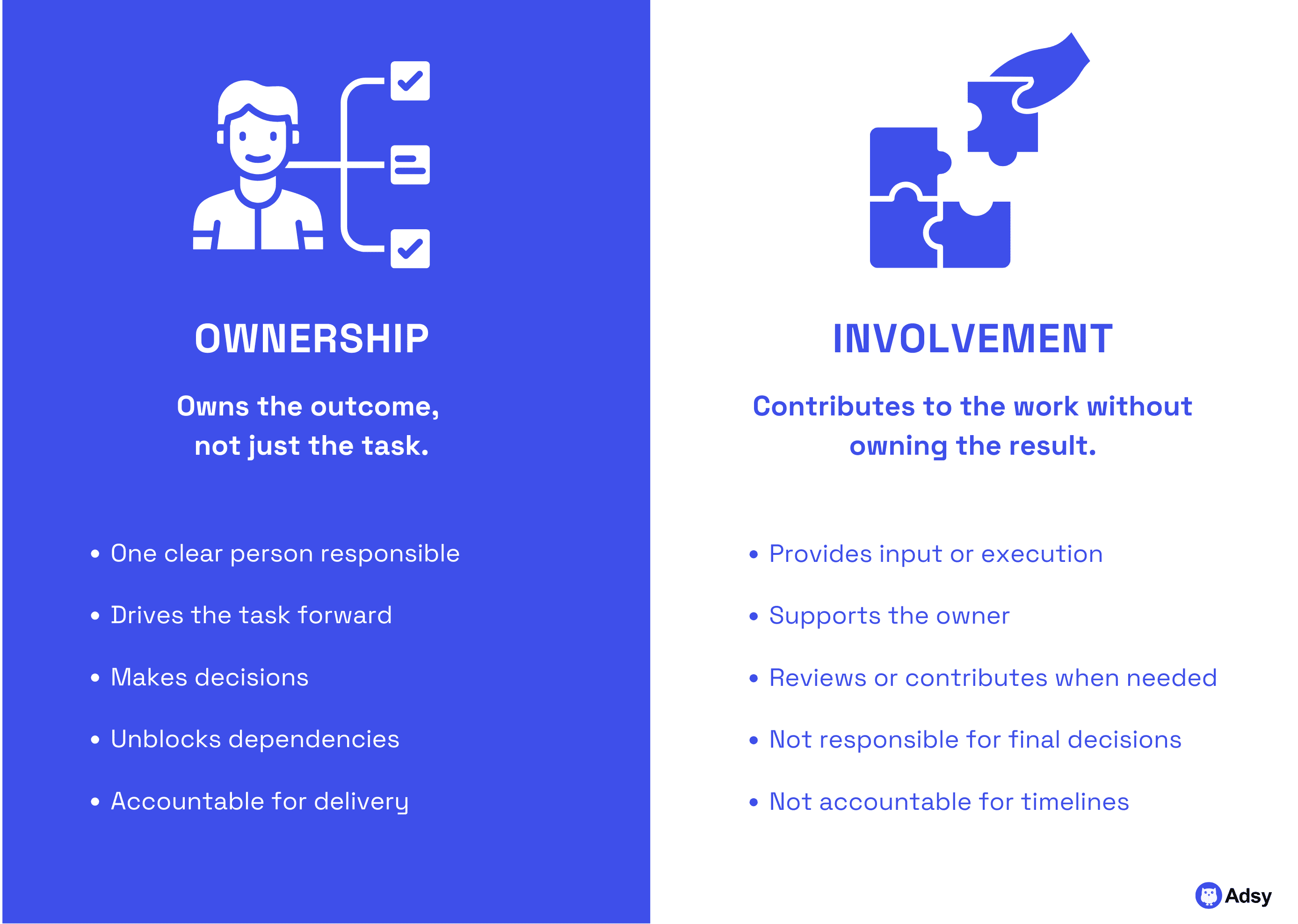
Ownership doesn’t mean doing all the work. It means:
- Making final calls when feedback conflicts,
- Knowing when something is “good enough” to move forward,
- Being accountable for executions and delays.
When ownership is not defined, marketing efforts slow down. Decisions get postponed. And feedback becomes defensive. That might lead to a simple blog post being delayed for weeks.
This is especially painful in processes that involve multiple channels because more people and tasks are affected.
And this often creates even more mess and even less responsibility.
A useful way to define roles in a marketing workflow is to stop just creating tasks and focus on decisions.
You need to know who the decision maker is for every single element. It’s okay if there are a few team members who give their input (if needed). But only one person should decide.
Because the more people you have involved in the decision-making, the slower your processes will be.
Like it or not, your team will work faster when they know where their authority starts and ends.
Step 4: Add detailed briefs
Okay, let’s be honest, you might want to skip this section. After all, briefs… what new can we tell you about them?
But most projects get stuck because someone misunderstood something. And what can really solve it is a good brief. A good brief isn’t the longest one on Earth. Not at all.
What is a good marketing brief, then?
It is a task that leaves no extra questions. But in order to get there, you’ll have to experiment at least a bit:
- Find a couple of tasks that were misunderstood or where someone missed something, and analyze what went wrong there. Do you see any common patterns?
- Check the briefs that led to smooth results. Are they somehow similar?
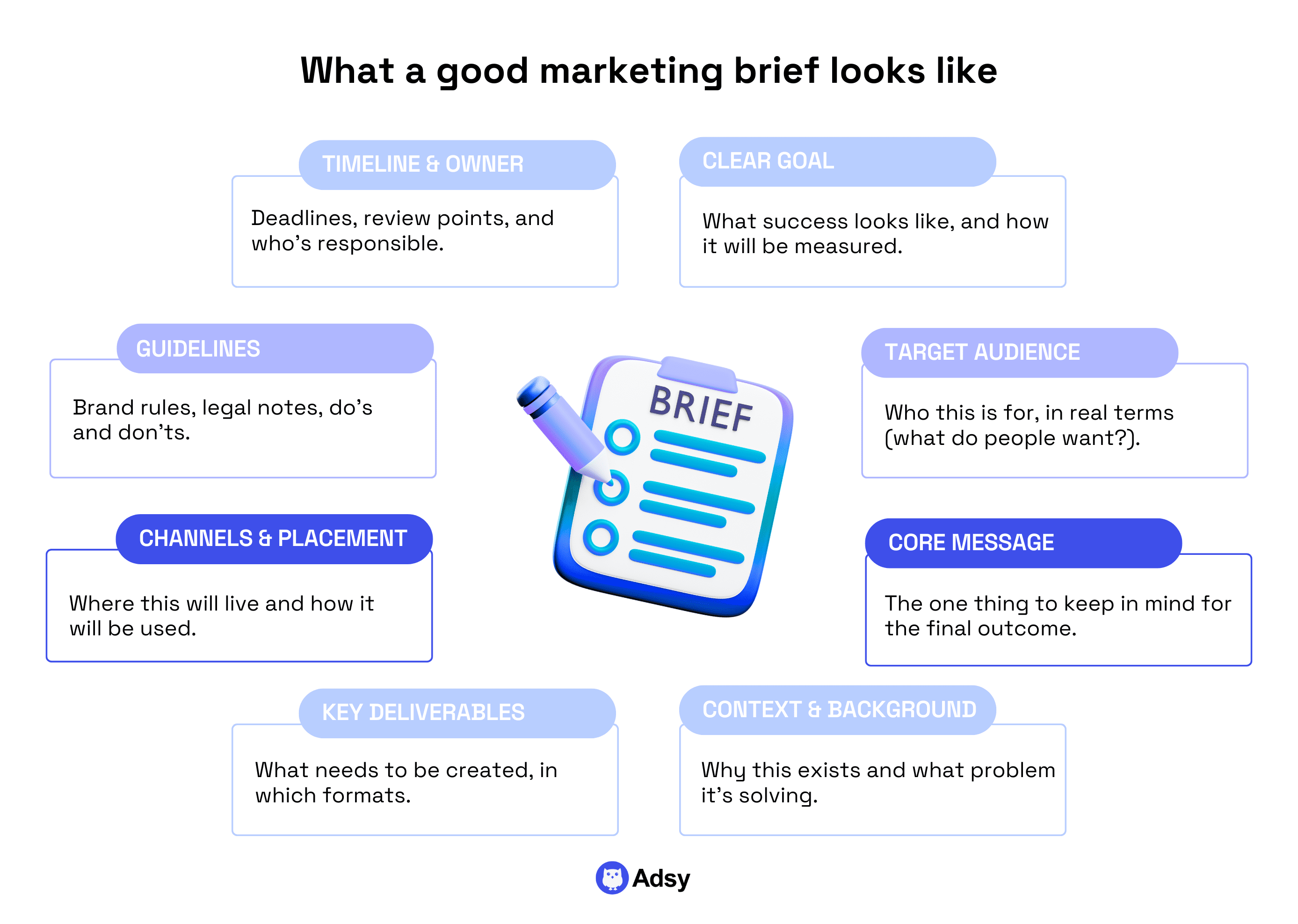
You might have the best categorization in your PM tool, the briefs that include all the possible background info. And yet, your team members will not get it.
Why? Because they don’t need “as many details as possible,” they just need the ones that will help them do their job better.
Still, some businesses do everything “right” on paper and still struggle. If that’s your case, it might be a communication mismatch.
If your team members consistently misunderstand written briefs, it might be time to change the format. You could try:
- Recording Looms or other video formats,
- Hoping for a quick call to answer questions before the person starts working on the task.
But whatever you do, don’t underestimate this step.
A strong brief is the backbone of better marketing workflows. Yes, it’s something simple. But the simplest things are also the hardest.
Step 5: Create a standardized approval process
If marketing workflows had one natural enemy, it would be “review.”
Reviews can get super messy when there's no clear system that says who and when should do them. That's why you need a system for that.
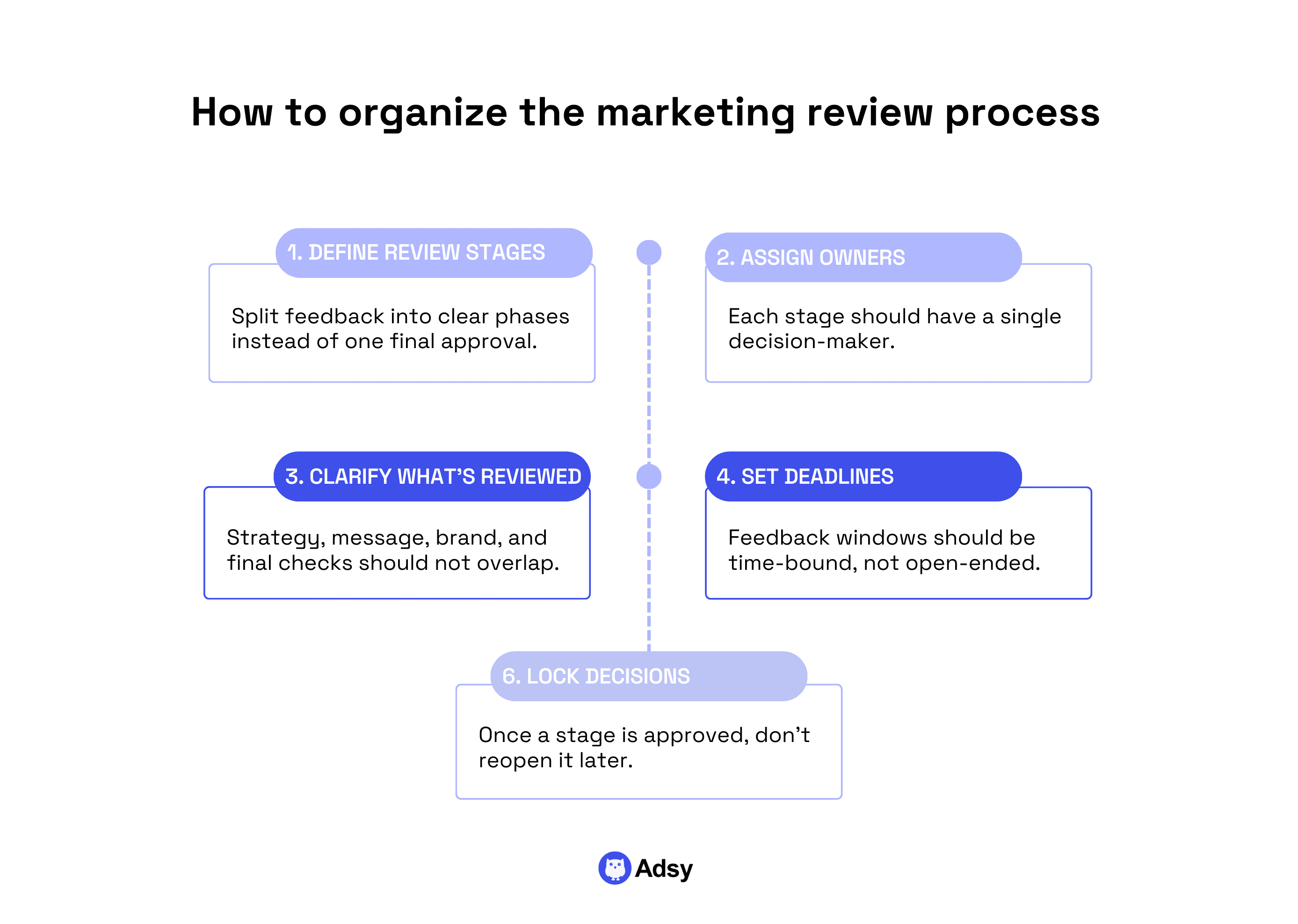
More often than not, the biggest problem with reviews is that reviewers don’t know:
- What they’re responsible for checking,
- What stage the work is in,
- Whether their feedback is mandatory or optional.
It might sound like we’re exaggerating because, well, you could just ask someone who you think should approve your work, right?
Yes, if you’re a small business, sure, you know pretty much everyone.
But as your business grows, your team doesn’t know everyone anymore. And if they don’t get the review they need, it might surface later on, and you’ll need to tweak things all over again.
A healthy marketing workflow separates review into stages, even if you never formally label them. For example:
- Early feedback is more about direction.
- And final feedback is all about correctness.
Mixing the two is what might cause endless loops.
But then, the next question comes up: who approves and what? Not everyone needs the same level of authority (obviously).
A simple rule that works surprisingly well: One owner gives final approval. Others review for specific concerns only.
So, you know:
- Brand managers review brand-related elements,
- Legal checks compliance.
- And marketing managers make sure everything is aligned with marketing goals.
Logical, right? But it doesn’t always happen like this in real life.
Out of nowhere, everyone has something to say. And this is where the mess starts.
Besides, one of the biggest workflow killers is open-ended review. If feedback can arrive anytime, it will arrive... at the worst possible moment. So, when you create an approval process, make sure you specify the timing.
You need to know exactly when the review begins and how much time you have left to finalize it.
If you want to build an autonomous system, nobody should chase approvals. If you chase people to do what they should, you will never scale.
Step 6: Find proper marketing workflow tools
When it comes to software, simply choosing it often feels super productive. And for many teams (not only in marketing), this is also usually the first step.
But… Yes, there is a huge but.
Tools don’t fix workflows. They simply can't do that. They only amplify what already exists.
So, you know how it goes: if your processes are flawed, new software will simply make that confusion even louder and more permanent.
That’s why this is only step number six (not #1), by the way:)
What are these tools for, then? Overall, marketing workflow tools exist to handle three things:
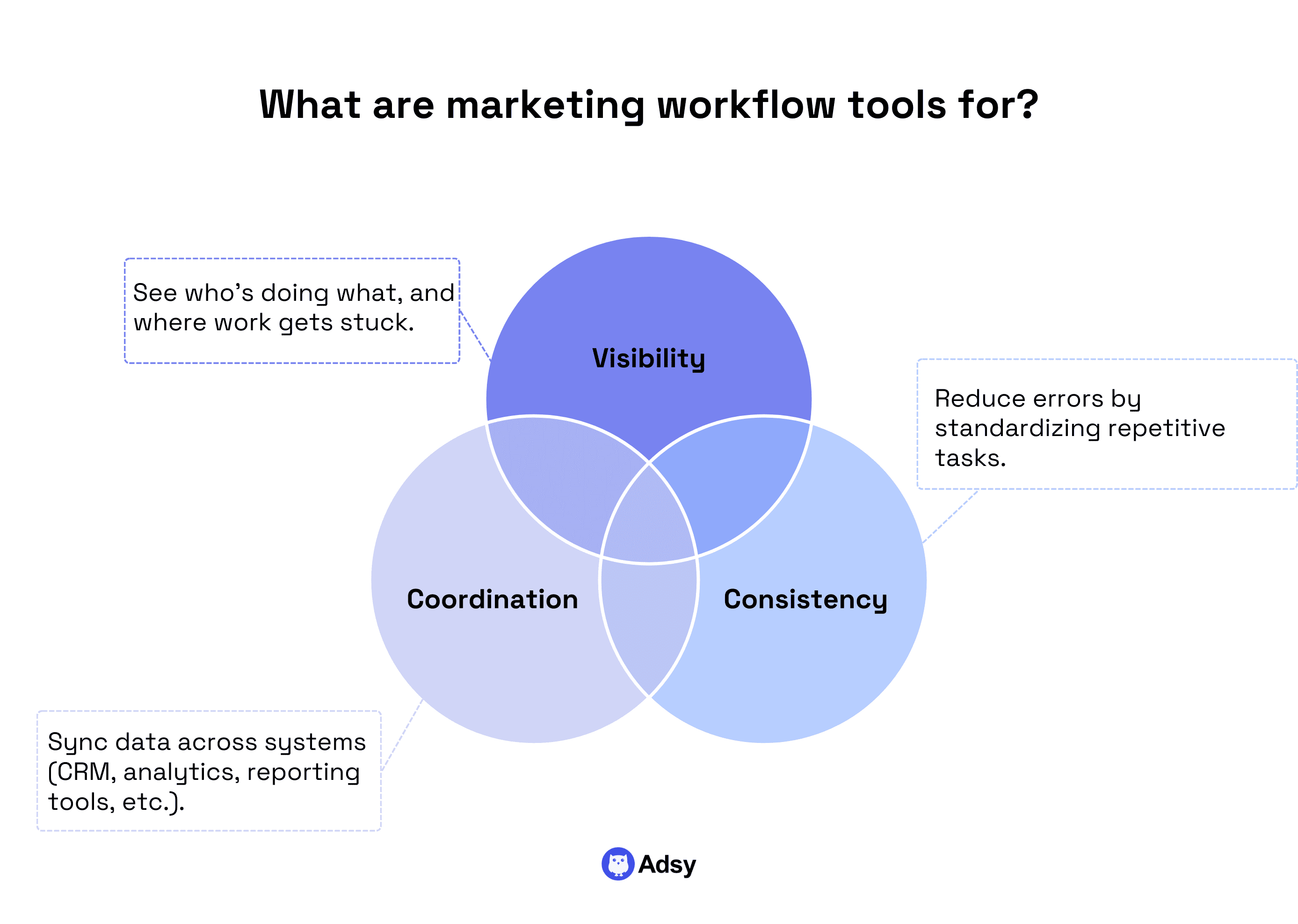
- Visibility: Who’s doing what, and where your work gets stuck.
- Consistency: Automating repetitive (and relatively easy) tasks.
- Coordination: Syncing data across systems like your CRM, analytics, reporting tools, ecommerce CMS platforms, etc.
But your software isn’t there to decide priorities, clarify ownership, etc. They are just tools, after all.
With that said, once your workflow is stable on paper and in practice, software can remove a huge amount of manual effort.
Yet, here's the thing: most teams need fewer tools than they think.
A common mistake in marketing workflow management is having several solutions that overlap. One software for task management, one for approvals, one for automation, etc.
Each one solves a small problem, but together, they slow you down. In reality, most marketing teams can run effective marketing with just:
- One solid task management or workflow management tool,
- One CRM system that marketing and sales actually share,
- A small number of automation rules for truly repetitive marketing tasks.
Ideally, look for a platform that unifies the tasks mentioned above within one simple interface. For example, HubSpot’s marketing automation tool works with HubSpot’s proprietary CRM.
The CRM centralizes customer data from across sales and marketing teams, while its marketing automation tools use data data to perform various tasks: sending over email personalized to particular audience segments, trigger-based follow-up sequences based on email opens or link clicks, and more.
Sure, you might need to add something later on. But before you do, research well to check whether you can find most of the functionality you need in one place.
And here is the best rule of thumb: the best place to use workflow automation is where human judgment adds no value.
- If a human has to “remember” to do something every time, that’s a candidate for automation.
- If a human has to decide something, automating the input is a weak decision.
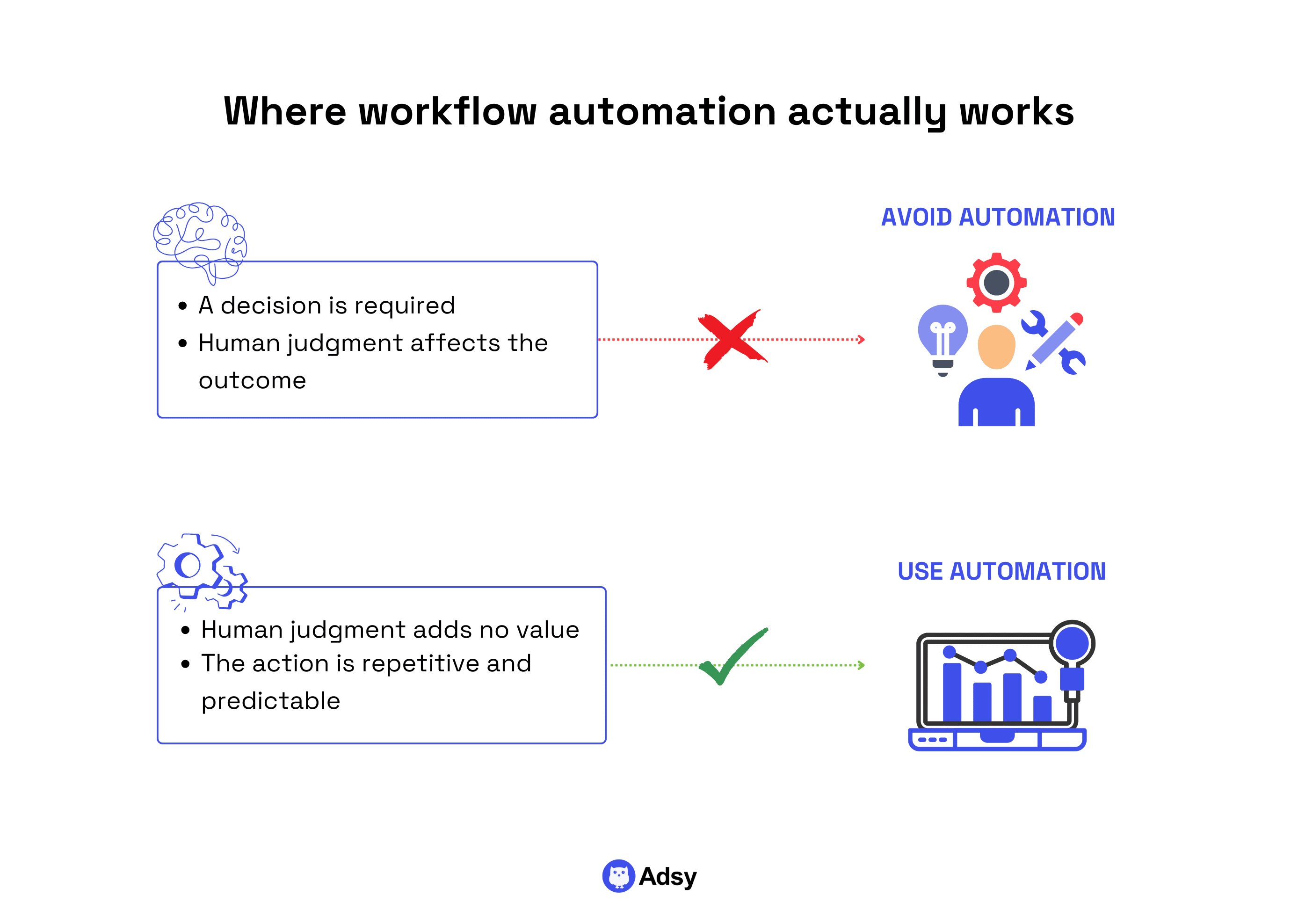
Why does this distinction matter?
Automating decisions too early might damage your systems. Let tools serve your workflow, not define it.
Solutions are not supposed to replace your marketing decisions. They’re there to simply help you bring them to life. Maybe it’ll change soon with the development of AI, but for now, that’s how it is.
Step 7: Track workflow health
Tracking your results is vital, but you also need to monitor how you get to those results.
You can measure clicks, conversions, customer lifetime value, customer engagement, and tons of other metrics. They’re all important, sure.
But none of those tell you whether your marketing processes are healthy.
The issue is that a broken system can still produce results, and it can do that for a while. It just burns your people out in the process.
A healthy workflow is predictable. You roughly know:
- How long things take,
- Where delays usually come from,
- Which steps create tension and which ones flow well.
When workflows are unhealthy, unpleasant surprises will appear here and there (endless reviews, weird back-and-forth, etc.). And these are the things you won't see in analytics.
So, what can you track to find these “gaps”?
You don’t need complex dashboards to monitor workflow health. Instead, start with a few simple signals:
- Time to launch,
- Number of revisions,
- Approval time,
- Tasks in progress,
- Bottlenecks,
- Rework rate.
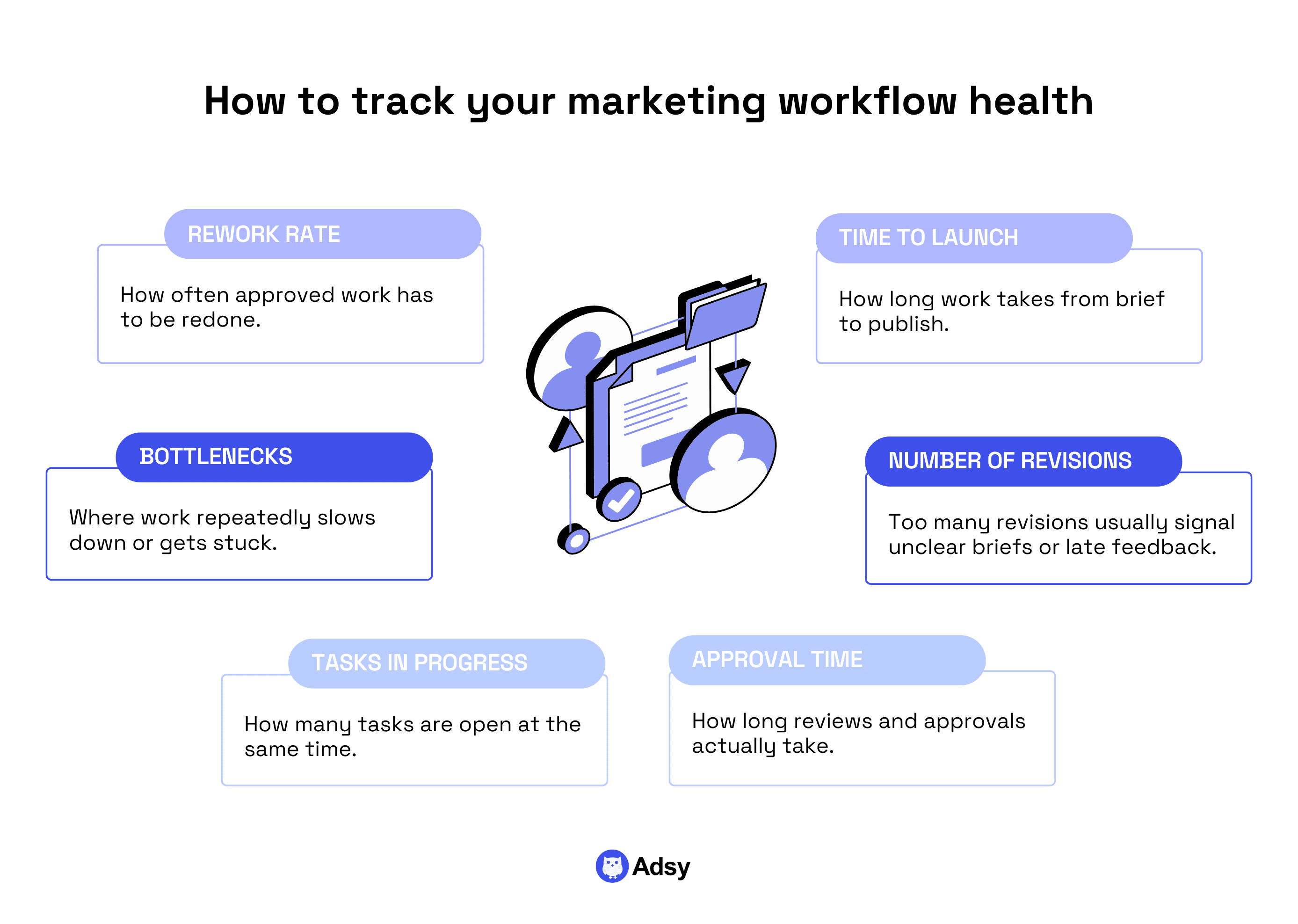
These are operational signals.
You don't need constant monitoring, which might make your team lose even more time. Simply schedule regular check-ins. That's it.
And if you hear people pointing out certain things that are off inside the workflow, listen to them. That's your actual, real-life insights.
It's easy to dismiss them because they look like complaints, but they are not.
They might actually point out the problems you couldn’t locate. Just pay attention to these, and you'll be fine.
Step 8: Create assets based on your insights
When you want to organize any process, you inevitably create some checklists, documents, guides, etc. It’s great and actually useful.
But you know how theory is often different from practice?
That’s exactly why your initial documentation might not always survive the harsh marketing reality:)
So, the best thing you could do is observe your process, take notes, and create your workflow assets based on this. It can be:
- A clearer checklist for reviews,
- A better brief template,
- An extra step added before approval,
- A rule added to an automated workflow, etc.
The goal is to reduce misunderstandings.
If the same issue happens more than once, it deserves a mention in your docs.
Workflow examples for the most common marketing tasks
Now, let’s get a bit practical and check some examples that can serve as inspiration for your own marketing processes. Sure, there is no one-size-fits-all here, but it’s always helpful to have a reference.
Below, we’ll cover workflows for some of the most common marketing tasks:
- General marketing campaigns,
- Content creation,
- SEO,
- Email marketing,
- Customer feedback.
1. Marketing campaign workflow (general)
Multiple channels, many people involved, tight timelines… sounds familiar? Yep, when you run a marketing campaign, workflow issues appear instantly.
Many campaigns look fine at the beginning and the end. But the damage happens in the middle. The long stretch where decisions pile up, dependencies collide, and no one is fully sure what state the campaign is in.
That’s exactly why you need a clear system here.
While all marketing campaigns are different, let’s take a look at a universal “skeleton” you can use and adjust where needed:
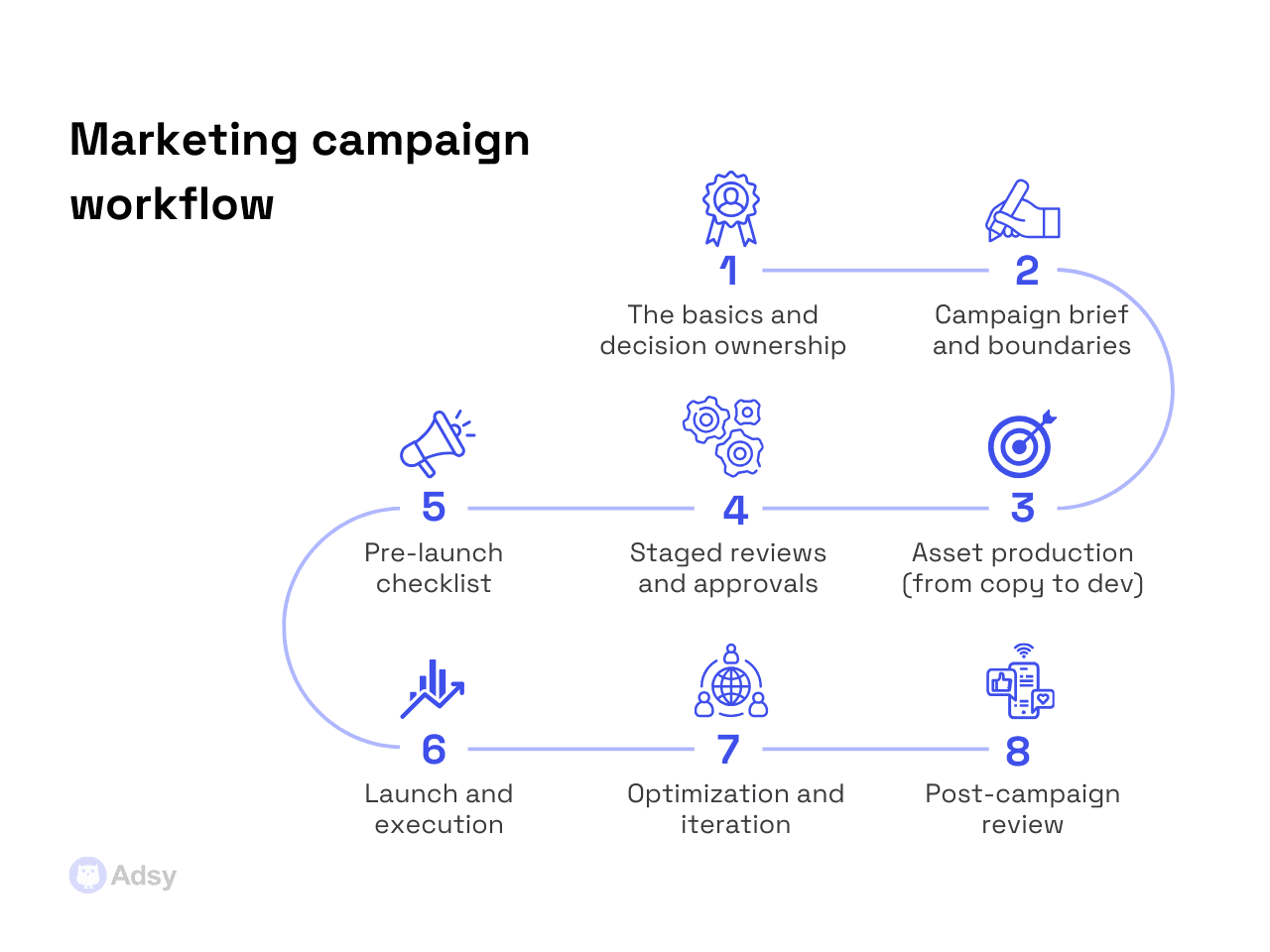
- The basics: Make sure you go over your goals, primary KPIs, budget, launch date, deliverables, etc. This is also when you assign an owner.
- Campaign brief: Exactly what it sounds like: audience, core messages, channels, offers, etc. Just make sure to specify the boundaries (more on this below).
- Assets: Here, think of everything you need, from copy and visuals to development and distribution. And assign clear tasks with clear timelines to every team.
- Review: Split your review process into stages (like we mentioned above) and make sure everyone knows what happens at every stage.
- Pre-launch check: Create a checklist that will help you organize everything before launch. This will depend on your scope.
- Launch plan: Define how you will launch, where, and when. This should really help you on day X.
- Optimization: Analyze what’s working and what can improve.
- Retrospective: Post-campaign, look at the results and take notes on what you could tweak in the future.
But apart from the process itself, there is another important thing. A campaign workflow becomes stable only when these three things are fixed early:
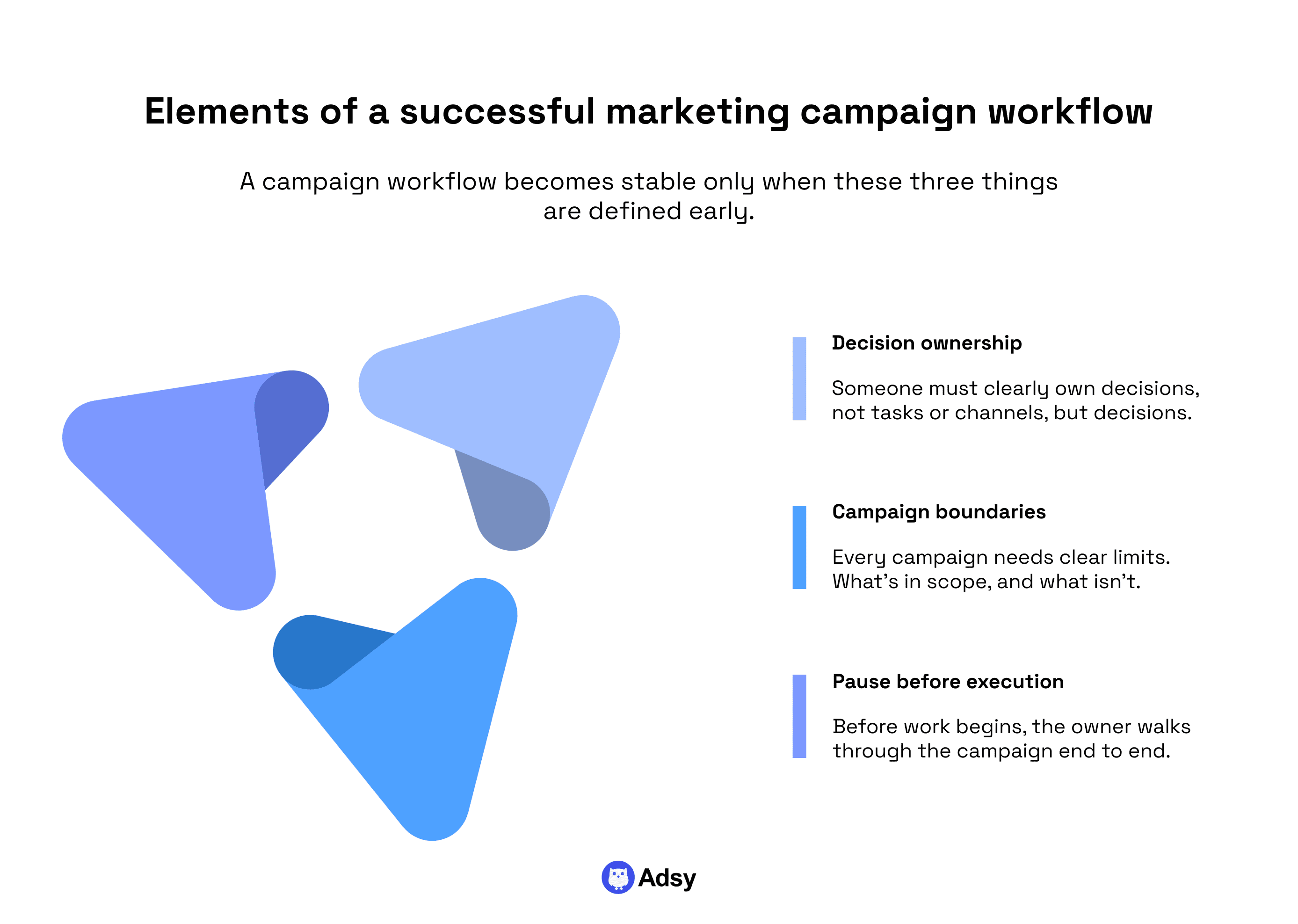
Fix 1: Decision ownership
Yes, decision ownership, not channel or task ownership. Here, you need to understand who decides if:
- The campaign is ready to launch,
- Feedback is incorporated or rejected,
- Scope changes are allowed mid-flight.
If there is no one who can make these decisions, the campaign will slow down even if you have a bunch of marketing geniuses on your team. And as you understand, automation won’t help either.
Fix 2: Campaign boundaries
Every campaign needs an explicit “this works” and “this does not.” Without that, there's just too much mess.
Just like other marketing activities, when there's no limit to the campaign, it will take everything along the way. Why?
Because you have humans behind it. And they’ll naturally add things that probably shouldn’t be there. Just like that.
Fix 3: A forced pause before execution
Before any work starts, the owner should walk through the campaign logic end to end: goal, audience, message, channels, measurement, etc.
That’s basically a checklist we’ve mentioned in our workflow example above.
This will help you expose existing gaps. And after this step, you can finally execute, because there are fewer unknowns left.
2. Content creation
When it comes to the content creation workflow, the "bureaucracy" usually takes more time than the “creation” itself. And it’s a part that irritates everyone.
So, your main goal is to build a process where you eliminate this “bureaucracy” as much as possible. This is what you can try:
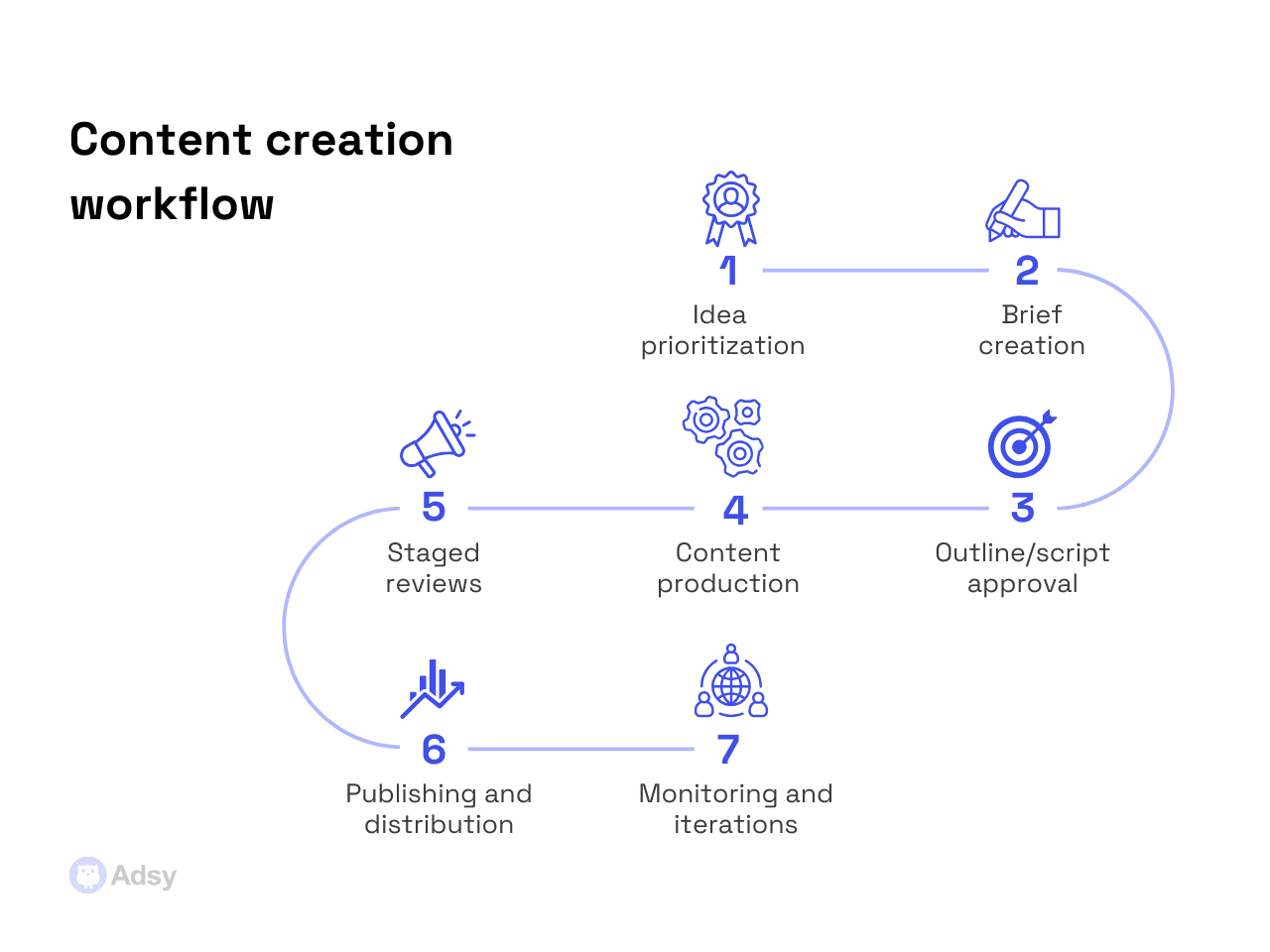
- Prioritization: Creative people often flow with content ideas. So, you need someone who can filter them and sometimes ruthlessly decide what has to die.
- Brief: We’ve talked a lot about this one. Just make sure it works for your team. Here, clarify all the fundamentals: angle, audience, intent, etc. You can’t change this along the way.
- Outline/script approval: Before anyone starts anything, make sure you’re thinking in the same direction.
- Production: To make your efforts more effective, you have to try doing things in parallel (script, footage, graphic elements, etc.). Of course, it won’t always be possible, but at least add potential ideas for this to your marketing plan.
- Feedback process: Here, you definitely need several stages, from raw ideas to skeleton to draft, etc.
- Publishing and distribution: Use all your best practices, and test new things.
- Monitoring and iterations: Depending on your content type, you might need to wait to see any results. So, make sure you track them and give them some time.
3. SEO
SEO processes quite often tend to follow the tempo of social media. But even on an intuitive level, you should know that it isn’t right. It has a different speed, and we have to respect it.
When the SEO workflow setup is strong, it just works and truly delivers results over time. Yet, how do you get there?
Here is an example you could try:
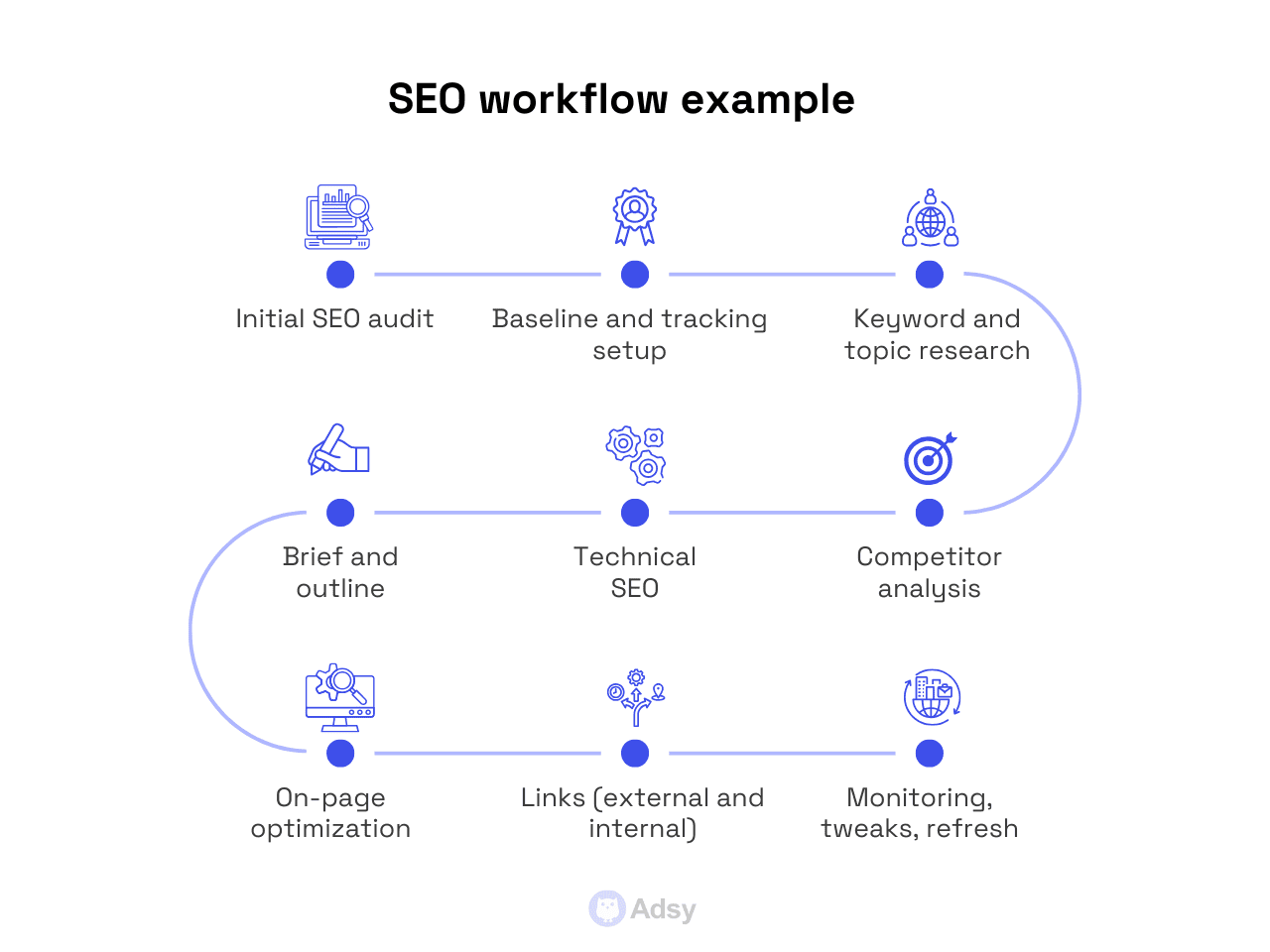
- Initial SEO audit: You need to know where you stand before you do anything. It’s applicable to any marketing task. But in the case of SEO, it’s a must.
- Baseline and tracking setup: Note your initial metrics and decide how you’ll continue to track your results.
- Keyword and topic research: Search engine optimization won’t get you anywhere unless you master this part.
- Competitor analysis: How is your competition doing in SERPs? This is a question you have to know the answer to.
- Technical SEO: Take care of the “boring stuff” before you work on your content.
- Brief and outline: In addition to using all the other tips we’ve discussed for briefs, make sure you know your SEO best practices game.
- On-page: When you post your content, do on-page optimization. And assess what you’ve done before and whether it requires any tweaks.
- Links: Here, you should care about both backlinks and internal links. This is a huge thing to make your SEO work.
- Monitoring, tweaks, refresh: You have to analyze what happens with your rankings all the time. But in addition to that, tweak what’s off and refresh what’s old.
Besides, keep these things in mind:
Topics beyond keywords
Choose topics that support your business and marketing goals, not just those that have high search volume.
Your content also has to integrate well into buyer journeys, instead of just being optimized for some search queries.
Your KPIs matter here
There are many SEO KPIs out there, but you don’t need to track all of them.
So, focus on your main objectives and choose metrics that reflect those. This is how you create a working structure and save your team from extra work later.
Tools are a must
While for some tasks, software is secondary, SEO can’t exist without at least some optimization solutions. There are several powerful tools like Semrush, Ahrefs, Moz, etc.
But you can start with the free ones (Google Analytics and Google Search Console), especially if you're new to SEO.
4. Email marketing workflow
First, let’s cover the workflow example, and then, we’ll highlight some of the major elements you have to keep in mind.
So, what process can you use for your email marketing?
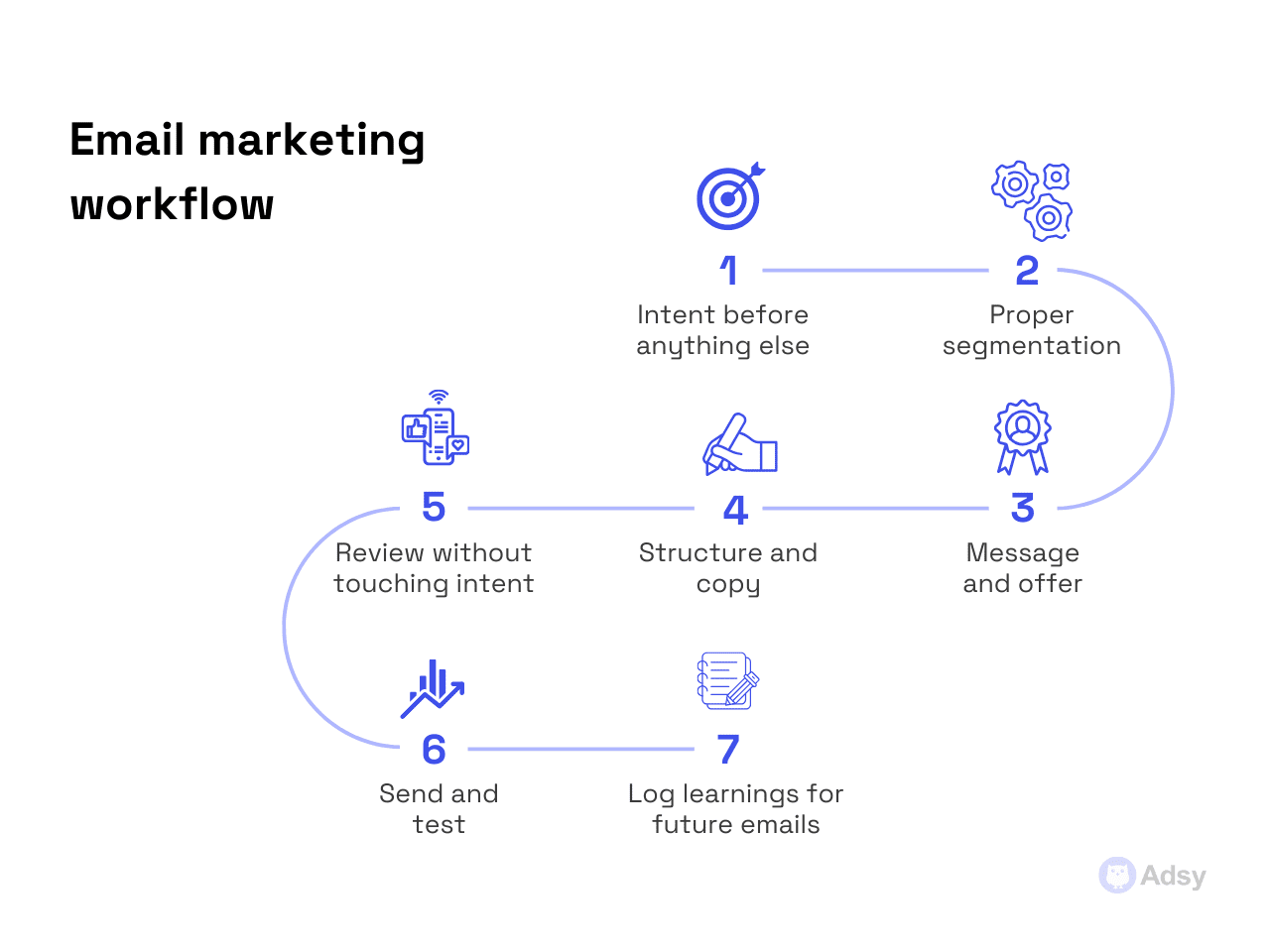
- Intent: Understand why you need each email in the first place. We’ll go into the details on this one below.
- Segmentation: To run successful email marketing, you need to understand your audience and segment it well. Obvious, but you can’t miss this step.
- Message and offer: This is about defining the direction your email campaign will take.
- Structure and copy: Here, first, create the structure (outline) or use the one that’s already working for you. And then, start writing.
- Review: At this stage, review only the email sequence. Never change the intent you already had to lock as the first step.
- Send and test: Like with every conversion copy, you need to test a lot.
- Learn: To make your future emails even more effective, make sure to track everything that worked. You can even create a board with “successful elements.”
Now, we really have to stress a couple of points:
Intent
Way too many email workflows start with sending an email. Sounds quite reasonable. Why is it bad, then? Well, because it likely won’t work. Strong email processes start with intent.
Before you begin anything, you have to know what your message is meant to do:
- Move a lead down the sales funnel?
- Re-engage colder users?
- Increase customer retention?
- Support a particular sales strategy?
If the answer is “kind of all of those,” your email marketing will simply produce generic messages. And even fancy AI tools won't save you.
Intent must be decided before your copy or automation logic is touched. The same goes for segmentation, speaking of which…
Segmentation
Here's the thing: segmentation can't be done later on. And one of the biggest mistakes in email marketing is treating segmentation as a technical step.
It’s not.
Segmentation is sort of a filter, because it determines who should not receive the email. That’s why healthy workflows force it early:
- Who this is for,
- Who this is not for,
- What behavior triggers it.
This matters even more in re-engagement and lead-nurturing workflows.
Review
When it comes to review and approval, there's one thing you should stop doing: rewriting intent all the time. Email reviews go off the rails when people try to “improve” emails by modifying what they’re for.
Changing the goal at the review stage is not fine at all.
A stable email marketing workflow makes intent non-negotiable after you have already started. Sure, you can test and tweak. But having intent in the foundation and changing it midway would ruin everything else.
5. Customer feedback workflow
A customer feedback workflow only works if it avoids two extremes:
- Ignoring feedback,
- Overreacting to it.
Both of these destroy reasonable decision-making. But a good workflow can easily prevent this. Here is how you could structure it:
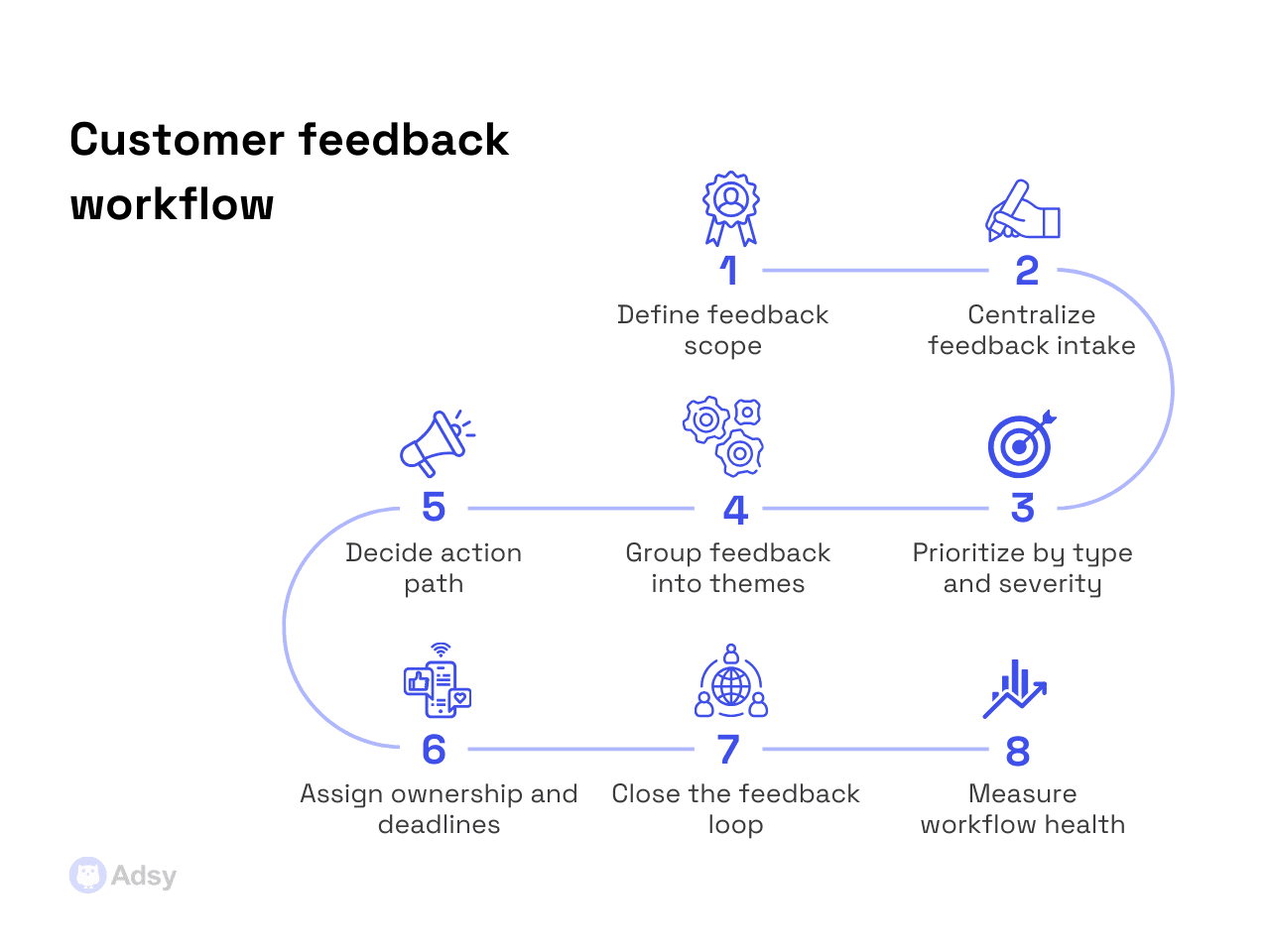
- Scope: First, define what type of feedback you collect and what you need it for.
- Feedback system: Build a system because you’ll likely get multi-channel feedback, and you can’t let it live everywhere at once.
- Prioritization: Make sure to always classify the type and severity of any issue before addressing it in any way.
- Feedback groups: Group all your feedback based on the task/theme. Otherwise, it’ll turn into a mess.
- Action type: Here, decide what you need to do with the feedback (e.g., test, fix, drop, etc.).
- Ownership and deadlines: Exactly what it sounds like, just make it clear.
- Loop closing: This is something you need to do both internally and externally. Externally, communicate what’s done to your customer. Internally, share what’s relevant with other teams.
- Health measurement: Assess what makes sense for your business and CS team (e.g., time to first response, reduction in repeated complaints, etc.).
Now, what questions should you ask when you collect the feedback?
Customer feedback workflows fail when teams ask questions that are too broad. But a strong process starts by defining:
- What kind of feedback matters,
- At what stage of the customer journey,
- Who will use it.
Feedback meant to improve customer satisfaction looks one way. But it is very different from the one meant to guide your product positioning.
Without this clarity, the input you get becomes emotionally charged. And more often than not, it is strategically useless.
There is one more important factor that you can't risk overlooking. It is context.
Surveys, focus groups, forms, interviews, etc. All these are tools that bring you the data. But they’re all quite meaningless, unless you add the context.
When feedback arrives without any additional information (customer segment, lifecycle stage, etc.):
- How can you interpret it?
- What can you make of the data that you can't really connect to the bigger picture?
A proper feedback workflow always attaches context. Ideally, you should add it automatically. That’s why your CRM system integration matters here.
Next, what you need to do is to guide all your responses to the right place.
Too often, businesses put all the feedback into one “pile.” Sales feedback, support feedback, marketing feedback, product feedback…
Obviously, they serve different purposes and should trigger different actions. And you can't just mix it all up.
Conclusion
Marketing workflows are, first of all, systems. And like any system, to make them work, you need to pay attention to every small detail.
If each small gear works well, the whole mechanism will run smoothly. But if even one tiny element is off, the entire system will struggle or stop functioning altogether.
Also, remember that you can't “finish” a workflow, because once all the steps are covered, you still have to maintain and improve it. This is just how it works.
If you see something slowing down, refine what needs refinement. And if you don’t know what it is, test it. Because ultimately, the real job of marketing workflow management is to help you save time and effort, not add more work.
All trademarks, logos, images, and materials are the property of their respective rights holders.
They are used solely for informational, analytical, and review purposes in accordance with applicable copyright law.




 Sign Up
 Sign Up