






15+ AI Content Creation Tools for 2026 (Analyzed and Tested)
AI has completely changed how content is created. According to HubSpot Marketing Research 2026, nearly 75% of marketers are already using AI for content creation, including video and images.
The question is no longer whether to use it. Now it is about the best choice: which tool works better and faster for the specific purpose. And how to protect a team's time for the work that actually requires a human: strategy, voice, and storytelling that builds trust over time.
So we’ve prepared and tested a list of AI tools for video, visuals, writing, SEO optimization, and content planning to understand what is actually worth your time.
AI tools for video editing
Video is where teams waste the most time. Filming one day of content, then spending three more days editing and posting. Familiar situation, right? At the same time, video brings better results than anything else on the web.
According to SearchLab research, 82.5% of all internet traffic is actually video content. It is a huge number, and it's exactly why working with video matters so much. So we gathered and tested 4 tools for different goals: repurposing, creative video generation, localization, and cleaning up long-form videos.
1. Opus Clip
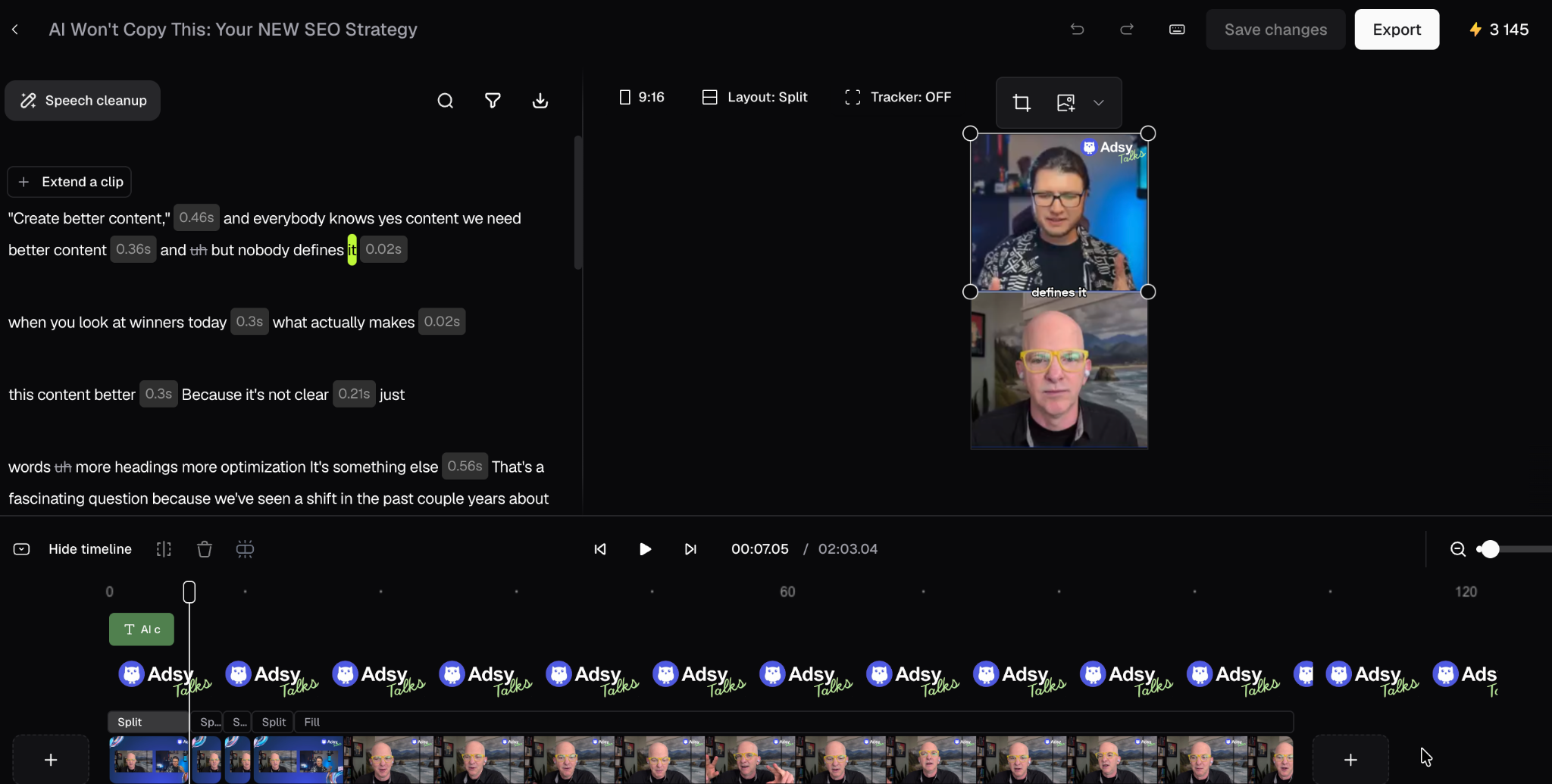
Opus Clip is a tool that helps to repurpose one long video into short clips for social media. It automatically finds the strongest moments and makes captions for each video. There is also an interesting so-called viral score based on hook, flow, value, and trend.
Previously, this type of work took the full editing day. With Opus, you can do the same in up to 20 minutes. We use it in our marketing team for our Adsy Talks podcast to make short videos on Instagram, TikTok, X, and LinkedIn. It is also possible to make any corrections, for example, add a logo or music, and get the best results.
Source: Opus Clip
Works well for: repurposing long videos, like webinars, interviews, live streams, into short social media clips with captions and music on the underground.
Doesn't do well: videos without clear speech or dialogue are hard to repurpose.
Pricing: from $15/month
Free trial period: 60 credits/month (1 credit means 1 minute of video processing)
2. Higgsfield AI
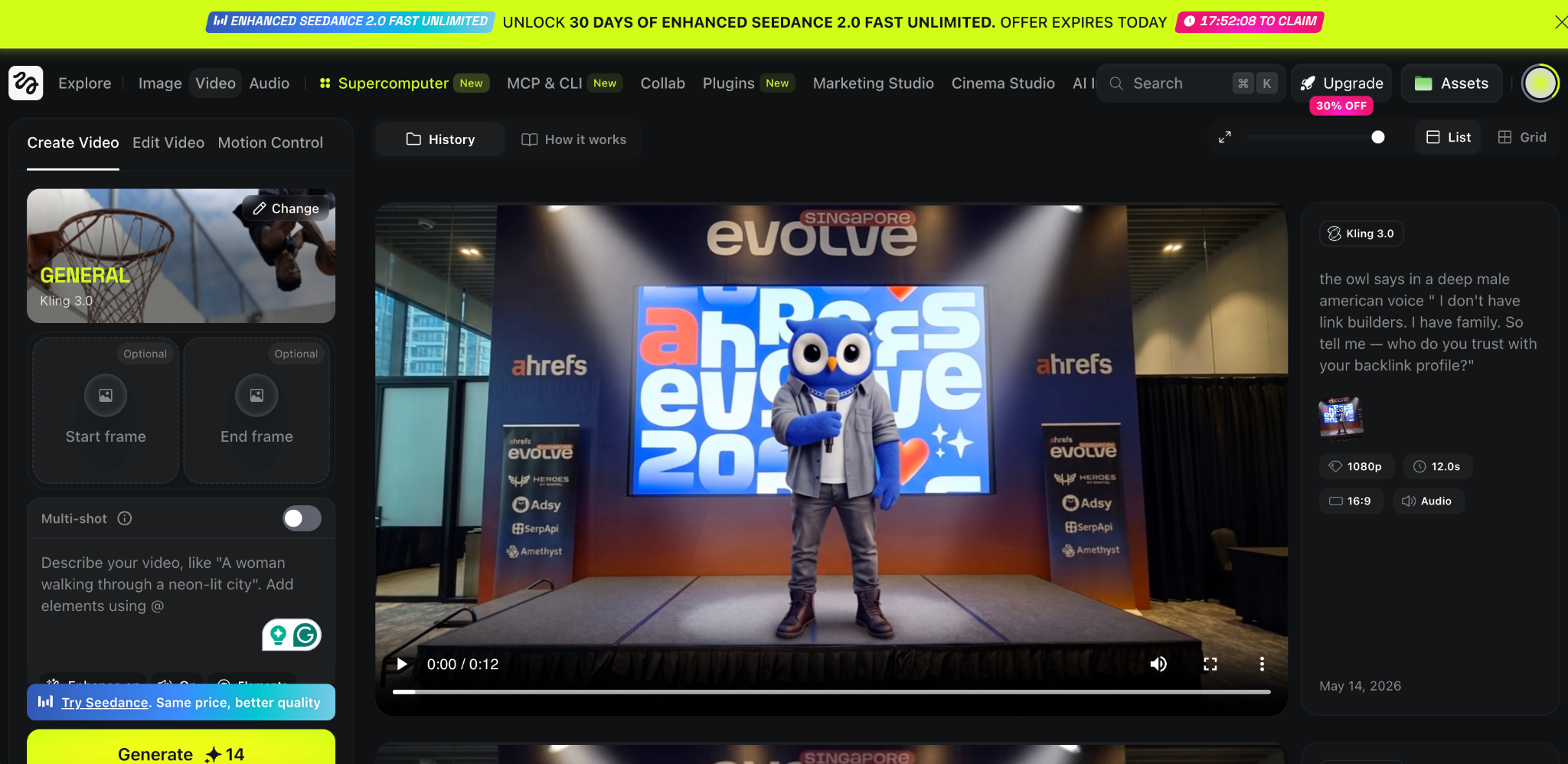
Higgsfield is a tool for producing cinematic-quality video. And it lets you direct and control camera angles, choose motion style, or any other visual effects.
It has many ready-to-use styles that you can apply to your own AI-generated characters in one click.
Source: Higgsfield AI
We also use it within the Adsy marketing team for TikTok and Instagram reels, as well as for branded feature videos. And it looks like they came from a real production budget, even without a motion designer.
Works well for: social media content, brand campaigns with AI-generated characters, cinematic short-form content, and even UGC-style ads.
Doesn't do well: it doesn’t help with real videos, like customer testimonials or live events.
Pricing: from $19/month
Free trial period: Not applicable
3. HeyGen
HeyGen solves the problem of localization and scale. For example, if your company works in 7 countries, you might need a product explainer or a training video for each country. HeyGen allows you to do it in a few minutes. No need to reshoot every single video or seek presenters in each country.
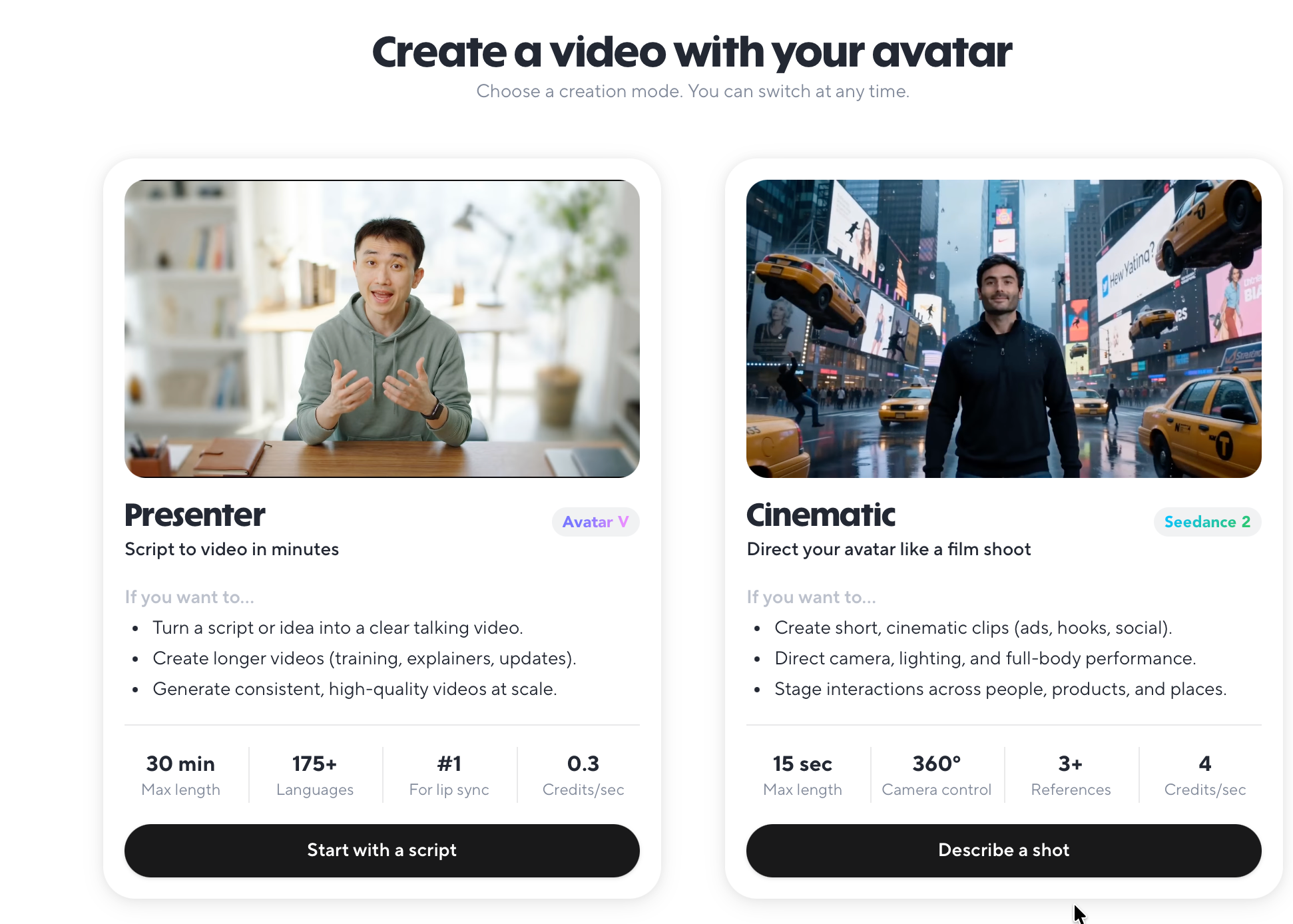
There are 2 main options available: presenter and cinematic. For each of them, you could describe what you want, how the avatar has to look, or which scene you want to generate.
Source: HeyGen
There are 175 languages, so it is really useful for multilingual brands that want to scale.
Works well for: multilingual marketing videos, onboarding and training content, product explainers that need regular updates, and teams operating in global markets.
Doesn't do well: it will not help with videos that require strong emotional and personal delivery, like founder stories or customer interviews
Pricing: from $29/month
Free trial period: 3 videos up to 1 minute/month
4. Descript
Descript is a tool for cleaning up long-form video, like podcasts or interviews. If you have ever worked with such videos, you know how difficult it is to remove all unnecessary parts.
This tool allows you to edit the transcript or delete a paragraph, and the video edits itself. All these pauses and "ums" are also deleted in one click. As a result, production time could be dropped by around 80%. You could also generate a video with an avatar, make translations, or turn slides into a video.
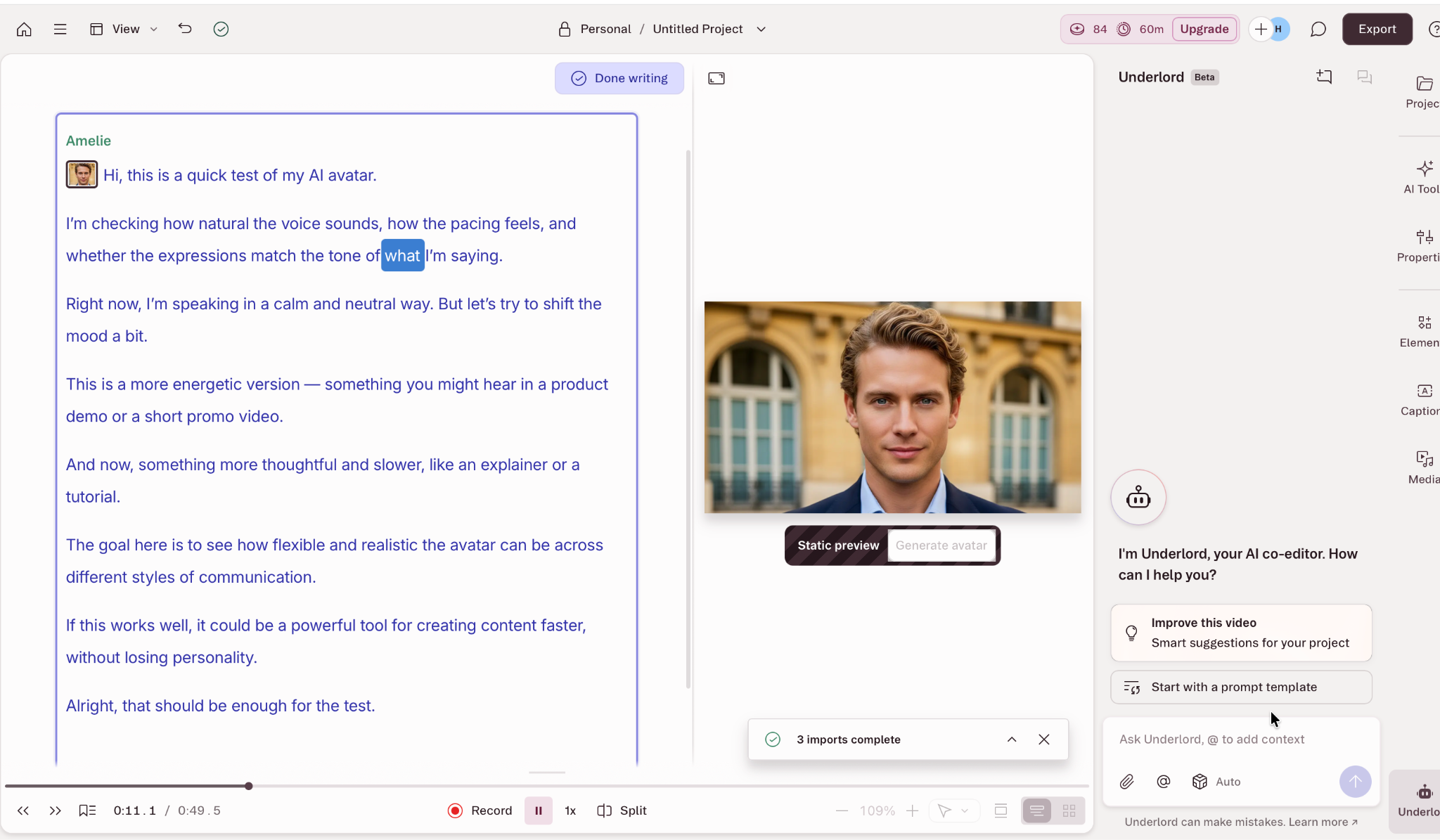
Source: Descript
Works well for: podcast and interview editing, removing filler words, and dead air
Doesn't do well: it will not help with heavy visual editing or multi-camera productions.
Pricing: from $16/month
Free trial period: limited functions are available for free (text-based editing and some AI tools).
AI tools for visual design
Creating images is the most obvious way to integrate AI in marketing workflows. For business, it means cost reduction and time saving. For creators, more opportunities for self-expression and the realization of complicated creative concepts.
73% of product designers report that AI tools reduce time spent on repetitive tasks by 40+ hours annually. So, we put together several tools that help marketing teams in visual creation without legal issues.
5. Canva AI
Canva helps with day-to-day content tasks, especially for social media. There is one useful feature for a team: you can set up your brand assets, like banners, brand colors, templates, and logos. It really helps to facilitate work and onboarding of new team members.
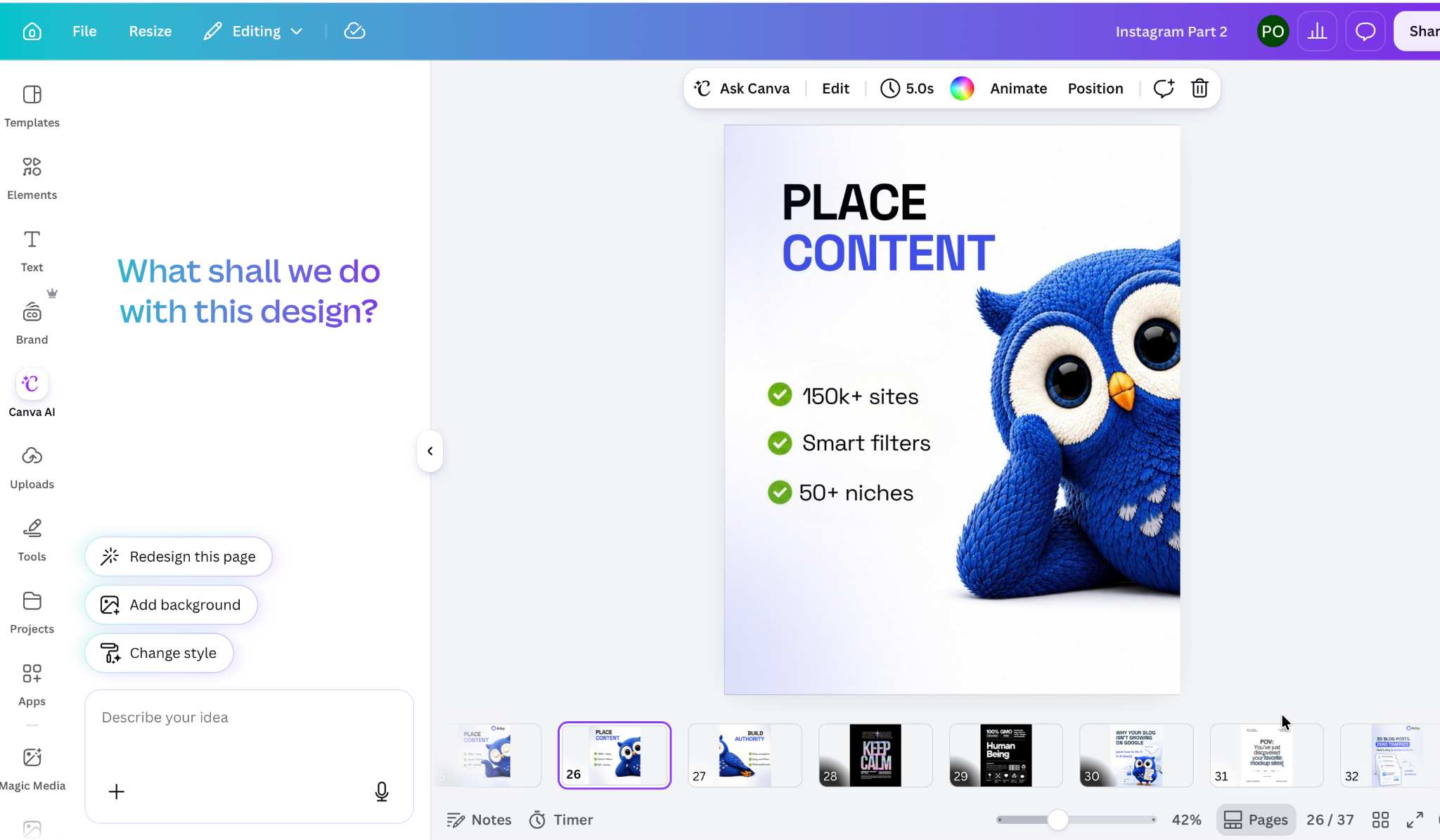
Source: CanvaAI
To be honest, it was a widely used tool for marketers even a few years ago. Now it has many AI features, like Magic Design for generating layouts or creating images from a prompt. There is also a great library of templates for any topic. And it helps with basic video editing.
Works well for: SMM posts and carousels, email templates, or presentations.
Doesn't do well: complex illustration or highly aesthetic creative campaigns
Pricing: from $15/month
Free trial period: limited features without premium tools
6. Midjourney
Midjourney helps with producing “out of the box” aesthetic creative concepts from a text prompt. It is also used for unusual images that grab attention and stop the scroll on social media.
However, it is not a tool for replacing a designer. It helps with visualizations and defining the mood, atmosphere, and overall art direction.
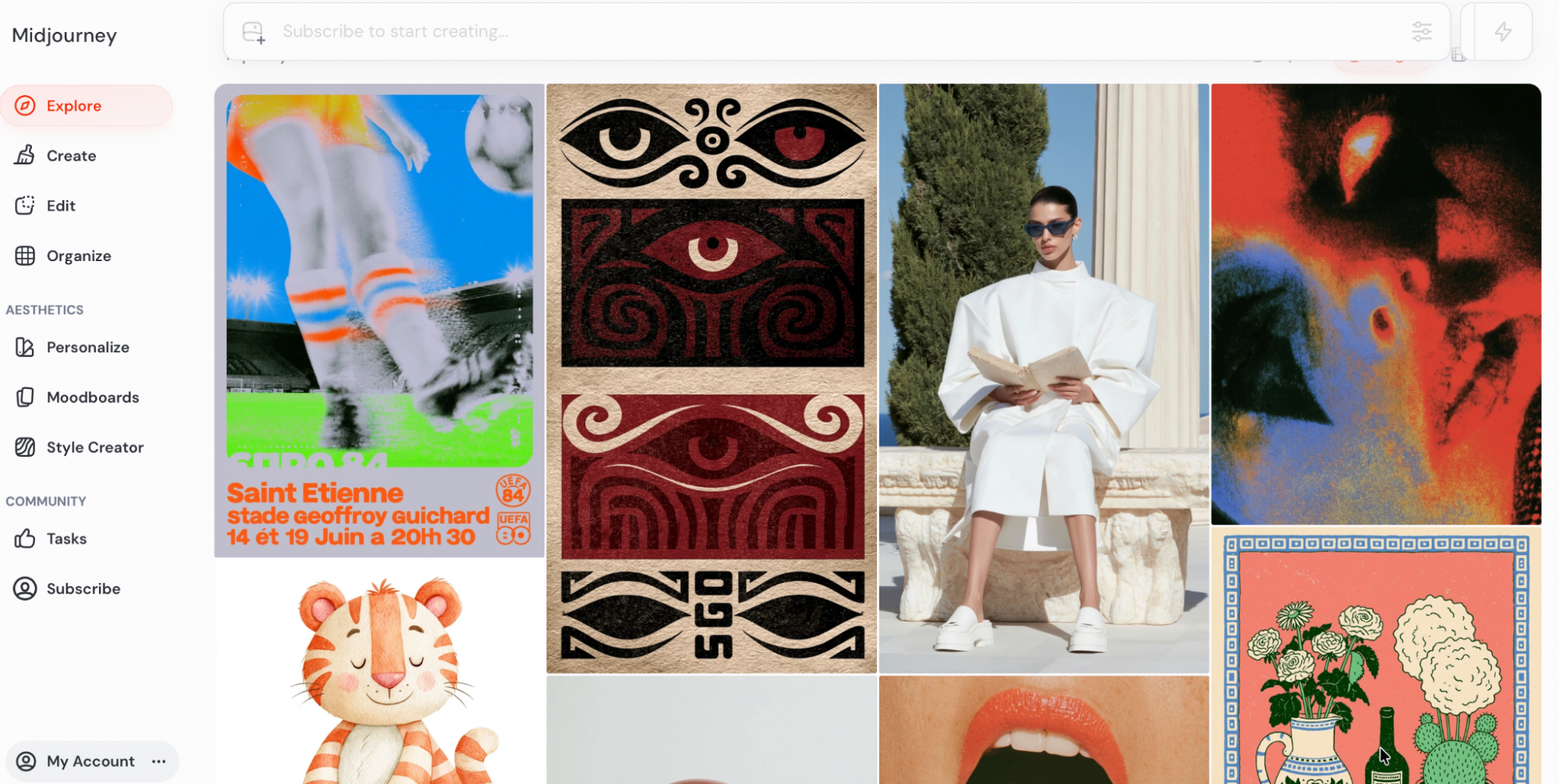
Source: Midjourney
Marketing teams can use generated visuals as references to communicate tone, style, and creative ideas, instead of relying on abstract descriptions,
Works well for: visual concepts and briefing a designer. Try it for campaign hero images or concept art.
Doesn't do well: typography is still a weak spot, so it might be difficult to produce images with text inside.
Pricing: from $10/month
Free trial period: not available
7. Adobe Firefly
Adobe Firefly is a good enterprise solution. Some teams may have issues with legal departments about AI image copyright. Actually, 40% of reported copyright disputes are about AI-generated design content. Firefly solves this problem. It is trained on licensed Adobe Stock content, and it is completely commercially safe.
You could create or expand images, or generate and upscale videos.
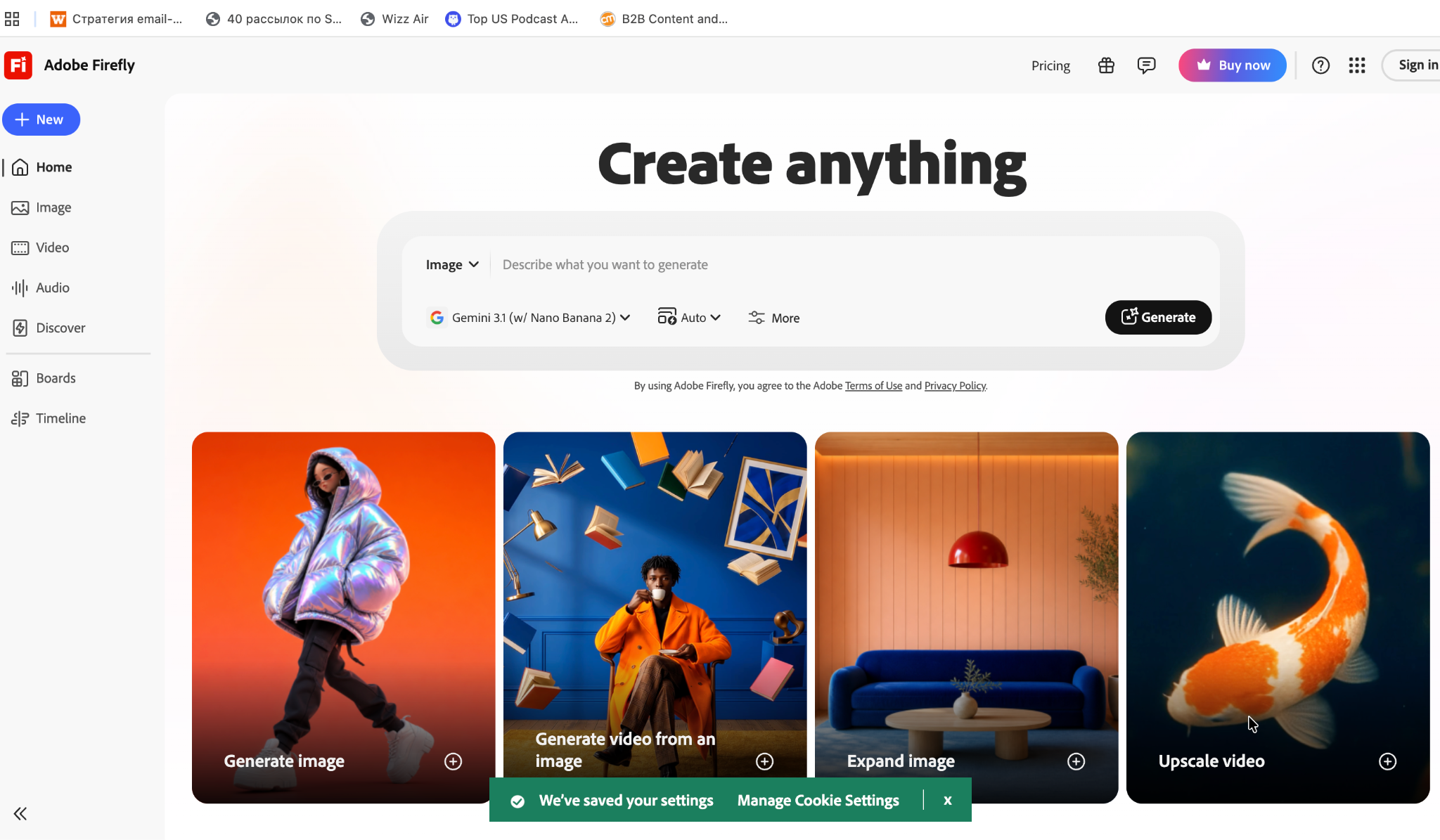
Source: Adobe Firefly
Works well for: commercial campaigns where copyright clarity matters
Doesn't do well: highly experimental or avant-garde creative work (the output leans stock-like compared to Midjourney)
Pricing: from €10,98/month
Free trial period: available with complimentary generations
AI tools for writing and long-form content
Text generation is one of the most controversial directions. On one hand, AI tools help to produce content faster and cheaper. According to the latest data, using AI tools increases writing speed by 40%.
On the other hand, AI-generated content may be too generic, without real human opinion or original research. If several articles could be written in minutes, it becomes harder to tell which ones are truly good.
So the real question is not speed, but which tools are better for different purposes, and how they can make your texts stronger to win in AI search.
8. Claude
Claude is the number 1 tool for long-form content, for example, blog posts, newsletters, and thought leadership posts.
You could give a detailed prompt with your own vision, research materials, brand voice, and your audience's main questions, and it would produce a strong draft that is a pleasure to work with. Claude also demonstrates critical thinking and rarely hallucinates information, relying on trustworthy sources.
Source: Anthropic
Works well for: long-form blog posts, summarizing research, rephrasing technical content, and maintaining brand voice.
Doesn't do well: it will not replace human voice and perspective, so before final publishing, you need to review all materials and add real-time data, as well as your own opinion.
Pricing: free for everyone with some limits on usage, from €15 /month for PRO users
9. Gemini
Gemini is the best choice for teams that work at Google Workspace. In March 2026, Google rolled out deep Gemini integration across Docs, Sheets, Slides, and Drive.
In Docs, it could pull context from your own Drive files, Gmail, and the web to produce a formatted first draft. It can match the writing style of a reference document you already have.
In Sheets, it builds entire spreadsheets from a natural language prompt. The practical difference between Gemini and other writing tools is that it knows your files.
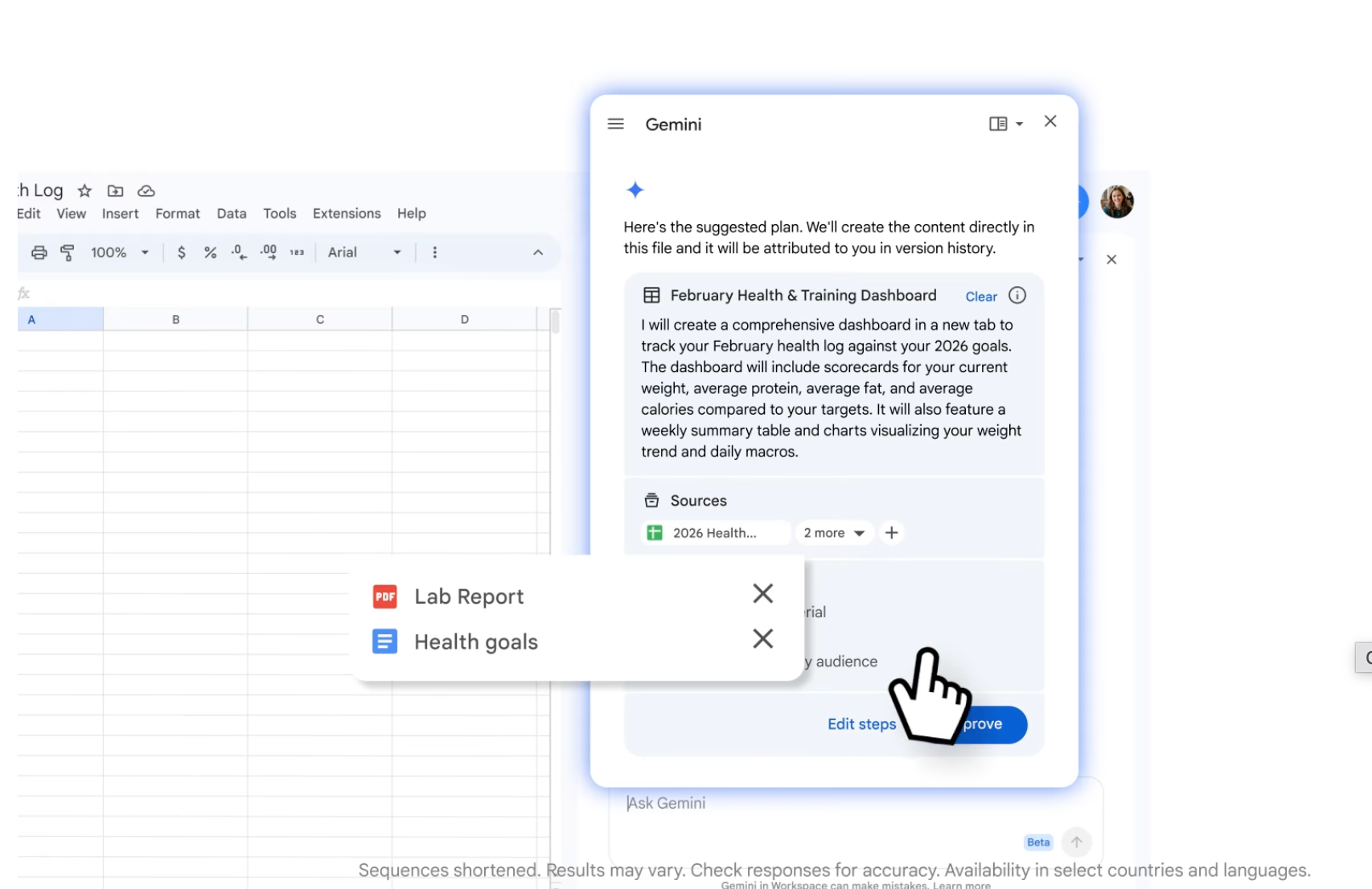
Source: Google Workspace
Works well for: teams already working in Google Workspace, drafting documents that need to pull context from existing files, and matching your style and brand voice,
Doesn't do well: material that needs strong stylistic originality, deep long-form content where it can't pull relevant context from your files. Also, the value vanishes if the team doesn’t work in Google Workspace.
Pricing: free for everyday usage, €4,99/month for Google AI plus
10. Jasper
Jasper solves the problem of brand consistency at scale. You could upload your style guide, tone examples, and forbidden phrases, and it applies them across every piece of content, no matter who’s writing. You can even provide an example of your best-converting page, and it will be added to the brand voice. It is a good solution for agencies or companies with multiple contributors.
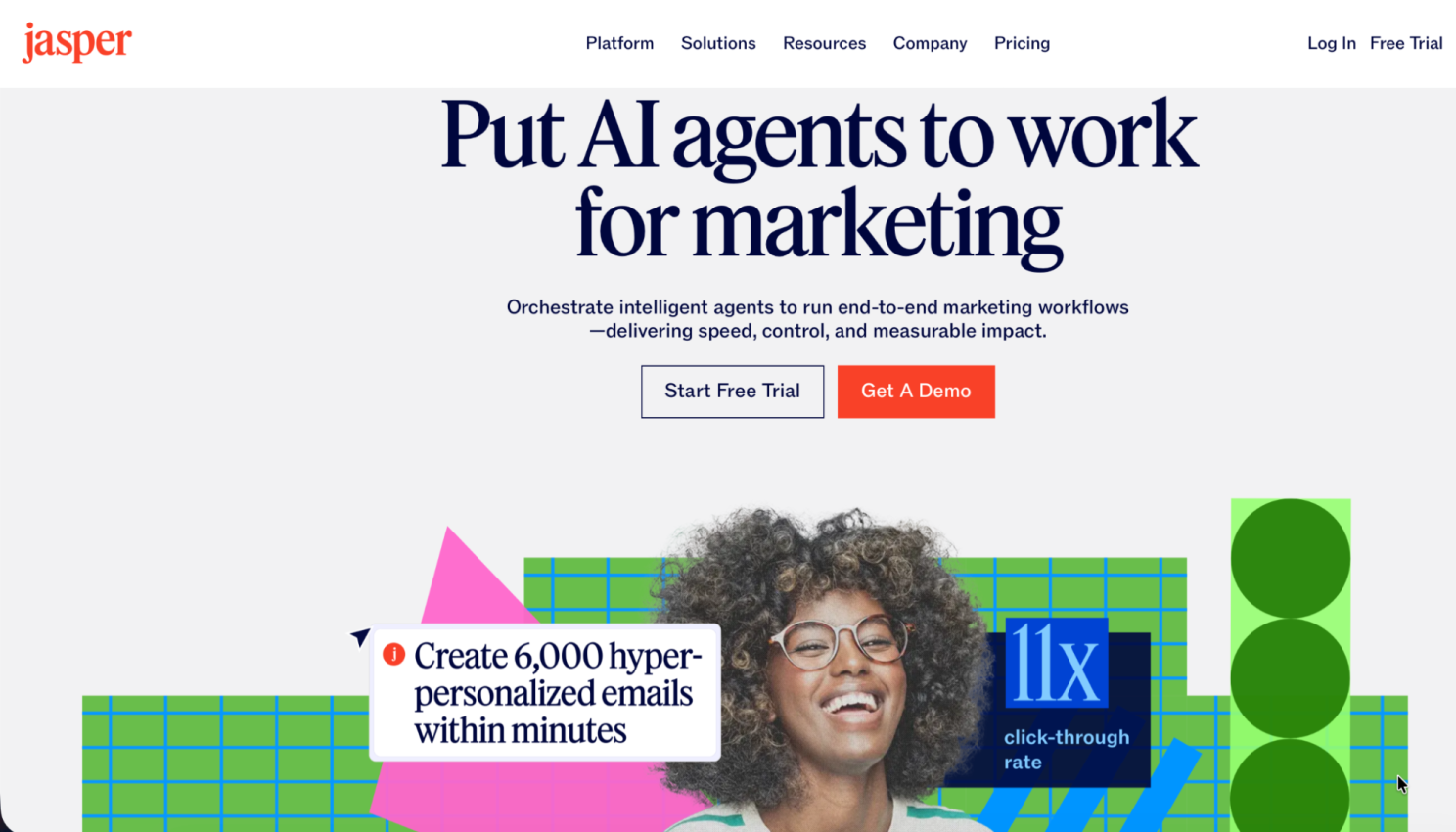
Source: Jasper
Works well for: large content teams where a consistent brand voice is important. Also, you could use it for product descriptions, email sequences, and ad copy, where brand positioning and compliance rules matter.
Doesn't do well: creative articles or posts where a strong individual voice is required, and style compliance across different materials is not so important.
Pricing: from $59/month
Free trial period: 7 days
11. ChatGPT
ChatGPT is the most widely used and well-known option for writing. But it is important to focus on how image creation changed after the significant upgrade in April 2026.
It solves the problem of generating text inside the image, which many other tools struggle with. It creates good layouts, supports multiple languages, including Japanese, Korean, Chinese, Hindi, and Bengali, and generates images up to 4 times faster than before. For a marketing team, it means faster work, since you can generate text and images simultaneously.
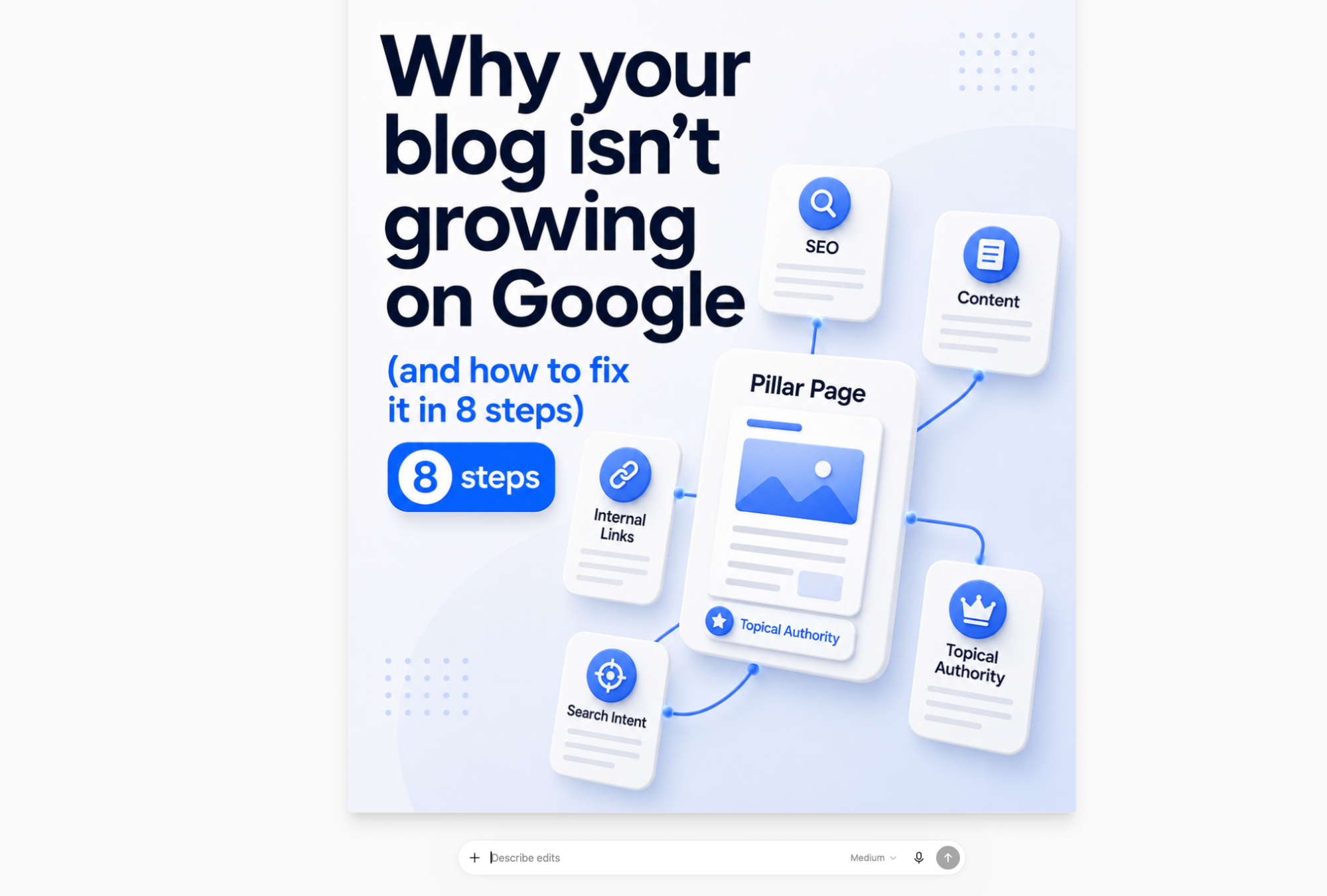
Source: example of ChatGPT image creation
Works well for: quick social copy and images, brainstorming, generating infographics, mockups, and visuals with readable text aligned with your brand guidelines.
Doesn't do well: long-form structured analytical texts, tasks that require brand voice consistency without heavy guidance or artistic images, where Midjourney still wins on the aesthetic level of quality.
Pricing: free for everyone with some limitations, from $8/month for longer conversations
AI tools for SEO and content optimization
SEO optimization is where the use of AI tools is a bit more complicated. For years, the goal was simple: rank on page one of Google. Now ranking #1 doesn't even guarantee you show up when someone asks ChatGPT the same question. According to Goodfirms' 2026 survey, up to 43% marketers are actively implementing AI and LLM strategies, whereas a year ago, it was not a priority.
So the new SEO landscape requires a new approach, a different skill set, and other tools to track AI visibility.
12. Ahrefs
Ahrefs is a platform that tracks whether your brand even gets mentioned in AI answers in the first place.
The headline feature is Brand Radar, which monitors how your brand shows up across ChatGPT, Perplexity, Gemini, Microsoft Copilot, and Google AI Overviews.
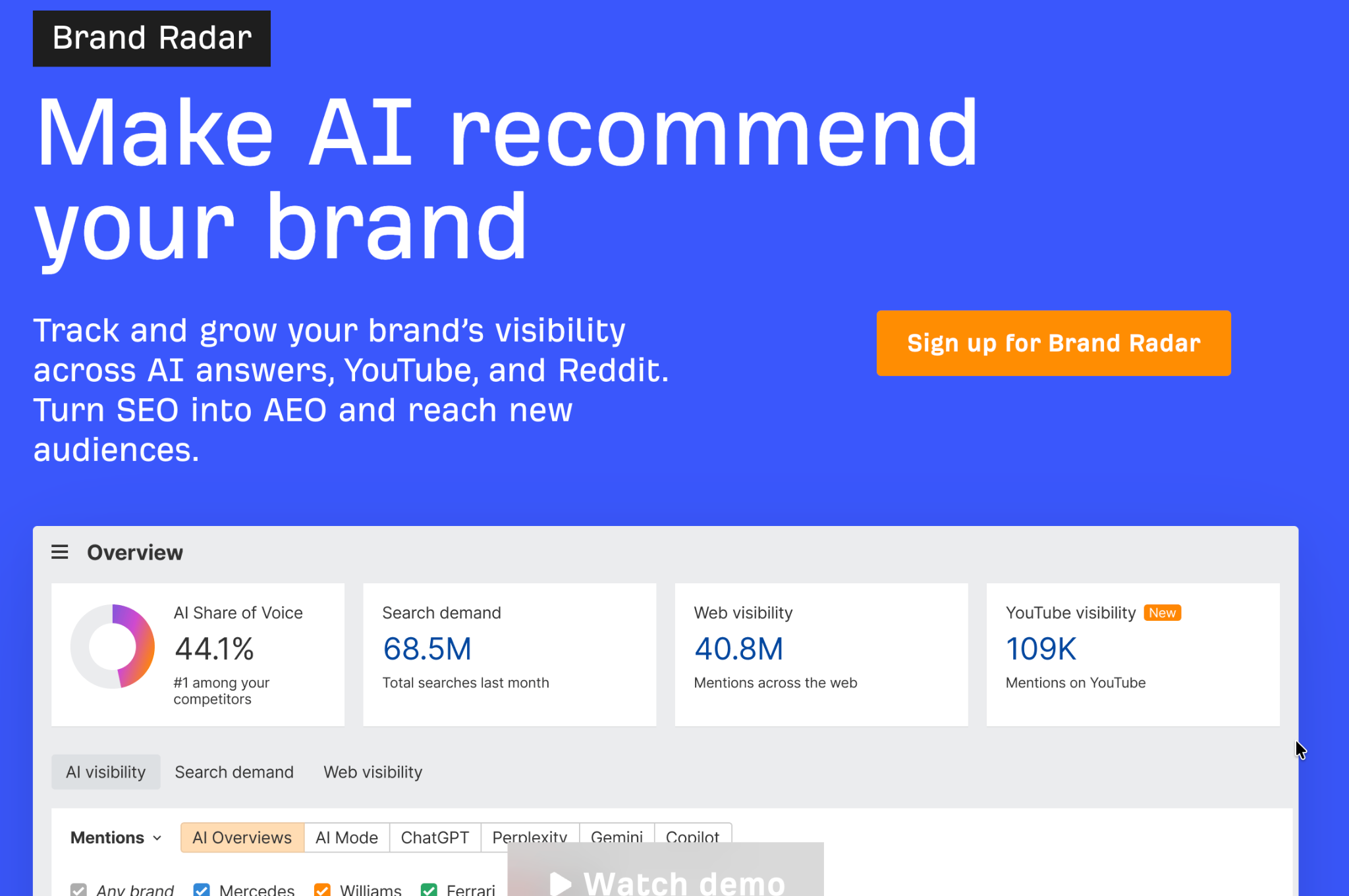
Source: Ahrefs
There's also an AI Content Helper, which grades a draft against top-ranking pages and detects when a single keyword actually hides multiple search intents.
Works well for: teams that want to improve their content according to the new AI search reality
Doesn't do well: deep AI-writing or drafting work. Ahrefs tells you what's missing and who's getting cited, but it doesn't write the content for you.
Pricing: From $129 /month for a Lite plan
Free trial period: no trial on paid plans, but there are free features for site owners.
13. Frase
Frase went through a full rebuild in January 2026, and the most interesting part is the dual SEO + GEO scoring. Frase scores it separately for traditional ranking and for the chance of getting cited by ChatGPT, Perplexity, Claude, or Gemini. It pulls competitor outlines and turns them into a content brief in minutes. Also, you can see which prompts already surface your content and which ones a competitor owns instead.
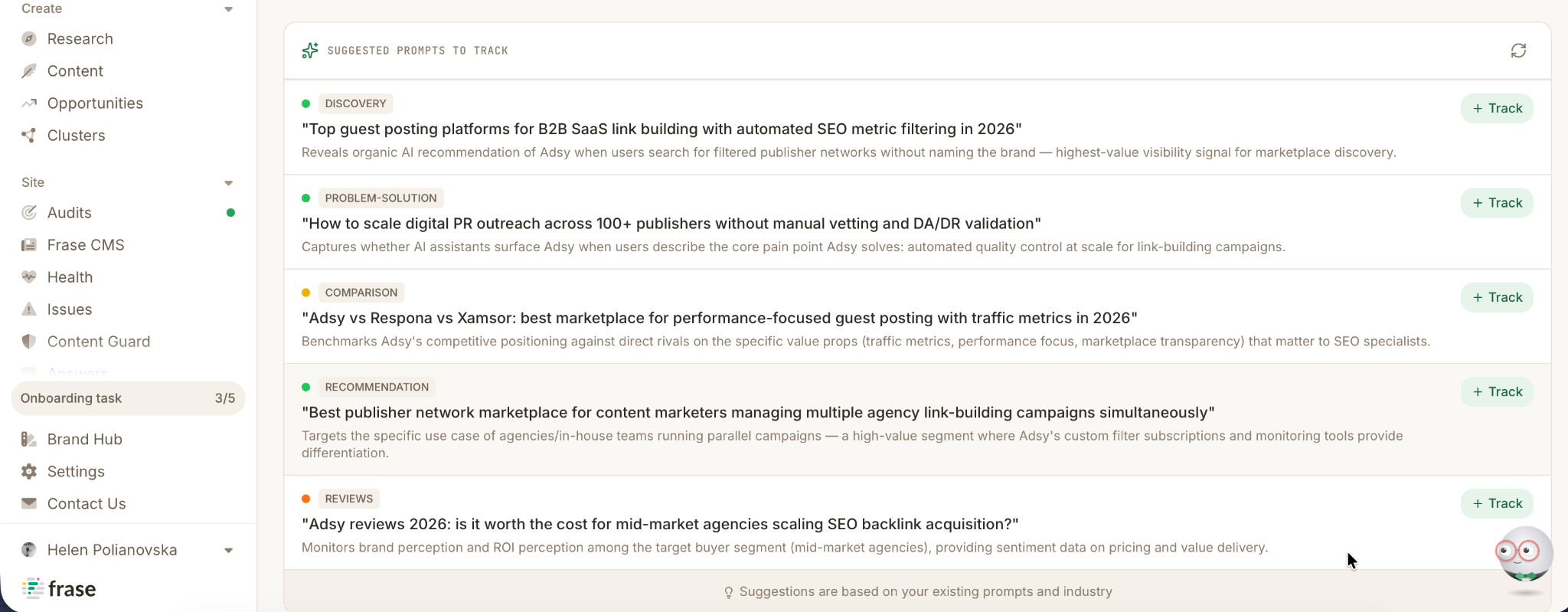
Source: Frase
Works well for: pre-writing research, fast briefs, and measuring the chances to be cited by AI.
Doesn't do well: the AI-written drafts are still generic and need editing, so it’s better to use this tool for research only
Pricing: from $49/month
Free trial period: 7 days
14. Surfer SEO
Surfer SEO scores your content in real time for keyword density, structure, length, and topical coverage. It compares your draft against pages currently ranking and flags what's missing. The 2026 version added an AI Tracker that watches how often your pages get cited across AI platforms.
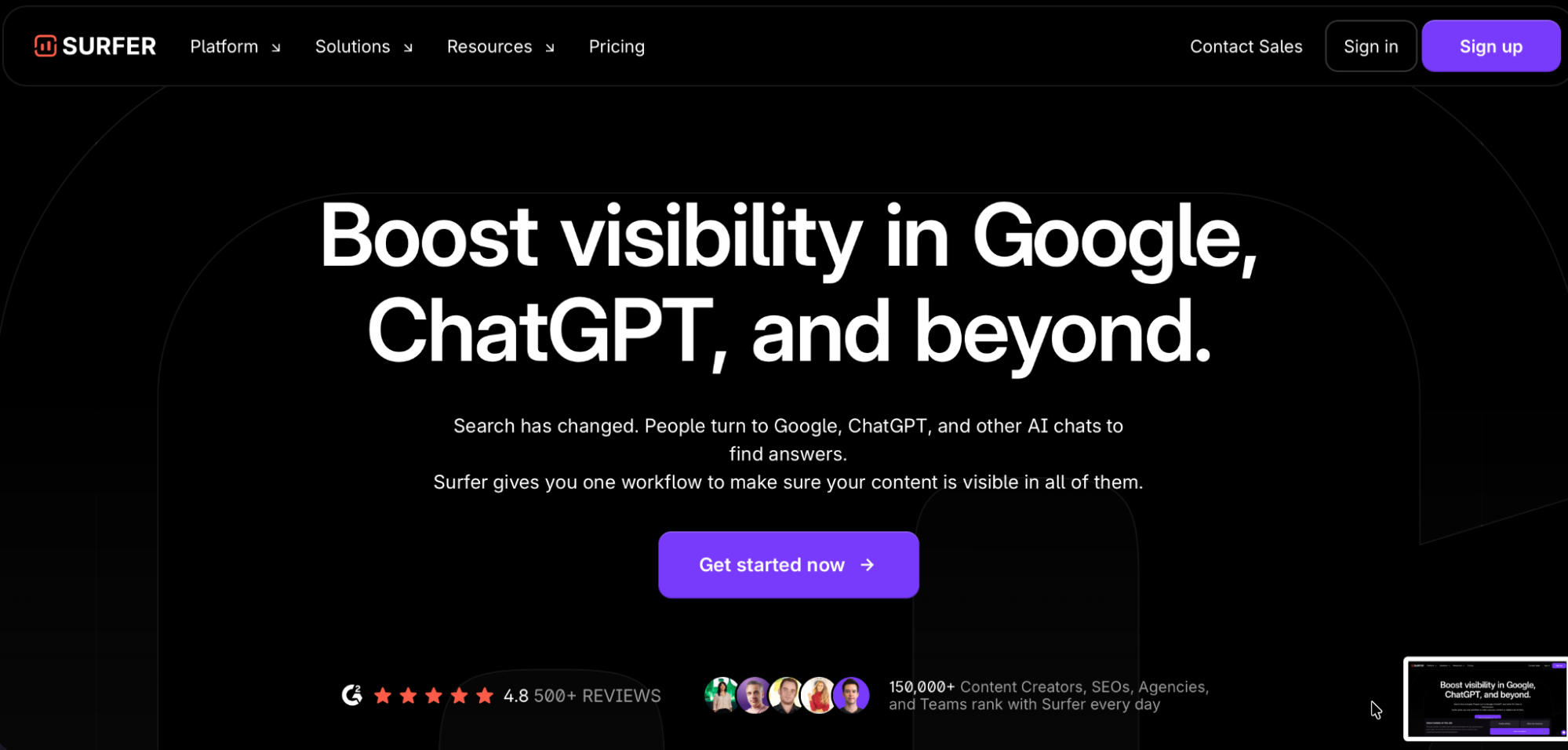
Source: Surfer SEO
Works well for: optimizing existing content, briefing content writers with SEO requirements, and analyzing why the content isn't performing.
Doesn't do well: it will not write a content strategy, and there is a risk of over-optimization that could kill your own voice.
Pricing: from $99/month.
Free trial period: not available
15. Adsy (not an AI tool, but worth mentioning)
Adsy fills a gap that nothing else in this list covers. It helps to place blog posts or get backlinks from 150,000+ high-quality sites with real organic traffic. You could use more than 15 advanced filters to find the best sites in your niche and location. If on-page optimization is covered by the tools mentioned above, Adsy handles the authority side of the equation.
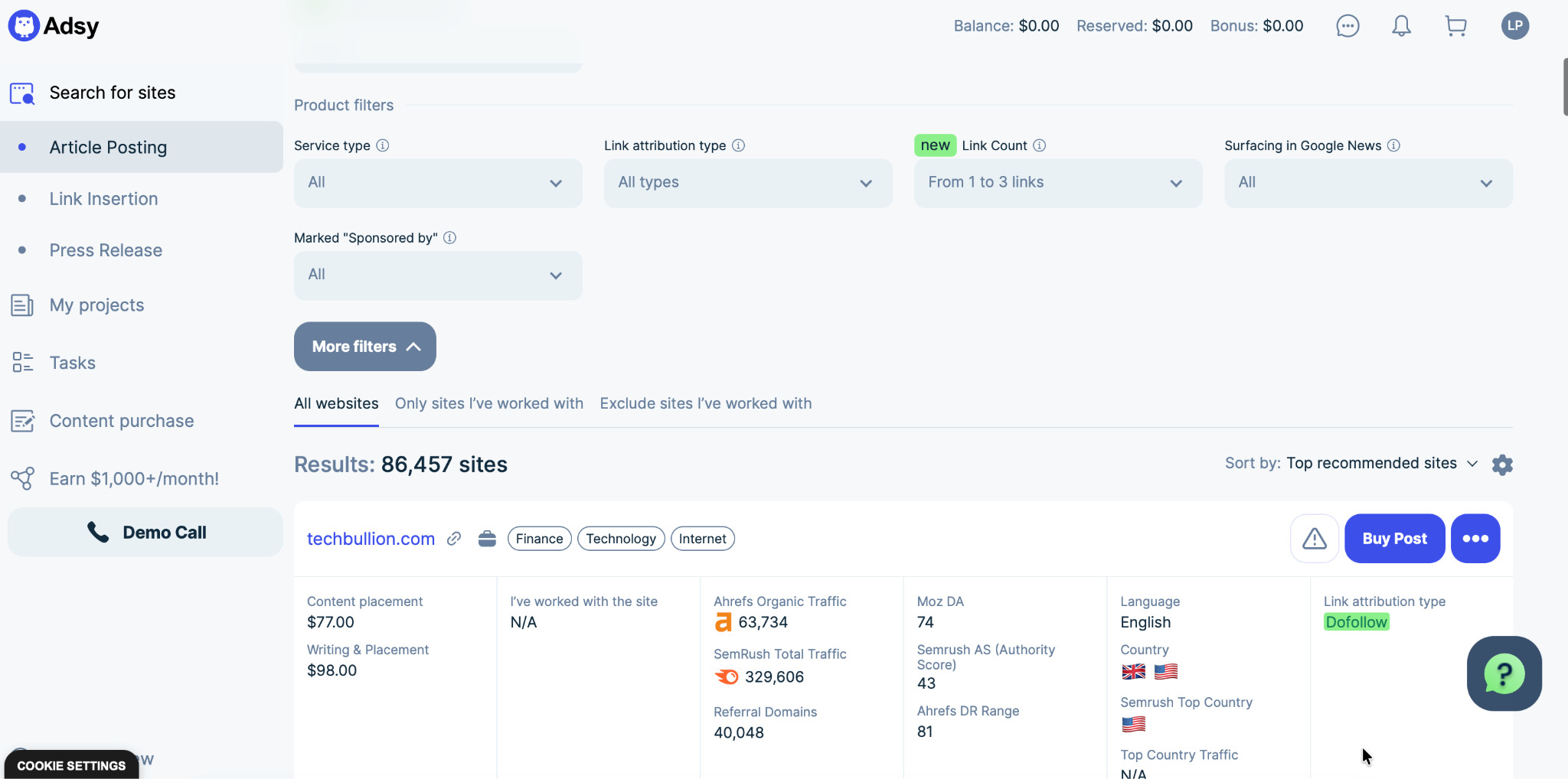
Source: Adsy Content Marketing Platform
Works well for: article posting at scale, link building campaigns, digital PR, and content distribution on relevant sites in your industry.
Doesn't do well: content creation or any AI-generation. It is a quality-focused platform where you can even order blog posts from professional writers and place them on chosen sites. In the AI-driven world, Adsy helps to save authenticity and build authority.
Pricing: depends on chosen options
Free trial period: not available
AI tools for social media and planning
Creating the content is only half the job. Most surveys show the bulk of AI adoption in marketing still goes toward writing and content creation. Scheduling and planning with the help of AI is still not so popular. However, this part of working with content is where time gets lost.
The tools below can help with editorial calendars, briefs, and scheduling.
16. Taplio
Taplio is a tool for working with LinkedIn only. It helps with making content plans, writing posts, creating carousels, and scheduling. It analyzes your LinkedIn profile, comparing it with similar people on LinkedIn, and proposes strong content ideas based on its research. 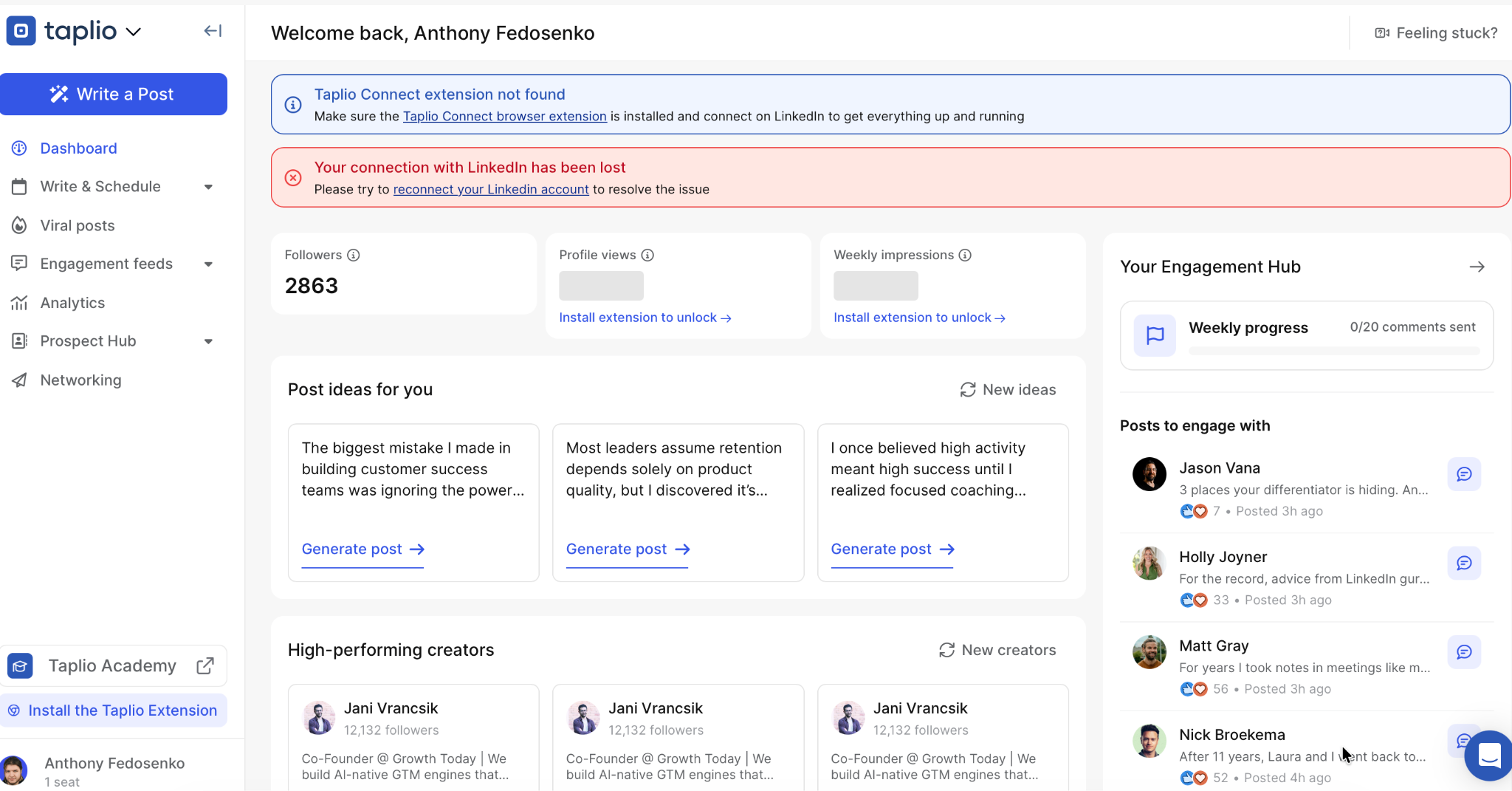
Source: Taplio
Works well for: founders and marketers building a personal brand on LinkedIn and B2B companies where LinkedIn is a primary channel.
Doesn't do well: this tool will not help with multi-platform social strategies.
Pricing: from $39/month
Free trial period: 7 days with full feature access
17. Notion AI
Notion AI helps marketing teams with editorial calendars and planning. Teams often have many ideas, but practical execution might be a problem. Notion can pull the context from Slack, Google Drive, or your CRM and help to turn ideas into real plans.
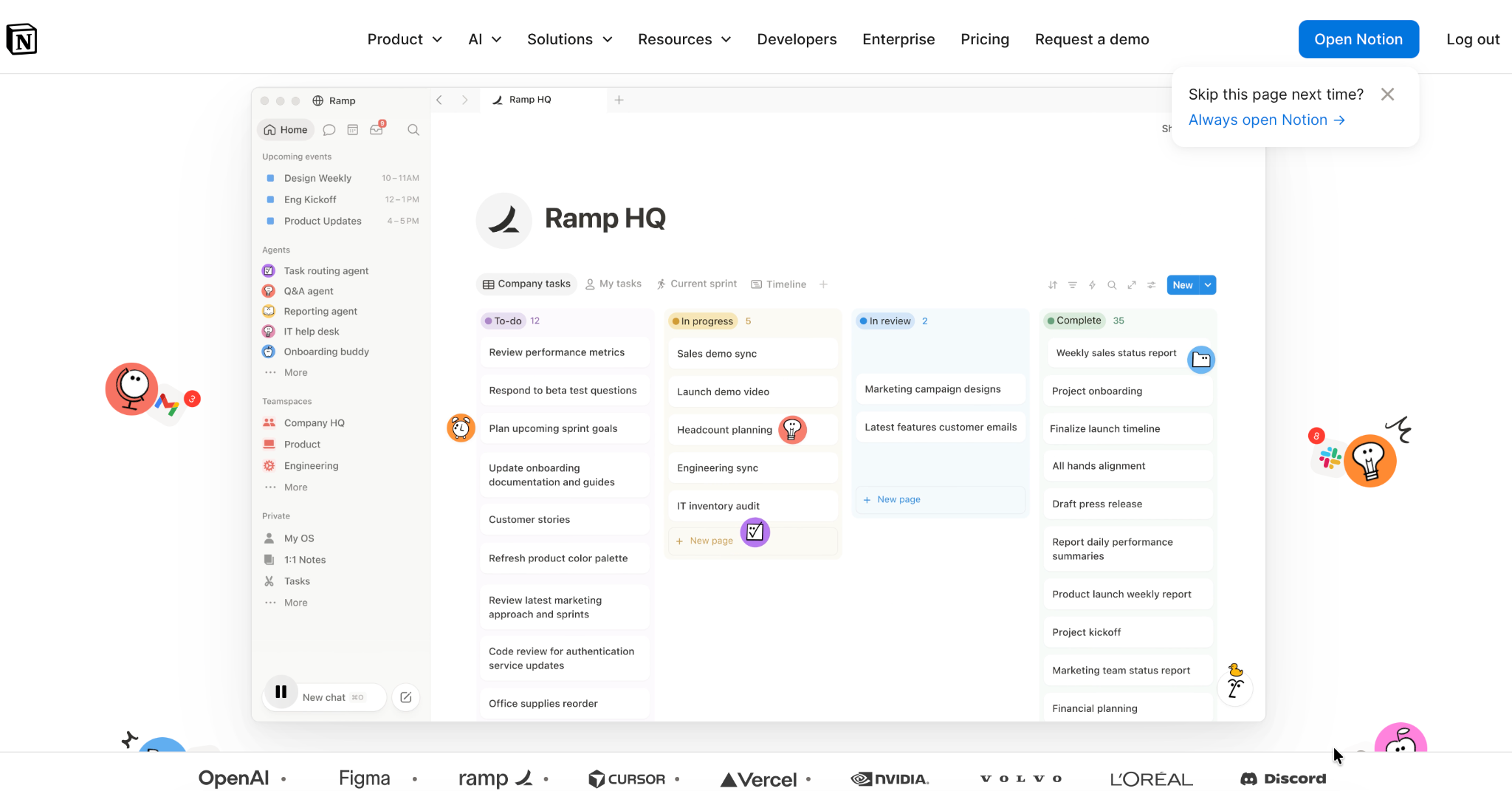
Source: Notion AI
Works well for: content planning and editorial calendars, capturing research and ideas, and briefing writers.
Doesn't do well: actual content publishing or distribution, replacing a dedicated project management tool for larger teams with complex workflows.
Pricing: free for individuals to organize personal projects and life, from €9.50 per member/month for teams.
18. Buffer
Buffer is a tool that covers multiplatform planning on Instagram, TikTok, X, Facebook, and Pinterest, all from a single calendar. It helps to create your own library of content ideas, adapt the same idea differently per platform, and analyze results. You could also answer the comment quickly, collaborate with the team, and engage with your community.
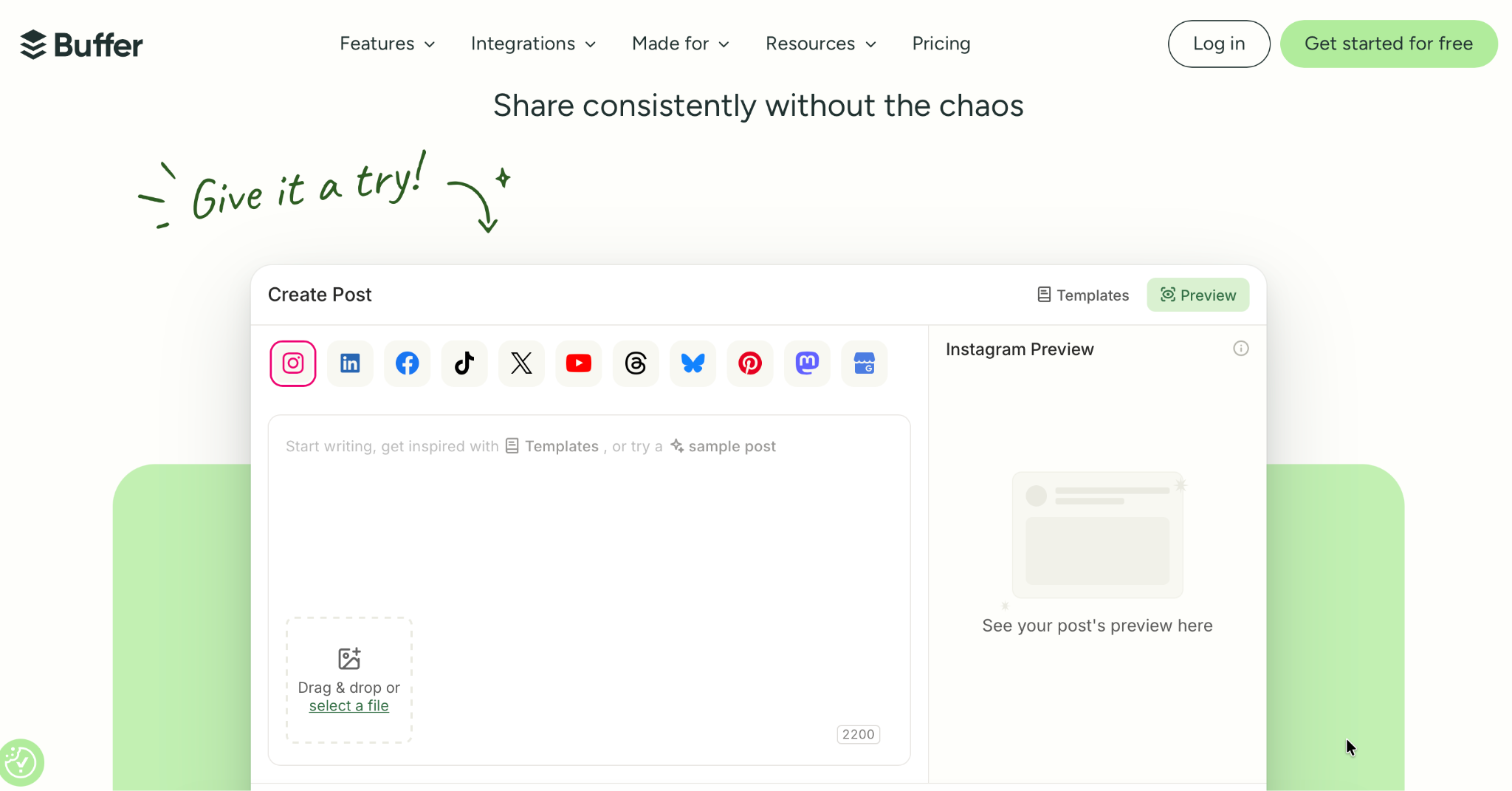
Source: Buffer
Pricing: free connecting up to 3 channels, from $5/month for more features and unlimited channels
Free trial period: 14 days available
Conclusion
There's no single tool that covers all marketing tasks. Content creation is a complex process, and most teams need several tools working together.
So before testing anything, take a step back, write down the actual tasks and projects you're trying to solve for, set a rough budget, and choose tools that solve it. Some teams need a strong video tool and barely touch SEO. Others live in content planning and don't need half of what's on this list.
That's the real takeaway here: don’t rely on trends only. Start to use AI for your specific goals and workflow. And keep an eye on changes. AI tools move fast. What worked great a few months ago might already be outdated. And the tool you picked last quarter may have changed completely by now.
All trademarks, logos, images, and materials are the property of their respective rights holders.
They are used solely for informational, analytical, and review purposes in accordance with applicable copyright law.


 Sign Up
 Sign Up