






New Update: Filters and Navigation Tabs Just Moved on Adsy
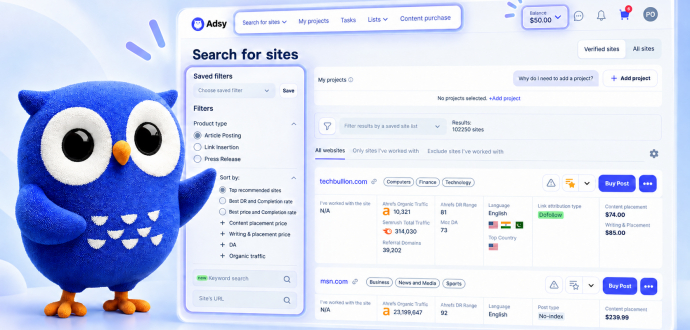
We're constantly improving navigation on Adsy to make searching for sites even faster and easier. This time, it’s a bigger update. We completely redesigned the Search for Sites page.
Filters and the navigation tabs have moved to new spots for a smoother workflow. So don’t be surprised when things look a little different next time you log in.
All of these changes were made with one goal — to make your experience better. In this article, we put together everything that has changed, how it will help you, and how you can switch back to the old design anytime you want.
What's changed in the navigation
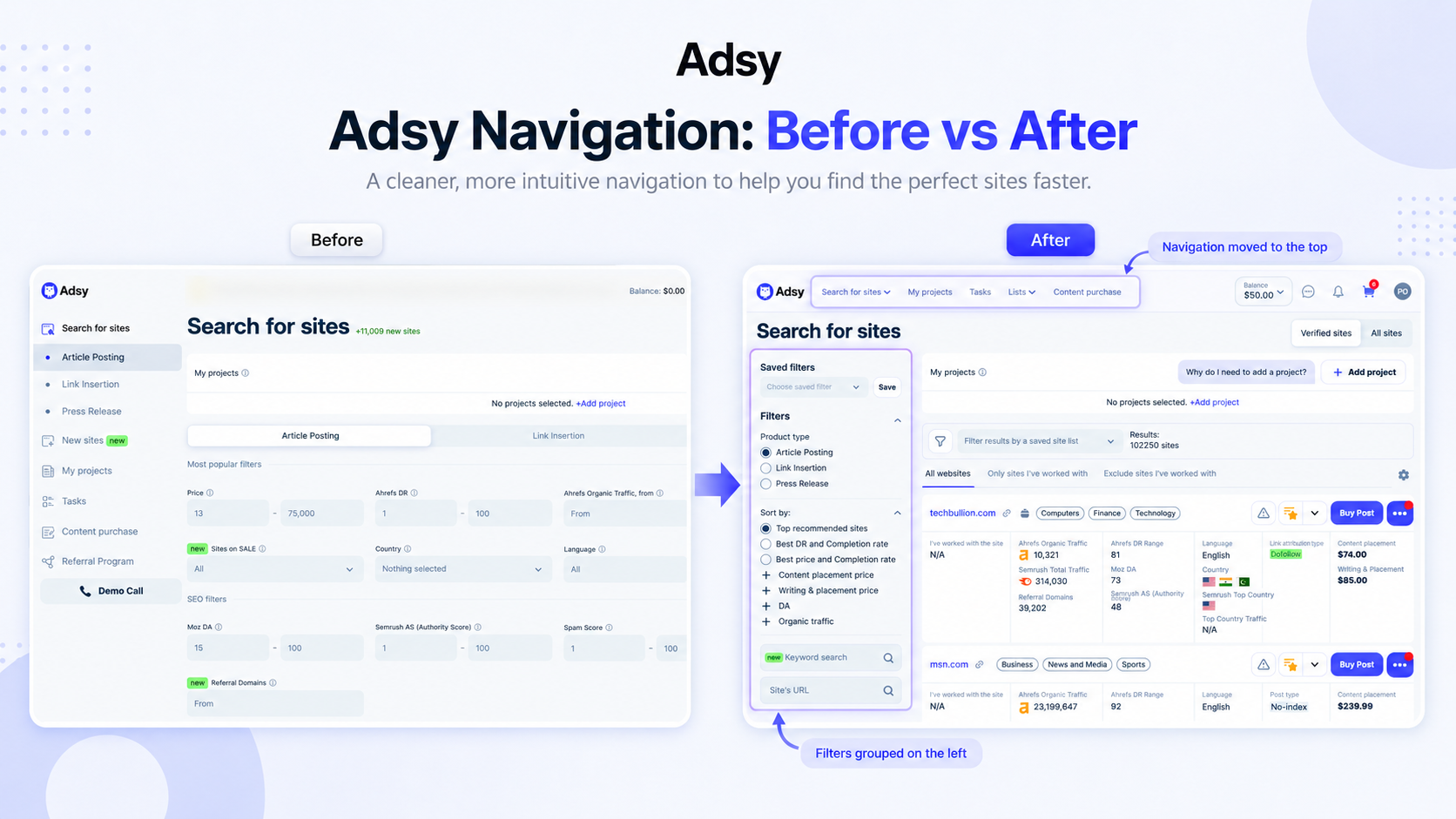
Previously, the left sidebar used to hold tabs such as My Projects, Tasks, My Lists, Content Purchase, and Types of Product. All filters were at the top of the page, and you saw them right after entering the page. Now it's a completely different story.
Right after you log in to your account, you will see an informative pop-up with a step-by-step guide and a short animation about what has actually changed. We highly recommend you don't skip the tutorial. It will help you save time and get all the advantages of a new design.
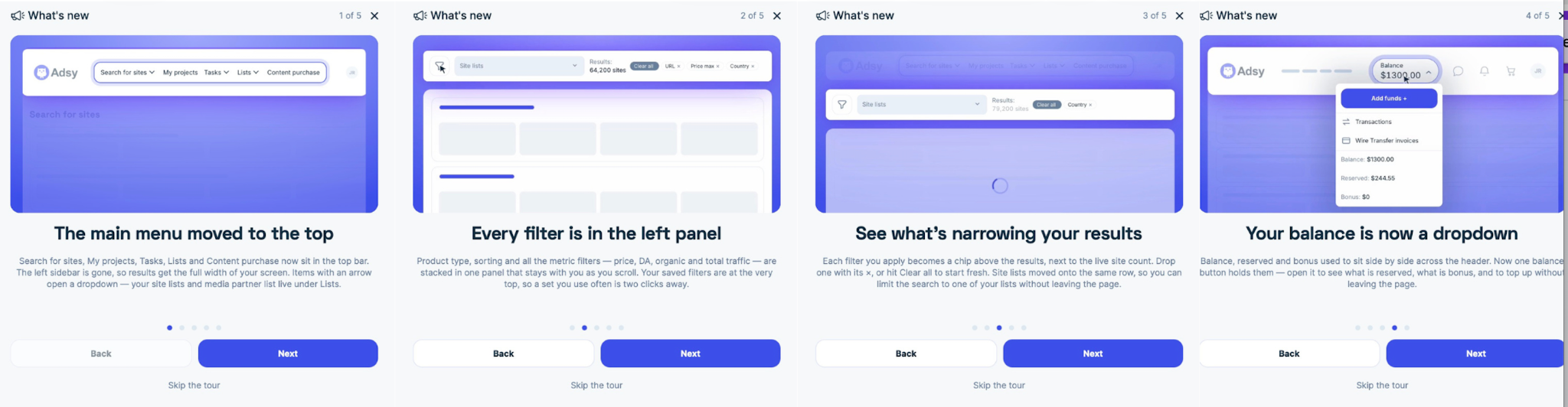
1. The tabs from the left side have moved to the very top of the page.
These tabs include Search for Sites (Article Posting, Link Insertion, and Press Release), My Projects, Tasks, Lists, and Content Purchase. You can find them next to the logo in the top left corner of the page.
You can also find the Site Lists at the top of the page, right near the Filter icon and above the search results. It’s a list of your favorite sites, saved either from your account or from Adsy Checker. In the old design, this list was in the left menu.
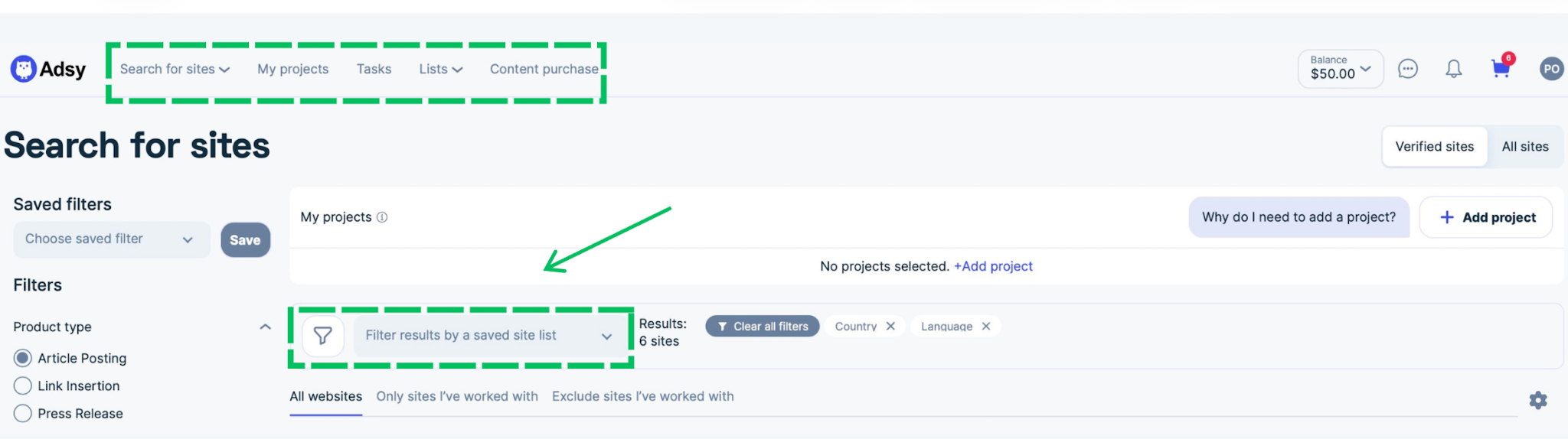
These changes will help you switch between tabs, explore your projects, see favorite sites, or go to Content purchase easily.
One thing to note: this change is only about navigation. We didn't remove any features or filters. No features have actually changed in their functionality. The same tools and filters are arranged more comfortably.
So, if you're looking for something you used before, it's still there, just in a new spot.
2. Filters and sorting have moved to the left side.
All 20+ Adsy filters, like Product type, Keyword and URL Search, Price, Traffic, Country, Language, Category, Spam Score, Link attribution type, and even Sort by, are now compactly grouped on the left side, instead of spread across the top of the page. The search by keywords and Site URL also moved to the left-side menu.
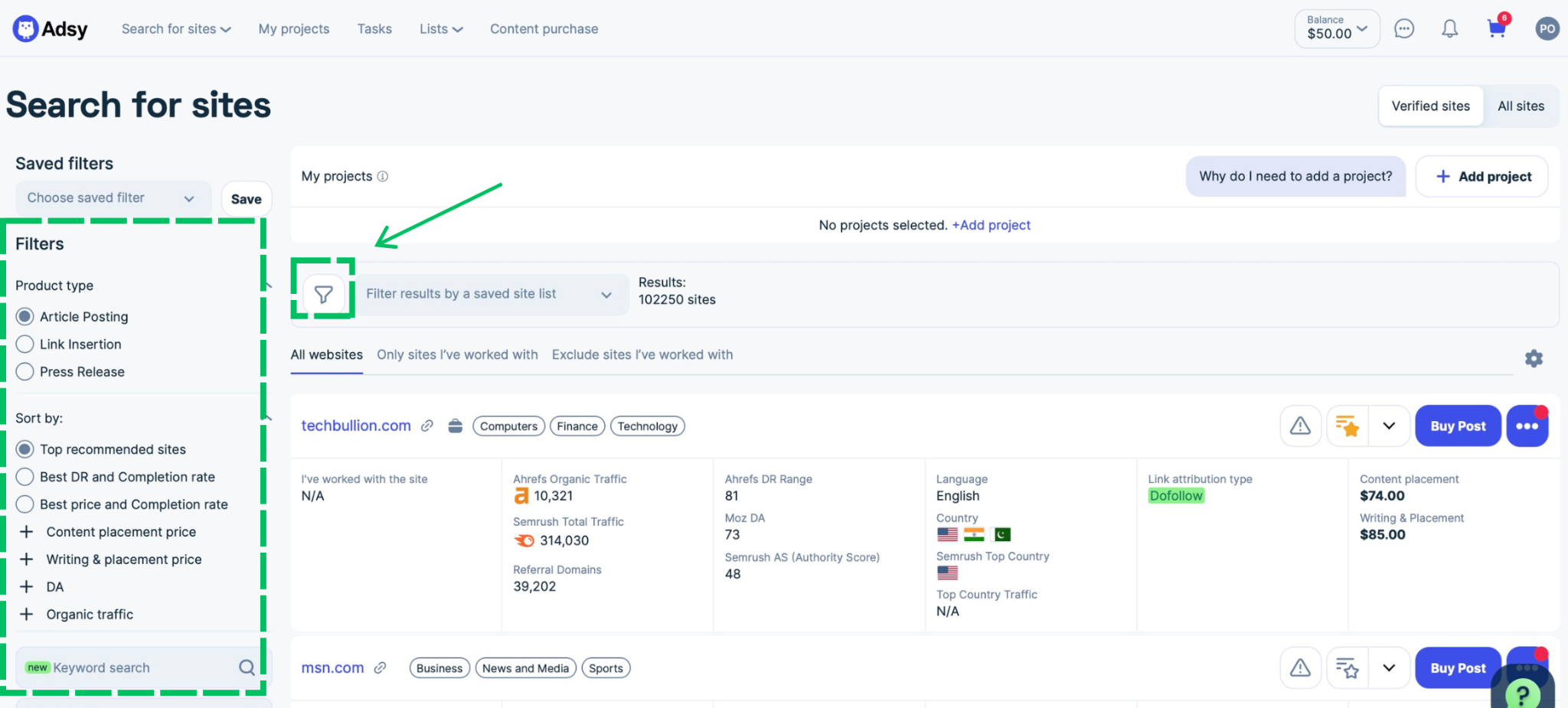
It's also worth pointing out that each filter is now a simple dropdown, so you can expand or collapse it whenever you need. And all applied filters become chips above the results, next to the live site count. Drop one with its x, or hit Clear all to start fresh.
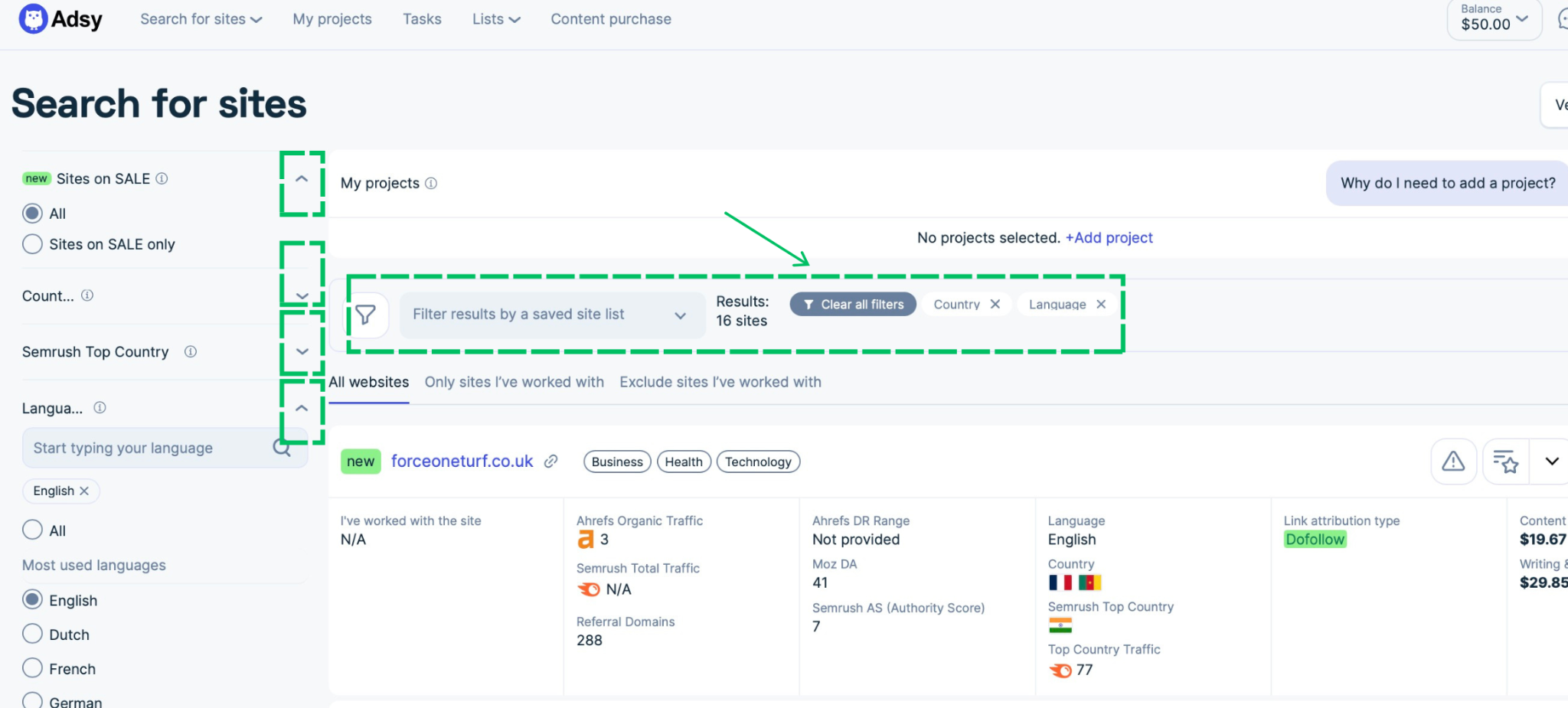
Saved site lists are now in the same row, so you can limit the search to one of your lists without leaving the page. You can still save chosen filters, but now this option is right at the top of all filters so you won’t miss it.
You can also hide the filters by clicking the Filters icon at the top of the panel.
Saved site lists are now in the same row, so you can limit the search to one of your lists without leaving the page. You can still save chosen filters, but now this option is right at the top of all filters so you won’t miss it.
You can also hide the filters by clicking the Filters icon at the top of the panel.
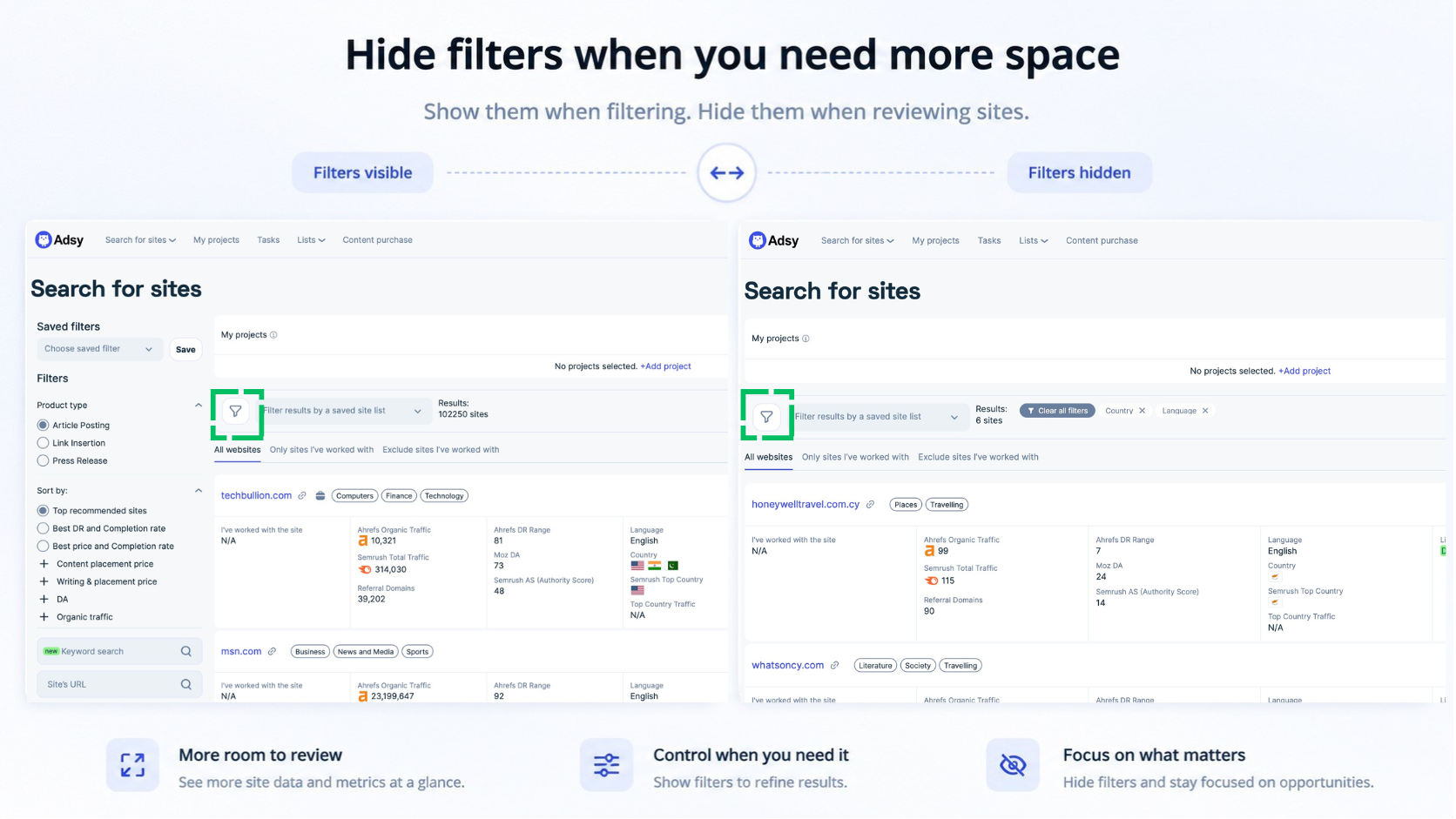
As a result, you get grouped, simplified filter usage with more space for work on your projects. Hide or open filters anytime you wish in one click.
3. Balance became a dropdown
All information about your Balance is grouped in a compact dropdown that appears when you hover the mouse over it. So you can easily check the information about your balance, bonuses, or reserved money without leaving the page, as well as quickly switch to the window for adding funds, checking your transactions, or invoices.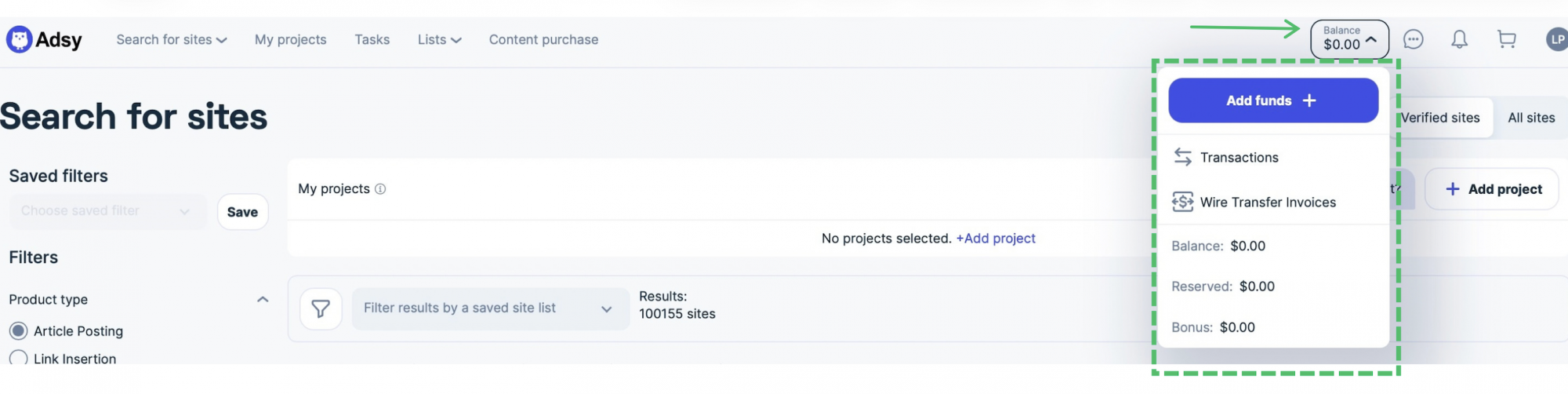 You can also hide the filters by clicking the Filters icon at the top of the panel.
As a result, you get grouped, simplified filter usage with more space for work on your projects. Hide or open filters anytime you wish in one click.
What you get from the new design
Such a big change in the interface people are used to is a serious decision. We analyzed user behavior, gathered feedback from our clients, and applied only those changes that could really improve your work on Adsy.
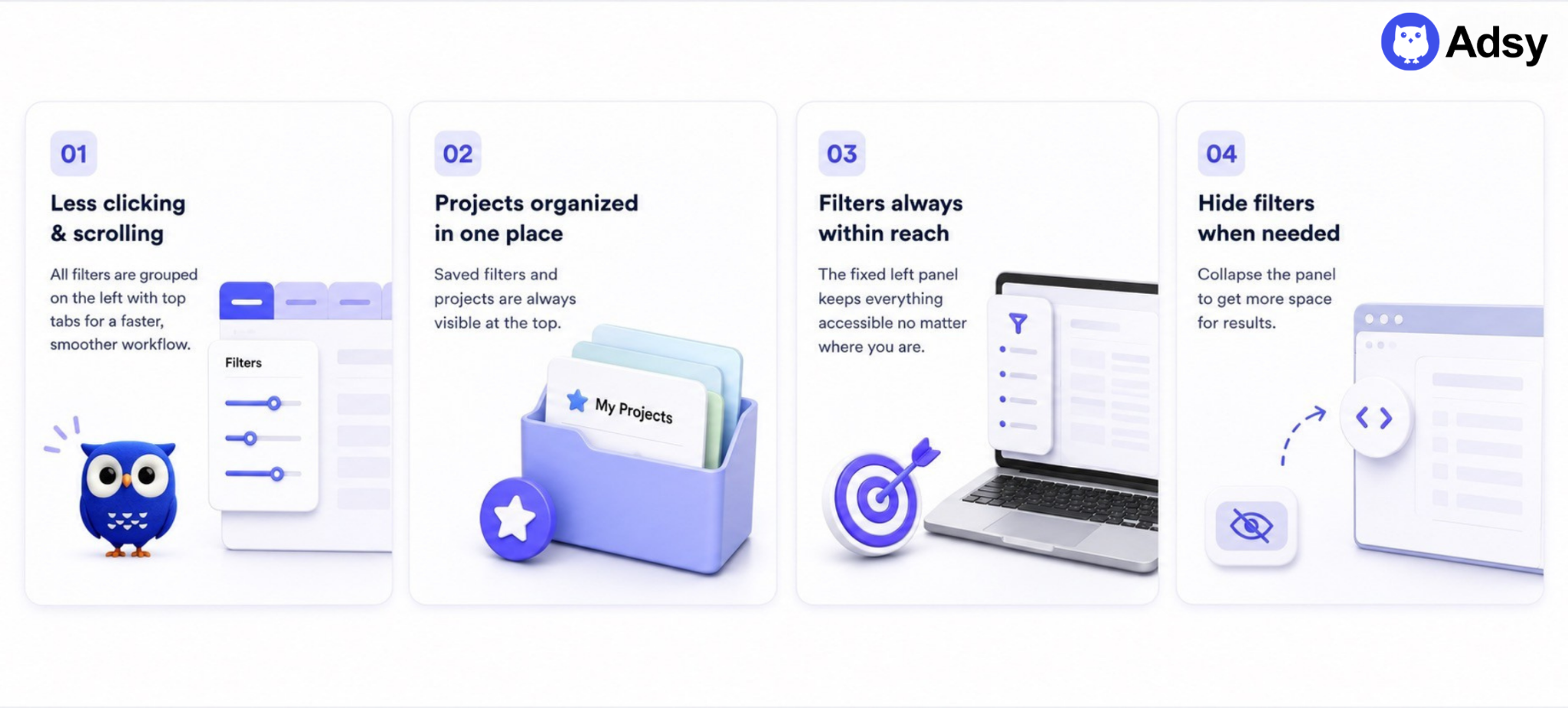
- You'll spend less time searching for the right sites. Thanks to grouped filters on the left panel and tabs at the top of the page, you won't waste time on endless clicking and scrolling.
- You can work with multiple projects more easily. If you're constantly searching for sites for clients, you probably have to switch between different tabs. Now you can easily save the filters and organize them in one place, instead of competing for space with everything else.
- You're always one click from your filters. Even if you scroll all the way down the results, you don't need to go back up. All your filters stay right there on the left, so you can make quick adjustments anytime.
- You can hide filters entirely when you don't need them. If you need to focus on working with sites, checking metrics, and placing content, just click the filter icon to hide the whole filters panel, or click again whenever you want to open it again.
How to go back to the old design
We understand that a new layout takes some time to get used to, so we’ve left the old version untouched. Hover over your name in the top right corner, and you'll see a toggle to switch between the new design and the old one, anytime you want.
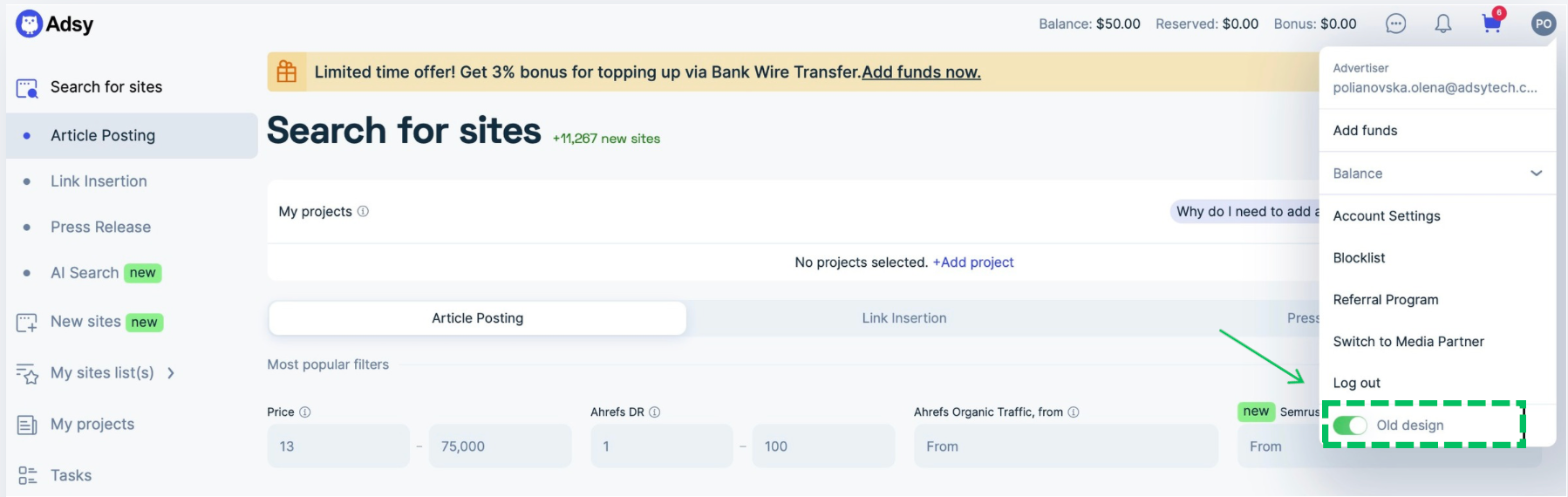
This option will remain with no deadlines, so you can choose a layout that completely fits your expectations.
Final words
We hope this update will make your everyday work smoother, save you time, and give you more space to focus on quality content and smart distribution on the sites you choose on Adsy.
Explore the new navigation now and see how it has improved the overall experience of working on Adsy.
All trademarks, logos, images, and materials are the property of their respective rights holders.
They are used solely for informational, analytical, and review purposes in accordance with applicable copyright law.


 Sign Up
 Sign Up