






Meet Adsy Checker: Browser Extension for Checking Website Placements
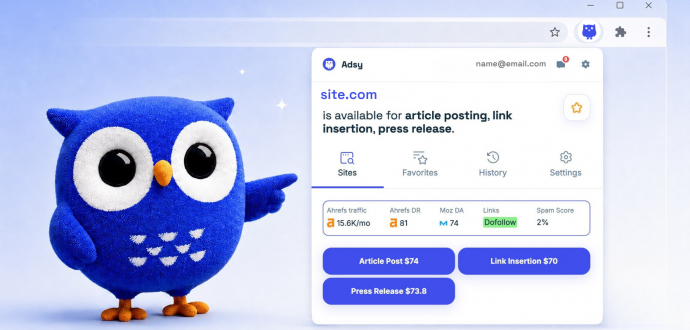
Here’s the situation you might know all too well: you find a promising website where you would like to place your content or insert links. It might be by chance or through recommendation. But you can’t instantly check whether it is available on Adsy, its traffic, metrics, pricing, and placement options without logging in to your account and checking every site manually.
So we found a solution and launched the brand new Adsy Checker. It’s a free Chrome extension that helps you check any site right from the page you’re viewing without opening Adsy in a separate tab.
In this guide, we put together how it works, why it's useful, and how to get started.
What You Get With Adsy Checker
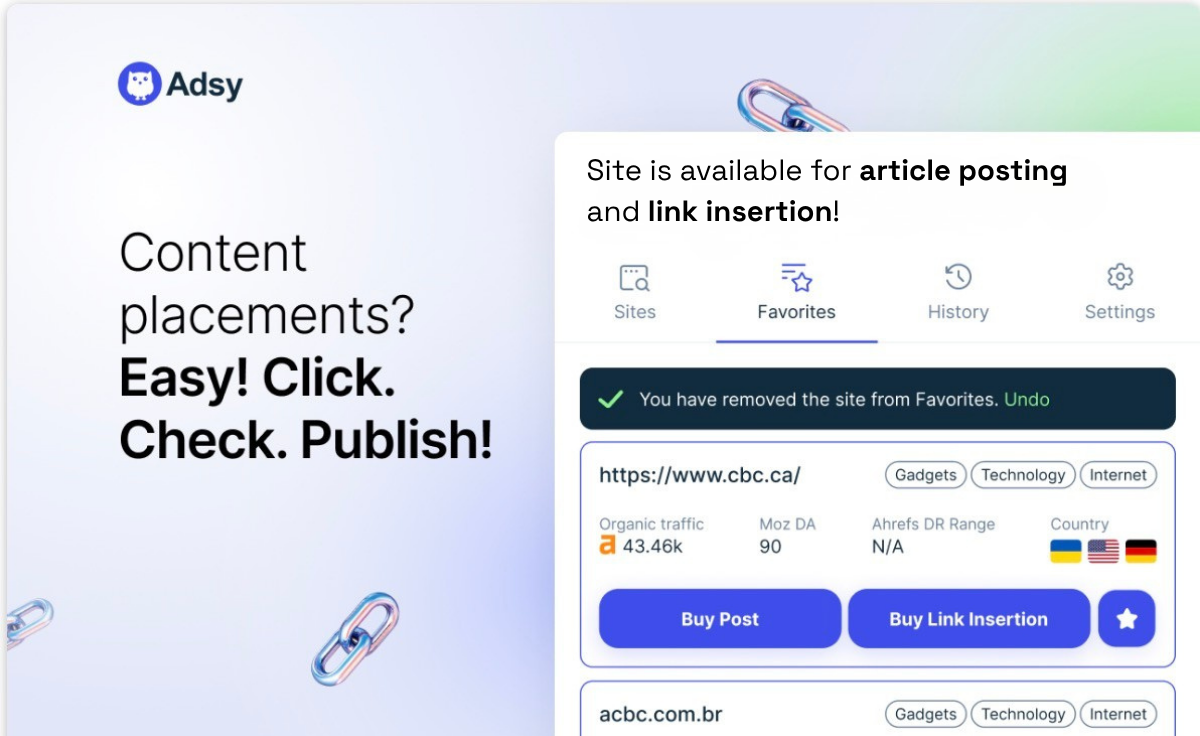
Adsy Checker is a Chrome extension that is connected to Adsy's inventory of 150,000+ websites. Any time you land on a site, you can instantly check if it's available in the Adsy inventory, which placement options it offers, how much it costs, and whether the metrics are actually worth your attention.
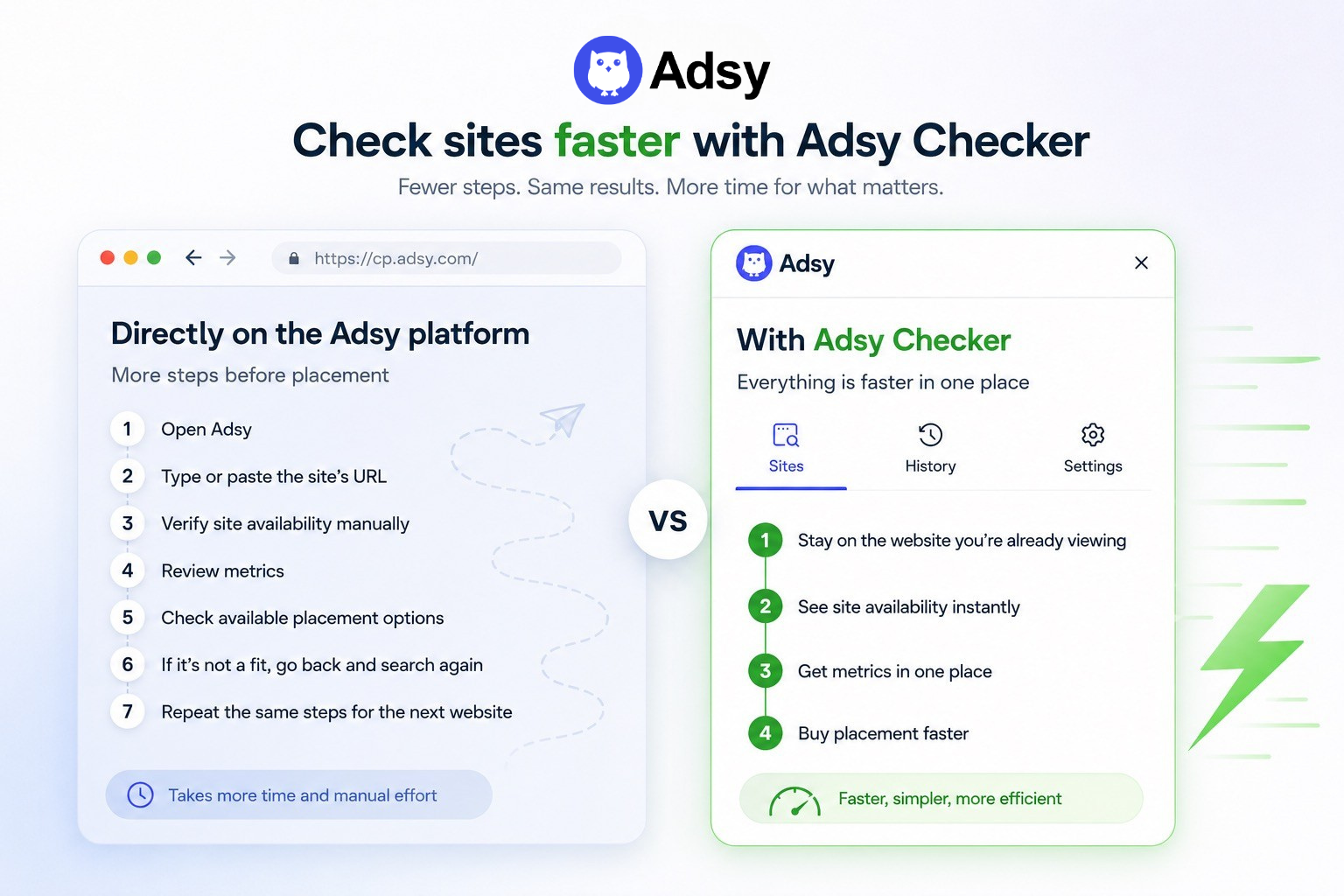
You can get all the information about the site in seconds, without opening additional tools, switching tabs, or interrupting your workflow.
Why it's worth using
- Find opportunities twice as fast. You can check dozens of sites quickly without copying and checking URLs manually.
- Check availability directly in the browser. You instantly see whether the site is available on Adsy or not.
- Everything in one place. You can check Traffic, DR, DA, Spam Score, content placement options, and prices in seconds.
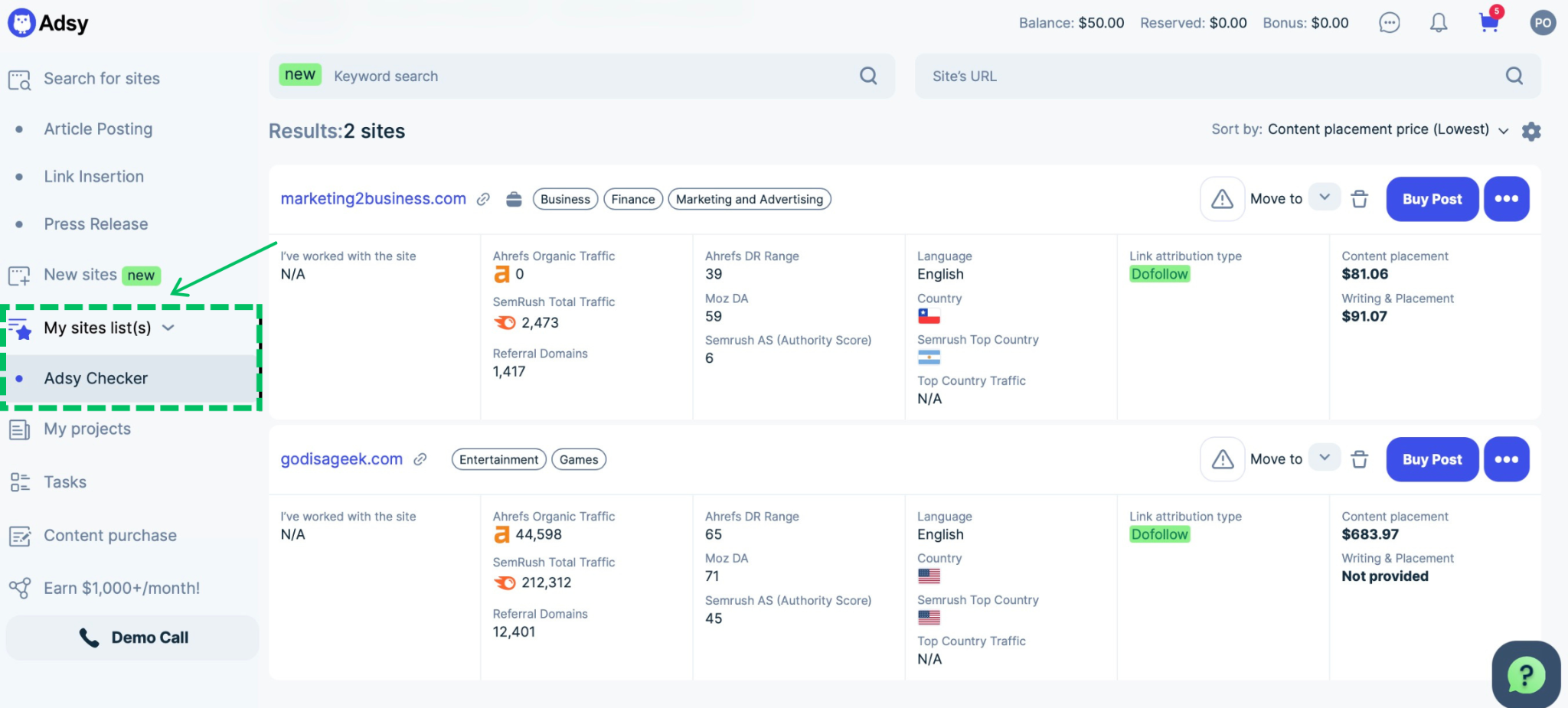
- Nothing gets lost. Favorites and History keep track of what you've already checked, so good finds don't slip away. After adding sites to Favorites, a corresponding tab will appear in the “My Sites List” menu in your Adsy account.
- Completely free. All you need is an Adsy account to get started.
How to install and use it step-by-step
Getting started takes a few minutes. And after installing the extension, checking the websites becomes a one-glance habit. Here's how the process looks.
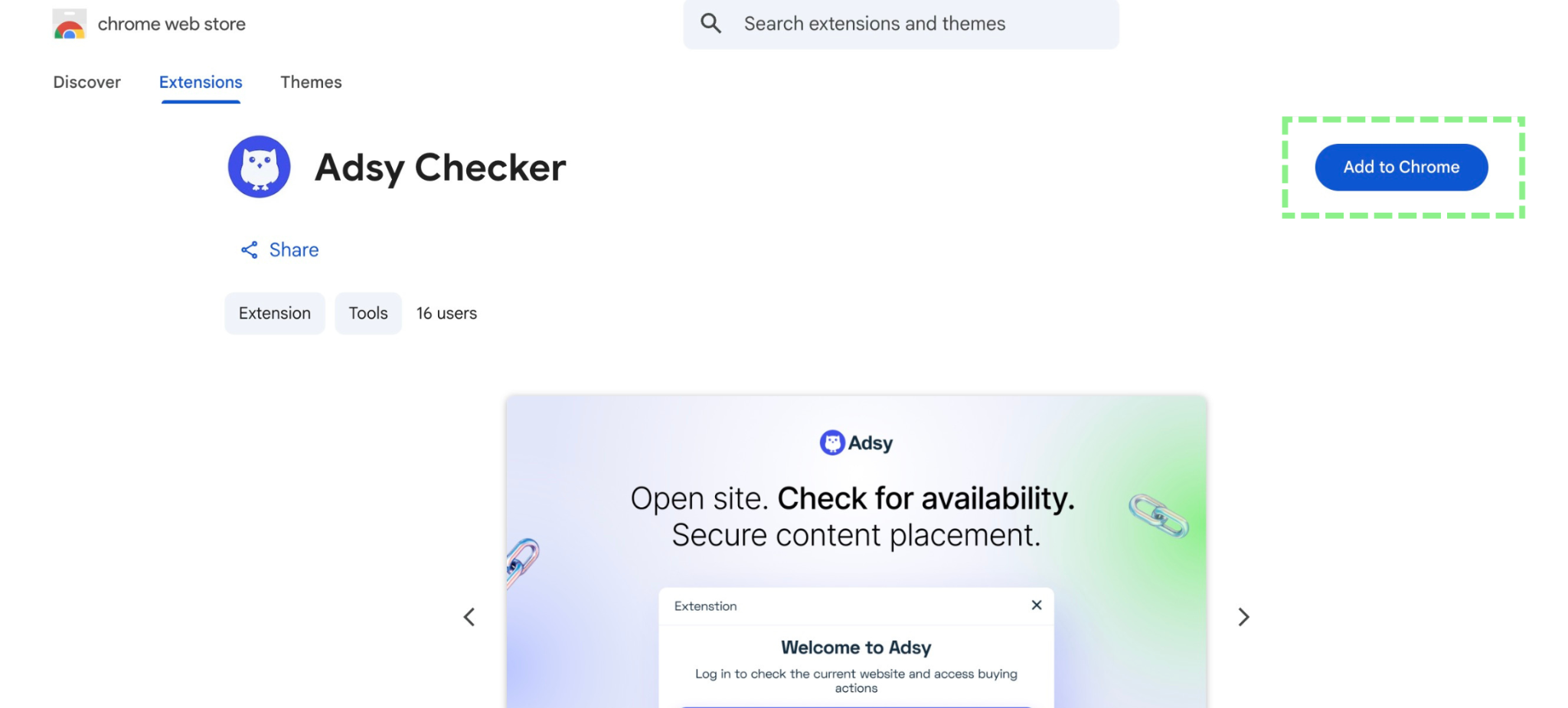
1. Install the extension. Open the Chrome Web Store in the Chrome browser and click the “Add to Chrome” button.
2. Log in with your Adsy account. The extension will appear in your Chrome browser. You can open it by clicking the special Puzzle icon at the top right of the browser window.
If you regularly use Adsy, no additional steps are required. Just log into your account and start checking the sites instantly. But if you’re a new user, you have to register or log in to your account, add billing details, and deposit at least $25 to unlock all the features.
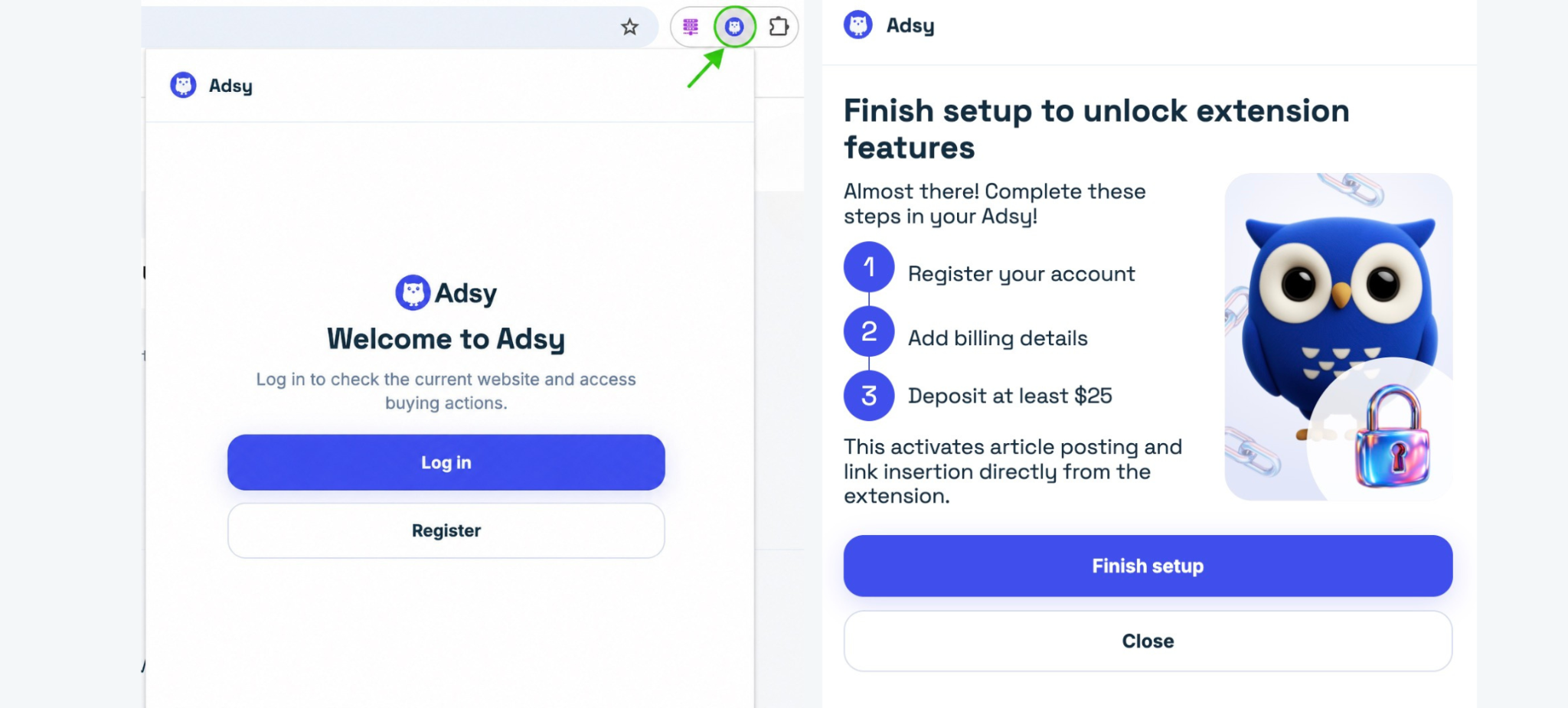
3. Open any website you want to check. Just browse any site as you normally do (a blog, a competitor's backlink, a site someone mentioned to you), and open the extension from your toolbar.
There are two options you can see:
- If the site is available in our inventory, then you will see all the information about it: the main metrics and placement options with pricing.
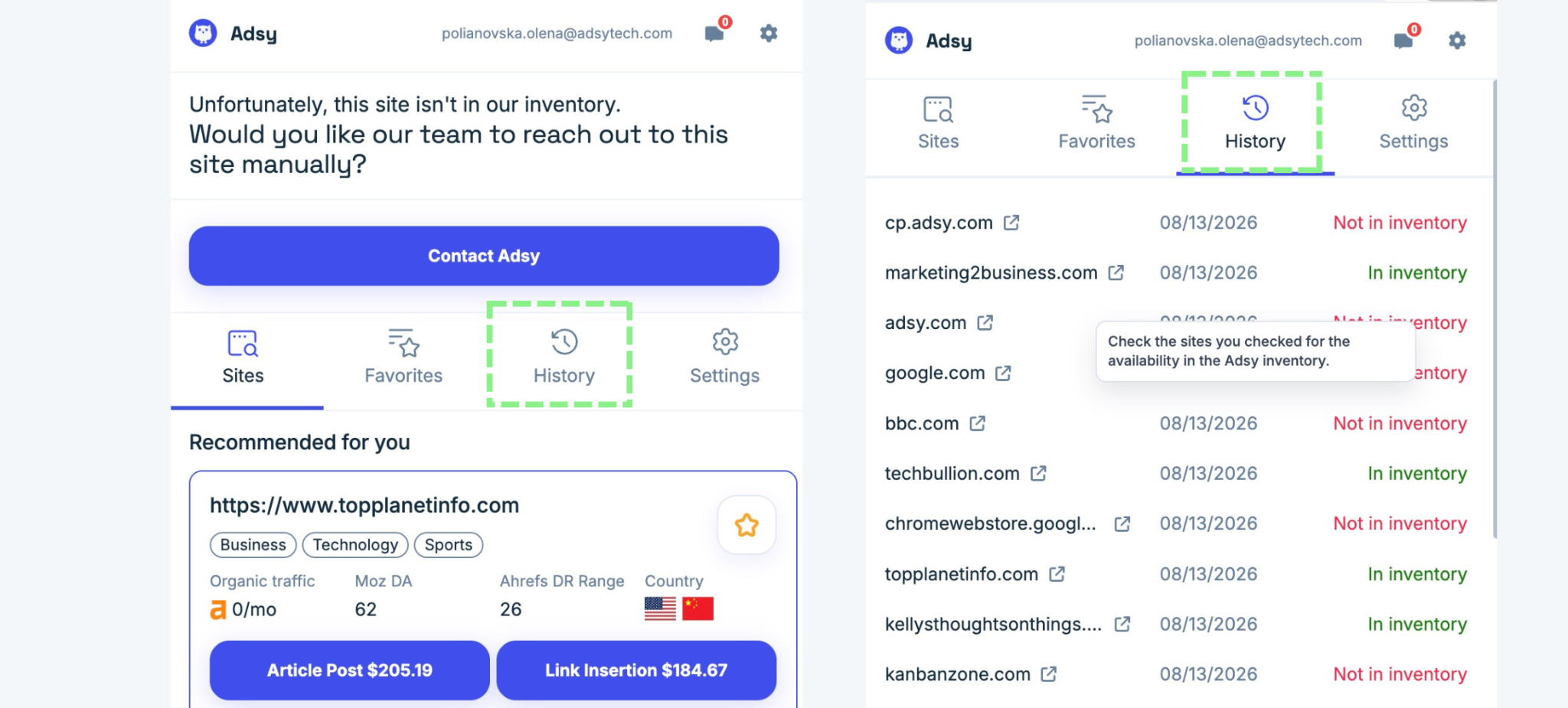
- If the site isn’t in the Adsy inventory, you will see an appropriate message in the extension. You can submit the short request form to the Adsy outreach team right from the extension and explore the recommended list of available sites on Adsy.
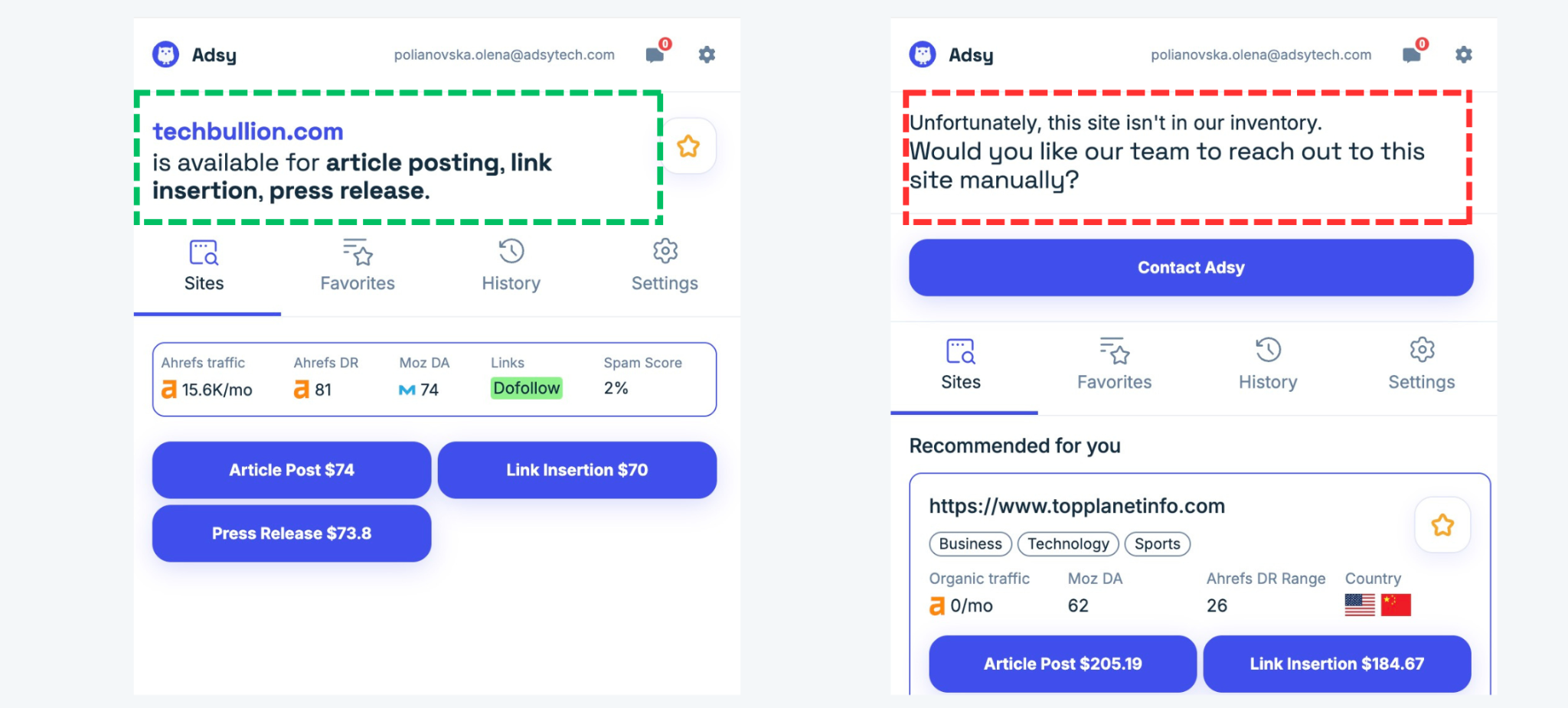
4. Check the metrics. You can explore core information about the site youʼre browsing: Ahrefs Traffic, Ahrefs DR, Moz DA, Spam Score, and link attribution type for the site you're currently on.
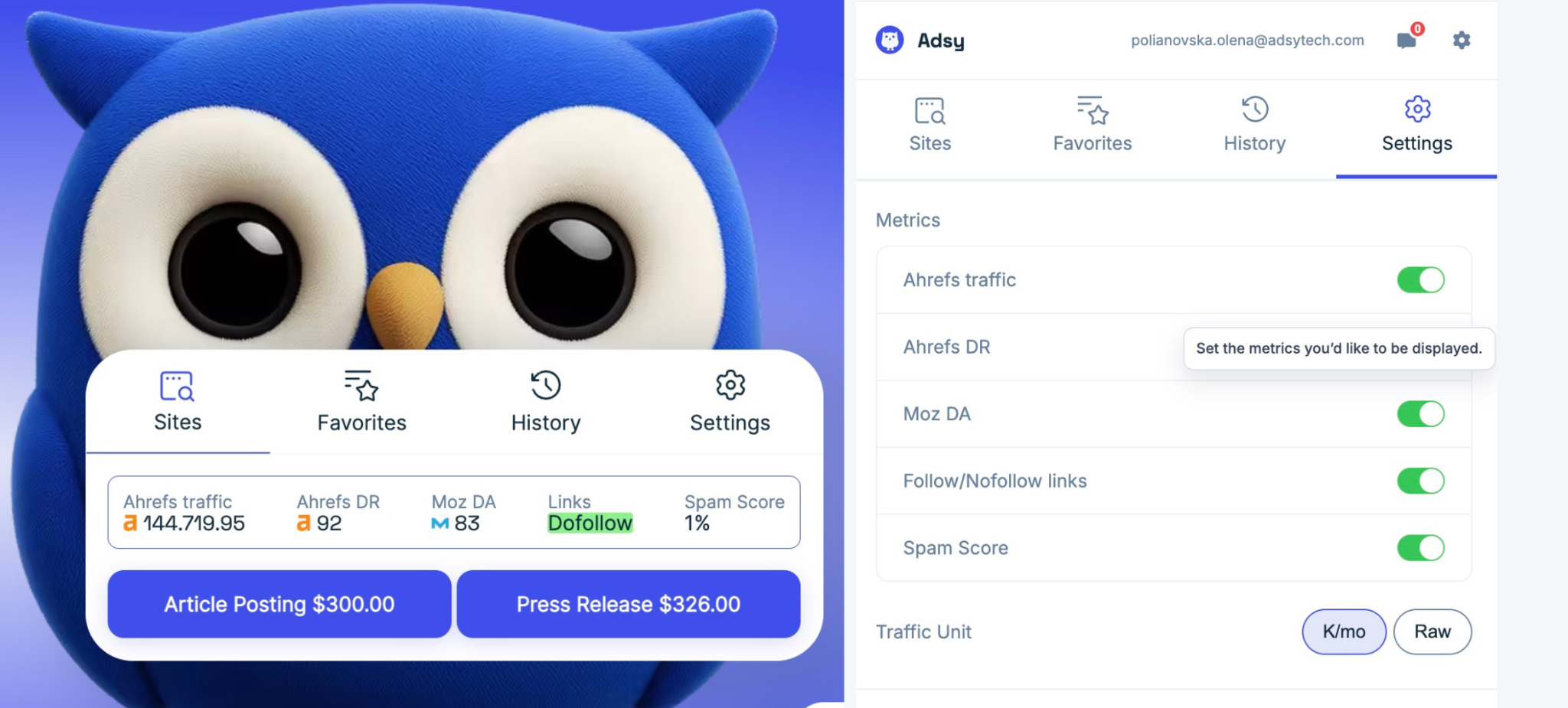
You can also remove any metric in the Settings. For example, if Traffic and Spam Score are important for you, but Moz DA doesn't matter so much, set it up so the extension will show you exactly what you want.
5. Choose a placement option on the site or save it for later. There are three options you can see: Article Post, Link Insertions, and Press Release, with the exact pricing for this particular site. Click the button, and you will be redirected to your Adsy account where you can create the task.
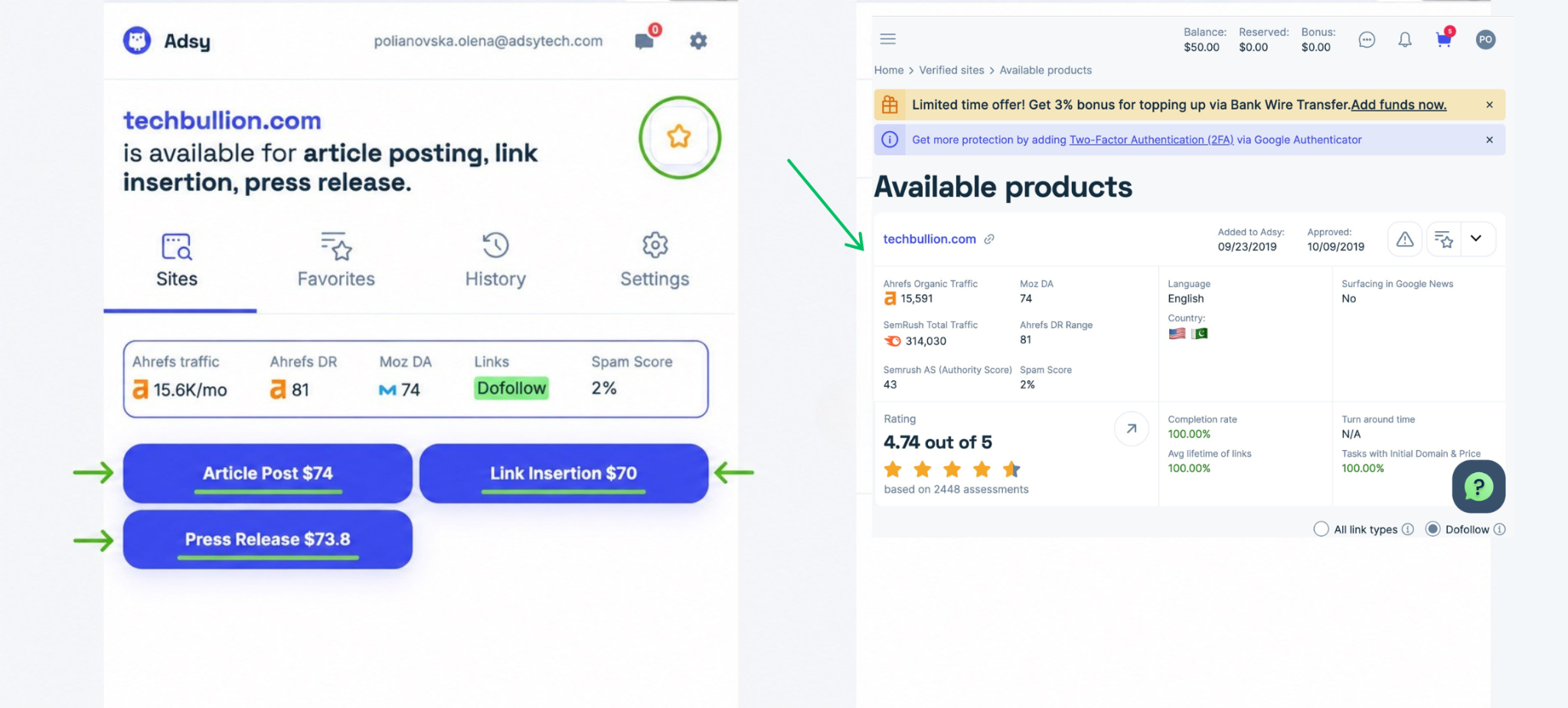
If you’re not ready to buy, click the star icon to add it to Favorites, and it'll be waiting for you right in the extension. Come back when you're ready.
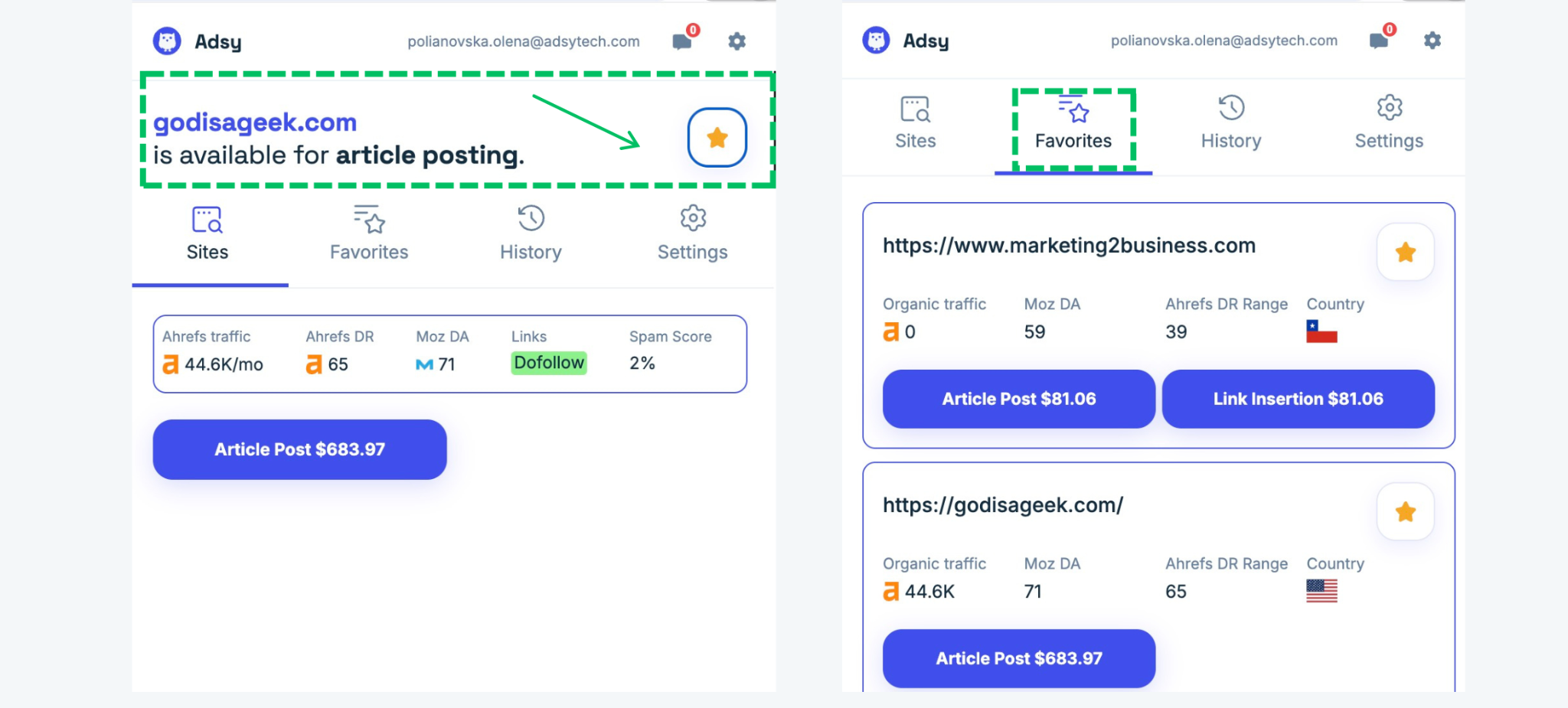
A special Adsy Checker Tab will also appear in your Adsy account (in My Sites List(s), so you can find it anytime and place your order.
6. Revisit past checks anytime. The History tab keeps all sites you've already visited with information on whether each site is available in Adsy inventory. So you will never miss important opportunities and can go back to it whenever you want.
When Adsy Checker is actually useful
There are many situations where it can be helpful and time-saving.
- The moment you spot a site by chance. When you read an article and notice a site that could be a good fit for a content placement, open the extension and get an instant answer: is it available on Adsy, which metrics and placement options it has.
- Going through a competitor's backlinks. If you work with a list of sites where competitors have placements, check each one in seconds instead of copying URLs into the search bar every time you want to get more information.
- Building a list for later. It is a good tool for making a list of sites you want to place content on. Just choose the best options, add to Favorites, and don't lose track of what you've already checked.
- Placing orders quickly. If a site fits you, you don’t need to switch between tabs. Just click the placement option you choose and place your order in the Adsy account without breaking your session.
Try Adsy Checker for free
We're constantly improving Adsy products, and Adsy Checker is another solution that will save time and help you find the best placement options faster.
No more switching between tabs and checking every single site. Just open your browser, check everything you need (availability, pricing, metrics), and place your order in minutes.
Ready to speed up your website research? Add Adsy Checker to Chrome and start checking websites without leaving your browser. It's free, and it takes a minute to set up!
All trademarks, logos, images, and materials are the property of their respective rights holders.
They are used solely for informational, analytical, and review purposes in accordance with applicable copyright law.



 Sign Up
 Sign Up